Checked 6 October 2026 · 5 tools
Sermon transcription and captions
Five ways to turn a sermon into text or captions, from free YouTube captions to paid human transcription, with each pricing page as it looked on 6 October 2026.
How we chose. We read each tool’s own pricing page on 6 October 2026 and kept a screenshot of it, which is on this page beside the tool. Prices are in US dollars unless the vendor showed a regional price, in which case we say so. Where a vendor only gives prices in a sales call, we say that rather than guess. We did not test these tools hands-on; what each does well and where it falls short comes from the vendor’s own pages, and what its users say is quoted word for word from r/churchtech, with a link to the comment. Each quote was checked by our research desk against the archived comment and again before publishing (on Reddit where it allowed it, otherwise against the archive), and is marked as praise, complaint or mixed.
We make Slice. It appears only in the sermon clips and transcription guides, marked “ours”. No tool paid to be listed, and nothing here was tested hands-on.
Which one, in ten seconds
Find the line that sounds like you.
- Your sermon is on YouTube and you only need captionsYouTube automatic captions
- You want the sermon as text for notes and small groupsSlice Transcribe
- A member needs to read along live in the serviceOtter
- You also edit the sermon video or podcastDescript
- A transcript has to be checked by a personRev
Side by side
| Tool | Best for | Price | Free tier | Key limits | Platforms |
|---|---|---|---|---|---|
| YouTube automatic captions | a church that already uploads the service to YouTube and only needs captions or a rough transcript, at no cost | Free with every upload | Free | YouTube’s help page says quality "may vary"; automatic captions on live streams are English only | YouTube |
| Slice Transcribeours | a church that wants the sermon as text for notes and small groups, free for one recording a day, with hour packs bought once rather than a subscription | Free: 1 recording a day up to 90 minutes. Hour packs, paid once: $4.99 for 5 hours, $9.99 for 15 hours, $24.99 for 40 hours | Yes: 1 recording a day, up to 90 minutes, with .txt, .srt and .vtt | Takes a file you upload; not live captions during the service | Web |
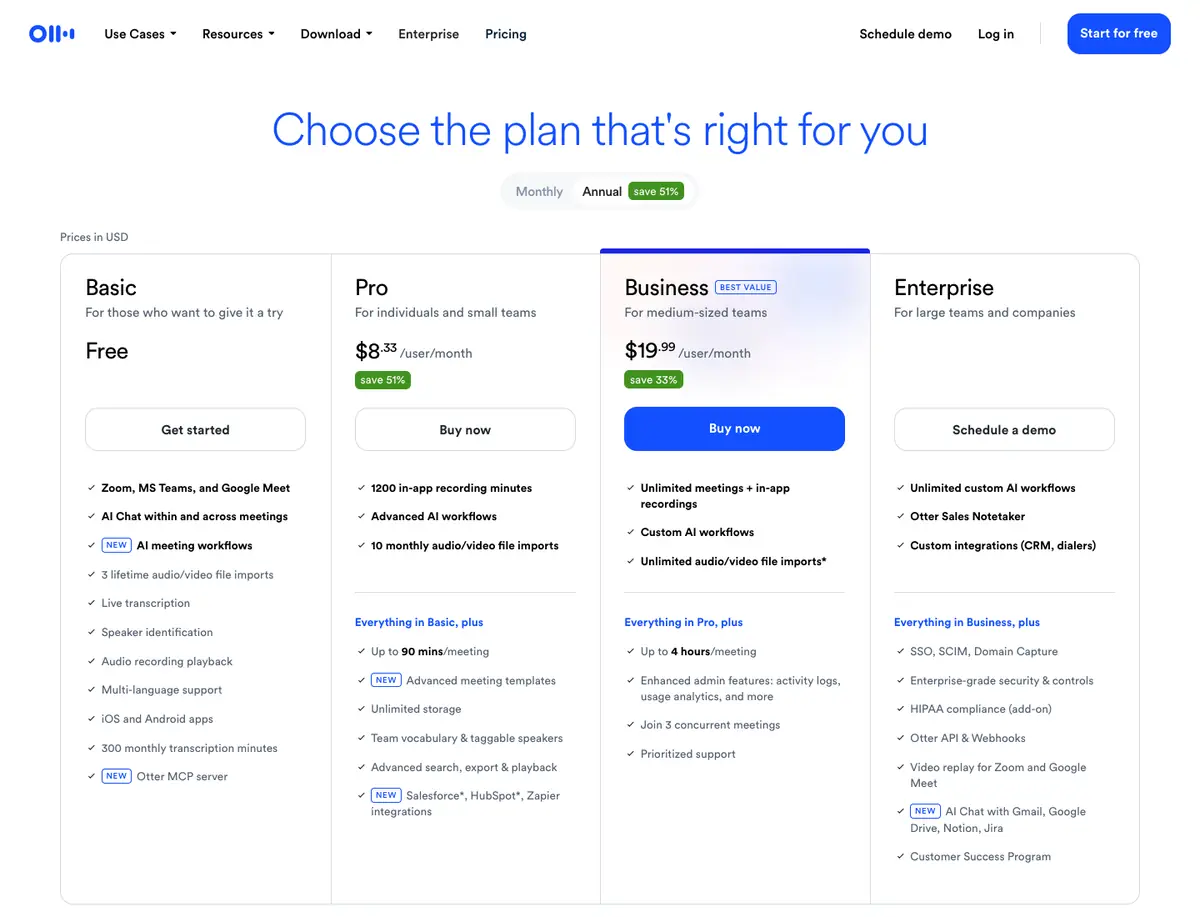
| Otter | live transcription on a phone or tablet, for a meeting or for a member who needs to read along, rather than for the sermon file | Free (Basic); Pro $8.33 and Business $19.99 per user a month, billed annually | Yes: 300 transcription minutes a month and 3 lifetime file imports | Built for meetings; Pro allows 10 file imports a month and 90 minutes a meeting | Web, iOS and Android; Zoom, Teams and Google Meet |
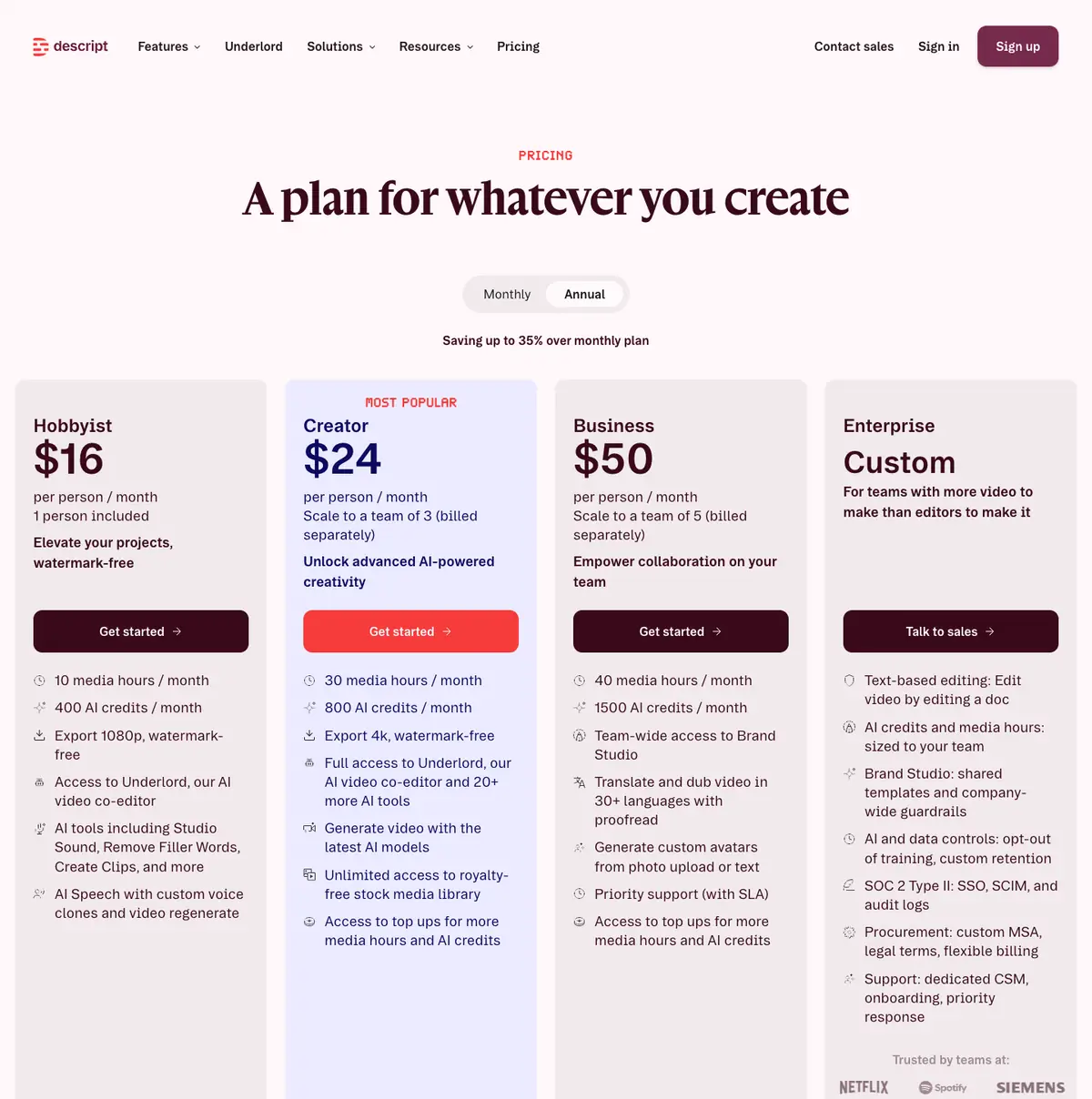
| Descript | a church media team that also edits the sermon video or podcast by editing its transcript | Free; Hobbyist $16, Creator $24, Business $50 per person a month, billed annually | Yes: a free plan | Each plan caps media hours a month (10, 30 and 40 on the paid plans) and bills per person | Desktop and web |
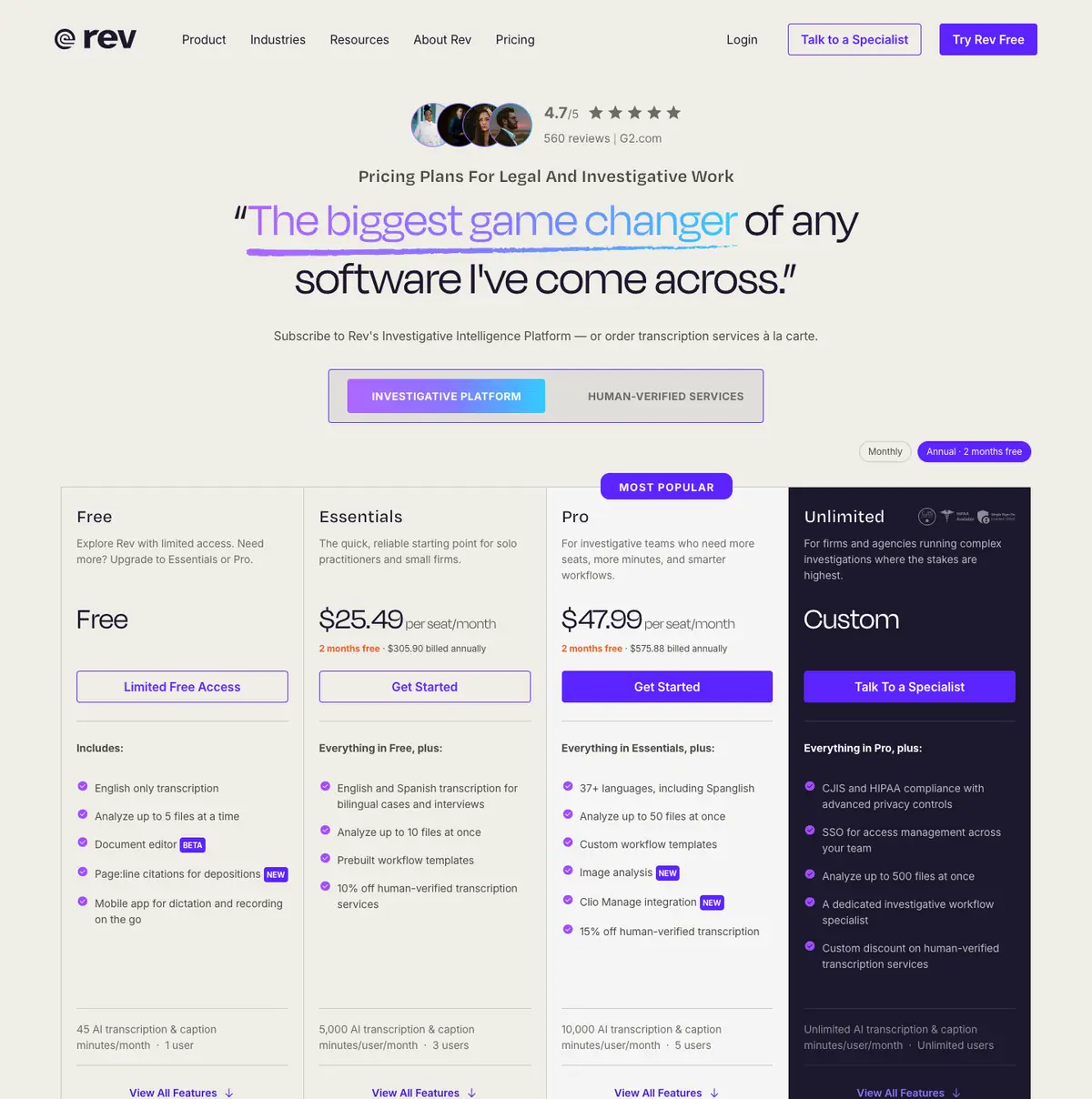
| Rev | a church that sometimes needs a person, not only AI, to check a transcript, and can pay per minute for it | Free (45 AI minutes a month); Essentials $25.49, Pro $47.99 per seat a month billed annually; human-verified transcription sold separately | Yes: 45 AI transcription minutes a month, English only | The pricing page is now aimed at legal and investigative work | Web, iOS app |
Prices in US dollars from each vendor’s pricing page. Scroll the table sideways on a phone.
01
YouTube automatic captions
Best for a church that already uploads the service to YouTube and only needs captions or a rough transcript, at no cost.
Price Free with every uploadFree FreeRuns on YouTube
What it does well
- Nothing to buy or set up: YouTube makes captions from the speech after an upload.
- Churches use the result as a transcript for notes (quoted below).
Where it falls short
- YouTube’s own help page says the captions are made by machine learning, "so the quality of the captions may vary", and encourages creators to add professional captions.
- Automatic captions on live streams are English only, per the same page.
- Grammar and punctuation need cleaning up, churches say (quoted below).
What its users say
“We upload ours to YouTube and after it processes we get the transcription. It’s pretty accurate.”
“The youtube automatic transcriptions aren't bad if you are already uploading them.”
“Captions from YouTube don’t do a good job of grammar and punctuation but Word does it well.”
Its pricing pageread 6 October 2026
02
Slice Transcribeours
Best for a church that wants the sermon as text for notes and small groups, free for one recording a day, with hour packs bought once rather than a subscription.
Price Free: 1 recording a day up to 90 minutes. Hour packs, paid once: $4.99 for 5 hours, $9.99 for 15 hours, $24.99 for 40 hoursFree Yes: 1 recording a day, up to 90 minutes, with .txt, .srt and .vttRuns on Web
What it does well
- Speakers labelled when more than one person talks, and .txt, .srt and .vtt files free.
- Hour packs are paid once and never expire; no subscription.
- With hours, a sermon gets each Bible passage named with its time, the sermon in parts, and a Sermon notes Word file.
Where it falls short
- Not live: it transcribes a recording after the service, so it does not caption a stream as it happens.
- The free tool is one recording a day and 90 minutes; a whole two-hour service needs an hour pack.
03
Otter
Best for live transcription on a phone or tablet, for a meeting or for a member who needs to read along, rather than for the sermon file.
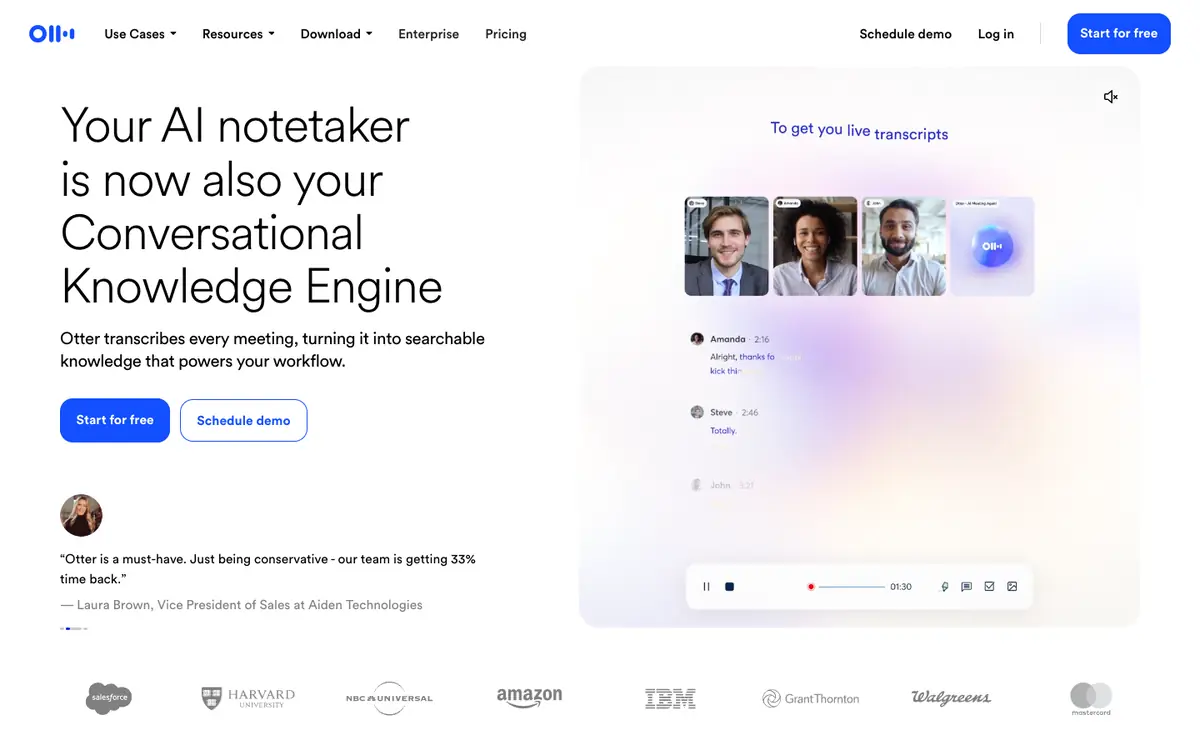
Price Free (Basic); Pro $8.33 and Business $19.99 per user a month, billed annuallyFree Yes: 300 transcription minutes a month and 3 lifetime file importsRuns on Web, iOS and Android; Zoom, Teams and Google Meet
What it does well
- Live transcription in the app: one church gives a deaf member an Android tablet running it (quoted below).
- Free plan with 300 minutes a month, speaker identification and summaries.
Where it falls short
- Made for meetings, not sermon files: the free plan allows only 3 imported recordings, ever.
- It transcribes, but the plans are sold per user for meeting notes, not by the hour of recordings.
What its users say
“We use otter.ai and provide an android tablet to one of our deaf members. It's not bad.”
“Many use chatgpt, granola, otter etc for meetings/note taking to provide a summary and action points. Genuinely very helpful.”
Its pricing pageread 6 October 2026
04
Descript
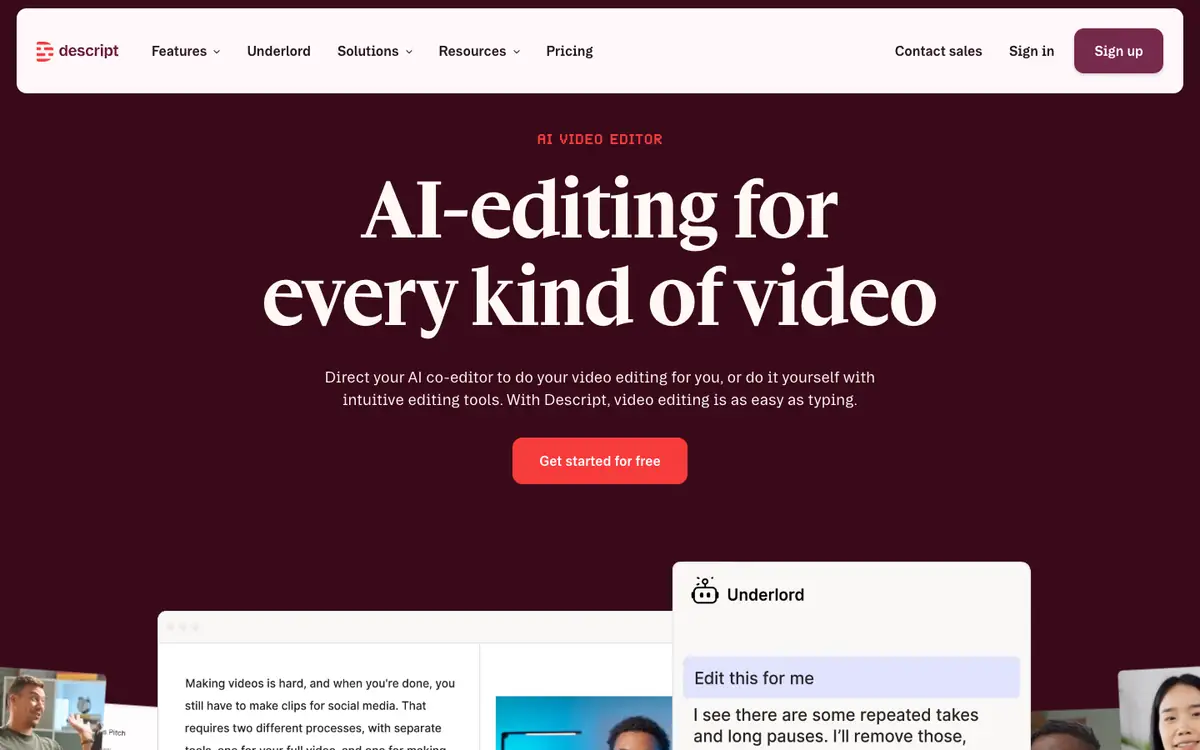
Best for a church media team that also edits the sermon video or podcast by editing its transcript.
Price Free; Hobbyist $16, Creator $24, Business $50 per person a month, billed annuallyFree Yes: a free planRuns on Desktop and web
What it does well
- Edit the video by editing the words of its transcript.
- The paid plans export without a watermark, in 1080p on Hobbyist and 4K on Creator.
Where it falls short
- A subscription per person with a monthly cap on media hours.
- More than a church needs if it only wants the text.
What its users say
“i’ve tried rev or descript, works okay but kinda pricey if you have a lot of long sermons”
Its pricing pageread 6 October 2026
05
Rev
Best for a church that sometimes needs a person, not only AI, to check a transcript, and can pay per minute for it.
Price Free (45 AI minutes a month); Essentials $25.49, Pro $47.99 per seat a month billed annually; human-verified transcription sold separatelyFree Yes: 45 AI transcription minutes a month, English onlyRuns on Web, iOS app
What it does well
- Human-verified transcription and captions alongside the AI, with discounts on paid plans.
- A mobile app for recording and transcribing on the go.
Where it falls short
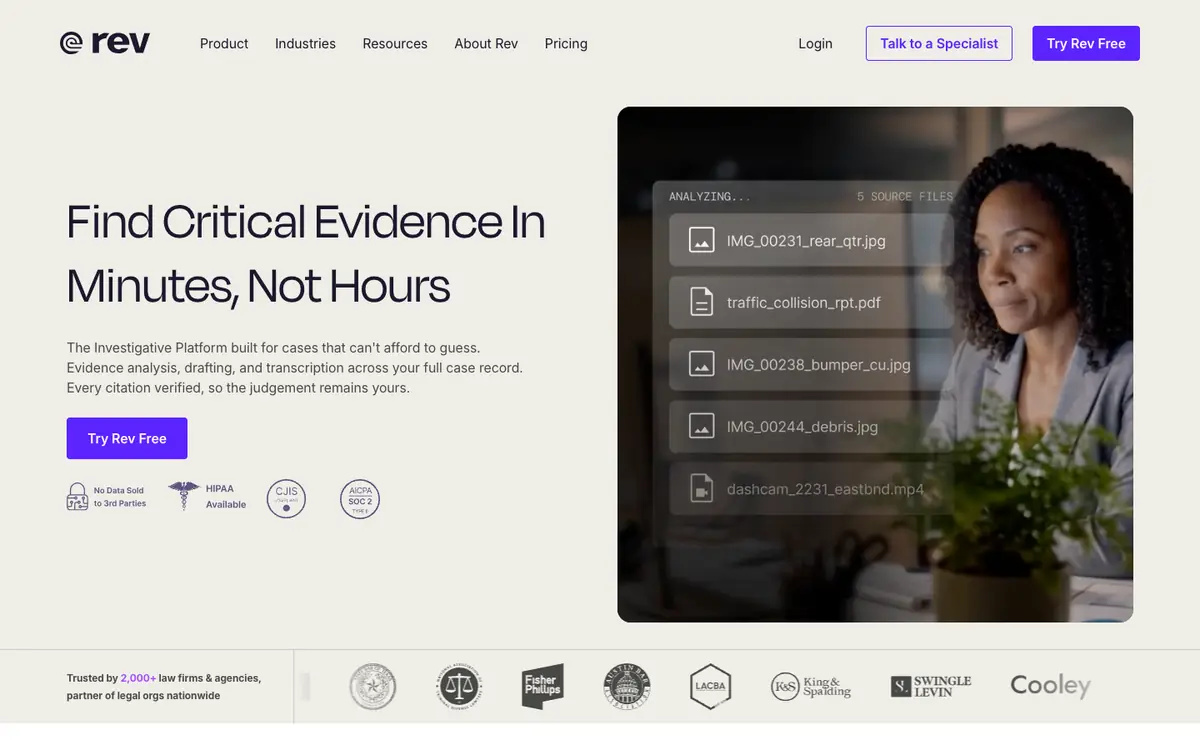
- Its plans are pitched at legal and investigative teams, priced per seat.
- Called "kinda pricey" for long sermons on r/churchtech (quoted below).
What its users say
“i’ve tried rev or descript, works okay but kinda pricey if you have a lot of long sermons”
Its pricing pageread 6 October 2026
Questions
Are YouTube’s captions good enough?
For viewers who want captions, often yes, and they are free. As a transcript to print or quote, expect to fix punctuation and names; YouTube’s own help page says the quality "may vary".
What about live captions for the room?
That is a different job. One church on r/churchtech runs Otter on a tablet for a deaf member; another uses OBS with Apple’s built-in speech-to-text. Tools that transcribe a file afterwards, including ours, do not do this.