Guide for course creators
How to clip a course lesson without giving the course away
You spent months recording a course. The lessons are the best evidence you have that you can teach, and almost nobody sees them, because they sit behind a paywall. Clip them and you worry you are giving the course away. You are not, as long as you know which part of a lesson is free and which part people are paying for.
The short answer
Clip the why and the what, keep the how. A free clip can name a problem, explain why it matters and correct a common mistake. The course keeps the step-by-step method, the exercises, the order and your feedback. Clip from early modules, end each clip before the steps begin, and mention the course once in the post text rather than on every clip.
Shorts by Slice turns a long podcast or stream into captioned vertical clips. $14.99 a month. Your first video (we search the first hour) and first 2 clips are free, no card. After that, buy clips one at a time or take the plan, which you can cancel any time.
Try it free →What a clip can give away, and what it cannot
A course is not a pile of facts. Anyone can find the facts. What people pay for is the path through them: what to do first, what to skip, the practice, the worksheet, the chance to ask you. A minute-long clip cannot carry any of that, which is exactly why it is safe to post. One course buyer described what the paid version gave them that a creator’s free podcast had not:
“the format being step by step rather than randomly sparsed and missing bits and pieces in the podcast episodes was actually beneficial.”
| Part of a lesson | In a free clip? | Why |
|---|---|---|
| Why the problem matters | Yes | It makes the viewer feel the problem. That is what makes them want the fix. |
| A common mistake and why it happens | Yes | Useful on its own, and shows you know the subject. |
| One idea or principle, explained well | Yes | Proof of how you teach. This is what people buy. |
| The step-by-step method | No | This is the course. A clip of it is a worse version of what you sell. |
| Worksheets, templates, exercises | No | They only work in order, with the lessons around them. |
| The final result or transformation | Show it, do not teach it | A before and after sells. The how stays inside. |
Why free clips sell a course
People rarely buy a course from a stranger. They buy from someone they have watched for a while. Asked whether they had ever bought a course after following someone’s free content, buyers in r/onlinecourses said much the same thing in different words:
“i usually decided after months of free content when i felt like i understood how they thought and trusted their pace.”
“Following the creator over several months previously was a huge pull: I felt I could trust that they knew their stuff, and I wasn't disappointed.”
Notice what they are judging: how the person thinks, their pace, whether they know their stuff. That is all visible in a one-minute clip of you explaining something well. The clip does not need to contain the course. It needs to sound like it.
Which lessons to clip from
- Module one. It explains why the subject matters and what most people get wrong, which is exactly what a stranger needs. It also spoils nothing.
- Any lesson where you correct a mistake. “Most people do this, and here is why it backfires” is the strongest kind of teaching clip there is.
- Your answers in a live Q&A or a bonus call. A real question makes a natural first line. Keep the student out of it, as in our coaching call guide.
- Not the last modules. They depend on everything before them, and they give away the result people are paying to reach.
If a lesson is mostly your screen, with you talking over a spreadsheet or a design file, look for the moment you stop and explain why. That part works as a clip. The clicking does not.
How to end a course clip
The easiest place to cut is the moment you say “so here is how you do it”. Everything before that is the idea, and everything after is the course. Stop on the point, not on a cliffhanger you made up: people can tell when a clip has been cut short to tease them, and it reads as a sales trick.
Then say where the rest is, once, in the post text: “This is from lesson 2 of my course on X, link in my profile.” Leave the screen clean. Most of your clips should simply be useful, and the people who want more will look. Our guide to clip titles helps with the words around the clip.
Course lesson to clips in Slice, step by step
- Upload one lesson, not the whole course
A single lesson video, MP4, MOV or WebM up to 3 hours. Start with an early module: it has the ideas a stranger needs first.
- Ask for the why, not the how
On the episode page, finish “Find me clips about…” with something like “the mistake beginners make” or “why this matters”, so it looks for ideas rather than instructions.
- Cut each clip before the steps start
End on the point, before “so here is how you do it”. Clips run 30 seconds to 2:30; most lesson clips land between 45 and 90.
- Frame it for a phone
Fill the frame with your face for a talking point. For a slide or a screen, show the whole video and check the text is still readable.
- Say where the rest is, once
One line in the post text pointing to the course. Nothing on screen that shouts.
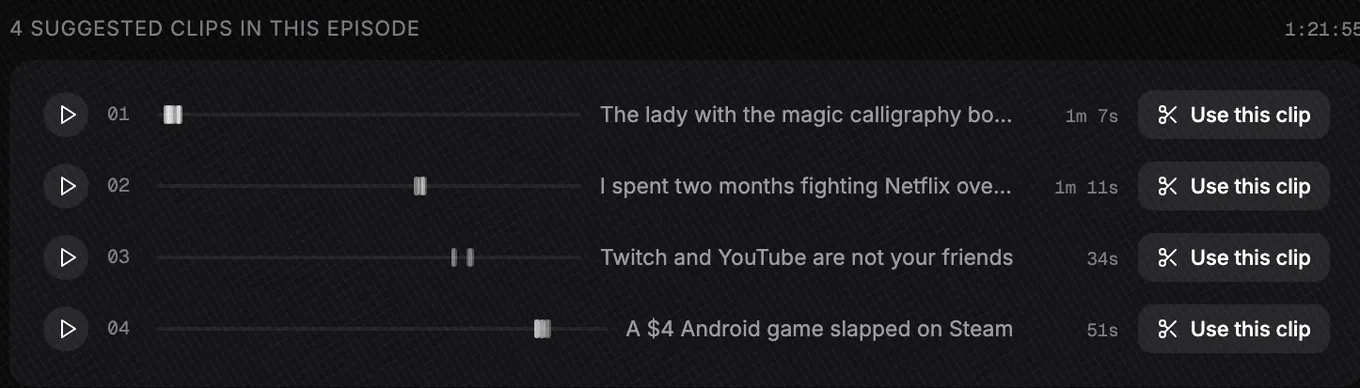
The lesson uploads to your own account and stays private. Slice does not post anything for you, and nothing leaves until you export it.
Questions
Will free clips stop people buying my course?
Not if the clips teach ideas and the course teaches the method. People buy a course for the order, the depth, the exercises and the feedback, none of which fits in a minute. Course buyers often say the free content is what convinced them to pay.
Which lessons should I clip from?
The first module, because it explains why the problem matters, and any lesson where you correct a common mistake. Avoid the final modules: they lean on everything before them and give away the result.
Can I clip a lesson that has students in it?
Only your own parts, unless a student has agreed in writing. Crop to yourself and trim their questions out, or retell the question in your own words. Our coaching call guide covers this in detail.
How long should a course clip be?
Long enough to make one point and no longer: usually 45 to 90 seconds.
Should I put a link to the course on every clip?
One mention in the post text is enough. If every clip reads like an advert, people stop watching. Let most of them simply be useful.
Get The Cut
More guides
- How to turn a webinar or online class into clips
- How to make clips from coaching calls
- How to write the first line of a clip
- Free lecture transcription
Example picture on this page: LinuxGameCast Weekly 430, CC BY-SA 4.0.