Slice Audio · part of Shorts by Slice
Upload your podcast audio. Get a week of beautiful clips.
Drop in the MP3. Slice finds the moments worth sharing and turns each one into a captioned vertical clip for TikTok, Reels and YouTube Shorts, with your cover, your colours, and your hosts’ and guests’ faces and names. Check the words, download, post.
Your first 3 clips are free, no card. Never watermarked.
- No camera needed
- The moments picked for you
- Your show’s look on every clip
Meet the example show
Every clip on this page is one made-up podcast, The Uncluttered Hour: two hosts and, from episode to episode, a guest. Set your show up the same way once, with a cover, a name and a photo for each person, and every template that shows people uses them.
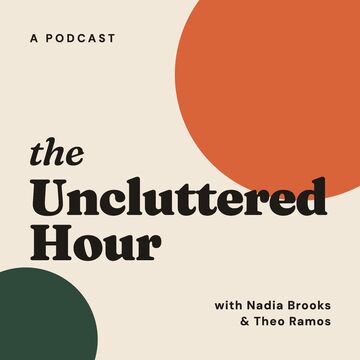






The show, names and faces are illustrative; the voices are from a real, openly licensed episode. Details under the clips.
Put your hosts and guests on screen
Add a photo and a name for each person and the Photo templates bring them in: names under faces, the person talking lit up, and a hook title on top that Slice writes and you can rewrite. Here are twelve of them, each from the same episode.
Or let your words and your cover carry it
No photos to hand? Plenty of templates are drawn from the words and your cover art alone: a magazine pull quote, a record sleeve, a printed poster, a chat thread, bars and dots that move with the voice.
46 templates on seven shelves
- Photo 13Your hosts and guests on screen, names underneath, the one talking lit up.
- Words only 9Type does the work: pull quotes, a big sentence, a film script, a magazine Q&A.
- Poster 8Bold printed layouts: stacked capitals, a retro masthead, a Swiss grid.
- Cover 4Your cover art as the star: a record sleeve, a ring that moves with the voice.
- Waveform 5The voice itself, drawn as dots, bars, rings and light.
- Social 4Looks people already know: a notes app, a chat thread, lyrics.
- Fun 3Neon, emoji and a stop-motion collage, for shows with a wink.
About the examples. The Uncluttered Hour, its cover and the six names are made up for this page, and the faces are stock photos from Unsplash (by Nolan Manning, Joseph Gonzalez, Eye for Ebony, Jackson Schaal, Christina @ wocintechchat.com and Laura Nyhuis, Unsplash License). The voices are real: Simply Us, Episode 39: Creative Hobbies and Minimalism by Simply Us Podcast, CC BY-SA 4.0. We picked the moments, then made every clip with Slice’s own renderer on 8 October 2026, adding the captions, names and pictures; the clips are shared under the same licence.
Your colours, every episode
Each template comes with its own colour sets, and you can make your own. Here is Framed portrait in three of its colour sets, then in the example show’s own colours, taken from its cover.
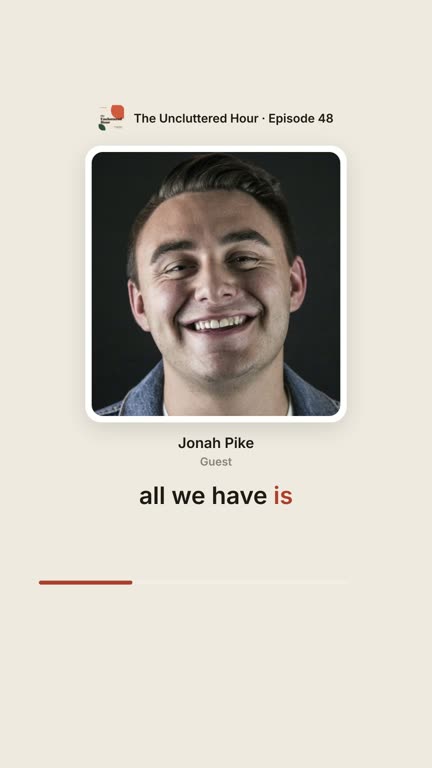
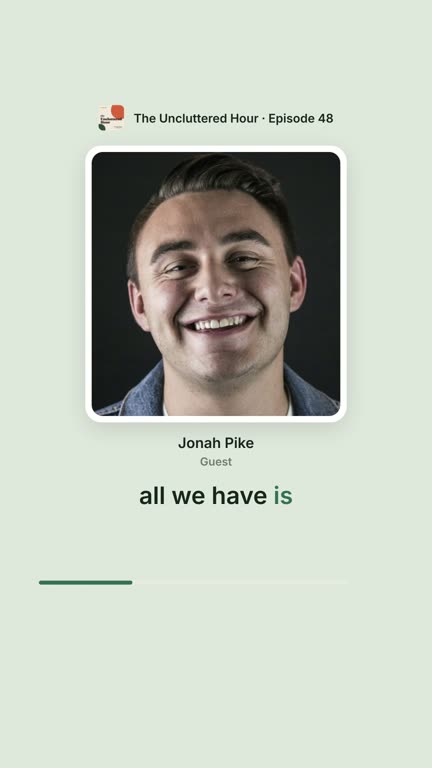
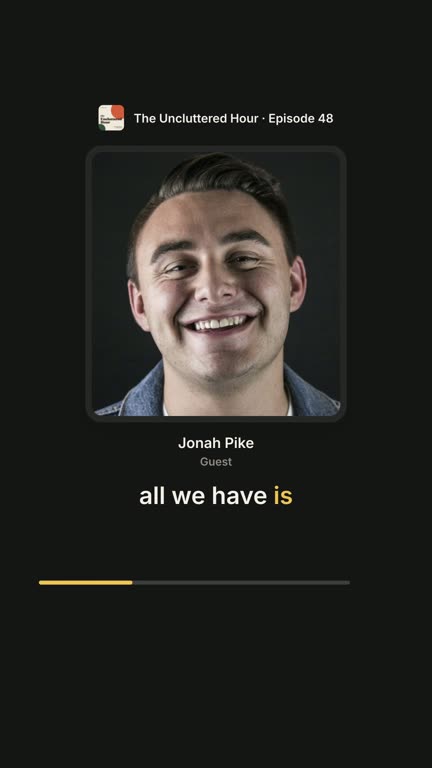
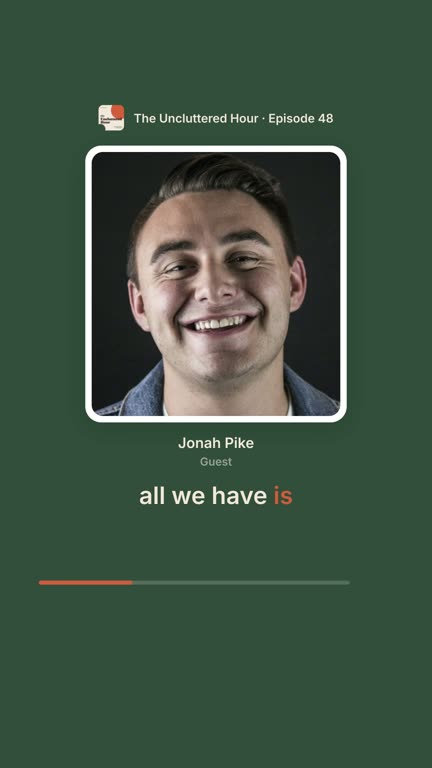
- Your brand template. Get one clip looking right and save it. Every new episode opens in that look: the template, fonts, colours and what shows.
- Your colours. Pick them, take them from your cover art, and keep them as your palette. Slice warns you if text would be hard to read.
- Names and photos. Tell it who each voice is once, add photos if you like, and the templates that show people use them.
- Your show’s details. Show name, episode number, title and date, each on or off.
- “Listen on” logos. Apple Podcasts, Spotify and the rest, in their official artwork, on the clip and on an optional end frame.
Hear one
The same Faces that talk clip as above, with its sound on. Press play.
How it works
- 1
Upload the episode
MP3, M4A, WAV, OGG or FLAC, up to three hours. Add your cover, show name and people once; Slice keeps them for every episode.
- 2
Slice picks the moments
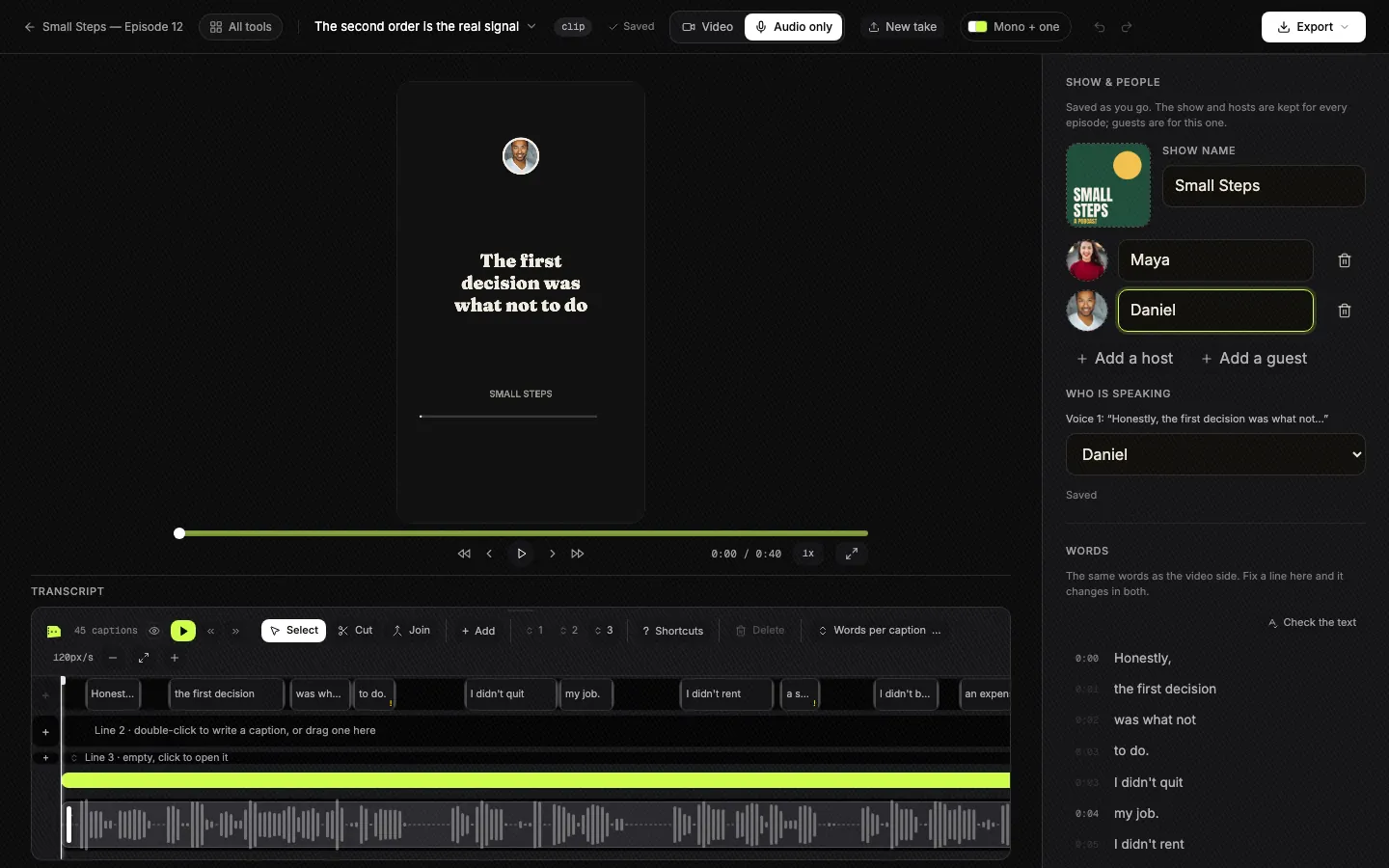
It reads the whole episode and comes back with the moments that stand on their own, each with a hook title. You choose which to make.
- 3
Check the words, download
Pick a template, fix any word, rewrite the hook. The clips render on our machines and an email tells you when they are ready.
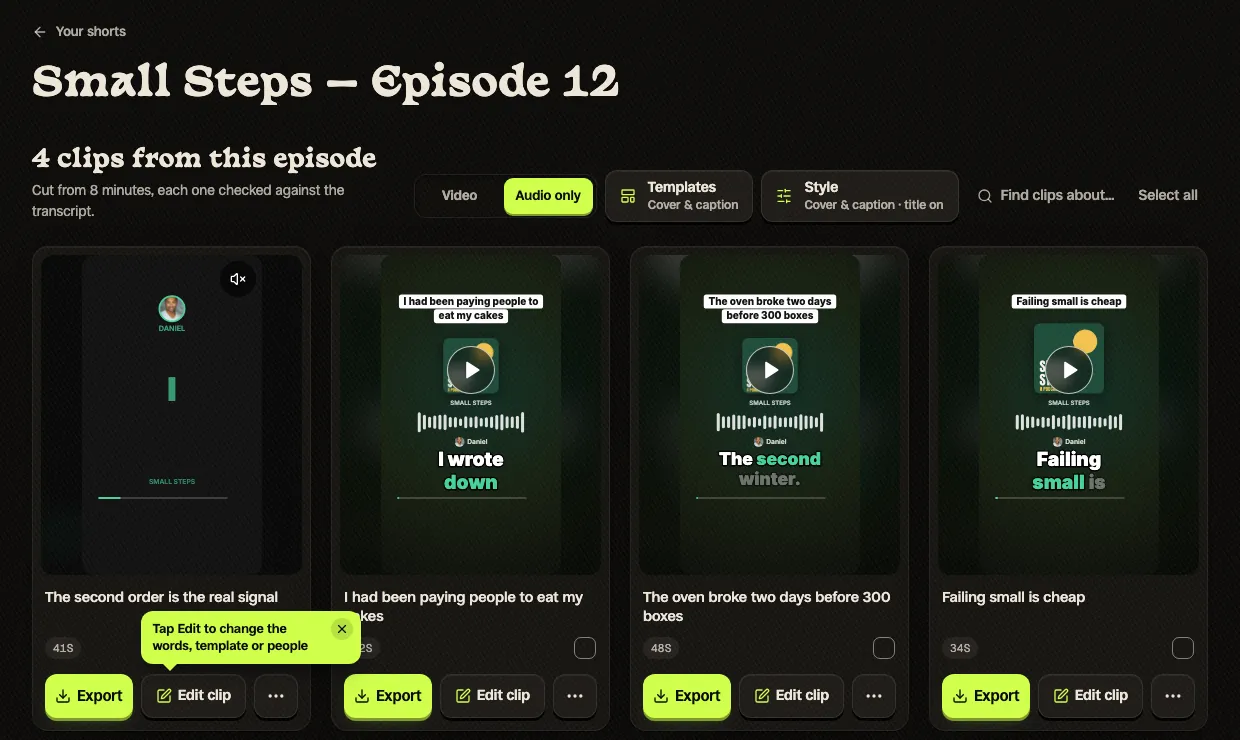
Screenshots are the real app on 6 October 2026, on a sample show we made for them.
Moments that make sense on their own
The way Slice chooses was built from more than seven years of editing podcasts for clients. It looks for what an editor looks for:
- A moment that stands on its own. Somebody who never heard the episode understands it: a story, an opinion, a clear answer.
- A clean start and a clean end. Every clip begins and finishes on a whole sentence, never mid-word.
- What was meant, kept. When a moment is joined from two parts of the conversation, it still says what the speaker said.
Nothing is made until you say so. You see each pick with its words, trim it, ask for moments about a topic you name, or skip it.
Why audio shows post clips
Podcasters without a camera already do this, and say it works:
“I built my channel to around 90,000 subs with audio-only.”
“honestly I’ve found that shorts are my best advertising.”
“I’ve found three to four clips an episode can get the algorithm going fast.”
“I've been using a photo of my guest(s) and sometimes adding a caption of one of the quotes from my episode.”
The catch has always been the time it takes:
“I only make 1 youtube clip from my audio content and it still takes like multiple hours to make a 60 second video.”
That is the part Slice does for you.
Posts from r/podcasting, quoted word for word. None of them is about Slice.
One price, as many clips as your show needs
One plan
$14.99 a month
or $149 a year. Cancel any time.
Your first 3 clips are free, no card. Then a 3-day free trial for the rest, which takes a card; cancel before it ends and you pay nothing.
- Audio-only and video episodes, on the same plan
- No charge per clip: up to 1,000 exports a month
- All 46 templates, your brand template and colours
- Hosts’ and guests’ photos and names on screen
- Never a watermark, on the free clips or after
- Captions you can edit word by word
Questions podcasters ask
Do I need video, or photos of us?
No video, ever: upload the audio file and pick a look. Photos are up to you. Add a photo and a name for each host and guest and 13 Photo templates put them on screen, with the person talking lit up. Without photos, the other 33 templates are drawn from your words and your cover art.
What files can I upload, and how long can an episode be?
MP3, M4A, WAV, OGG or FLAC, up to three hours. A video episode works too, and one switch turns its clips into the same audio looks.
How does it choose the moments?
It reads the whole episode and looks for stretches that make sense to somebody who has not heard the rest: a story, a strong opinion, a clear answer. Each one starts and ends on a whole sentence and keeps what the speaker meant. Clips run from 30 seconds to two and a half minutes. You see every pick before anything is made, and you can trim it, or find moments about a topic you name.
Can I fix the captions?
Yes. Every word is editable, and a wrong name is fixed by retyping it. The hook title at the top of the clip is yours to rewrite too.
Will every episode look like my show?
Yes. Save a clip’s look as your brand template once, and every new episode opens in it: the template, fonts, colours, which details show, and your “Listen on” logos. Make your own colours, take them from your cover art, and save them as your palette.
Is there a watermark?
No. Nothing is stamped on your clips, on the free clips or on any plan.
What does it cost?
Your first 3 clips are free, with no card. Then a 3-day free trial for the rest, which takes a card; cancel before it ends and you pay nothing. After that it is one plan for audio and video episodes alike, with no charge per clip.
I make clips for several shows. Can each keep its own look?
Not yet in one account: an account holds one show and one brand template. You can still choose any look for any episode or clip by hand, so a second show works, it just does not open in its own look by itself.
Does it work for sermons and talks?
Yes. A sermon or a talk uploads like any episode, and one speaker is fine. Our guide to turning sermon audio into clips shows it on a real sermon.
Does it post for me, or pull episodes from my RSS feed?
Not yet. You upload each episode and download the clips, then post them where you like.
Can I export an audio clip to Premiere Pro?
Not yet for audio clips. Premiere export, with captions you can still edit, works for clips from video episodes today.
Who are the people in the examples?
Nobody real: the show, its cover and the names are made up for this page, and the faces are stock photos from Unsplash. The voices are a real, openly licensed podcast episode, credited under the clips.
Still deciding?
- How to turn an audio podcast into video clips: every way to do it, including by hand, with what podcasters say works.
- The best podcast audiogram makers: Headliner, Wavve, Descript and others side by side, and where each one fits.
- Shorts by Slice: the same clip finder for video podcasts and streams.
- Sermon audio to clips: the same thing for a church, on a real sermon.
- Clips your guests will share: for interview shows.