Guide for podcasters
How to add pictures to podcast clips
Sixty seconds of someone at a microphone is a lot to ask of a stranger scrolling past. A picture at the right word gives their eyes something to do. Here is where to find pictures you can actually use, how to time them, and what went right and wrong when we put three into a real clip.
The short answer
Show a picture on the word that names it, for two or three seconds, three to five times in a minute. Use your own photos or a free licence library (Pixabay, Unsplash, Pexels), not whatever Google turns up. Keep the first second and the punchline on the speaker, and check every caption is still readable over each picture.
Shorts by Slice turns a long podcast or stream into captioned vertical clips. $14.99 a month. Your first video and first 3 clips are free, no card. After that it's one plan, and you can cancel any time.
Try it free →Why bother with pictures at all?
A clip lives or dies in the feed, next to videos that change what is on screen every second or two. A podcast clip changes almost nothing: same face, same mic, same corner of the room. Captions help, and a strong first line helps more (see podcast captions that get watched). Pictures are the third lever, and the one most podcasters skip, mostly because it is fiddly:
“I create YouTube shorts from my long form podcasts but overlaying broll on Descript takes a bit.”
“Takes a bit” is generous. In most editors you find the moment, import the picture, drag it onto a track, size it, then nudge it until it lines up with the word. For one clip that is fine. For five clips a week it is the step that gets dropped.
For an audio-only show, pictures matter even more. Without a camera, the clip is a still image and a waveform. A photo of the place, the book or the person being talked about turns it into something to watch.
Where to get pictures you’re allowed to use
The rule is simple: if you did not take it and the licence does not say you can use it, do not. A clip that gets taken down, or a channel that picks up a copyright strike, costs far more than the picture was worth. In rough order of preference:
| Source | Credit needed? | Watch out for |
|---|---|---|
| Your own photos, screenshots and slides | No | Screenshots of other people’s work (articles, posts, TV) are still their work. |
| Pixabay | No, though welcome | No misleading use; take care with recognisable people. |
| Unsplash | No, though welcome | Don’t sell unchanged copies or rebuild a similar library from them. |
| Pexels | No, though welcome | Don’t show identifiable people in a bad light, or imply they endorse you. |
| Wikimedia Commons | Often yes | Each file has its own licence; read it before you use it. |
| Google Images | Depends | Most results are someone’s copyright. Filter by Usage rights first. |
In their own words, from each licence page as we read it on 15 October 2026:
“Use Content without having to attribute the author”
“No permission needed (though attribution is appreciated!)”
“Identifiable people may not appear in a bad light or in a way that is offensive”
“some licenses require that the original creator be attributed”
“Images might be subject to copyright”
Two traps catch podcasters. The first is the guest’s own photo from their website: ask them for one instead, and you get a better picture and a guest who knows it is coming. The second is logos. Logos are trademarks, and a logo on a clip that reads like an advert, or that suggests the brand backs you, is asking for trouble. When in doubt, show the thing, not the logo.
A real clip, three pictures
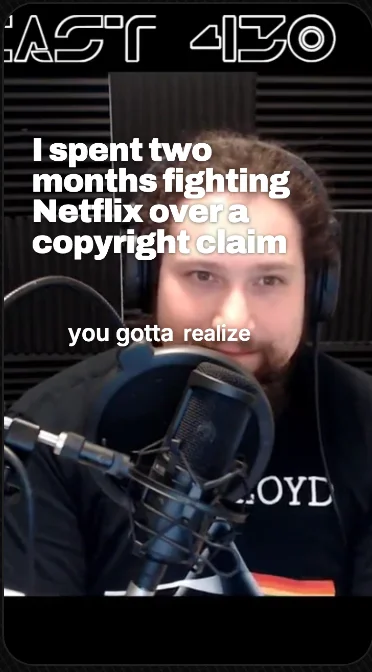
We took the clip our guides use, a 71-second moment from LinuxGameCast Weekly 430 where the host explains spending two months fighting a copyright claim, and gave it three pictures. We picked the nouns a viewer could see: “our YouTube channel” at 0:03.7, “two solid months” at 0:09.9, “go to war with them” at 0:33.0. Each picture stays up for about two and a half seconds.
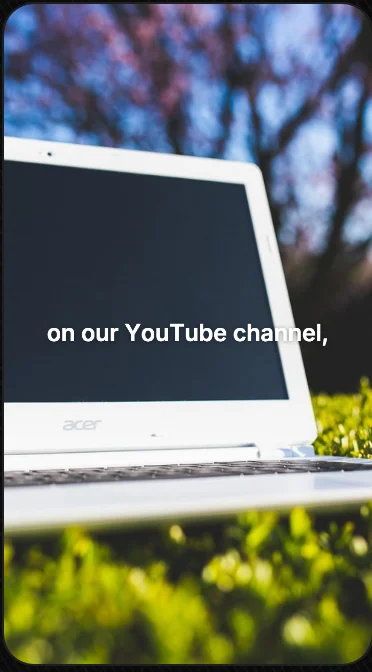
The laptop works. It lands as he says the words, fills the frame, and the white caption sits on the dark screen where it reads easily. Then it gets out of the way.
The other two taught us something:
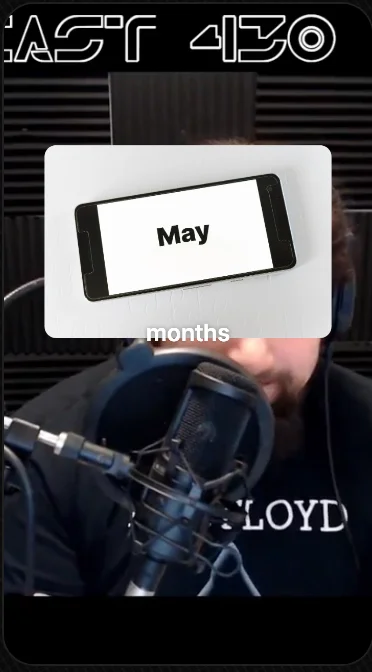
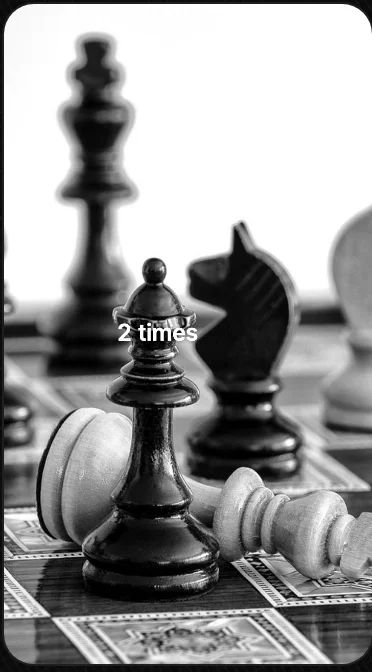
The calendar is a card rather than full frame, so you still see him talking. Good idea, slightly wrong spot: its bottom edge brushes the caption. The chess board is a fine picture with a bad patch in the middle, exactly where the white caption goes. Neither is a disaster, and both are the kind of thing you only catch by playing the clip back. Clip: LinuxGameCast Weekly 430, LinuxGameCast LLP, CC BY-SA 4.0.
When to show a picture, and for how long
On the word. The picture should arrive as the thing is named, not a second later. Late pictures feel like an afterthought; early ones give the line away.
Two to three seconds. Long enough to take in, short enough that the clip keeps moving. A picture that stays up for six seconds starts to feel like a slideshow.
Leave the face alone at the start and the end. The first second is when people decide whether a real person is talking to them. The punchline lands harder on a face than on a stock photo.
Three to five in a minute, not one every sentence. Pictures are punctuation. If every line has one, none of them stands out.
Full frame for things, a card for context. A full-frame picture says “look at this”. A card in the top half says “while I tell you about this”, and keeps the speaker’s reactions on screen. Faces, places and objects suit full frame; numbers, dates and documents suit a card.
Adding pictures in Slice, step by step
- Read the clip and mark the nouns
Go through the words and circle the things a viewer could picture: a place, an object, a number, a name. Those are your candidates. Most 60-second clips have three to five.
- Gather pictures you are allowed to use
Your own photos and screenshots first. Then a free licence library such as Pixabay, Unsplash or Pexels. Save them before you start editing, so you are not hunting mid-clip.
- Upload them to the B-roll tab
Open the clip in Slice, go to B-roll and press Upload pictures, or drop them onto the panel. They wait in Your pictures until you use them.
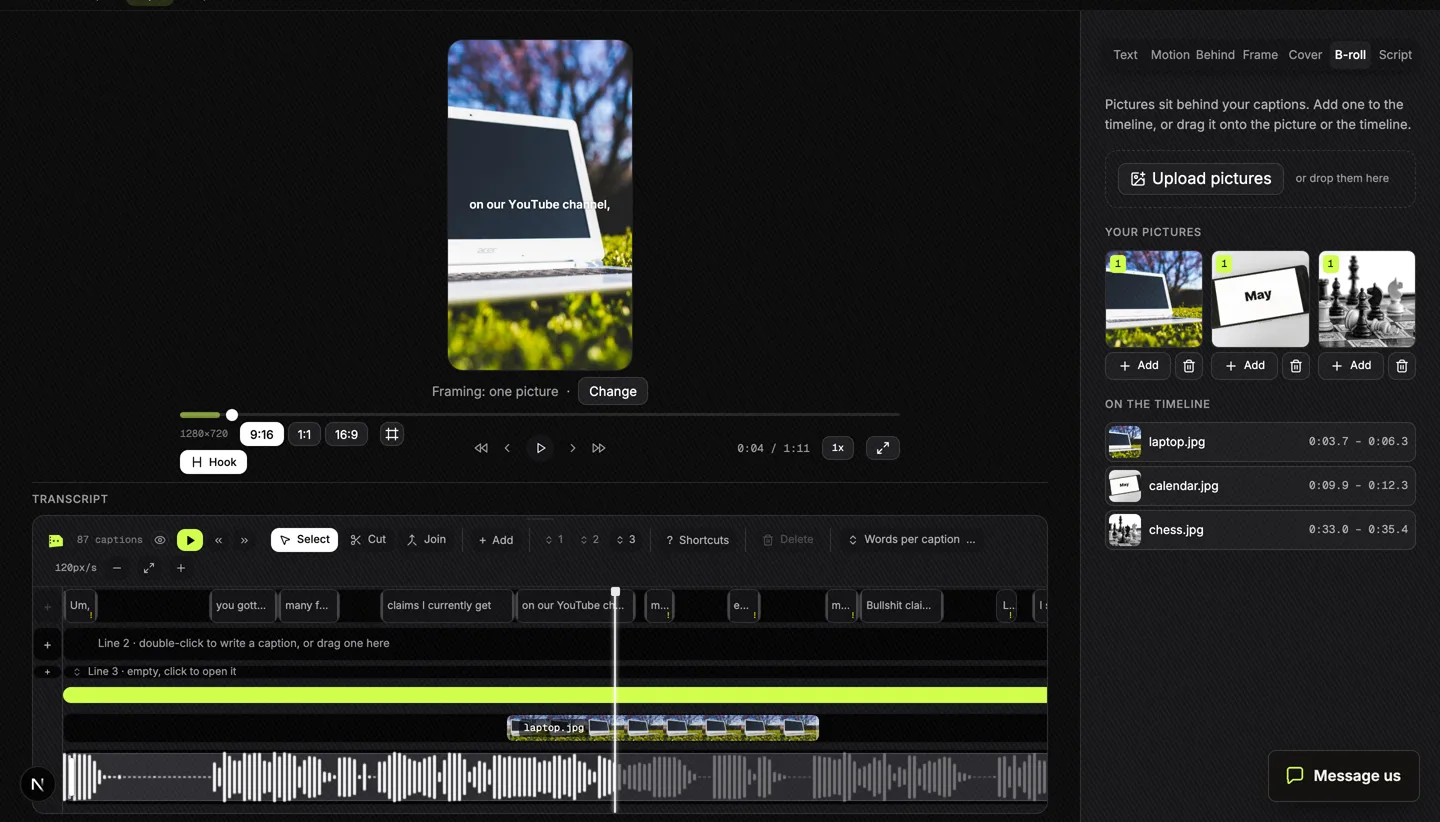
The B-roll tab. Pictures you upload sit in Your pictures; each one you add gets a block on its own row under the captions, which you drag and stretch. Photos by kaboompics, viarami and 17831348 on Pixabay. Tap to enlarge. - Drop each one on its word
Move the playhead to the word, then press Add, or drag the picture onto the timeline or straight onto the video. It gets a block on its own row; drag it to move it and pull its edges to make it longer or shorter.
- Choose full frame or a card
Fill covers the whole picture. Free lets you size and place it, round its corners and fade it, so the speaker stays in view.
- Play it through with the sound on
Watch for captions that land on a pale patch, pictures that arrive late, and stretches where three pictures come in a row. Fix those and export.
Pictures always sit behind the captions, so they never cover the words. On an audio-only clip they go behind the template’s captions too, and the show name, episode details and “Listen on” stay on top. What you see in the editor is what you get in the export: the same drawing code makes both.
Get the Slice Weekly
One free email every Friday: tools for creators and the best advice we found from people who make things.
Questions
What is B-roll in a podcast clip?
Any picture or footage shown instead of, or over, the person talking. In a short clip it is usually a photo or a few seconds of footage of the thing being talked about, shown for two or three seconds.
Can I use pictures from Google Images in my clips?
Not just because Google shows them. Google’s own help says images might be subject to copyright. Use the Usage rights filter to find Creative Commons images, and credit them as their licence asks, or use a free licence library instead.
Do I have to credit Pixabay, Unsplash or Pexels photos?
Their licences say credit is not required, though each says it is appreciated. Each also has rules: no misleading use, and no showing identifiable people in a bad light.
How long should a picture stay on screen?
Two to three seconds is a good default: long enough to take in, short enough not to stall the clip. Start it on the word that names it.
How many pictures should a 60-second clip have?
Three to five is plenty for a talking clip. Leave the first second and the punchline on the speaker’s face.
Can I add pictures to an audio-only podcast clip?
Yes. In Slice the pictures go behind the audio template’s captions, and the show name, episode details and “Listen on” stay on top of them.