Compared
The best podcast audiogram makers (2026)
An audiogram turns podcast audio into something people can watch: a waveform, the words, your cover. Eight ways to make one, from fully automatic to fully by hand, with what each costs and what it leaves to you.
The short version
Want an audiogram of every new episode without lifting a finger? Headliner. Already editing in Descript? Use its audiogram templates. Want free and don’t mind building it yourself? EchoWave. Want the moments found for you across the whole episode, lots of clips a week and more looks than a waveform? Shorts by Slice, which we make.
Podcast audiogram makers side by side
From each tool’s own pages on 6 October 2026; we make Slice. Prices in US dollars unless the row says otherwise.
| Tool | Price | Free | Finds the moment? | Posts for you? |
|---|---|---|---|---|
| Shorts by Slice (ours) | $14.99 a month or $149 a year | Your first 3 clips, no card; then a 3-day free trial. Never watermarked | Reads the whole episode and lists the moments that stand on their own, including ones joined from different parts | No: you download and post |
| Headliner | Free; Basic $7.99 and Pro $19.99 a month billed yearly | Ad-supported: 1 unwatermarked audiogram a month, unlimited watermarked ones, audiograms made automatically for 1 podcast | Automatic from your feed; you can also pick the moment | Auto-posts to social and YouTube on Basic and up |
| Wavve | Starter $7.99, Pro $19.99, Agency $98.99 a month (shown reduced from $9.99, $24.99, $129.99) | A free trial, “No credit card required”; what it includes is not stated | “AI hot spot identification” | A social media scheduler on every plan |
| Descript | Hobbyist $24 a month ($16 billed yearly); Creator $35 ($24 yearly) | 1 media hour a month, 720p, no watermark | “Find Good Clips” suggests moments; you copy them to a new composition | No posting stated on the audiogram page |
| Recast Studio | Starter $14 a month ($170 a year); Professional $26 a month ($310 a year), billed yearly | A free trial of 60 credits (upload minutes), once; exports of up to 1 minute | AI clip generator | Direct publishing to TikTok, Instagram, YouTube, Facebook, LinkedIn and X |
| EchoWave | Basic £6 and Pro £10 a month billed yearly (shown in pounds from the UK; the page says prices are in your local currency) | Free forever: the full editor, exports to 720p with a small badge, up to 60 minutes per video | You choose them in the editor | Not stated on the pricing page |
| Adobe Podcast | Firefly Pro plan $19.99 a month | Free plan includes “Podcast branded audiograms”; Studio downloads up to 30 minutes, 2 projects a day | You choose them | Not stated |
| Canva (by hand) | A free plan; paid plans on its own pricing page | Yes | You choose them | Not covered here |
What changed in 2025 and 2026
- Headliner made its video tools free on 17 April 2026, “for a limited time”. Audiograms were not part of it: the free plan still gives 1 unwatermarked audiogram a month. (Headliner’s announcement)
- Wavve was bought by Disctopia, a podcast host, on 19 May 2025, which said Wavve’s audiogram and video features would be built into its platform. Wavve is still sold separately. (The press release on Podnews)
- The waveform stopped being enough. Podcasters who post clips say a bare wave gets scrolled past, and the tools have moved towards big captions, quotes and faces. More on that in how to turn an audio podcast into video clips.
“those classic static audiograms with the bouncing waveform are basically invisible on reels now.”
Each tool, in detail
Shorts by Slice (ours)
- Price
- $14.99 a month or $149 a year
- Free
- Your first 3 clips, no card; then a 3-day free trial. Never watermarked
- The look
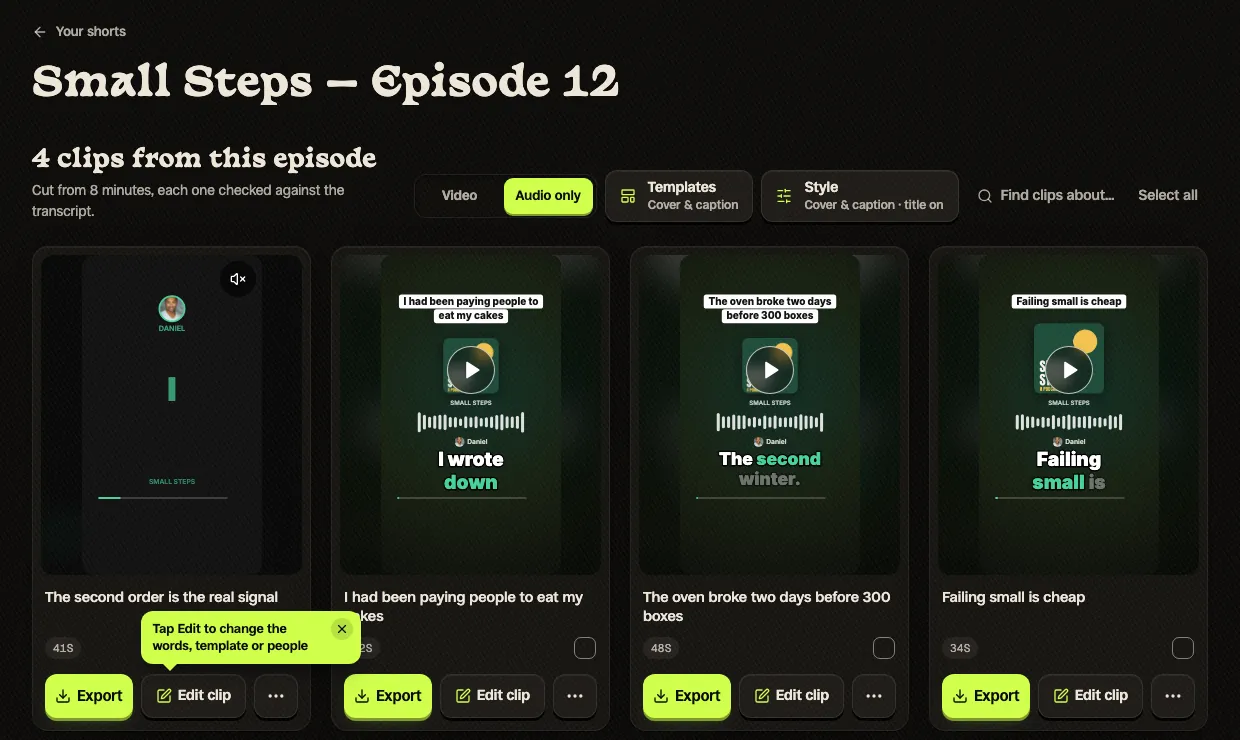
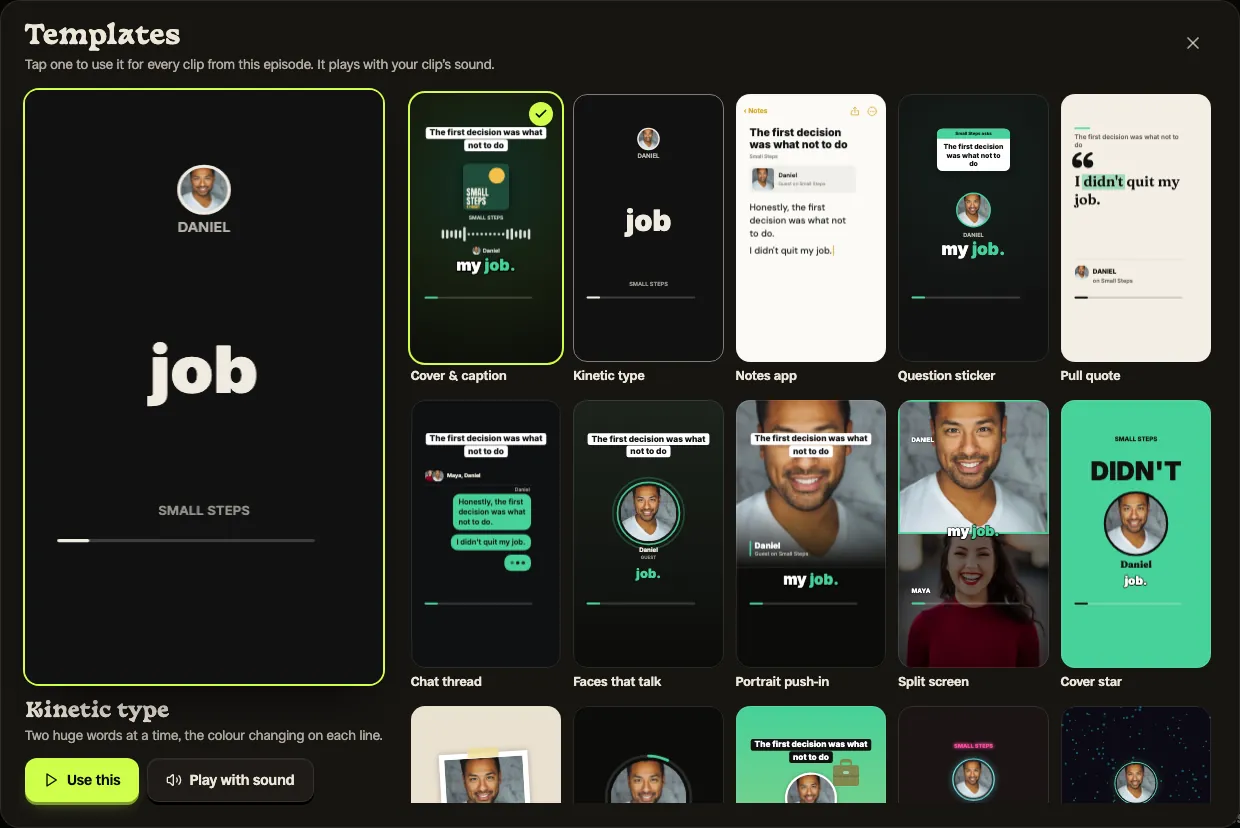
- 16 templates drawn from the words, your cover and the sound: cover and waveform, pull quote, chat thread, notes app, faces that light up, neon and more
- Finding the moment
- Reads the whole episode and lists the moments that stand on their own, including ones joined from different parts
- Posting
- No: you download and post
- Finds the moments for you across an episode of up to three hours, then lets you check and fix every word.
- Audio and video episodes on one plan; a video episode can switch to the audio templates.
- No count of audiograms per month: up to 1,000 exports.
- Does not watch your feed: you upload each episode.
- Does not post or schedule.
- No third-party reviews of it to report yet.
What Slice’s audio clips look like, from a real episode: the default template, with the episode’s own sound. Below it, the episode page and the template gallery as you see them in Slice.
Headliner
- Price
- Free; Basic $7.99 and Pro $19.99 a month billed yearly
- Free
- Ad-supported: 1 unwatermarked audiogram a month, unlimited watermarked ones, audiograms made automatically for 1 podcast
- The look
- Waveform audiograms with captions, from templates; branded templates on Basic
- Finding the moment
- Automatic from your feed; you can also pick the moment
- Posting
- Auto-posts to social and YouTube on Basic and up
- It watches your RSS feed and makes an audiogram for each new episode, with nothing to upload.
- Its video tools (clipping, captions, templates) were free “for a limited time” when we read the page.
- Basic adds 10 unwatermarked audiograms a month, auto-posting and your own fonts.
- Free audiograms carry a watermark after the first each month.
- Unwatermarked audiograms are counted: 10 a month on Basic; Pro’s list says “Unlimited, unwatermarked videos”.
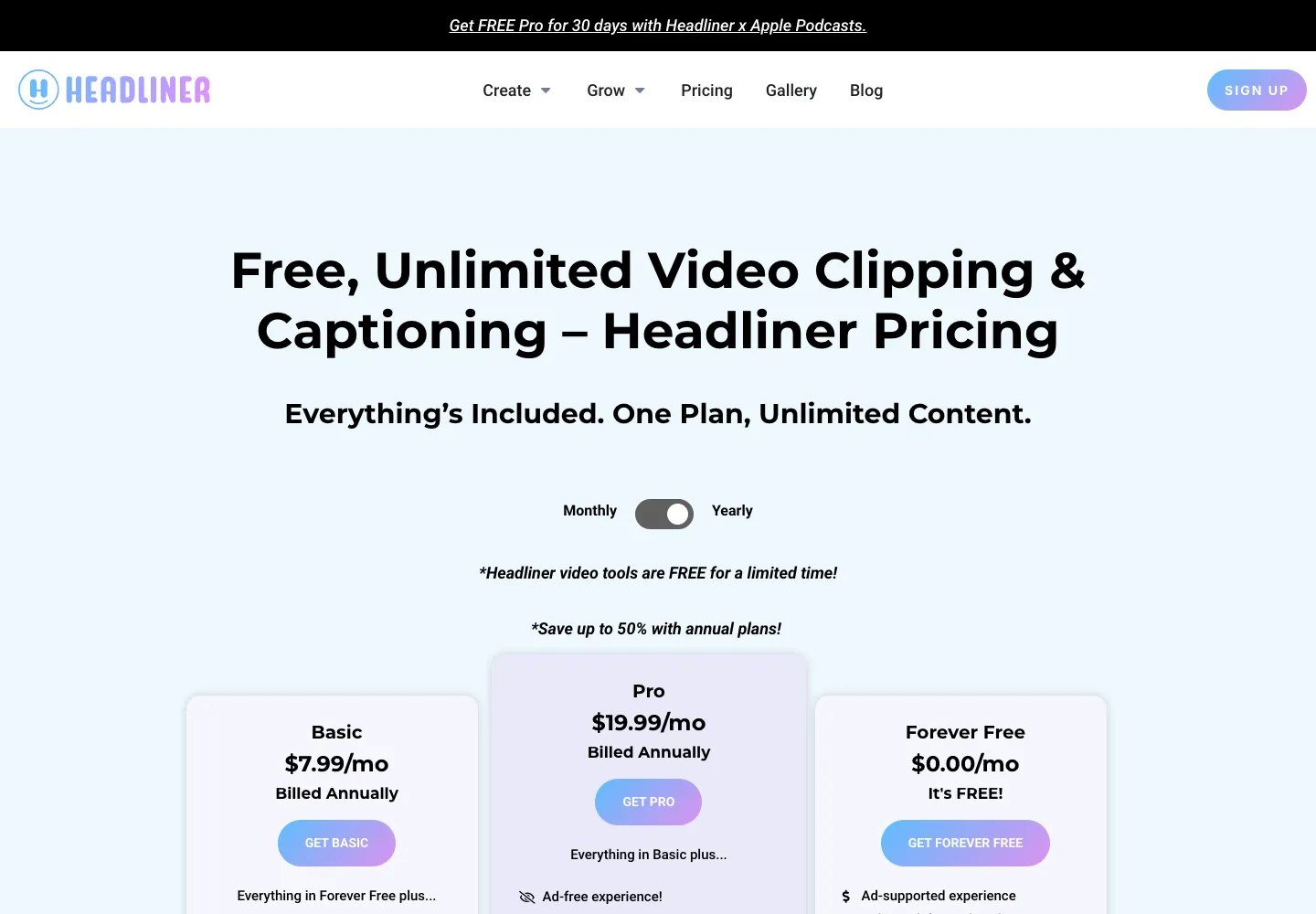
Read 6 October 2026: Pricing page · “Headliner Makes Video Tools Free”, 17 April 2026
“My show is audio-only, and I use Headliner to create a video from that. I mainly put it on YouTube for discoverability since so many people listen to podcasts there. But I do get new subscribers there each month, up to around 1300 subscribers now.”
“try Headliner. it's pretty slick if you dont have video. they use your coverart and episode in a 9:16 format.”
Wavve
- Price
- Starter $7.99, Pro $19.99, Agency $98.99 a month (shown reduced from $9.99, $24.99, $129.99)
- Free
- A free trial, “No credit card required”; what it includes is not stated
- The look
- “Wavveforms”, templates and captions
- Finding the moment
- “AI hot spot identification”
- Posting
- A social media scheduler on every plan
- Built for audio from the start, with its own waveform styles.
- Transcripts and SRT files on every plan, and team members on Pro.
- Starter caps you at 70 upload minutes and 18 exported videos a month.
- Owned by Disctopia, a podcast host, since May 2025.
- The pricing page does not say whether exports are watermarked.
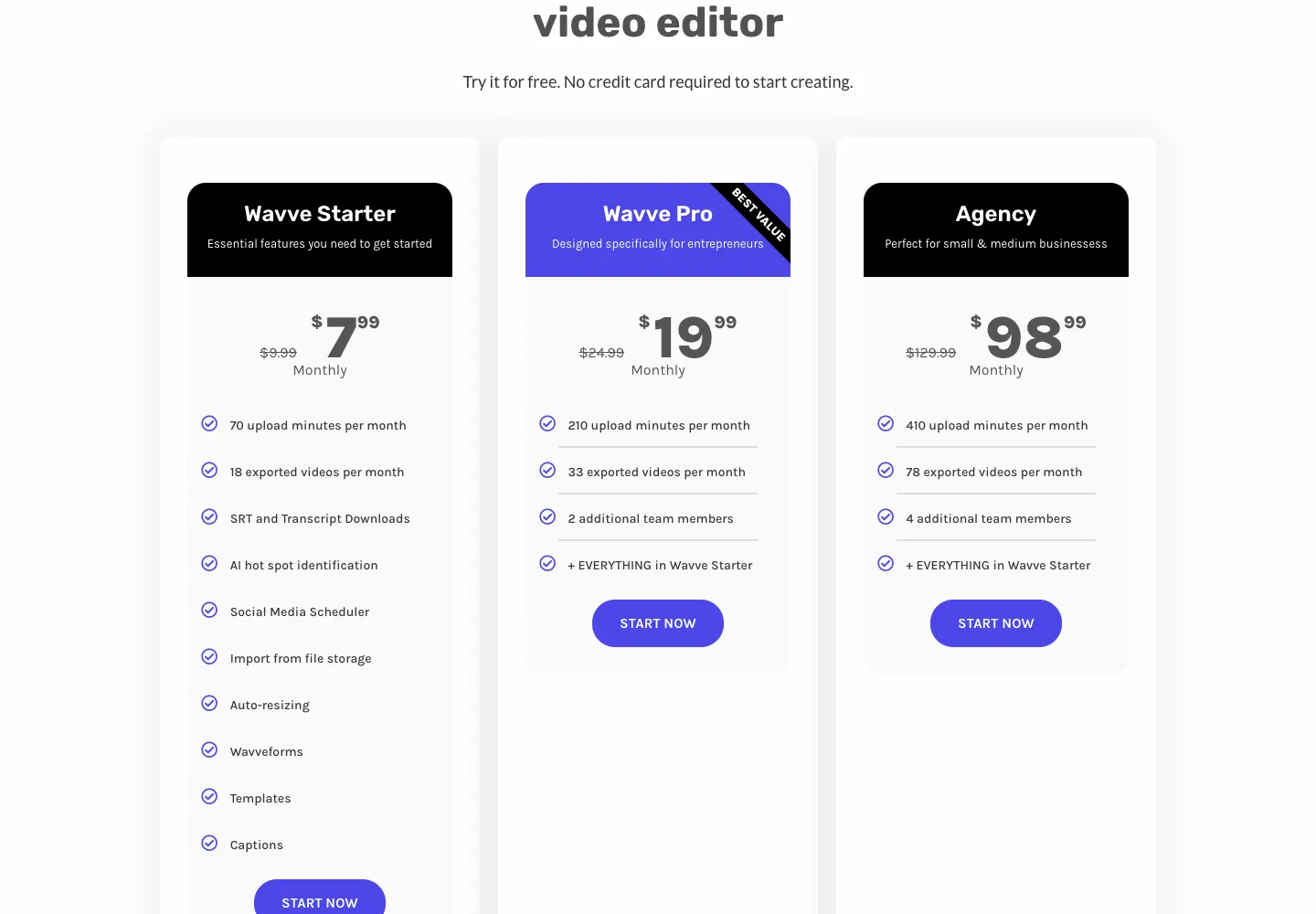
Read 6 October 2026: Pricing page · Disctopia’s press release, 19 May 2025 (Podnews)
Descript
- Price
- Hobbyist $24 a month ($16 billed yearly); Creator $35 ($24 yearly)
- Free
- 1 media hour a month, 720p, no watermark
- The look
- Audiogram templates: waveforms, colours, brand fonts, animated captions
- Finding the moment
- “Find Good Clips” suggests moments; you copy them to a new composition
- Posting
- No posting stated on the audiogram page
- Edit the episode and make the audiogram in one place, by editing the transcript.
- Studio Sound and filler-word removal on paid plans.
- An audiogram is a few manual steps per clip: find it, copy it out, apply a template, add captions, publish.
- Priced per person, by media hours.
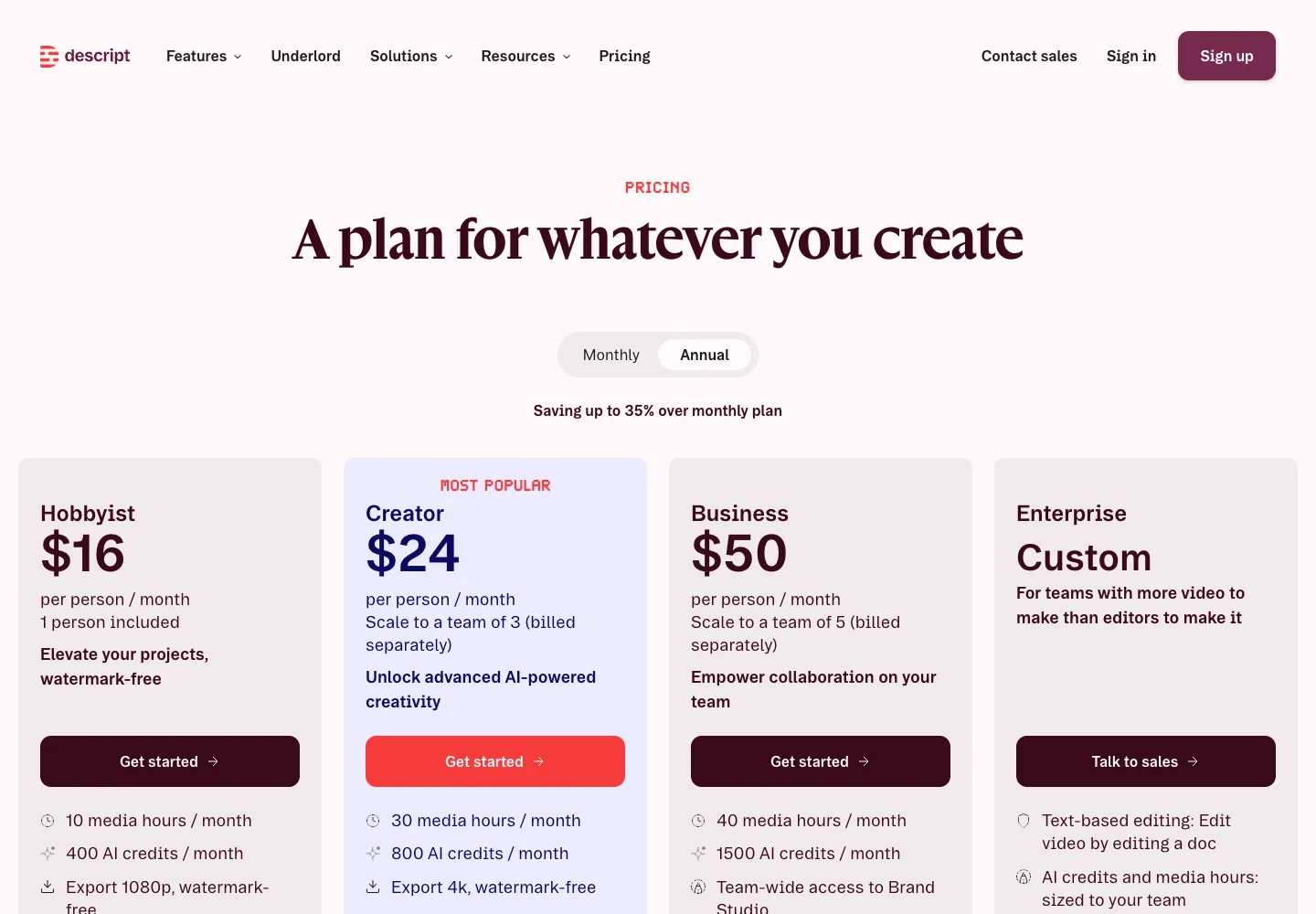
Read 6 October 2026: Audiogram Maker page · Pricing page
Recast Studio
- Price
- Starter $14 a month ($170 a year); Professional $26 a month ($310 a year), billed yearly
- Free
- A free trial of 60 credits (upload minutes), once; exports of up to 1 minute
- The look
- Layers: soundwave, progress bar, images, b-roll; animated captions
- Finding the moment
- AI clip generator
- Posting
- Direct publishing to TikTok, Instagram, YouTube, Facebook, LinkedIn and X
- Writes social posts, blog posts and show notes from the same episode.
- Publishes straight to six platforms.
- Credits are upload minutes, and exports are capped by minutes each month (300 on Starter).
- The free trial’s exports are capped at 1 minute each, 5 minutes in all.
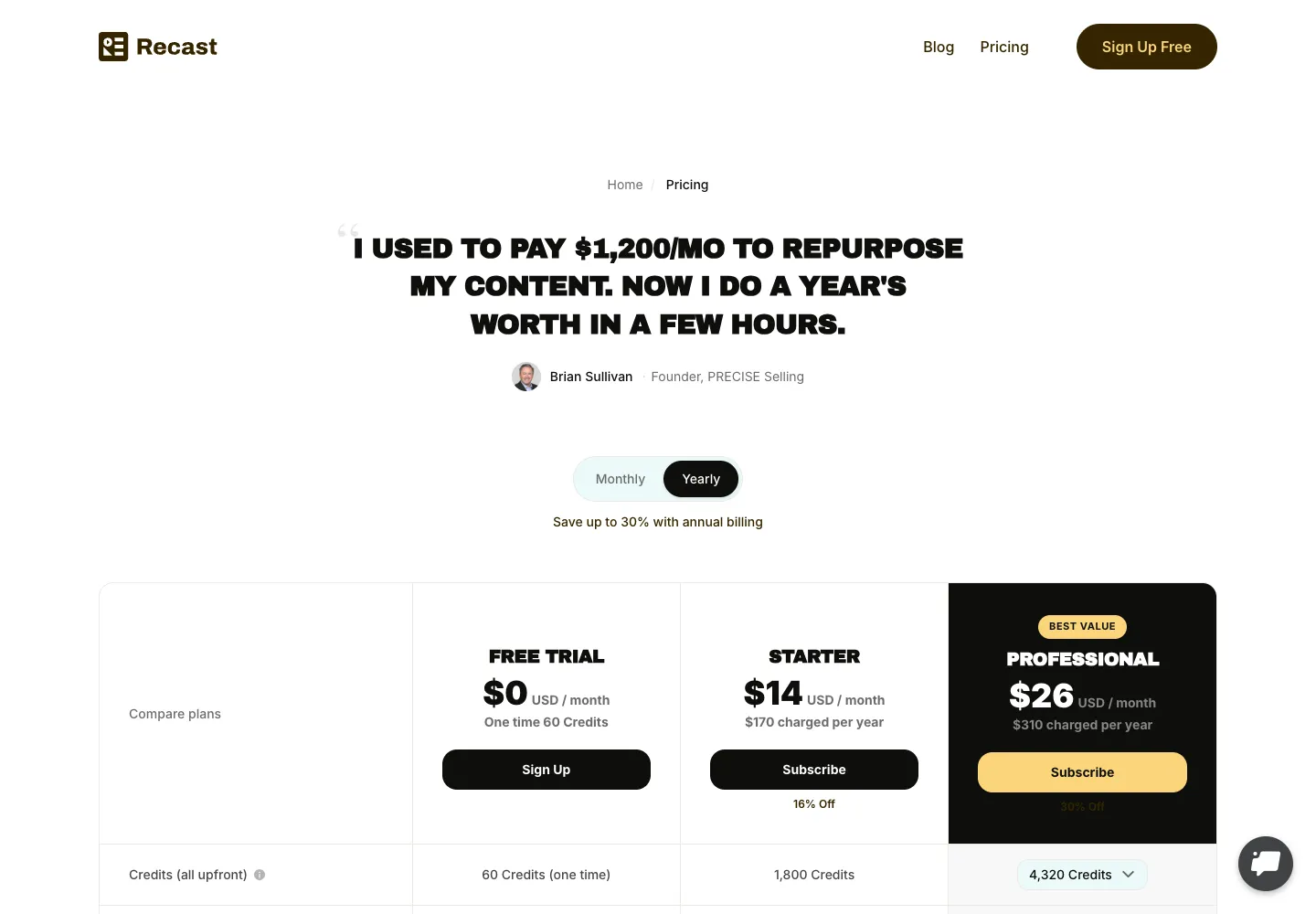
Read 6 October 2026: Pricing page
EchoWave
- Price
- Basic £6 and Pro £10 a month billed yearly (shown in pounds from the UK; the page says prices are in your local currency)
- Free
- Free forever: the full editor, exports to 720p with a small badge, up to 60 minutes per video
- The look
- 93 visualizers and 176 caption styles in an editor
- Finding the moment
- You choose them in the editor
- Posting
- Not stated on the pricing page
- A full editor with no time limit on the free plan.
- The widest choice of visualizers and caption styles here.
- Free exports are 720p and carry a badge.
- An editor: you build each clip yourself.
Read 6 October 2026: Pricing page
Adobe Podcast
- Price
- Firefly Pro plan $19.99 a month
- Free
- Free plan includes “Podcast branded audiograms”; Studio downloads up to 30 minutes, 2 projects a day
- The look
- Audiograms and captions; themes and custom backgrounds on the paid plan
- Finding the moment
- You choose them
- Posting
- Not stated
- Enhance Speech, its noise and echo remover, is in the same place.
- A free plan that makes audiograms.
- Free audiograms are “Podcast branded”; themes and your own backgrounds need the paid plan.
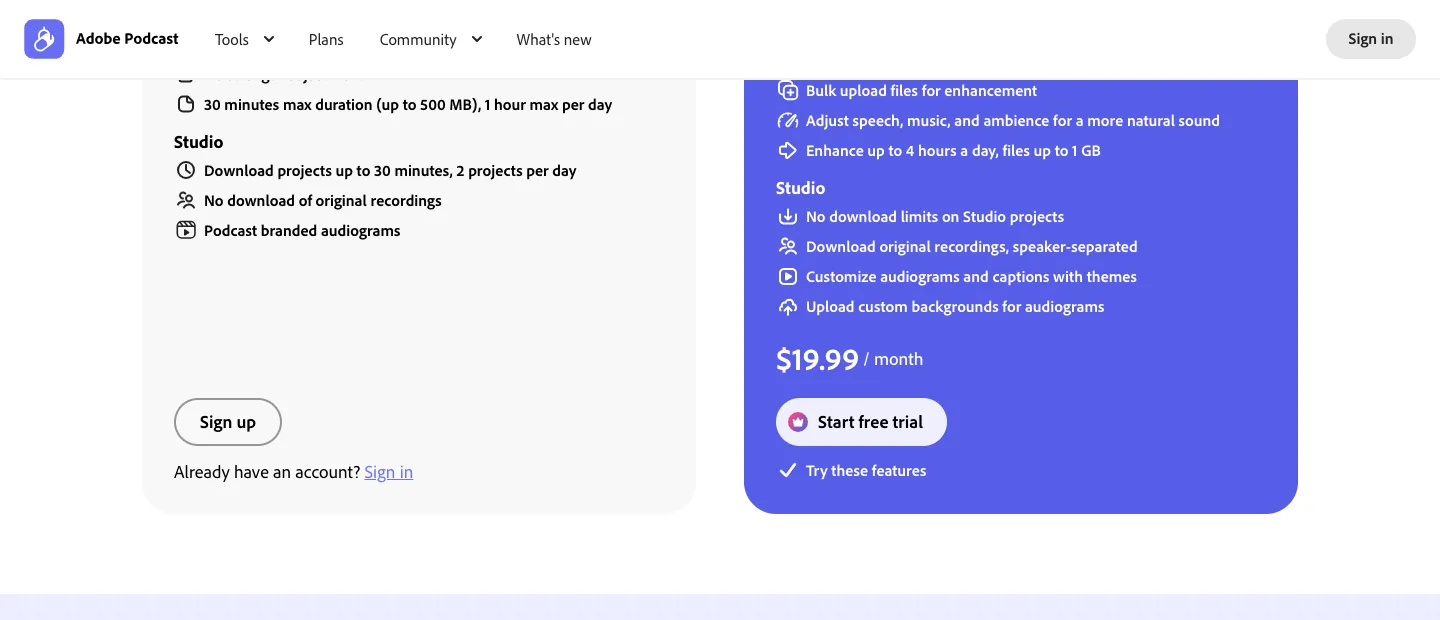
Read 6 October 2026: Plans page
“Adobe Podcast does a good and very easy job of turning audio podcasts in to video into Videograms.”
Canva (by hand)
- Price
- A free plan; paid plans on its own pricing page
- Free
- Yes
- The look
- Anything you design: animated text, photos, your own layout
- Finding the moment
- You choose them
- Posting
- Not covered here
- The most control over every frame.
- Hours a clip, by the account of podcasters who do it.
Read 6 October 2026: Pricing page
“We make simple animated shorts in Canva for our audio-only show, and they've performed very well compared to basic audio clips. Downside is each one takes a few hours to create.”
Where Slice is the wrong pick
- You want a clip made from every new episode in your feed with no upload: Headliner does that; Slice does not watch feeds.
- You want posts scheduled for you: Headliner, Wavve and Recast Studio post; Slice does not.
- You want one free audiogram a month and nothing more: Headliner’s free plan covers it.
- You want to design every frame yourself: Canva or EchoWave.
Side by side: Slice and Headliner, Slice and Wavve, Slice and Descript.
Get the Slice Weekly
One free email every Friday: tools for creators and the best advice we found from people who make things.
Questions
What is the best podcast audiogram maker?
It depends on how much you want done for you. For an audiogram of every new episode, made and posted automatically, Headliner. For audiograms inside the editor you already use, Descript. For a free editor with the most styles, EchoWave. For many clips a week, with the moments found across the whole episode and more looks than a waveform, Shorts by Slice (ours). Read 6 October 2026.
Is there a free audiogram maker?
Several have a free plan. Headliner gives 1 unwatermarked audiogram a month and unlimited watermarked ones; EchoWave exports to 720p with a small badge; Adobe Podcast makes “Podcast branded audiograms”; Descript gives 1 media hour a month at 720p. Slice’s first 3 clips are free with no card and never watermarked.
How do you make an audiogram?
Pick a moment of 30 seconds to a minute and a half that makes sense on its own, put the words on screen as captions, and set them over your cover art with a waveform or another moving element. Export it vertical (1080×1920) for TikTok, Reels and Shorts. Our guide to turning an audio podcast into video clips walks through it with a real episode.
Do audiograms still work?
As a way to get an episode onto video platforms, yes. As clips people stop scrolling for, podcasters report that a bare waveform gets ignored and that the choice of moment and big captions matter more. That is why newer tools draw the words, quotes and faces rather than only a wave.
What happened to Wavve?
Disctopia, a podcast hosting platform, bought Wavve in May 2025. Wavve is still sold on its own site, which calls it “a subsidiary of Disctopia”; its plans cap upload minutes and exported videos each month.
How did you compare them?
We read each tool’s pricing page and its audiogram or feature page in a browser, not signed in, from the UK, on 6 October 2026, and kept a screenshot. We did not test the others hands-on or read their reviews. We make Slice; its pictures on this page are its own output on a real, openly licensed episode.
More for podcasters
- How to turn an audio podcast into video clips: five ways, and 16 templates on one real episode.
- Should you put an audio-only podcast on YouTube?
- Best podcast clip makers: the clip tools for video episodes.