Slice Audio · part of Shorts by Slice
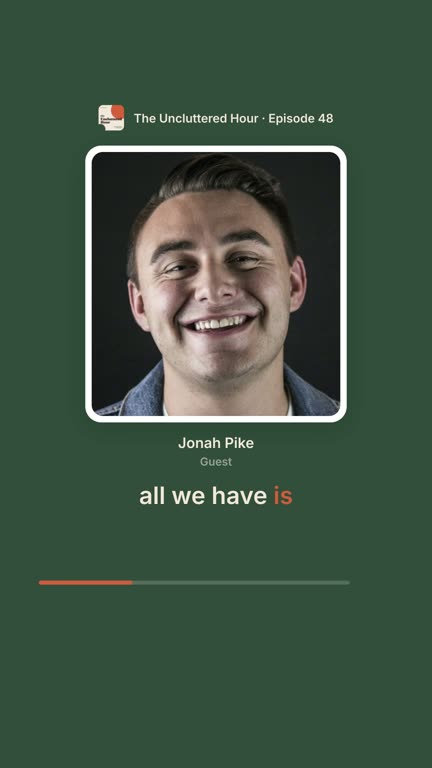
Podcast clips with your guest’s photo and name
By the Slice team, who make Slice Audio ·
The short answer
Yes, from the audio alone. Upload the episode to Slice Audio, add your guest’s photo and name, tell it which voice is the guest, and pick one of the 13 Photo templates. Every clip then shows the guest’s face with their name under it, lit up while they are talking, with the words as big captions. Your first 3 clips are free, no card.
Your first 3 clips are free, no card. Never watermarked.
What a clip with the guest on screen looks like
Eight of the templates, each playing a real moment from the same episode. The guest is on screen with their name, and in the templates that show two people, whoever is talking is the one lit up. All 46 templates are on the Slice Audio page.
About the examples. The Uncluttered Hour and its people are made up for these pages, and the faces are stock photos from Unsplash (by Nolan Manning, Joseph Gonzalez, Eye for Ebony, Jackson Schaal, Christina @ wocintechchat.com and Laura Nyhuis, Unsplash License). The voices are real: Simply Us, Episode 39: Creative Hobbies and Minimalism by Simply Us Podcast, CC BY-SA 4.0. We picked the moments; Slice’s own renderer made every clip on 8 October 2026, adding the captions, names and photos. The clips are shared under the same licence.
Why put the guest on screen
A face and a name tell a scrolling stranger who is talking before they have heard a word, and a clip with the guest in it is one the guest is far more likely to post. Podcasters who do it already describe the same thing:
“I've been using a photo of my guest(s) and sometimes adding a caption of one of the quotes from my episode.”
Getting the guest to share is the other half, and the threads on it are frank:
“I politely ask/suggest that they share and VERY few will.”
“A moment can be “great” in isolation, but if it does not fit how the guest wants to be perceived or what their audience expects, they have no incentive to share it.”
“I definitely feel like it's best to ask it up front and get a soft commitment to share.”
Posts from r/podcasting, quoted word for word and checked against the archive on 8 October 2026. None of them is about Slice.
More on choosing a moment the guest is proud of, and asking at the right time, in our guide to podcast clips your guests will share.
How to add a guest’s photo and name
Five steps, the first time. After that, a new guest is a name, a photo and one choice of voice.
- Upload the episode’s audio
Sign up at tryslicemedia.com and drop the file on your Shorts dashboard: MP3, M4A, WAV, OGG or FLAC. No video is needed. Slice transcribes the episode, tells the voices apart and lists the moments that stand on their own.
- Add the guest in Show & people
In the clip editor, open the Show & people tab, press Add a guest, type their name and add a photo. Hosts are kept for every episode; guests are for this episode only. Up to 4 hosts and 4 guests.
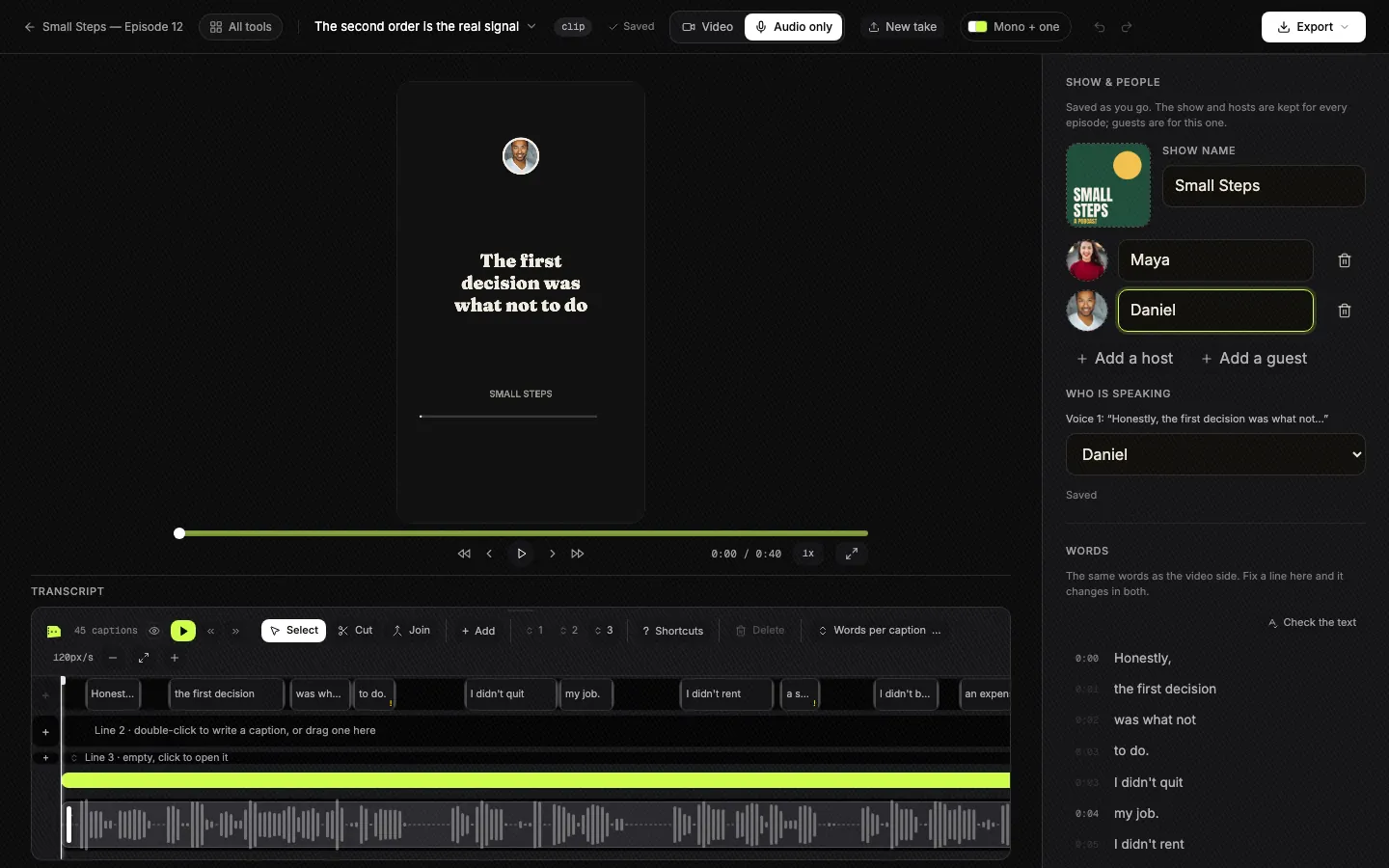
Show & people: the cover, the show name, hosts and guests with photos, and which voice is which. The show and hosts are kept for every episode. Tap to enlarge. - Say which voice is the guest
Under Who is speaking, each voice is shown with its first words, such as Voice 1: “Honestly, the first decision…”. Choose the guest’s name for their voice. You can also click a name or a photo on the preview itself and answer “Who is Voice 1?” there.
- Pick a Photo template
Press Templates and open the Photo shelf. Each template plays on your own clip with your guest in it, so you choose by looking. One template can be the look for the whole episode.
- Check the names and words, then download
Play the clip, fix any word the transcript got wrong and check the spelling of the guest’s name. Each clip downloads as a vertical MP4 with the sound and captions in it, ready to send to the guest.
The screenshot is the real editor on 6 October 2026, on a sample show we made for it; the faces are Unsplash sample photos.
No photo of the guest?
- Initials stand in. A person without a picture is drawn in the show’s colour with their initials, so the template still reads.
- One picture for the episode. Add a book cover, a place or a product, and it fills the photo spot when there is no guest photo.
- Names and photos, on or off. On the Look tab you can turn names off, and the photo too on templates where it is optional; “This template shows” lists each voice in the clip, with the ones that have no name yet picked out.
- Or no faces at all. The other 33 templates are drawn from the words and your cover art.
Ask before you use a guest’s photo, and get their OK to clip what they said. Our free guest release form covers both.
One template, your colours
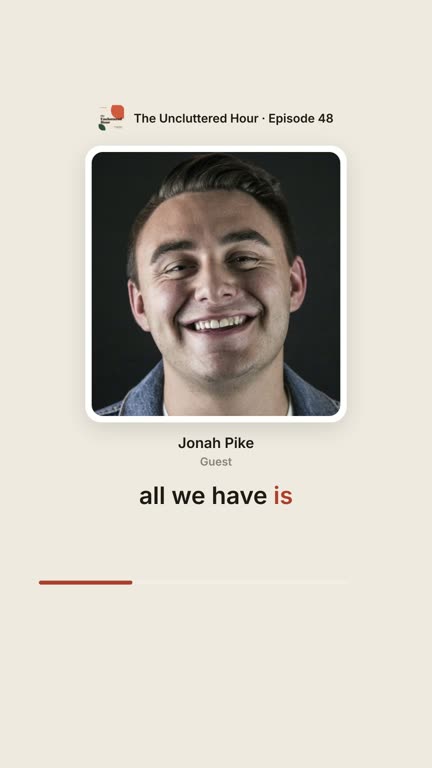
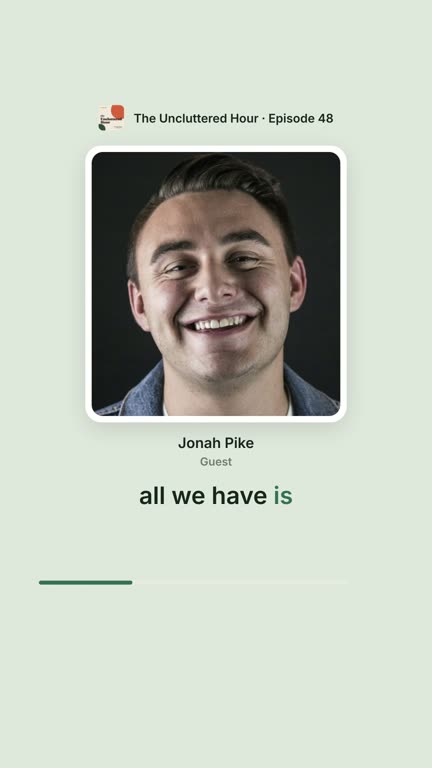
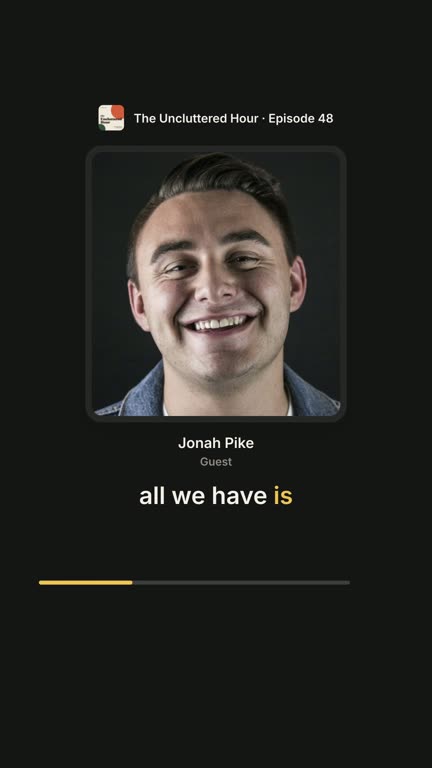
Framed portrait in three of its colour sets, then in the example show’s own colours, taken from its cover. Set your colours once and every guest clip matches your show.
Questions
Can I put my guest’s photo on a podcast clip if the episode is audio only?
Yes, from the audio alone. Upload the episode to Slice Audio, add your guest’s photo and name, tell it which voice is the guest, and pick one of the 13 Photo templates. Every clip then shows the guest’s face with their name under it, lit up while they are talking, with the words as big captions. Your first 3 clips are free, no card.
How do I add the guest’s name to the clip?
Type it once, in the Show & people tab, and say which voice is theirs under Who is speaking. Every template that shows names then uses it, and a wrong spelling is fixed in one place for every clip.
Which templates show the guest’s photo?
The 13 templates on the Photo shelf, among them Magazine cover, Split card, Polaroid, Sticker and Split screen, and some on other shelves, such as Duo, Orbit and Cover star. The other templates are drawn from the words and your cover art.
What if I don’t have a photo of my guest?
The templates still work: a person without a picture is drawn in the show’s colour with their initials. You can also add one picture for the episode, such as a book cover, a place or a product, and it is shown in the photo spot when there is no guest photo.
Do I have to add the guest again for every clip?
No. A guest is added once per episode and every clip from that episode uses them. Hosts are kept for every episode.
Can the host and the guest both be on screen?
Yes. Faces that talk, Split screen and Duo show two people, and the one talking is lit up or named, so a viewer always knows who is speaking.
How much does it cost?
Your first 3 clips are free, no card. Then a 3-day free trial for the rest, which takes a card, and one plan for audio and video episodes alike. Slice Audio is part of Shorts by Slice: same account, same plan.
More for podcasters
- Slice Audio: video clips for audio-only podcasts, every template playing.
- How long should a podcast clip be? Each platform’s limit and what to post.
- How to turn an audio podcast into video clips: every way to do it, including by hand.
- Have video too? Shorts crops to whoever is talking.