Or (MP3, M4A, WAV or MP4). Up to 90 minutes and 600MB. Spotify links can’t be read, so type the show’s name instead.
How do I find the best clips in an audio-only podcast?
An audio clip has nothing to look at but your cover art and the words, so the words carry all of it. The moments that work are the ones that are vivid to hear: a picture painted in speech, a strong line, a turn in the story.
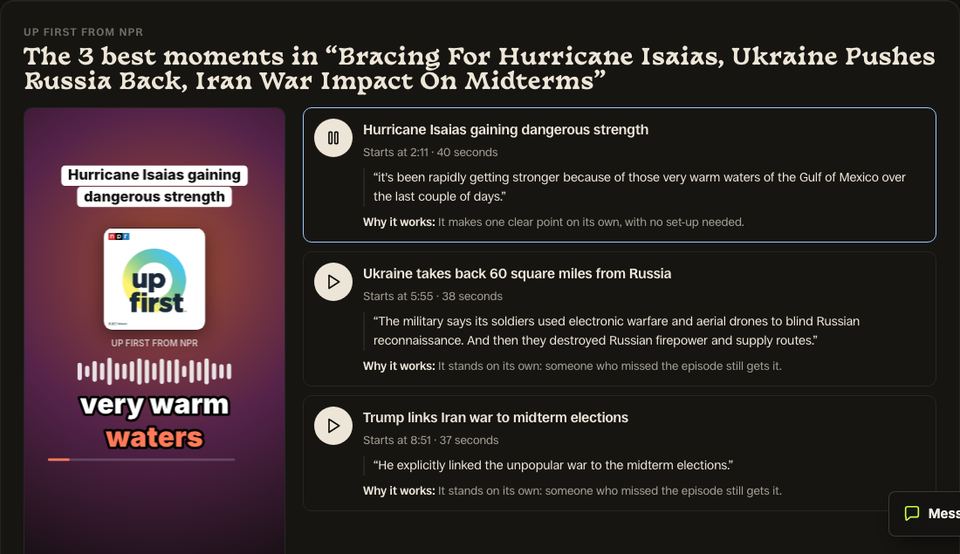
Slice’s podcast clip finder is a free web tool that finds the best moments to clip in a podcast episode. Paste an Apple Podcasts link, an RSS feed or the show’s name, pick an episode, and it transcribes the whole episode and picks its 3 best moments of 30 to 90 seconds, each with its start time, length, opening line in the speaker’s own words, and one sentence on why it works. You can play each moment from the episode itself and see the top one as a finished audio clip with the show’s cover art, captions and a waveform. It is free with an email address and no account: 3 episodes a month per person, each up to 90 minutes. It does not take YouTube links. It is made for podcasters, including audio-only shows, and for churches that publish sermons as a podcast.
- Price
- Free: 3 episodes a month per person (shared with Slice’s free transcription tool). Making the clips in Shorts by Slice: the first 3 exports free, then $14.99 a month or $149 a year.
- Input
- An Apple Podcasts link, an RSS feed, the show’s name (found in Apple’s podcast directory), or an uploaded MP3, M4A, WAV or MP4. Not YouTube links. Spotify links can’t be read because Spotify doesn’t share feeds; type the show’s name instead.
- Length
- Episodes up to 90 minutes.
- Output
- 3 moments of 30 to 90 seconds, each with a title, start time, length, opening line and why it works; playable from the episode; the top one previewed as a finished audio clip. The full transcript by email.
- Account
- None needed to see the moments; an email address is. A free Slice account to make the clips (Google sign-in works).
- Kept
- Your moments for 30 days behind a private link, then deleted unless you made them into clips.
What makes a good clip from an audio-only podcast
- A line that paints a picture, so the listener sees something with no video.
- A complete thought that reads well as captions, since most people watch with the sound off at first.
- A clear voice: one speaker, or two who don’t talk over each other.
- Not music beds, ad breaks or long silences.
A real example: 99% Invisible
We ran the finder on “(Not Just) Another Brick in the Wall” from 99% Invisible (35 minutes, public RSS feed) on . These are the three moments it picked, unedited, in the order it ranked them. The quotes are the speakers’ own words, shortened.
Chicago brickmakers respond to Boston insult
“So before the great fire of Chicago, Chicago is very much a city of wood.”
Why it works: A spirited historical comeback that captures Chicago's competitive spirit and defensive pride about its materials.
Bricks are like brushstrokes in a Van Gogh
“My version of the analogy is that bricks are like brushstrokes in a Van Gogh. Each one is a beautiful…”
Why it works: A poetic comparison that reframes how people see individual bricks and their collective impact.
Hand brickmakers versus machines production
“brick into these molds. And the volume you could make with those machines was staggering.”
Why it works: A striking contrast showing how industrial machines transformed brick production and enabled Chicago's rapid rebuilding.
Excerpts from 99% Invisible, quoted to show how the tool works; listen to the full episode. Not an endorsement by the show. Finding these moments cost us $0.10 in transcription and AI.
How it works
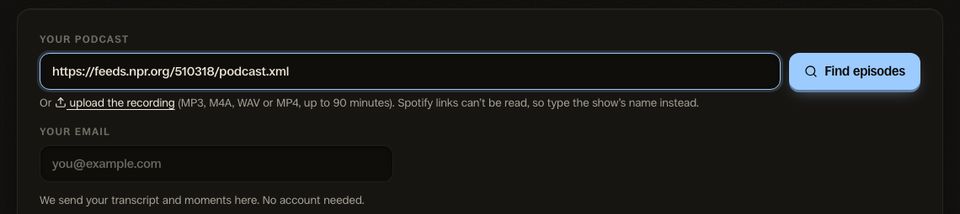
1. Paste your show
Your Apple Podcasts link, your RSS feed, or just the show’s name. The latest episodes appear, newest already picked.
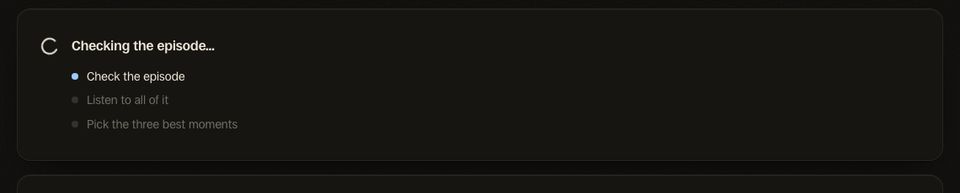
2. Let it listen
It transcribes the whole episode and reads it for moments that stand on their own. A 15-minute episode took under a minute in our test.
3. Hear your 3 moments
Each with its time, opening line and why it works. Play them from the episode, see the top one as a finished clip, then make all three.
Tips for audio-only podcasts clips
- Use your real cover art: people recognise a show by it before they read the name.
- Big captions matter more than the waveform: put the words first.
- Keep it under a minute for Reels and Shorts; 30 to 45 seconds often does better.
- Link the full episode in your bio or the first comment.
Questions
What does the finished clip look like?
Do I need to upload anything?
What sizes do the clips come out in?
Is it really free?
Can I paste a Spotify link?
What happens when I press Make these 3 clips?
The clip finder for other shows
Related
More Free Tools
Shorts by Slice
From the team behind these free tools
One video. A week of posts.
Upload an episode and get back the moments worth posting, cut and captioned.
- Reads the whole episode, then picks the excerpts worth posting
- Captions burned in and framed vertical, ready to post
- Your first video and first 3 clips are free, no card