Checked 30 September 2026
The Riverside alternative for long podcasts and streams (2026)
Riverside records podcasts, and its Magic Clips make short clips from those recordings on their own. People look for another clip tool when they record somewhere else, want more than the few sets of clips each recording gets, or have hit the monthly upload cap.
Our bias: we make Shorts by Slice. Compared from published pricing, limits, features and user reviews, checked 30 September 2026. We did not test Riverside hands-on, and where it is the better choice we say so.
Shorts by Slice turns a long podcast or stream into captioned vertical clips. $14.99 a month, 3 days free, no card.
Try it free →Slice vs Riverside
| Shorts by Slice | Riverside | |
|---|---|---|
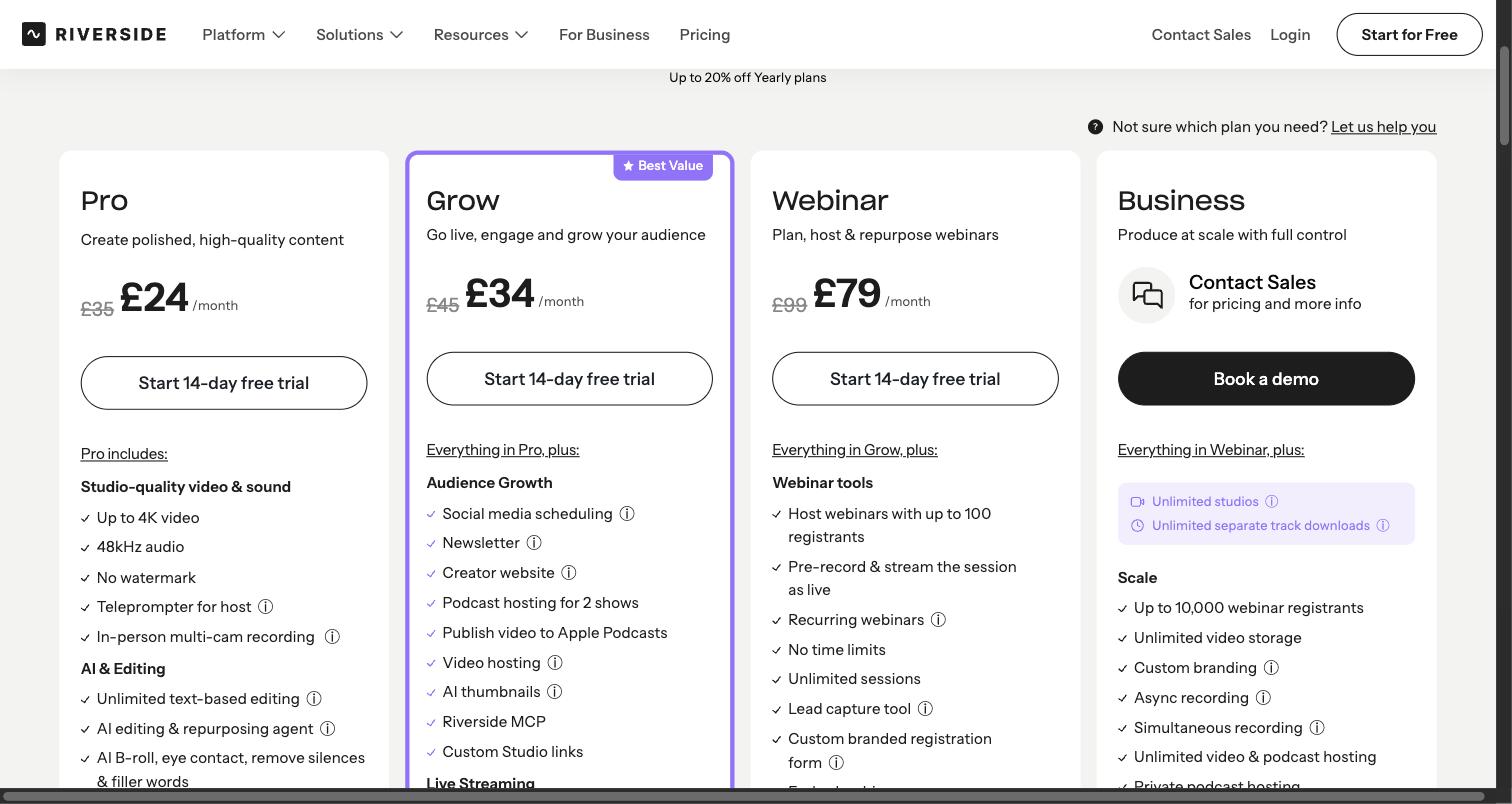
| Price | $14.99/month or $149/year | $29 / $39 / $99 a month, or $24 / $34 / $79 billed yearly |
| What the entry plan gets | Everything: no cap on videos, up to 1,000 exports a month, no watermark | Pro: unlimited recording, 4K, Magic Clips, 15 hours of uploads a month |
| Longest video | 3 hours and 2GB (MP4, MOV or WebM) | Uploads up to 4 hours and 25GB (MP4, WebM or MPEG) |
| How many clips | As many as you make; up to 1,000 exports a month | Typically 2 per 5 minutes; 1 automatic set plus 2 more per recording on Pro |
| Watermark | Never, trial included | On the free plan |
| Link import | YouTube video links, one video per link; or upload a file | No: "At the moment, no," says its help centre |
| Posting | No: you download and post | Scheduling to YouTube, TikTok, Instagram and more on Grow and up |
| Recording | No: Slice works on a recording you already have | Yes: remote studio, separate tracks per guest, up to 4K |
| Reviews | No third-party ratings to report yet | Trustpilot 3.7 (505), G2 4.8 (1,755), Capterra 4.8 (307), Product Hunt 4.8 (14) |
Riverside’s figures from its pricing page and review sites, 30 September 2026. Prices in US dollars.
Choose Riverside if…
- You record in Riverside already. Magic Clips are made from the recording with nothing to download or upload.
- You want one subscription for recording, editing, clips and publishing.
- You want separate tracks per guest and in-person multi-cam.
- You are happy with a handful of clips per episode, picked and scored for you.
Choose Slice if…
- You record somewhere else, or clip other people's shows, and want to paste a YouTube link or drop a file in.
- You want more clips than Riverside's sets give you: on Slice, you keep cutting, and asking again finds different moments.
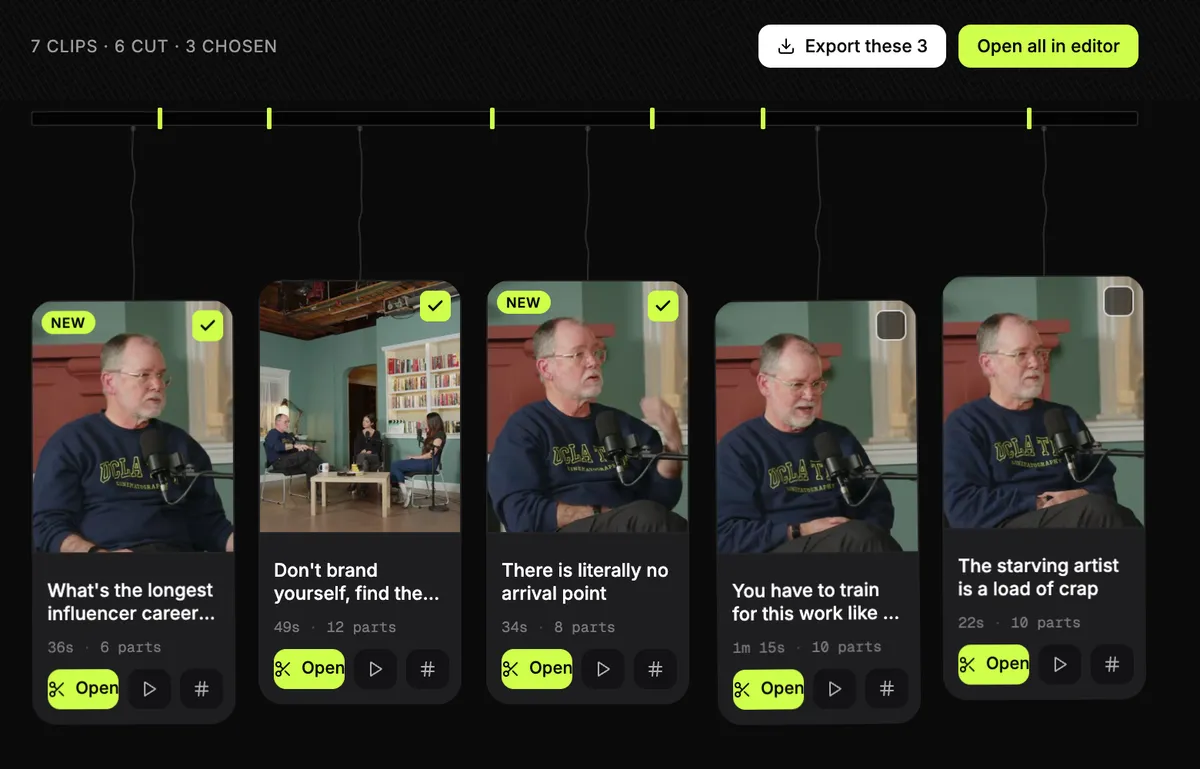
- You want to tick a dozen clips, export them together, and get one email with one zip.
- You only need the clipping. Slice is $14.99 a month against Riverside Pro's $29.
Where Slice loses to Riverside
- Riverside records the podcast itself, in up to 4K with a track for each guest. Slice does not record at all.
- Riverside publishes and schedules (on Grow). Slice gives you files to post.
- Riverside has more than 2,500 reviews across the four sites (G2 4.8 from 1,755); Slice has none to report yet.
Riverside, in short
Best for podcasters who record in Riverside and want clips made from the same recording, with nothing to download or move.
Pricing, in plain words
- Free: 2 hours of multi-track recording, once; 720p; a Riverside watermark. Magic Clips are included.
- Pro: $29 a month, or $24 a month billed yearly. Up to 4K, no watermark, unlimited transcription, Magic Clips and show notes, 15 hours of separate-track downloads.
- Grow: $39 a month, or $34 a month billed yearly. Adds social scheduling, live streaming and a second studio.
- Webinar: $99 a month, or $79 a month billed yearly. Business: contact sales.
- Paid plans have a 14-day free trial. Its pricing page says Magic Clips do not use AI credits.
What Riverside’s reviewers say
| Site | Rating | Reviews |
|---|---|---|
| Trustpilot | 3.7 / 5 | 505 |
| G2 | 4.8 / 5 | 1,755 |
| Capterra | 4.8 / 5 | 307 |
| Product Hunt | 4.8 / 5 | 14 |
Praise: Recording quality and separate tracks; Easy to use; Record, edit and publish in one place; Automatic short clips.
Recurring complaints: Billing, cancelling or unwanted charges (7 of 19); Poor or automated support (6 of 19); Lag, bugs and glitches (5 of 19); Lost or failed recordings (4 of 19); Magic Clips audio out of sync (1 of 19).
Source: Trustpilot 1-2 star reviews, 19 reviews from May to September 2026. A sample, not every review. Read them on Trustpilot.
“Constantly buffering and getting stuck.”A reviewer on Trustpilot, June 2026
Slice, in short
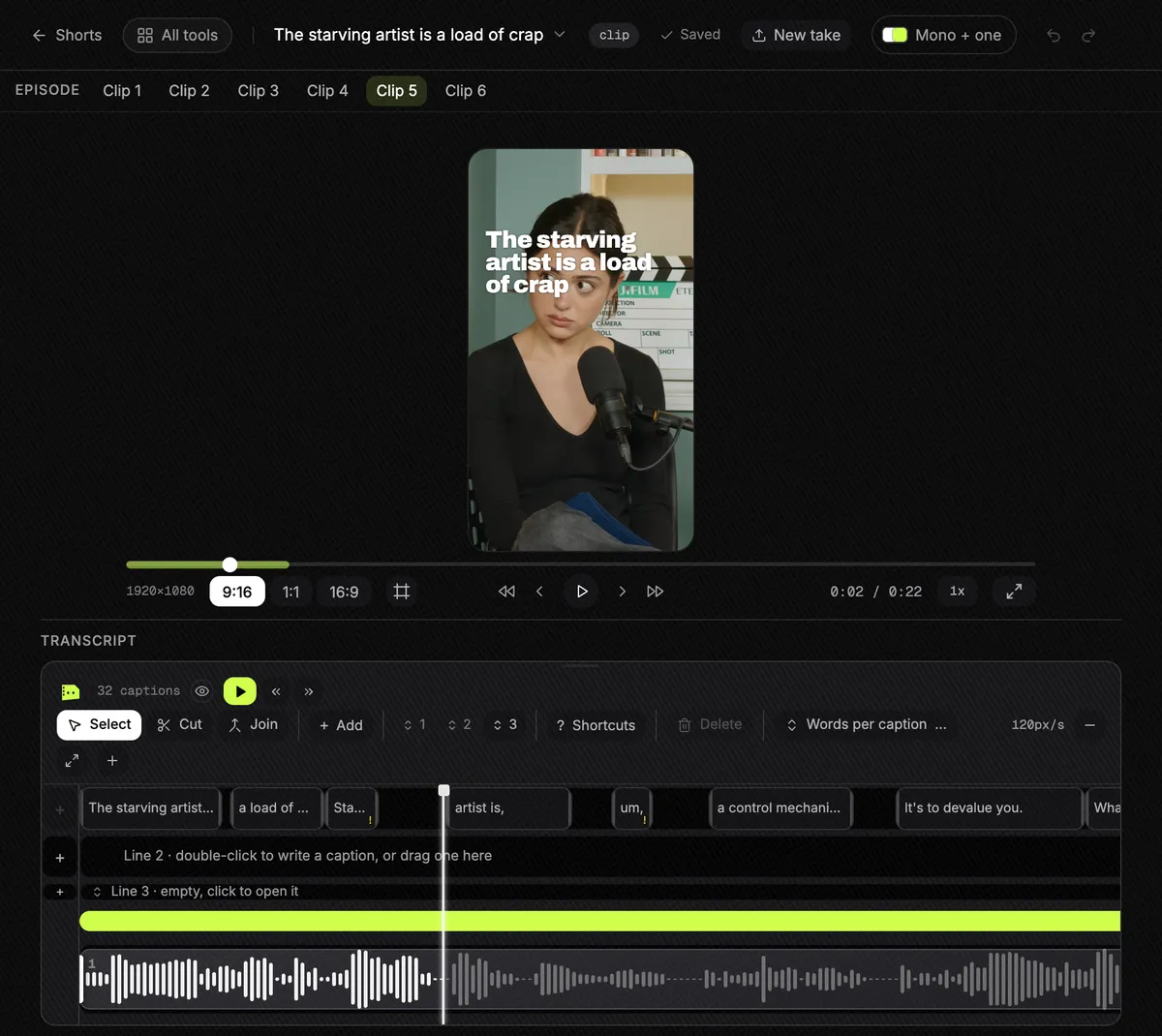
Best for podcasters and clippers who cut long episodes and streams into lots of clips and export them in one go.
$14.99 a month or $149 a year, with a 3-day free trial and no card. It does not post, schedule or add b-roll. Paste a YouTube link or upload the file.
Questions
Can Riverside Magic Clips work on a video I did not record in Riverside?
Yes. Riverside's help centre says Magic Clips are made for every new recording or upload. Uploads are capped at 4 hours and 25GB a file, and 15 hours a month on Pro, Grow and Webinar.
How many Magic Clips do I get?
Typically 2 for every 5 minutes, 30 to 90 seconds each. Each recording gets one automatic set, and Pro, Grow and Webinar can make 2 more sets; Business 4 more. Deleting clips does not give a set back. Checked 30 September 2026.
Is Slice cheaper than Riverside?
For clipping alone, yes: $14.99 a month or $149 a year, against Riverside Pro at $29 a month or $24 a month billed yearly. But Riverside Pro also records and hosts your podcast, which Slice does not.
What do people complain about with Riverside?
In 19 Trustpilot 1-2 star reviews from May to September 2026, seven mention billing or cancelling, six support, five lag and glitches, and four lost or failed recordings. Its Trustpilot score is 3.7 from 505 reviews; on G2 it is 4.8 from 1,755.
How was this compared?
Compared from published pricing, limits, features and user reviews, checked 30 September 2026. Riverside's figures are from its own pricing page, help centre and review pages. We did not test Riverside hands-on. We make Slice.
More comparisons
- Best AI clipping tools for podcasts and streams (2026)
- Best tools for clipping Twitch and Kick streams (2026)
- The OpusClip alternative
- The Klap alternative
- The Vizard alternative
- The Submagic alternative
- The Descript alternative
- The Choppity alternative
- AI clip tools compared: prices and caps in one table
Try Shorts by Slice on your next episode. If Riverside fits you better, use it.