Checked 11 October 2026 · 8 tools
The best Descript alternatives for podcasters
Eight alternatives to Descript for podcasters, read from each tool's own pricing page on 11 October 2026: what each costs, what it does instead of Descript's edit-the-transcript workflow, and who it suits. Descript itself now costs $24 a month (Hobbyist, 10 media hours) or $16 billed yearly, and its free plan exports at 720p.
How we chose. We started from the reasons podcasters give for leaving Descript in public threads on r/podcasting (the October 2026 thread "Descript is the absolute worst editing software" and others): bugs and slowness in the browser, frequent interface changes, AI credits and media hours, and wanting to edit audio as audio. For each alternative we read its pricing page and its own product page in a browser, not signed in, on 11 October 2026, and took the pricing screenshot shown (a few were taken on 6 October and say so). Async showed prices in pounds to our UK browser, and we left them in pounds rather than convert. None of the tools were tested hands-on for this page. User quotes come from Reddit (r/podcasting) and Trustpilot, and each was checked word for word against the page it links to. We make Shorts by Slice, which appears once, for the one part of Descript it replaces (clips and captions), with its downsides.
We make Slice, a few of whose tools appear here where they do the job; they are marked “ours”. No tool paid to be listed.
Which one, in ten seconds
Find the line that sounds like you.
- You record guests remotely or on video and want everything in one appRiverside
- You want to tell the editor what to do in plain wordsAsync (formerly Podcastle)
- Your show is audio only and you want the simplest record-edit-publish appAlitu
- You want to edit audio as audio and pay onceReaper
- You want to stop paying altogether for an audio showAudacity
- You only used Descript to clean up voicesAdobe Podcast
- You make a video podcast and want a free professional editorDaVinci Resolve
- You mainly used Descript for captioned clipsShorts by Slice
Side by side
| Tool | Best for | Price | Free tier | Key limits | Platforms |
|---|---|---|---|---|---|
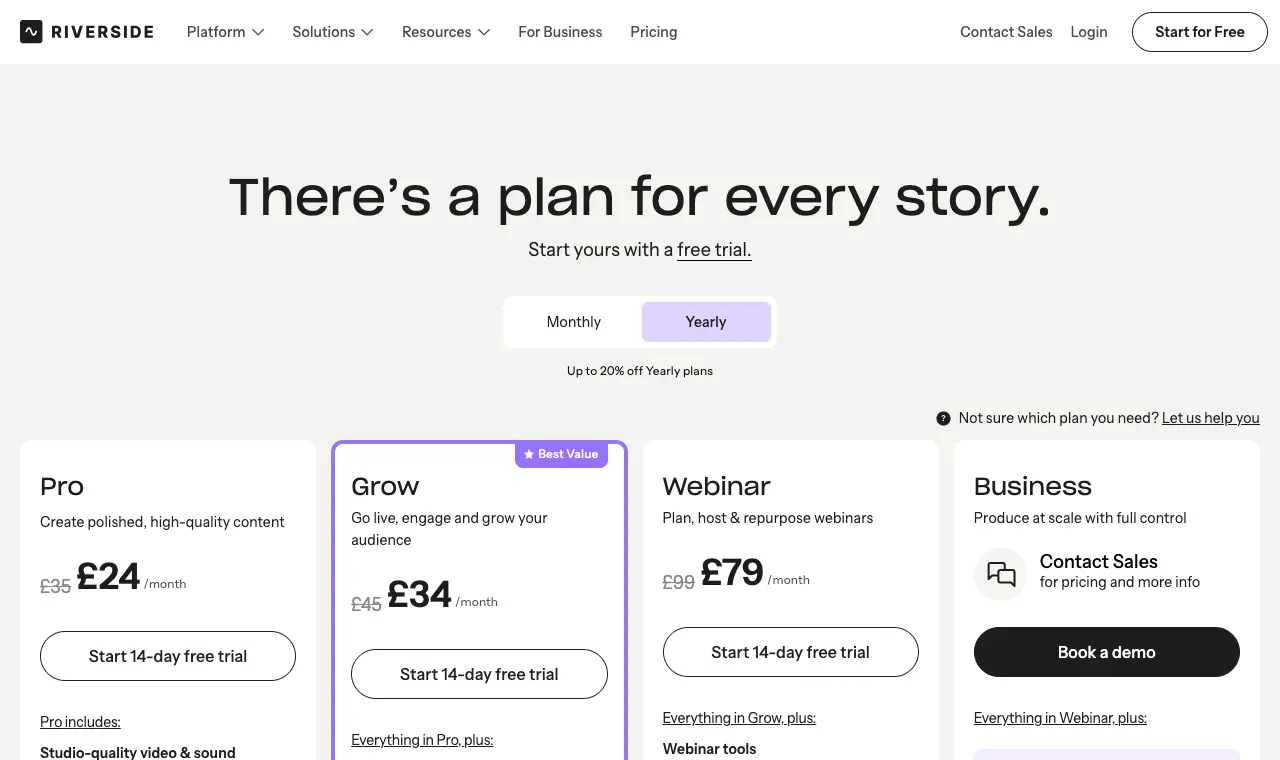
| Riverside | podcasters who record guests remotely or on video and want recording, text-based editing and clips in one place | Pro $29/month ($24/month billed yearly); Grow $39/month ($34 yearly); Webinar $99/month ($79 yearly); Business by quote | No free plan shown on the pricing page on 11 October 2026; paid plans start with a 14-day free trial. | Pro: 1 studio and 15 hours a month of separate-track downloads (recording itself is unlimited, per the pricing FAQ). Extra editor seats are an add-on; collaborative editing is Business only. | Web, Mac app, iOS and Android apps |
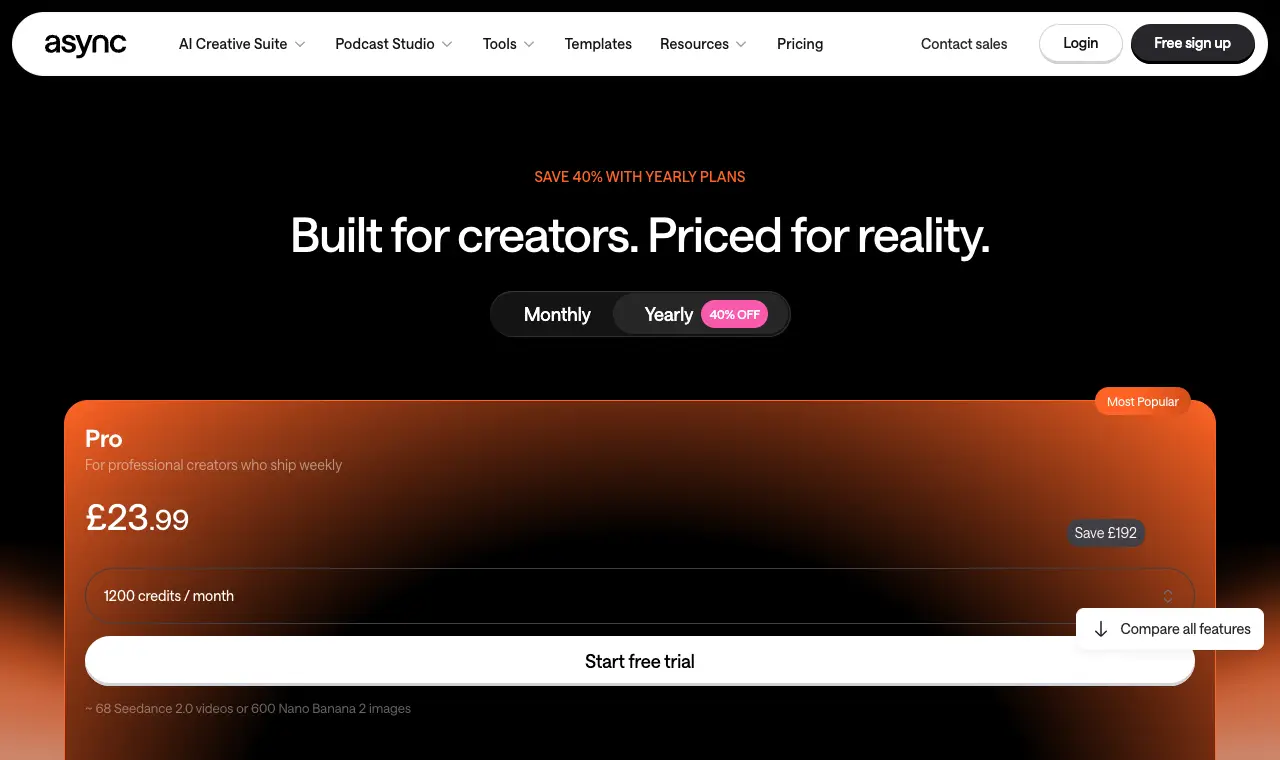
| Async (formerly Podcastle) | podcasters who would rather tell an editor what to do in a chat than cut by hand, and who also record in the browser | Free; Essentials £11.99/month, Pro £23.99/month, Teams £49.99 per creator a month, billed yearly (shown in pounds from the UK) | A free plan, per the pricing page; paid plans start with a free trial. | Plans are measured in credits shared across AI video, image and audio tools: 450 a month on Essentials, 1,200 on Pro. Essentials includes 4 hours of audio and video recording a month, Pro 20. | Web |
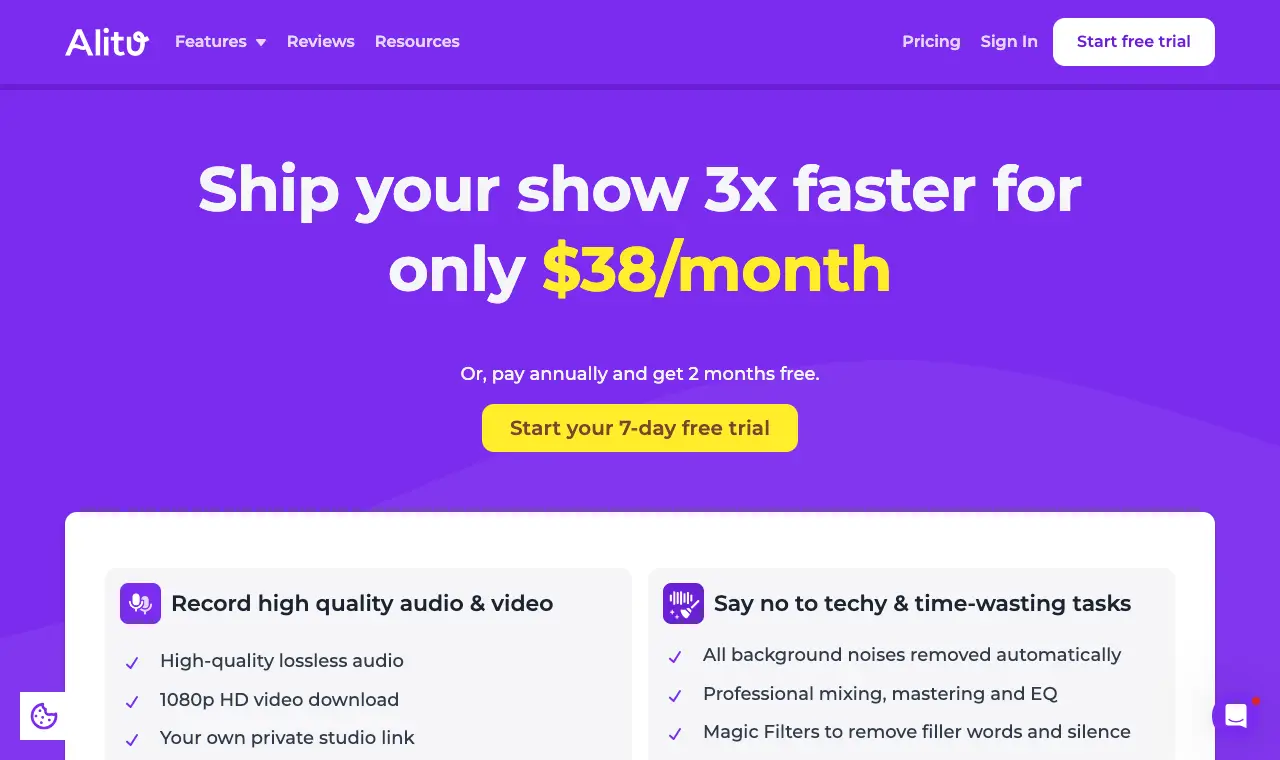
| Alitu | audio podcasters who want one simple app to record, clean up, edit and publish, without learning an editor | $38/month; paying yearly gets 2 months free | None; a 7-day free trial, then a 30-day guarantee after the first charge. | Hosting included up to 1,000 downloads a month; transcripts in 17 languages. | Web browser |
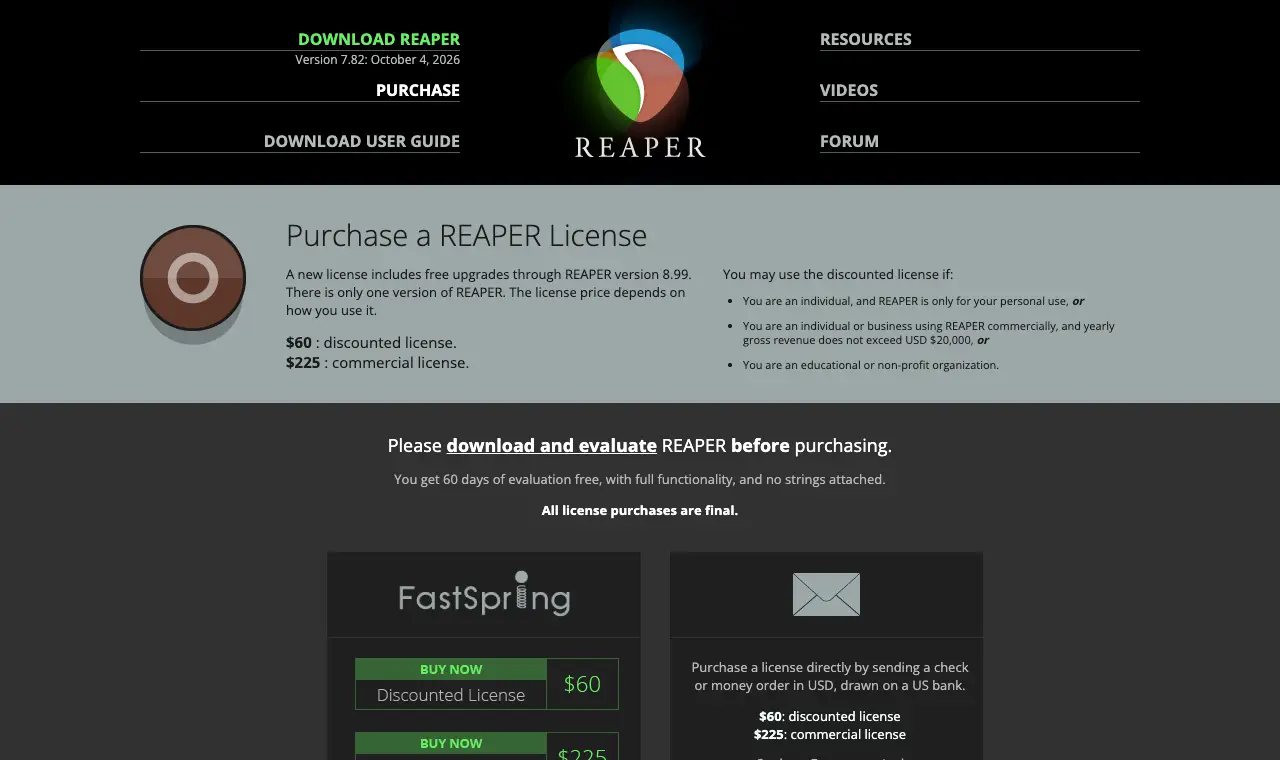
| Reaper | podcasters who want to edit audio as audio, with a professional editor bought once for $60 | $60 discounted licence; $225 commercial licence | None; a full 60-day evaluation. | The $60 licence is for personal use or a business under $20,000 a year in revenue. No transcript editing. | Windows, Mac, Linux |
| Audacity | audio-only podcasters who want to stop paying and edit on a waveform, on any computer | Free | Everything. Its home page says Audacity "has always been and will always remain free for everyone". | Audio only; no transcript editing on its home page. | Windows, Mac, Linux |
| Adobe Podcast | podcasters who mainly used Descript's Studio Sound and want free speech clean-up, plus a simple recording studio | Free; premium features with Adobe's Firefly Pro plan at $19.99/month | Enhance Speech on files up to 30 minutes (500 MB), 1 hour a day; Studio projects up to 30 minutes, 2 downloads a day. | Firefly Pro: files up to 2 hours and 1 GB, 4 hours of enhancement a day, bulk uploads, adjustable strength. | Web |
| DaVinci Resolve | video podcasters leaving Descript who want a full timeline editor and pro audio for free | Free; DaVinci Resolve Studio $295 one-time | Editing, colour and Fairlight audio, 8-bit video up to 60fps and Ultra HD 3840 x 2160, per Blackmagic's page. | The AI audio tools and 10-bit video are in the paid Studio version. No editing by transcript in the way Descript does it. | Mac, Windows, Linux, iPad |
| Shorts by Sliceours | podcasters who mostly used Descript to make captioned clips for Reels, Shorts and TikTok, and edit the episode somewhere else | $14.99/month or $149/year | Your first video and first 3 clips are free, no card | Episodes up to 3 hours and 4GB, uploaded as a file; clips of 30 to 150 seconds; up to 1,000 exports a month | Web, in any browser |
Prices in US dollars from each vendor’s pricing page, unless a row says otherwise.
01
Riverside
Price Pro $29/month ($24/month billed yearly); Grow $39/month ($34 yearly); Webinar $99/month ($79 yearly); Business by quoteFree No free plan shown on the pricing page on 11 October 2026; paid plans start with a 14-day free trial.Runs on Web, Mac app, iOS and Android apps
What it does well
- Records each person locally, up to 4K video and 48kHz audio, then edits the recording by its transcript in the same app (Pro).
- Pro includes unlimited text-based editing, unlimited transcriptions, Magic Clips, show notes, audio enhancement and removal of silences and filler words, per the pricing page.
- Podcast hosting and publishing to YouTube, Spotify and Apple are on Pro.
- The pricing FAQ says core AI features (Magic Clips, Magic Audio, the AI Co-Creator) do not use AI credits.
Where it falls short
- Downloading each person's separate track is capped at 15 hours a month on Pro, which matters if you finish the edit in another app.
- Recent r/podcasting threads complain that the editor keeps changing and can be slow; the quotes below give both sides.
- More than one editor means an add-on seat, or Business.
What its users say
“Got off descript earlier this year. I wholly recommend Riverside if you're doing a hybrid of audio and video. If it's just audio, then Audacity is great (and it's free)”
“Riverside is OK. The Magic Audio is better than the alternatives I've used.”
“editing via transcript in Riverside struck me as even worse than descript, but I didn’t spend much time trying there”
In the directoryPricing pageread 11 October 2026
02
Async (formerly Podcastle)
Price Free; Essentials £11.99/month, Pro £23.99/month, Teams £49.99 per creator a month, billed yearly (shown in pounds from the UK)Free A free plan, per the pricing page; paid plans start with a free trial.Runs on Web
What it does well
- The site at podcastle.ai now carries the name Async and edits by chat: upload, then ask it to cut pauses, fix the rough cut or make a 30-second cut, per its home page.
- Removes filler, pauses, repeats and bad takes, cleans audio with Magic Dust, adds captions and makes short clips, per the home page.
- Records audio and video in the browser (4 hours a month on Essentials).
- Saves an editing style as a reusable skill.
Where it falls short
- Credits are shared with AI video and image generation, so how far they go depends on what else you use them for.
- The product has moved from podcasting towards AI video in general; podcasts are one format among many on its home page.
- Prices were shown to us in pounds; the dollar prices were not read.
In the directoryPricing pageread 11 October 2026
03
Alitu
Price $38/month; paying yearly gets 2 months freeFree None; a 7-day free trial, then a 30-day guarantee after the first charge.Runs on Web browser
What it does well
- Edit your audio with text or a simple waveform, per the pricing page, so you are not forced into either.
- Records high-quality audio and video, adds music and transitions from its own library, and bleeps swear words.
- One-click publishing to Apple Podcasts, a podcast website and hosting up to 1,000 downloads a month are included.
- AI show notes and transcripts in 17 languages.
Where it falls short
- No free plan, and $38 a month is more than Descript's Hobbyist plan.
- Made for audio shows: it is not a video editor in the way Descript is.
- Hosting above 1,000 downloads a month costs extra.
What its users say
“I was surprised how easy it was to record and produce when I had absolutely no background or experience.”
“It's a great product, but I don't use it much. I recorded a few sessions, but find gaining traction and exposure difficult.”
In the directoryPricing pageread 11 October 2026
04
Reaper
Price $60 discounted licence; $225 commercial licenceFree None; a full 60-day evaluation.Runs on Windows, Mac, Linux
What it does well
- Paid once, not a subscription: $60 for personal use or small businesses.
- A full multitrack audio editor with as much control as you want over each voice.
- Several people in the r/podcasting Descript thread pair it with Descript, or replace Descript with it.
Where it falls short
- No editing by transcript; you cut on the waveform.
- Built for music first, so it takes longer to learn than Descript.
- No video editing to speak of for a video podcast.
What its users say
“if transcript editing is the part you like, i'd rough cut in Descript then finish in Reaper. forcing Descript to be the final editor is where it gets painful.”
“I taught my friend with zero audio editing knowledge how to use Reaper in an afternoon many years ago”
“The DAW is really good except the complicated workflow and interface.”
In the directoryPricing pageread 11 October 2026
05
Audacity
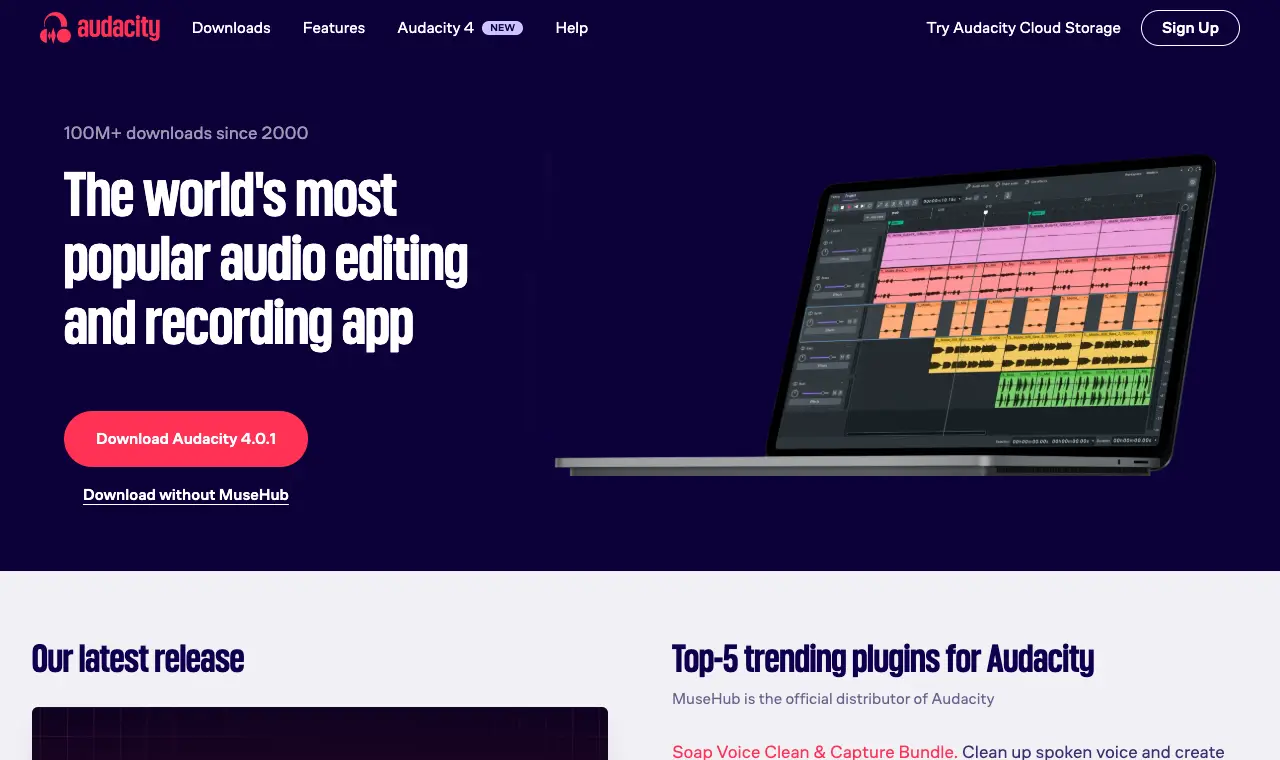
Price FreeFree Everything. Its home page says Audacity "has always been and will always remain free for everyone".Runs on Windows, Mac, Linux
What it does well
- Free and open source, with no media hours or credits to run out of.
- Records and edits on your own computer, so nothing waits on an upload.
- The usual answer on r/podcasting for an audio-only show on no budget.
Where it falls short
- No editing by transcript and no video.
- Noise clean-up and levelling take more knowledge than Descript's one-click tools.
What its users say
“Simple. Functional. Fast. Easy. It stays out of the way, and does what you tell it to do.”
In the directorySource pageread 11 October 2026
06
Adobe Podcast
Price Free; premium features with Adobe's Firefly Pro plan at $19.99/monthFree Enhance Speech on files up to 30 minutes (500 MB), 1 hour a day; Studio projects up to 30 minutes, 2 downloads a day.Runs on Web
What it does well
- Enhance Speech cleans up a voice recording in the browser, free for files up to 30 minutes.
- Unlimited remote recording in Studio on the free plan, per the plans page.
- Firefly Pro adds bulk uploads, strength control and files up to 2 hours.
Where it falls short
- Not a full editor: Studio projects top out at 30 minutes free and 2 hours on Firefly Pro.
- The free plan allows 1 hour of enhancement a day, so a long episode may need two days or the paid plan.
- Full-strength enhancement can sound processed; only Firefly Pro lets you turn the strength down.
In the directoryPricing pageread 11 October 2026
07
DaVinci Resolve
Price Free; DaVinci Resolve Studio $295 one-timeFree Editing, colour and Fairlight audio, 8-bit video up to 60fps and Ultra HD 3840 x 2160, per Blackmagic's page.Runs on Mac, Windows, Linux, iPad
What it does well
- A free version with editing, colour and the Fairlight audio page, per Blackmagic's page.
- Studio is one payment of $295, not a subscription.
- Handles multicam and long video podcasts on your own computer.
Where it falls short
- Takes far longer to learn than Descript.
- Wants a capable computer for long 4K episodes.
- More than an audio-only show needs.
What its users say
“As for editing - Davinci Resolve is free. It’s not the the easiest to learn, but they do have a whole workbook online to teach you how to use it (also free!).”
“Record the session, grab the files, bring them into Resolve, go from there”
In the directorySource pageread 11 October 2026
08
Shorts by Sliceours
Price $14.99/month or $149/yearFree Your first video and first 3 clips are free, no cardRuns on Web, in any browser
What it does well
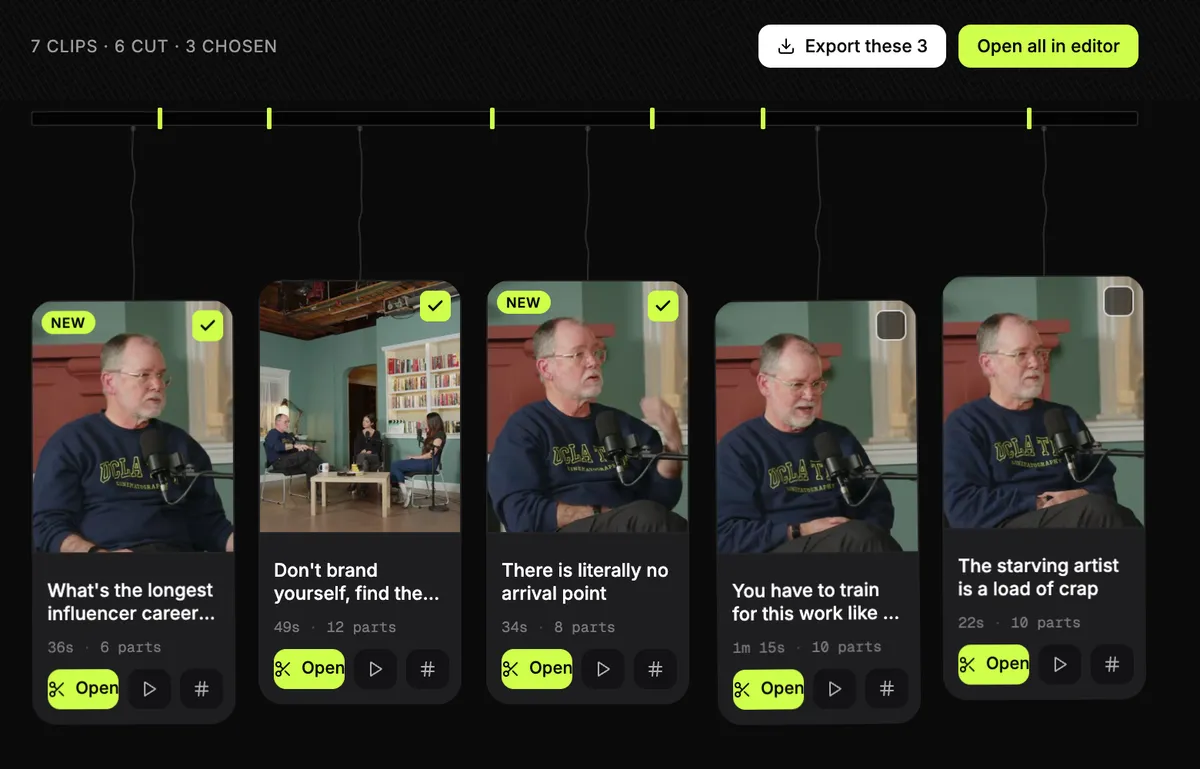
- Reads the whole episode and lists moments that stand on their own, each with a title, for you to pick from.
- Captions are styled and editable word by word, and the same clip exports vertical, square or wide.
- Works on audio-only episodes too: each clip is drawn with a template from the words, your cover art and the voices.
- Transcripts are part of Slice too: three recordings a month free, then hour packs paid once.
Where it falls short
- It is not a full episode editor: it does not cut the episode itself, remove filler words or mix tracks, so it replaces only the clips and captions part of Descript.
- Upload only for now: no link import, and it does not record.
- It does not post or schedule, and there are no third-party reviews of it to report yet.
Questions
What is the best alternative to Descript?
It depends on what you used Descript for. For recording and editing a remote or video show in one place, Riverside. For an audio-only show, Alitu if you want it simple or Reaper if you want control. For free, Audacity (audio) or DaVinci Resolve (video). If you mostly made captioned clips, a clip tool such as Shorts by Slice (ours) does that part for less.
What does Descript cost now?
On 11 October 2026: free (60 media minutes a month, 720p export), Hobbyist $24 a month or $16 billed yearly (10 media hours), Creator $35 or $24 yearly (30 hours, 4K), Business $65 or $50 yearly (40 hours). Every upload counts towards media hours.
Is there a free Descript alternative?
Yes. Audacity is free for audio editing, and DaVinci Resolve's free version edits video and audio. Adobe Podcast's free plan cleans up speech on files up to 30 minutes. None of them edits by transcript the way Descript does.
Which Descript alternatives edit by transcript?
Riverside (unlimited text-based editing on Pro) and Alitu (text or waveform) both let you cut by editing the words. Async edits by chat instead: you ask it to cut pauses or make a shorter version.
Why are podcasters leaving Descript?
In public threads on r/podcasting in October 2026, people describe bugs and slowness (often in the browser version, less so in the desktop app), interface changes, AI credits running out, and wanting to edit audio as audio. Others in the same threads say Descript works well for them. The quotes on this page give both sides.
Did you test these tools?
No. Prices and features were read from each tool's own pages on 11 October 2026, and quotes were checked word for word against the pages they link to. We make Shorts by Slice, which is on this list for clips and captions only.