Checked 11 October 2026 · 8 tools
The best transcription for long recordings and lectures
For students, teachers and researchers with 60- to 90-minute lectures, seminars and interviews: which transcription tools take a file that long, what each lets you do free, and what a semester of recordings costs. Read from each tool's own pages on 11 October 2026.
How we chose. The question for a lecture is not only accuracy but length: many free plans stop at 30 minutes a file, or a few minutes. So for each tool we read the longest file it takes on each plan, how many files the free plan allows, and the price, from its own pricing page or home page in a browser, not signed in, on 11 October 2026, and took the screenshot shown (some on 6 October, and the caption says so). Notta and Happy Scribe showed prices in pounds and MacWhisper in euros to our UK browser; we left them as shown. None of the tools were tested hands-on for this page. Quotes come from Trustpilot, the App Store and Reddit, and each was checked word for word against the page it links to. We make Slice Transcribe, which is on the list and marked as ours.
We make Slice, a few of whose tools appear here where they do the job; they are marked “ours”. No tool paid to be listed.
Which one, in ten seconds
Find the line that sounds like you.
- You record a lot of long lectures all termTurboScribe
- You have a few 90-minute recordings a month and want to pay nothingSlice Transcribe
- You want to record and transcribe live in the lecture hallOtter.ai
- Your recordings run to 4 or 5 hoursNotta
- Your interviews are sensitive and must stay on your computerMacWhisper
- You also need subtitles or translationsHappy Scribe
- You only transcribe now and then and want to pay per minuteSonix
- You may need a human-checked transcriptRev
Side by side
| Tool | Best for | Price | Free tier | Key limits | Platforms |
|---|---|---|---|---|---|
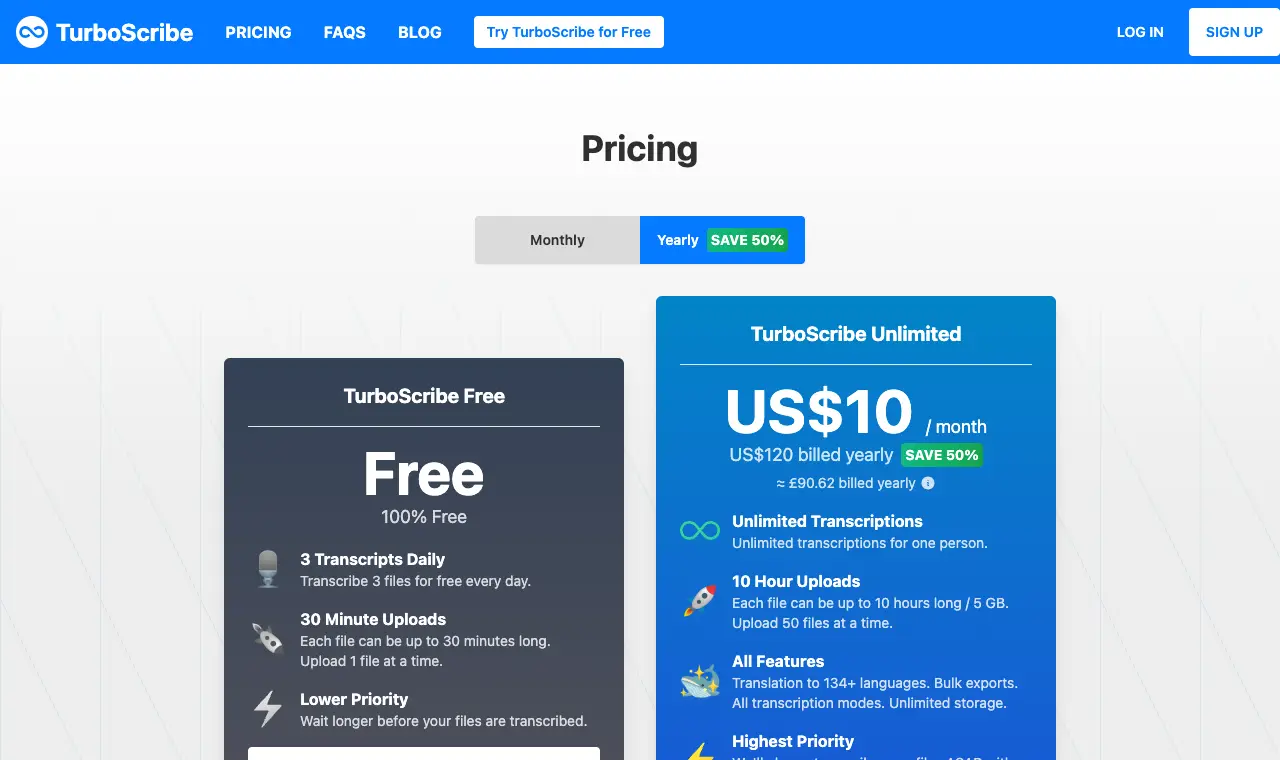
| TurboScribe | a whole term of long lectures at one flat price: files up to 10 hours each, with no cap on how many | Free; Unlimited US$10/month billed yearly (US$120 a year); monthly billing costs more | 3 files a day, each up to 30 minutes, one at a time, at lower priority. | Unlimited: files up to 10 hours and 5 GB, 50 at a time, for one person; accounts cannot be shared. | Web |
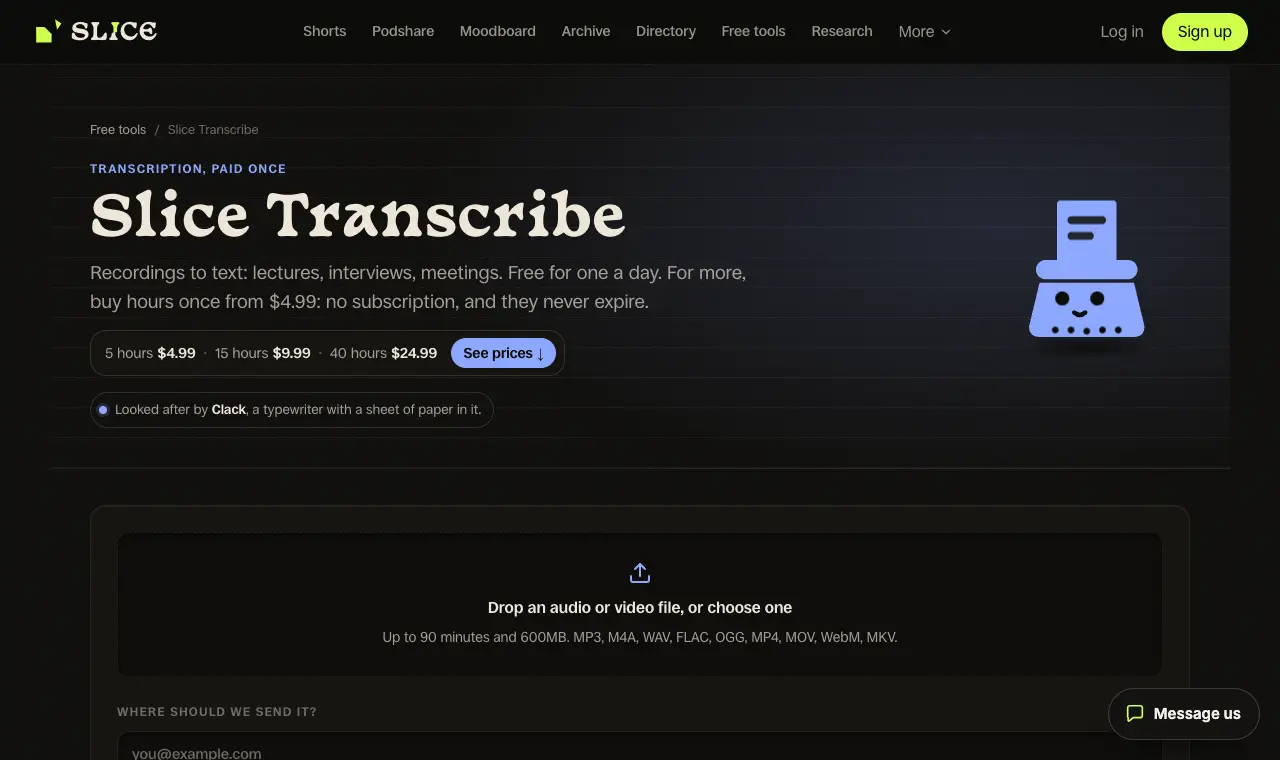
| Slice Transcribeours | a student or teacher with a few long recordings a month: free up to 90 minutes, then hours you buy once for the term | Free; hour packs 5 hours $4.99, 15 hours $9.99, 40 hours $24.99 (the semester pack), paid once | Three recordings a month, each up to 90 minutes, in the language spoken; just an email address | With hours: recordings up to 3 hours each, no limit on how many. One file at a time; upload only, no live recording. | Web, in any browser |
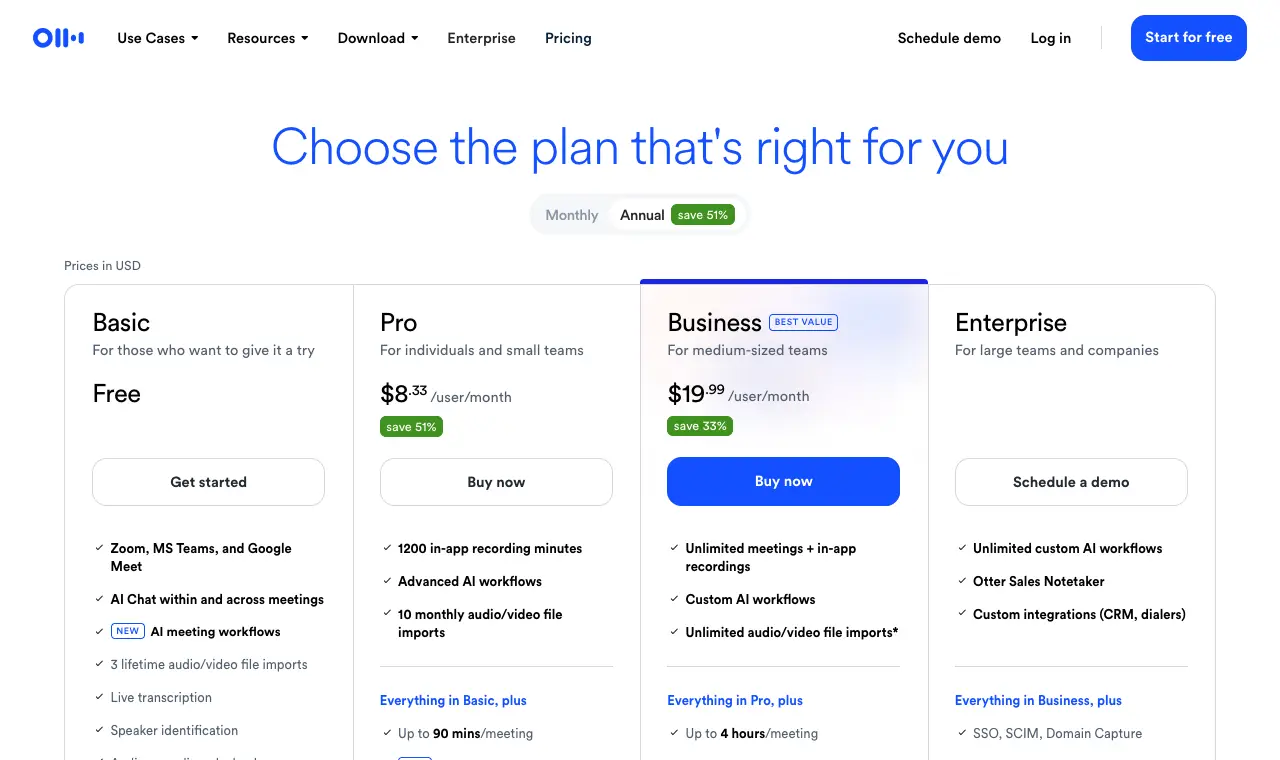
| Otter.ai | recording and transcribing a class live on a phone or laptop, if your lectures are 90 minutes or shorter | Free; Pro $8.33/user/month billed yearly; Business $19.99/user/month billed yearly | 300 minutes a month, up to 30 minutes per conversation, and 3 file imports in total (not per month). | Pro: 1,200 minutes a month, up to 90 minutes per conversation, 10 file imports a month. Business: up to 4 hours per conversation, 6,000 imported minutes a month. | Web, iOS, Android |
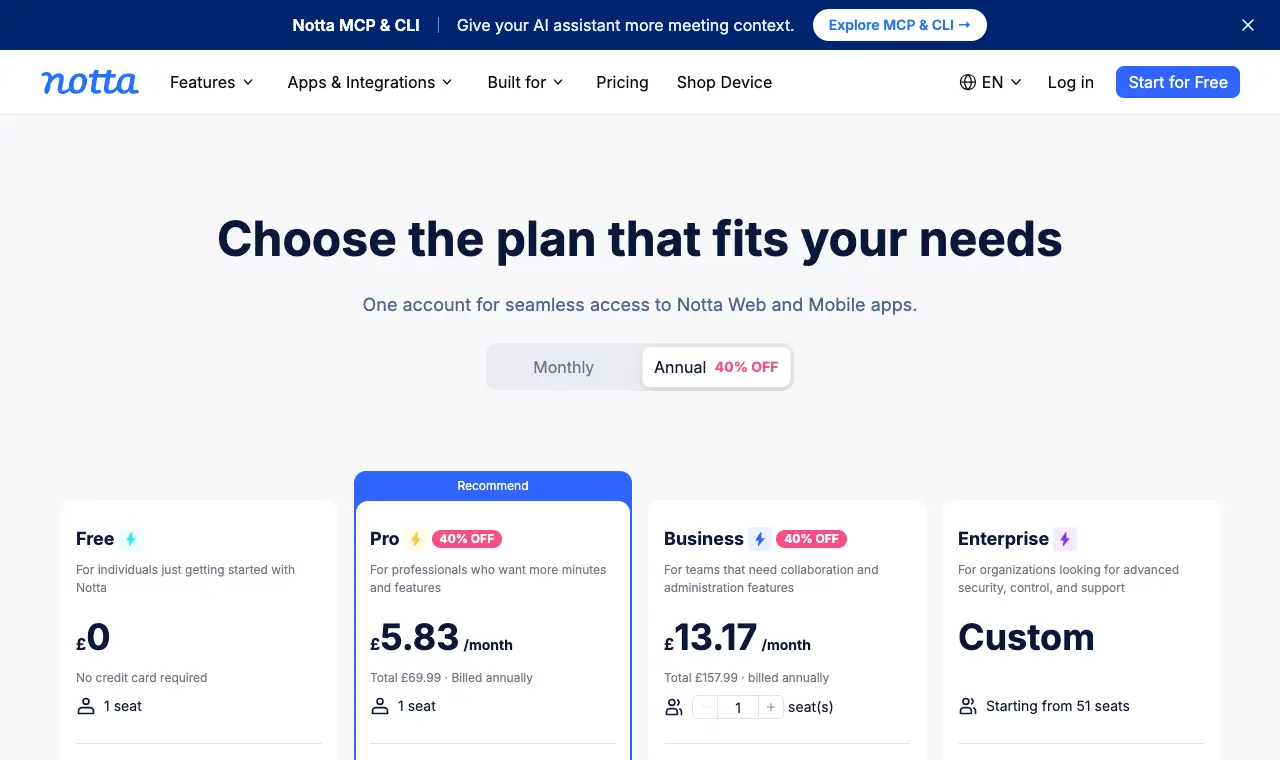
| Notta | long recordings at a low yearly price: up to 5 hours per recording on Pro | Free; Pro £5.83/month billed yearly (£69.99 a year); Business £13.17/month billed yearly (shown in pounds from the UK) | 120 minutes a month, but only up to 3 minutes per conversation; 50 file uploads a month. | Pro: 1,800 minutes a month, up to 5 hours per recording, 100 file uploads a month. Business: unlimited transcription, up to 5 hours per recording. | Web, iOS, Android |
| MacWhisper | researchers with sensitive interviews: transcription on your own Mac, with nothing uploaded and no per-file limit to pay for | Free; Pro €64 one-time licence (shown in euros) | A free version, per its home page. | Mac only; speed depends on your Mac. | Mac |
| Happy Scribe | lecture recordings that also need subtitles or translation, with no limit on length on Pro | Basic £8.50/month, Pro £19/month, Business £59/month, billed yearly (shown in pounds from the UK) | A 10-minute free trial of AI transcription, subtitling and translation. | Basic: 90 minutes per recording, 1,440 minutes a year. Pro: no limit per recording, 7,200 minutes a year. | Web |
| Sonix | occasional long files paid by the hour, prorated to the second, in 54 or more languages | $10/hour pay as you go; Core $25/month, Advanced $50/month, Pro $80/month | A 30-minute free trial, per the pricing page; pay as you go has no subscription. | Extra hours on any subscription are $10 an hour; extra seats $25 a month each. Billed to the second, with a 1-cent minimum per file. | Web |
| Rev | research interviews that may need a human-checked transcript later, with AI minutes to spare | Free; Essentials $25.49/seat/month billed yearly; Pro $47.99/seat/month billed yearly | 45 AI transcription minutes a month, English only, one user. | Essentials: 5,000 AI minutes per user a month, English and Spanish, 10% off human-verified transcription. Pro: 10,000 minutes, 15% off. | Web, mobile app |
Prices in US dollars from each vendor’s pricing page, unless a row says otherwise.
01
TurboScribe
Price Free; Unlimited US$10/month billed yearly (US$120 a year); monthly billing costs moreFree 3 files a day, each up to 30 minutes, one at a time, at lower priority.Runs on Web
What it does well
- Files up to 10 hours and 5 GB on Unlimited, so a whole day of seminars fits in one upload.
- No cap on total use: its home page says it is built for at least 720 hours a month.
- 98 or more languages, speaker recognition, and a Restore Audio option for poor recordings.
- Translation into 134 or more languages and bulk exports on Unlimited.
Where it falls short
- The free plan stops at 30 minutes a file, so a full lecture needs Unlimited or cutting into parts.
- Its pricing page was behind a browser check when we read it; the figures here are from its home page.
- Support complaints on Trustpilot; the quotes below give both sides.
What its users say
“The best transcription tool I have used. Accurate, fast and easy.”
“I contacted Customer Support three times over these two days and have received ZERO response.”
Source pageread 11 October 2026
02
Slice Transcribeours
Price Free; hour packs 5 hours $4.99, 15 hours $9.99, 40 hours $24.99 (the semester pack), paid onceFree Three recordings a month, each up to 90 minutes, in the language spoken; just an email addressRuns on Web, in any browser
What it does well
- A 90-minute lecture fits the free plan, three times a month.
- Hour packs are paid once and do not expire, so a 40-hour pack can cover a term without a subscription.
- Downloads as .txt, .srt and .vtt; with hours, Word, Copy for Notion and notes with a timestamp on every paragraph.
- With hours, transcripts stay on your account until you delete them.
Where it falls short
- Upload only: it does not record or transcribe a lecture live.
- Files over 3 hours need cutting into parts first.
- No third-party reviews of it to report yet.
03
Otter.ai
Price Free; Pro $8.33/user/month billed yearly; Business $19.99/user/month billed yearlyFree 300 minutes a month, up to 30 minutes per conversation, and 3 file imports in total (not per month).Runs on Web, iOS, Android
What it does well
- Records and transcribes live in the room, on iOS and Android as well as the web.
- Pro takes a whole 90-minute lecture per conversation.
- Business raises the limit to 4 hours a conversation for long seminars or interviews.
Where it falls short
- Free conversations stop at 30 minutes, and free file imports are 3 for the life of the account.
- Pro allows 10 imported files a month, so uploading last term's recordings takes Business.
- Built for meetings first; minutes do not roll over.
What its users say
“It does an amazing job transcribing voice to text. It’s very accurate. It’s very fast.”
“I’ve tried Otter.ai’s free tier but it caps out quickly.”
In the directoryPricing pageread 11 October 2026
04
Notta
Price Free; Pro £5.83/month billed yearly (£69.99 a year); Business £13.17/month billed yearly (shown in pounds from the UK)Free 120 minutes a month, but only up to 3 minutes per conversation; 50 file uploads a month.Runs on Web, iOS, Android
What it does well
- Pro takes recordings up to 5 hours, enough for a double lecture or a long interview.
- 1,800 minutes a month on Pro covers about 20 hours of lectures.
- Speaker identification, and AI summaries counted separately from minutes.
Where it falls short
- The free plan stops at 3 minutes per conversation, so it is a trial, not a way to transcribe a lecture.
- Prices were shown in pounds; dollar prices were not read.
- The low price is for yearly billing.
In the directoryPricing pageread 11 October 2026
05
MacWhisper
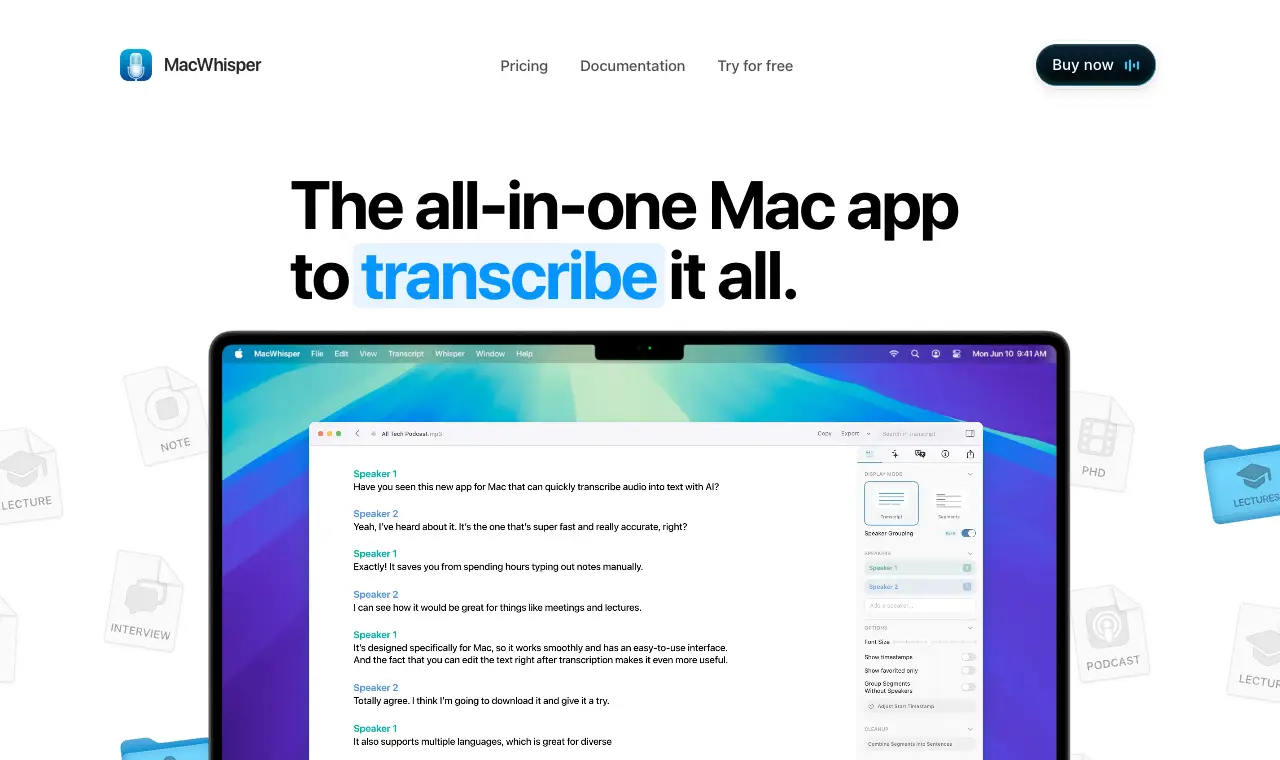
Price Free; Pro €64 one-time licence (shown in euros)Free A free version, per its home page.Runs on Mac
What it does well
- Runs on your Mac, so recordings of participants never leave your computer.
- Paid once, not by the minute, so a long file costs the same as a short one.
- Sends transcripts on to Notion, Obsidian and other apps, and can be run from the command line, per its home page.
Where it falls short
- Mac only.
- Speaker labels can be wrong on long, many-voice recordings, as an App Store review says.
- The price was shown in euros; the dollar price was not read.
What its users say
“I've used it to transcribe 3 hour long conversations using the "Transcribe Podcast" feature and it worked perfectly.”
“The ability to process files locally on my Mac without sending sensitive audio to the cloud is a huge advantage for privacy and security.”
“I do find transcription quite accurate on the word level, though not identifying speakers--frequently identifies many more speakers than there are and missatributes speach.”
Source pageread 11 October 2026
06
Happy Scribe
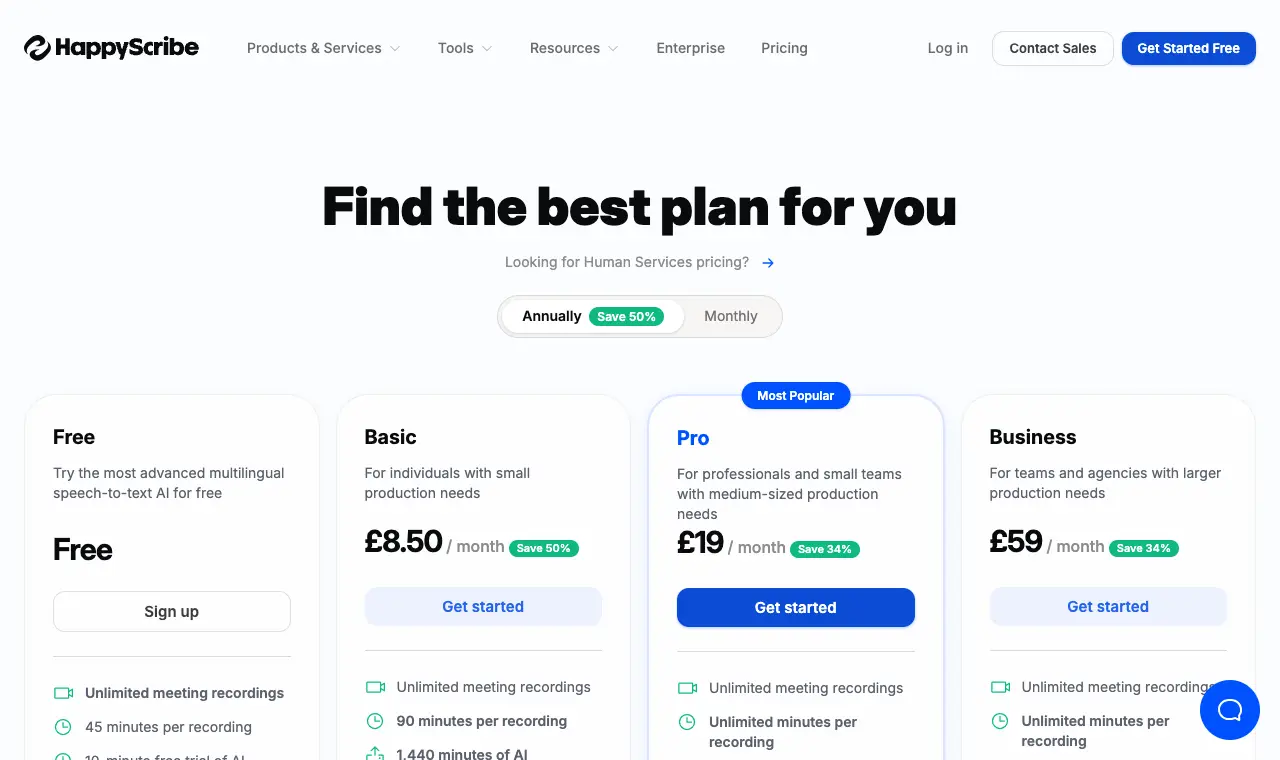
Price Basic £8.50/month, Pro £19/month, Business £59/month, billed yearly (shown in pounds from the UK)Free A 10-minute free trial of AI transcription, subtitling and translation.Runs on Web
What it does well
- Pro has no length limit per recording.
- Subtitles and translation from the same transcript, for course videos.
- Minutes are counted per year, so a heavy exam term can borrow from a quiet one.
Where it falls short
- The free trial is 10 minutes, less than one lecture.
- Basic stops at 90 minutes per recording.
- Prices were shown in pounds and are for yearly billing; monthly and dollar prices were not read.
What its users say
“Instead of telling you in advance they only give you free ten minutes, they make you waste your time to lure to halfway through your file where they ask for cash.”
“We use this software now every day at work to subtitle content for Instagram, where users often disable the audio.”
In the directoryPricing pageread 11 October 2026
07
Sonix
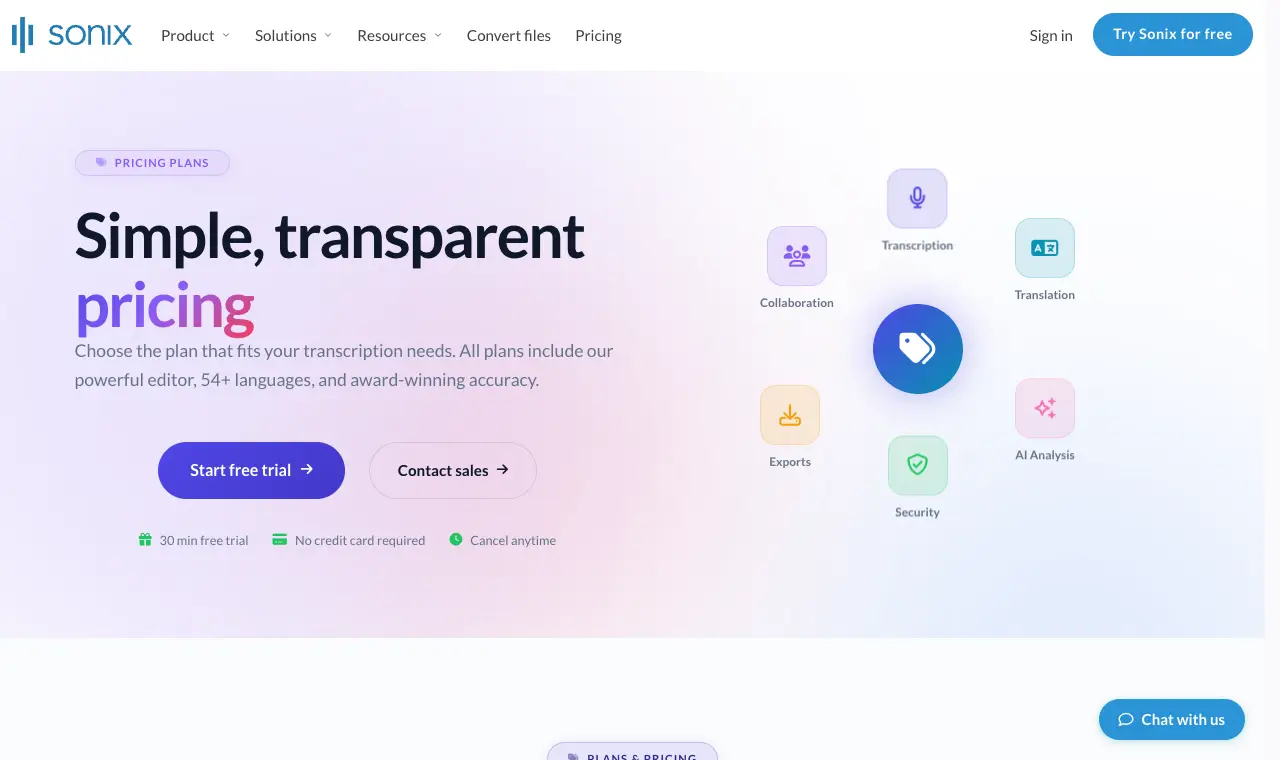
Price $10/hour pay as you go; Core $25/month, Advanced $50/month, Pro $80/monthFree A 30-minute free trial, per the pricing page; pay as you go has no subscription.Runs on Web
What it does well
- Pay only for the minutes you upload: a 90-minute lecture costs $15 pay as you go.
- Prorated to the nearest second, per its FAQ.
- Speaker identification and confidence indicators, which reviewers mention.
Where it falls short
- $10 an hour adds up for a full term of weekly lectures.
- The free trial is 30 minutes, a third of a long lecture.
- An upload complaint on Trustpilot; the quotes below give both sides.
What its users say
“I have tried several different software for transcriptions and this is by far the best one. There are useful features like confidence indicators and speaker ID.”
“Waiting for over 2 hours for a 28-minute video to upload.”
In the directoryPricing pageread 11 October 2026
08
Rev
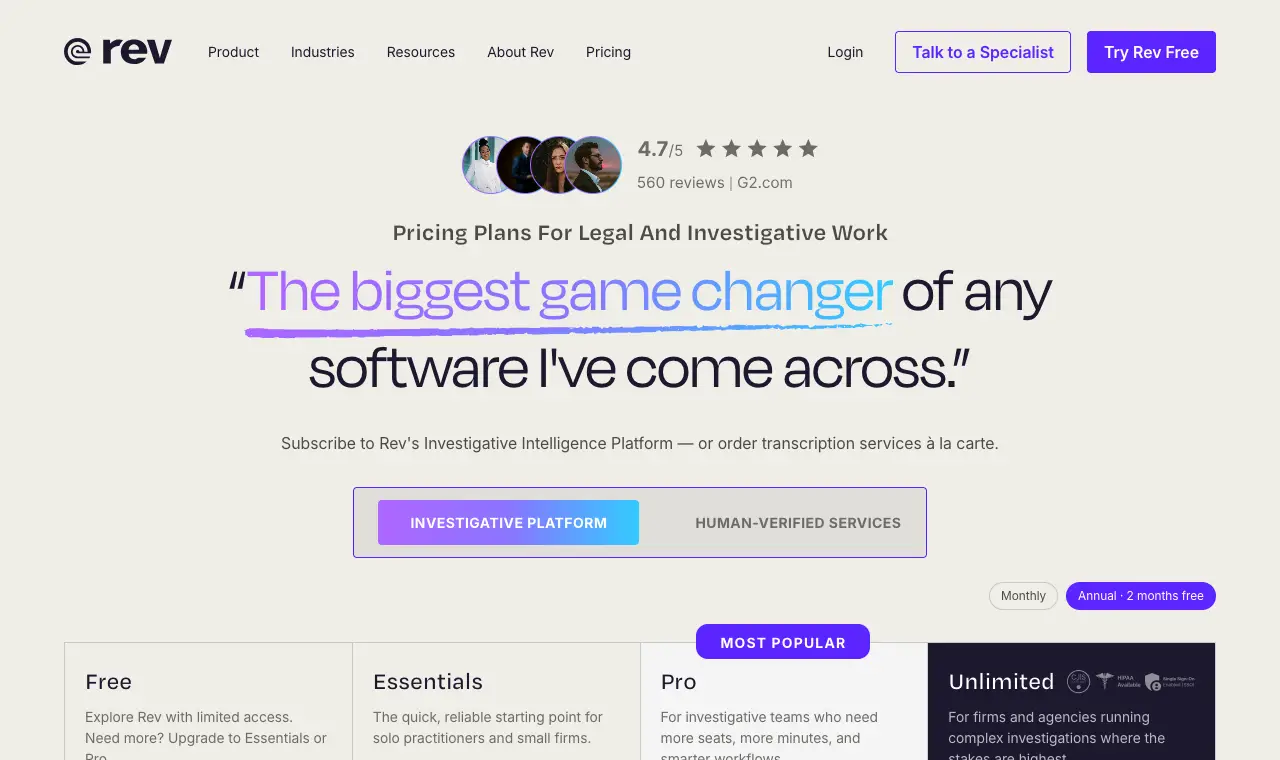
Price Free; Essentials $25.49/seat/month billed yearly; Pro $47.99/seat/month billed yearlyFree 45 AI transcription minutes a month, English only, one user.Runs on Web, mobile app
What it does well
- Large monthly AI allowances on the paid plans.
- Human-verified transcription is available, with a discount on paid plans.
- A mobile app for recording on the go.
Where it falls short
- 45 free minutes a month is half a lecture.
- The plans are now aimed at legal and investigative teams, and priced like it.
- A Trustpilot reviewer says the editor only covered the first 90 minutes of a meeting.
What its users say
“Excellent value; excellent response time; accuracy exceeded expectations.”
“I was apparently told that I can only use their transcription editor on the rev.com platform for the first 90 minutes of any meeting.”
In the directoryPricing pageread 11 October 2026
Questions
What is the best free transcription for a 90-minute lecture?
Few free plans take 90 minutes in one file. Slice Transcribe (ours) does, three recordings a month. TurboScribe's and Otter's free plans stop at 30 minutes a file, Notta's at 3 minutes and Happy Scribe's trial at 10. On a Mac, MacWhisper's free version runs on your own computer. Read 11 October 2026.
Which transcription tool handles the longest files?
TurboScribe Unlimited takes files up to 10 hours and 5 GB. Notta Pro and Business take recordings up to 5 hours, Otter Business 4 hours per conversation, Slice Transcribe 3 hours with hours, and Happy Scribe Pro has no limit per recording.
What does transcribing a whole semester cost?
For about 40 hours of lectures: TurboScribe Unlimited is US$120 a year, Slice Transcribe's 40-hour pack is $24.99 paid once, Sonix pay as you go is $400, and Notta Pro is £69.99 a year with 1,800 minutes a month. Check the per-file limit as well as the price.
My recording is longer than the limit. What can I do?
Cut it into parts with any audio editor and upload each part, or use a tool with a longer limit. Cutting at a natural break (a pause or a change of speaker) keeps sentences whole.
Is it all right to record and transcribe a lecture?
Ask the lecturer, and check your university's policy on recording; many allow it for personal study and some require permission. For research interviews, follow your ethics approval on where recordings may be stored, which is where an on-device tool like MacWhisper helps.
Did you test these tools?
No. Limits and prices were read from each tool's own pages on 11 October 2026, and quotes were checked word for word against the pages they link to. We make Slice Transcribe.