Checked 6 October 2026 · 12 tools
The $0 podcast stack.
Every tool you need to make a podcast without paying for software or hosting, stage by stage: record, clean up the sound, edit, host, artwork and clips. For each free plan, exactly what it costs you in limits, watermarks and ownership, and real setups from podcasters who spend nothing.
How we chose. We picked one or two options per stage (record, clean up, edit, host, artwork) whose free tier has no time limit, then read each vendor's own pricing or help page on 2026-10-06 for what free includes and what it costs you in watermarks, jingles, caps and feed ownership. Nobody tested these tools hands-on for this page. A phone or the earbuds you already own are enough to start; no tool here requires a microphone purchase. User quotes come from Trustpilot, Reddit (r/podcasting) and App Store, and each was checked word for word against the page it links to; a quote that could not be checked is not here.
We make Slice, a few of whose tools appear here where they do the job; they are marked “ours”. No tool paid to be listed.
Which one, in ten seconds
Find the line that sounds like you.
- You record alone or with a co-host in the same room on a laptopAudacity
- Your guests are remote and you want separate tracks without payingZencastr (free Vibecastr plan)
- You want a quick browser interview and don't mind a watermarkRiverside (free plan)
- You recorded on a phone or earbuds and the voice sounds thin or echoeyAdobe Podcast Enhance Speech (free)
- You want consistent loudness and less hiss across a whole episodeAuphonic (free 2 hours a month)
- You're on a Mac, iPhone or iPad and want a simple editorGarageBand
- You want free unlimited hosting and a route to Spotify payoutsSpotify for Creators
- You want a free independent host not owned by a listening appRSS.com (Free plan)
- You need cover artCanva Free
Side by side
| Tool | Best for | Price | Free tier | Key limits | Platforms |
|---|---|---|---|---|---|
| Audacity | recording and editing a solo or in-room show on a laptop with no account, no watermark and no time limit | Free (open source) | Everything. Audacity's site says it "has always been and will always remain free for everyone" and is open source. | No remote-guest recording built in; you record what your computer's mic hears. Desktop only. | Windows, Mac, Linux |
| Zencastr (free Vibecastr plan) | recording remote guests on separate tracks for free, with no stated hour cap | Free (Vibecastr); paid plans by sales, price not stated on the pricing page | Pricing page lists for the free Vibecastr plan: 6 participants, "Unlimited Separate Audio and Video Recording and Download", 4K video, 48 kHz WAV recording, unlimited track storage, unlimited transcription hours, unlimited audio/video hosting, 5 podcast shows, 4 seats. | Pricing page shows "Unlimited Video RSS 6,000" and "Unlimited Video Views 60,000" for the free plan without explaining the units; watermark status on free exports is not stated. | Web, iOS |
| Riverside (free plan) | a first remote interview recorded in the browser, if you can live with a watermark and 720p video | Free; Pro $24/month billed yearly ($29 monthly) | 2 hours of multi-track recording (separate audio and video tracks), unlimited single-track recording and editing, full editing suite, up to 720p video, 44.1 kHz audio, Magic Clips. | "Riverside watermark on all your things"; video capped at 720p; separate-track recording limited to 2 hours in total. | Web (other apps not checked) |
| Adobe Podcast Enhance Speech (free) | rescuing a voice recorded on a phone, laptop mic or earbuds in an echoey room, one file at a time | Free; Premium price not confirmed on an Adobe page today | Per Adobe's Enhance Speech FAQ (as indexed): files up to 30 minutes and 500 MB, up to 1 hour of processing per day. | 30-minute file cap and 1 hour per day on free, so a long episode has to be split. | Web |
| Auphonic (free 2 hours a month) | levelling volume and cutting background noise across a whole episode in one click, up to 2 hours a month | Free 2 h/month; from $13/month for 9 h ($11/month billed yearly); one-time credits from $12 for 5 h | "Auphonic is free for 2 hours of processed audio per month." Enjoy all basic features for free for up to 2 h per month. | "Productions of free users come with a jingle." "Free credits do not stack up if you don't use them." Free multitrack productions limited to under 20 minutes; no multilingual speech recognition or automatic shownotes/chapters on free. | Web |
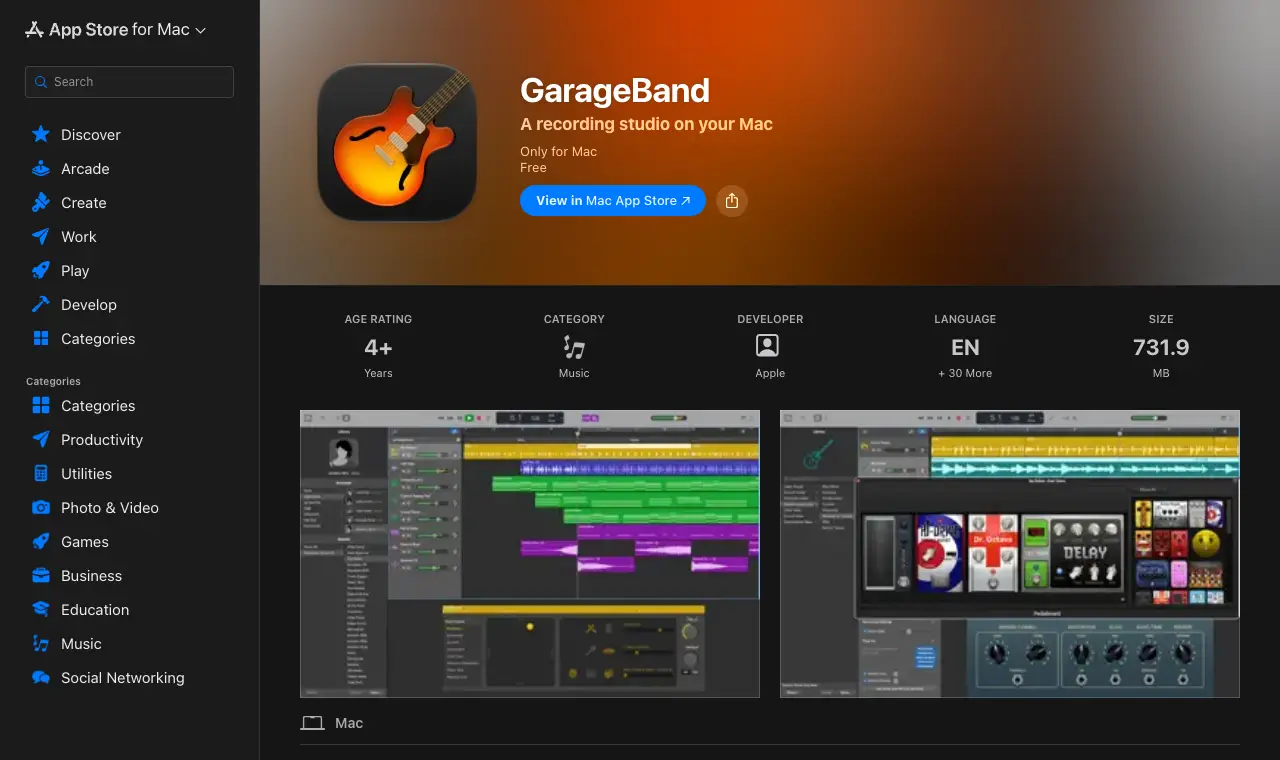
| GarageBand | Mac, iPhone and iPad owners who want a free, already-installed editor with drag-and-drop tracks | Free | The full app, free on the App Store. | Apple devices only; Mac version requires macOS Monterey or later per Apple (App Store listing currently says macOS 15.6 or later). Built for music, not podcasts. | Mac, iPhone, iPad |
| Spotify for Creators | free, unlimited hosting with a public RSS feed and a path to Spotify payouts once a show grows | Free | "Host for free, distribute everywhere": unlimited hosting, audio or video, analytics, and an RSS feed you submit to Apple Podcasts, Amazon Music and others yourself. | Built-in recording and editing were removed (Spotify now points to Riverside). Spotify Partner Program payouts need 3 episodes, 1,000 Spotify audience and 2,000 Spotify hours in 30 days, and a legal address in an eligible market. | Web, iOS, Android |
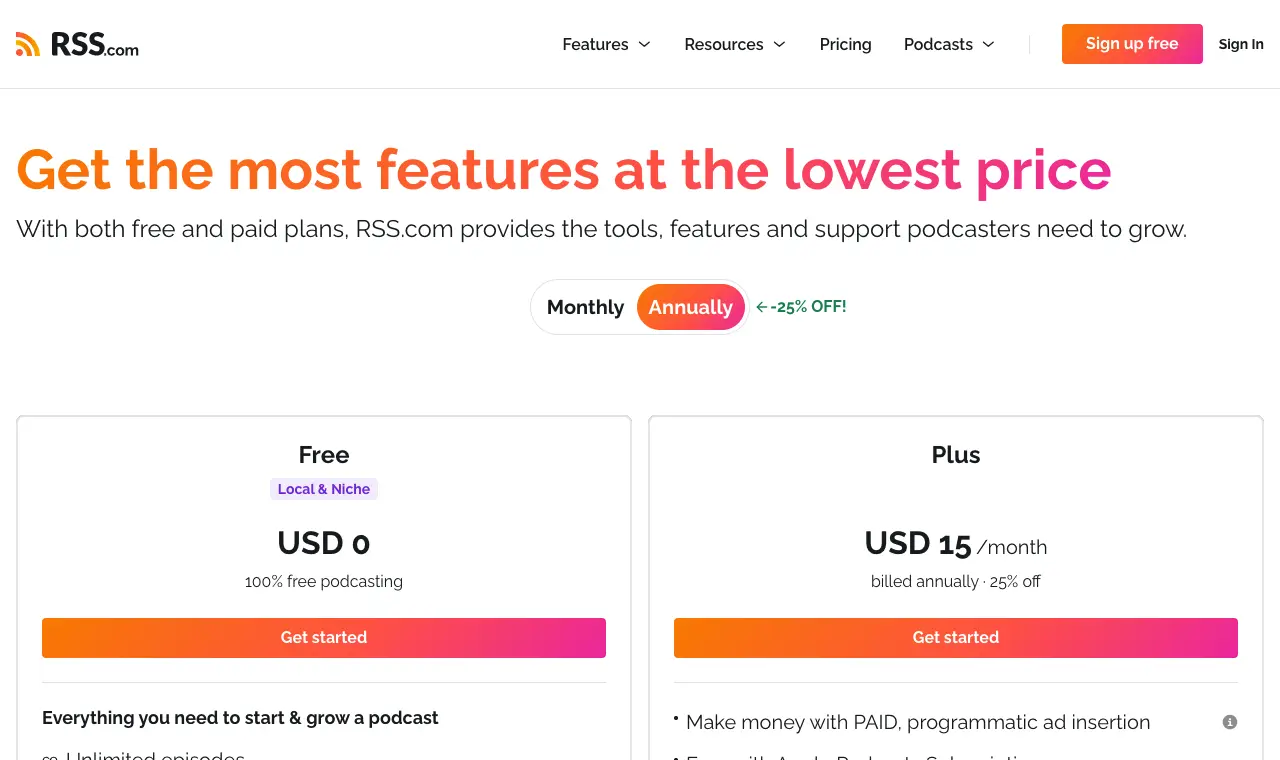
| RSS.com (Free plan) | an independent host that is not tied to a big platform, with unlimited episodes on a free plan | Free; Plus $15/month billed yearly | "100% free podcasting": unlimited episodes, unlimited audio, public RSS feed, embeddable player, podcast website, scheduling, transcripts, analytics, automatic distribution to major directories, listener donations and Value for Value. | Programmatic ad revenue, Apple Podcasts Subscriptions and YouTube conversion start on Plus; RSS.com's launch post pitches the free plan at local and niche shows but states no eligibility test. | Web |
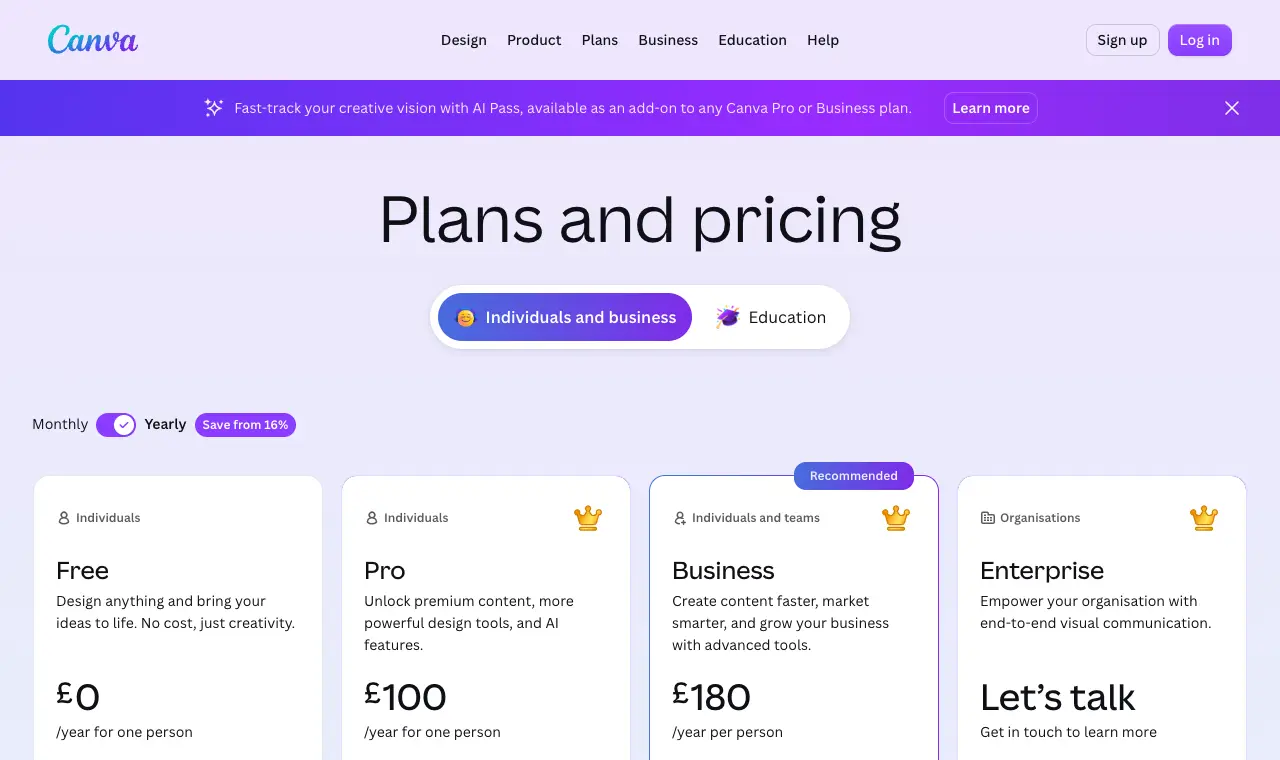
| Canva Free | making square podcast cover art from a template without design software | Free; Pro US$144/year | 1.6M+ templates, 1,000+ design types, 5 GB cloud storage, and a free library of stock photos, graphics and audio. | Premium templates and stock items are Pro-only; check an element is free before you use it on a cover. | Web (other apps not checked) |
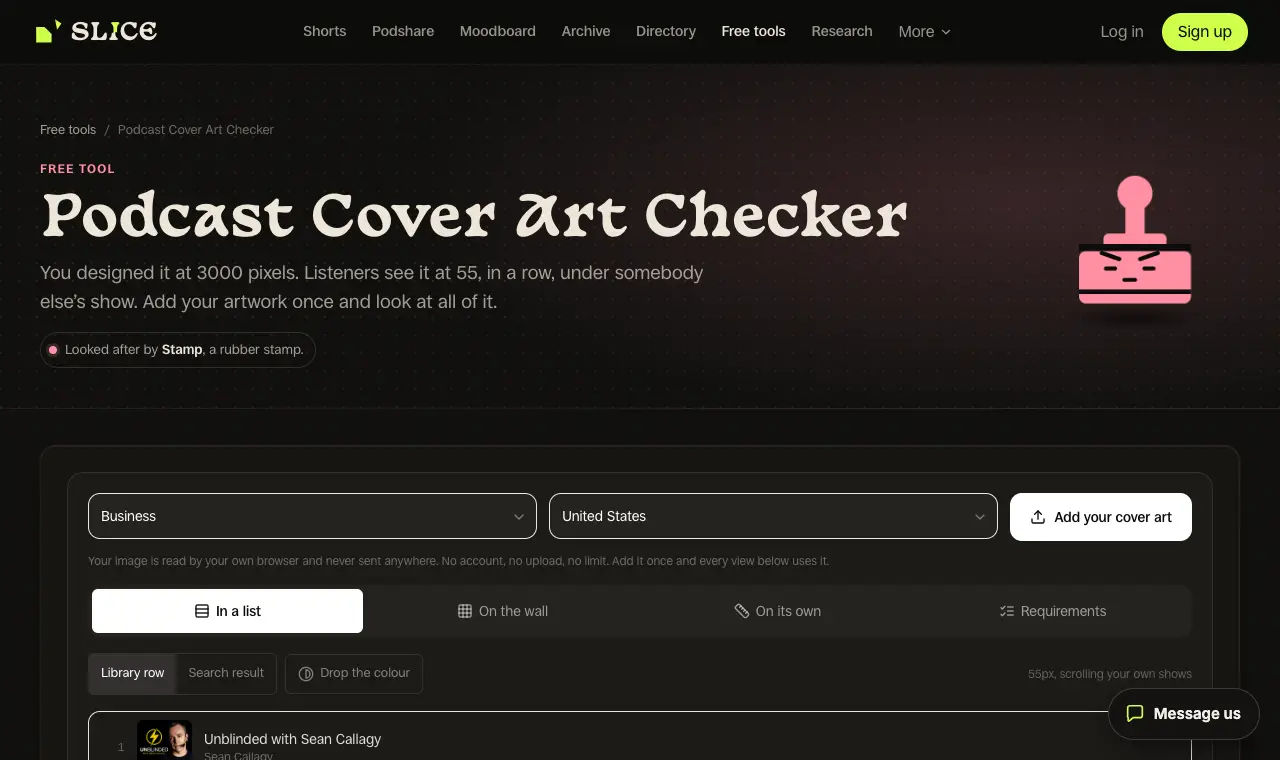
| Slice podcast cover art checkerours | checking your cover meets Apple's artwork rules before you submit the show | Free | Everything; no sign-up | Checks a cover; it does not design one | Web, in any browser |
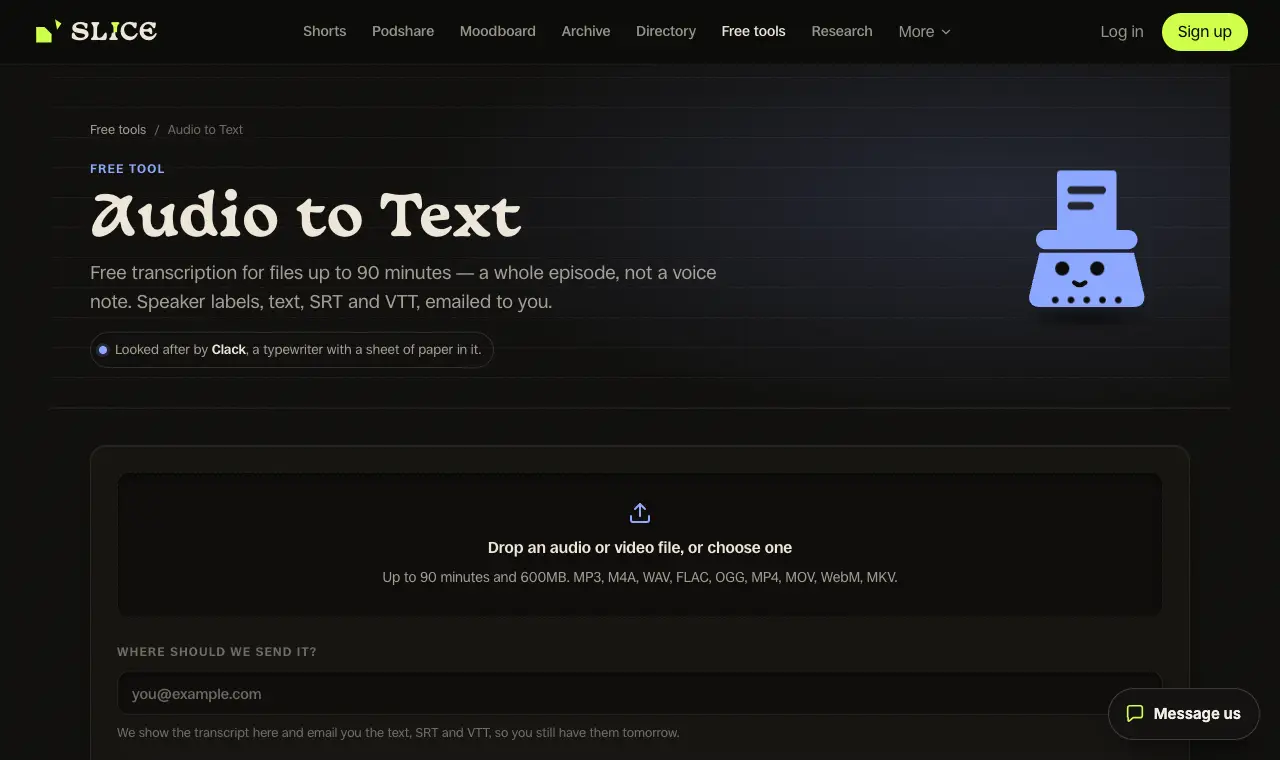
| Slice free transcriptionours | a free transcript of each episode for show notes, captions and search | Free | One recording a day, up to 90 minutes, any language | 90 minutes a recording; one a day | Web, in any browser |
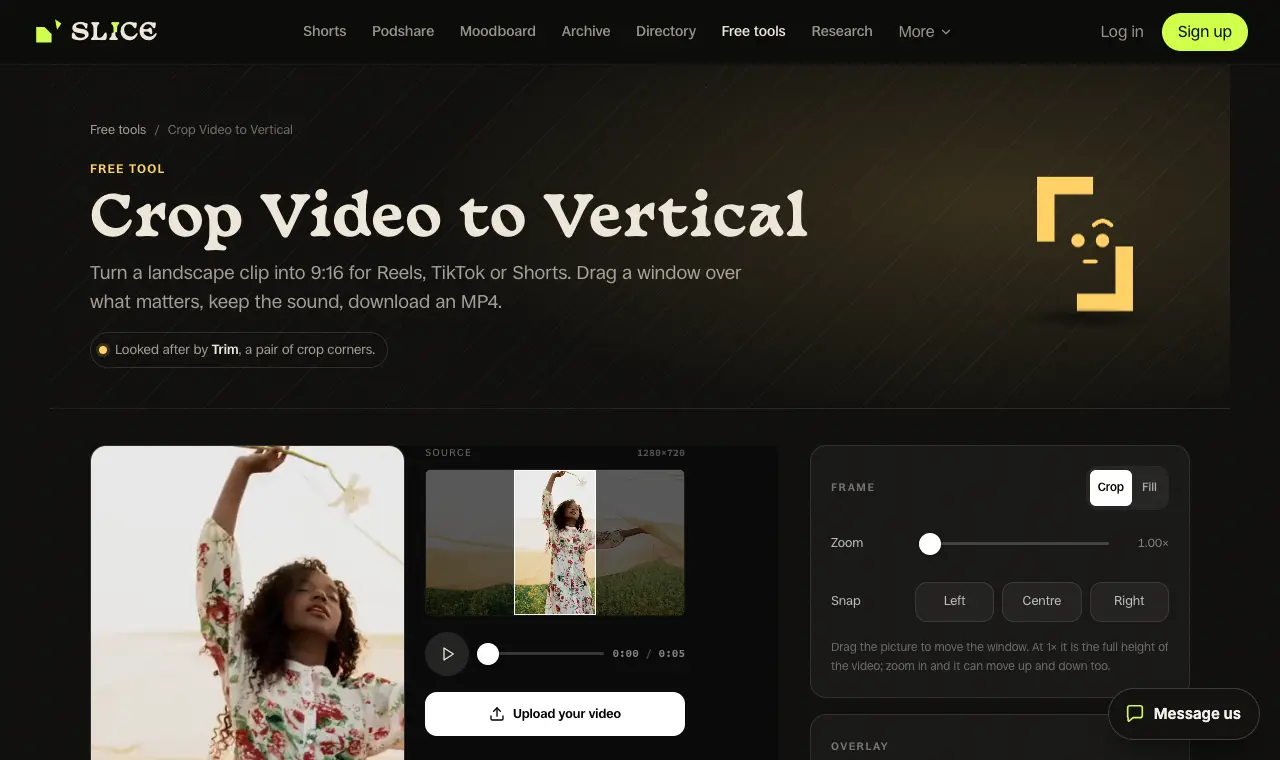
| Slice crop to verticalours | turning a short landscape clip into a 9:16 video for Shorts, Reels and TikTok, free | Free | Everything; no sign-up, nothing uploaded | Crops a clip you already cut; it does not find clips | Web (exports in Chrome or Edge) |
Prices in US dollars from each vendor’s pricing page, unless a row says otherwise.
Record
01
Audacity
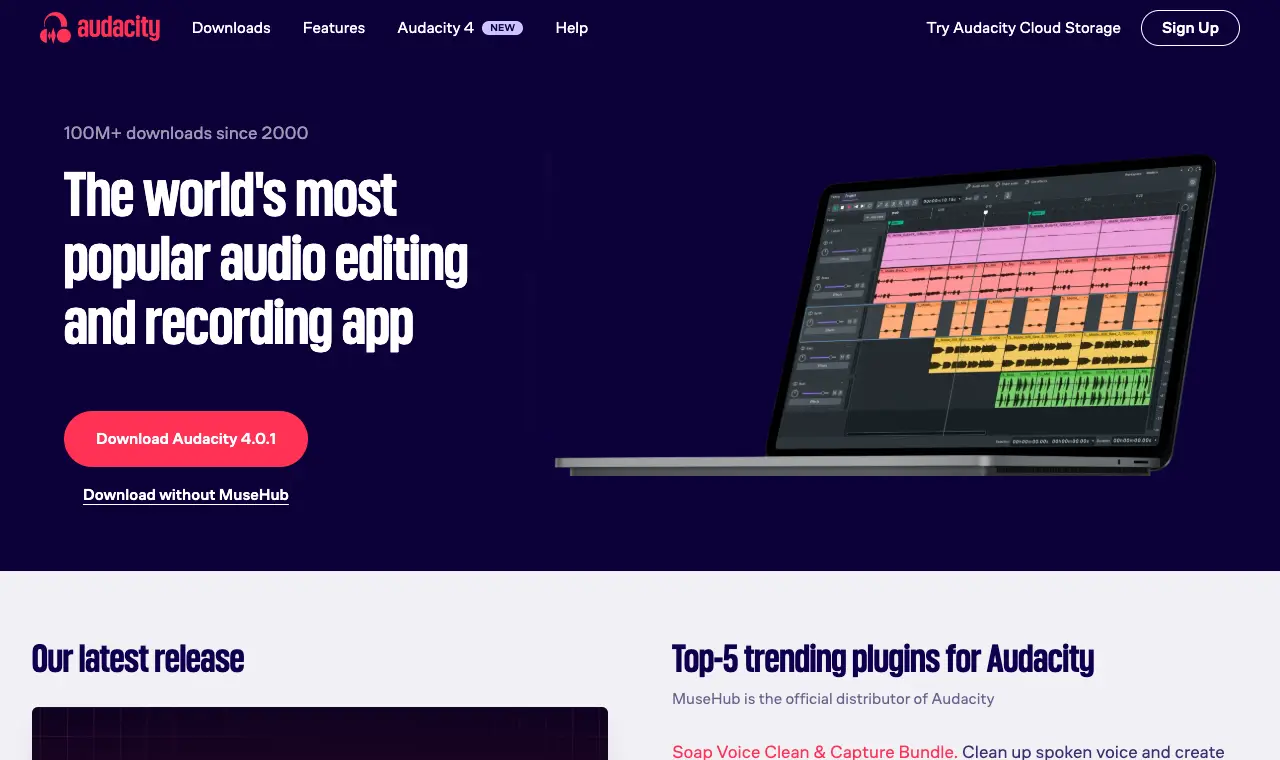
Best for recording and editing a solo or in-room show on a laptop with no account, no watermark and no time limit.
Price Free (open source)Free Everything. Audacity's site says it "has always been and will always remain free for everyone" and is open source.Runs on Windows, Mac, Linux
What it does well
- Free and open source with no paid tier (vendor homepage).
- Runs on Windows, macOS and Linux (vendor homepage).
- Multi-track editing, import/export of major audio formats and plugin support including VST3 and Nyquist (vendor homepage).
- Doubles as the edit stage, so one free app covers record and edit.
Where it falls short
- No built-in way to record a guest who is somewhere else.
- Reviewers call the interface dated and say there is a learning curve (Capterra).
What its users say
“Simple. Functional. Fast. Easy. It stays out of the way, and does what you tell it to do.”
“If you walk away from the recording, it is lost. Editing functions are horrible.”
“I've been editing in Audacity 5.0 all day, and I love it! Not onyl does it look nicer, it handles effects well, too.”
“i record in audacity because it's free and i already know how to crash it three times per session.”
In the directorySource pageread 6 October 2026
02
Zencastr (free Vibecastr plan)
Best for recording remote guests on separate tracks for free, with no stated hour cap.
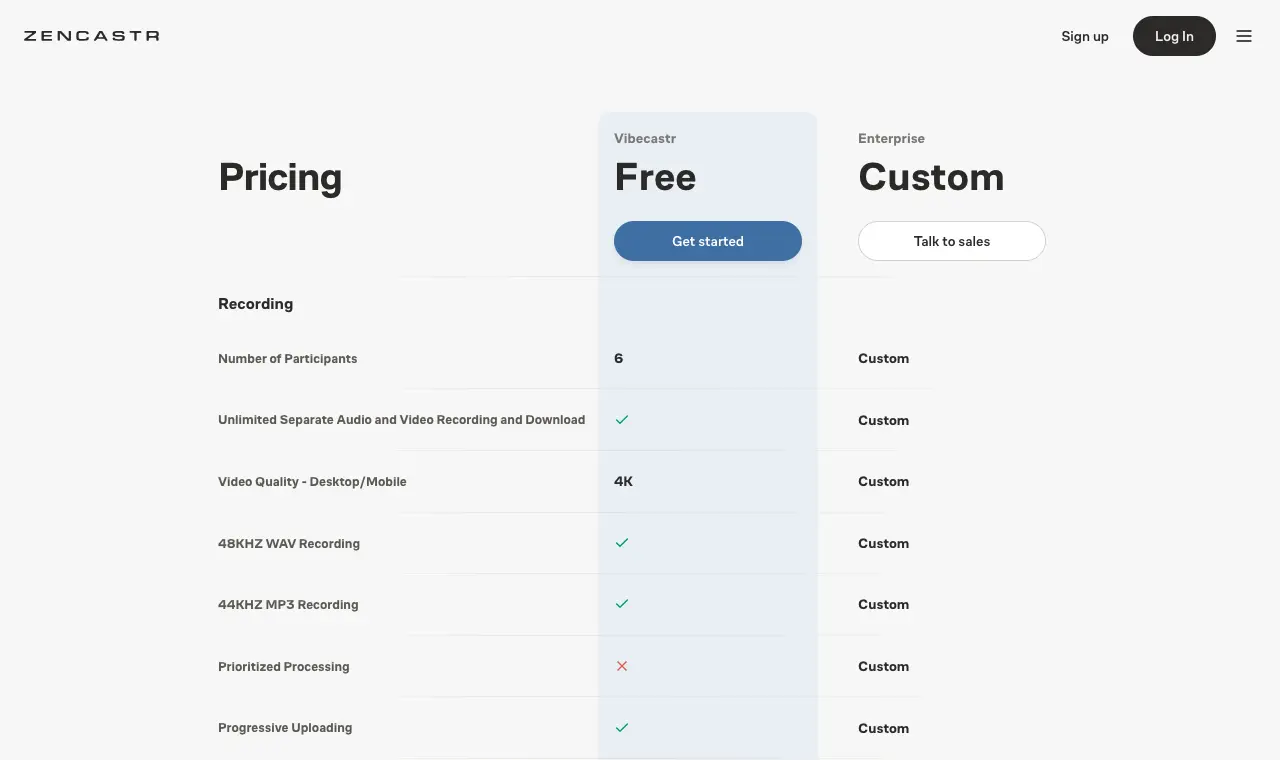
Price Free (Vibecastr); paid plans by sales, price not stated on the pricing pageFree Pricing page lists for the free Vibecastr plan: 6 participants, "Unlimited Separate Audio and Video Recording and Download", 4K video, 48 kHz WAV recording, unlimited track storage, unlimited transcription hours, unlimited audio/video hosting, 5 podcast shows, 4 seats.Runs on Web, iOS
What it does well
- Free plan lists unlimited separate audio and video recording and download (pricing page).
- Up to 6 participants and 4K video on free (pricing page).
- 48 kHz WAV recording and unlimited transcription hours on free (pricing page).
Where it falls short
- The pricing page does not say whether free exports carry a watermark.
- Several Capterra reviewers complain about billing and slow support (Capterra, 3.6/5).
What its users say
“I’m have been podcasting for a while and my guests never had a phone and it was always a hassle to record them. This app made it sooo much easier to record with people remotely”
“I had a guest come to the podcast and they couldn't even enter the room. It was really embarrassing.”
“I've been on the free Zencastr plan for about 8 months and it's held up fine for a weekly 45 minute show. The local recordings save separately for each guest which is clutch, you're not at the mercy of someone's spotty wifi ruining the whole track.”
“I love the audio and video quality, and the ability to edit each speaker independently from the others, but I have to fight just to get my files at all.”
In the directoryPricing pageread 6 October 2026
03
Riverside (free plan)
Best for a first remote interview recorded in the browser, if you can live with a watermark and 720p video.
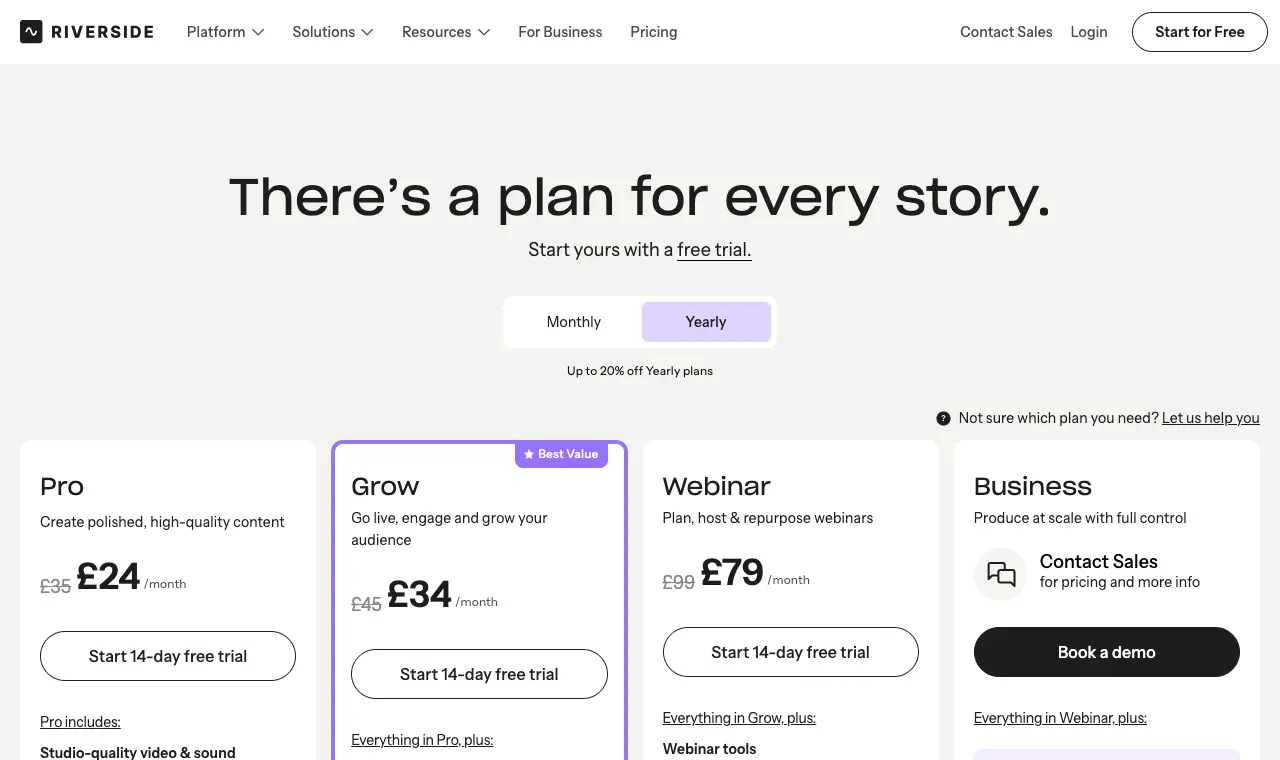
Price Free; Pro $24/month billed yearly ($29 monthly)Free 2 hours of multi-track recording (separate audio and video tracks), unlimited single-track recording and editing, full editing suite, up to 720p video, 44.1 kHz audio, Magic Clips.Runs on Web (other apps not checked)
What it does well
- Unlimited single-track recording and editing on the free plan (pricing page).
- Includes the full editing suite on free (pricing page).
- Spotify for Creators now points creators to Riverside for recording and editing (Spotify support).
Where it falls short
- Every free export carries a Riverside watermark (pricing page).
- Only 2 hours of separate-track recording in total on free (pricing page).
- Video tops out at 720p on free (pricing page).
What its users say
“The cloud-based recording means internet connection issues on my end don't touch the actual recording, which alone has saved me more than once.”
“when we wrapped, my guest's tracks were there. mine - the host track - did not exist.”
“Sometimes it takes a few minutes other times it takes hours and still other times it takes day or it is necessary to start a chat to resolve the issue.”
In the directoryPricing pageread 6 October 2026
Clean up the sound
04
Adobe Podcast Enhance Speech (free)
Best for rescuing a voice recorded on a phone, laptop mic or earbuds in an echoey room, one file at a time.
Price Free; Premium price not confirmed on an Adobe page todayFree Per Adobe's Enhance Speech FAQ (as indexed): files up to 30 minutes and 500 MB, up to 1 hour of processing per day.Runs on Web
What it does well
- Free tier processes files up to 30 minutes and 500 MB, up to 1 hour a day (Adobe FAQ, as indexed).
- Premium raises the per-day limit to 4 hours and file size to 1 GB (Adobe FAQ, as indexed).
Where it falls short
- 30-minute file limit on free means splitting longer recordings.
- Adobe's FAQ page blocked direct reading today, so the limits come from its search-indexed text.
What its users say
“I signed up for the Adobe Podcast, cancelled immediatly and they still charged me twice despite having cancelled the trial, minutes after usage.”
“I paid for podcast adobe to get things done faster and it's slower.”
In the directorySource pageread 6 October 2026
05
Auphonic (free 2 hours a month)
Best for levelling volume and cutting background noise across a whole episode in one click, up to 2 hours a month.
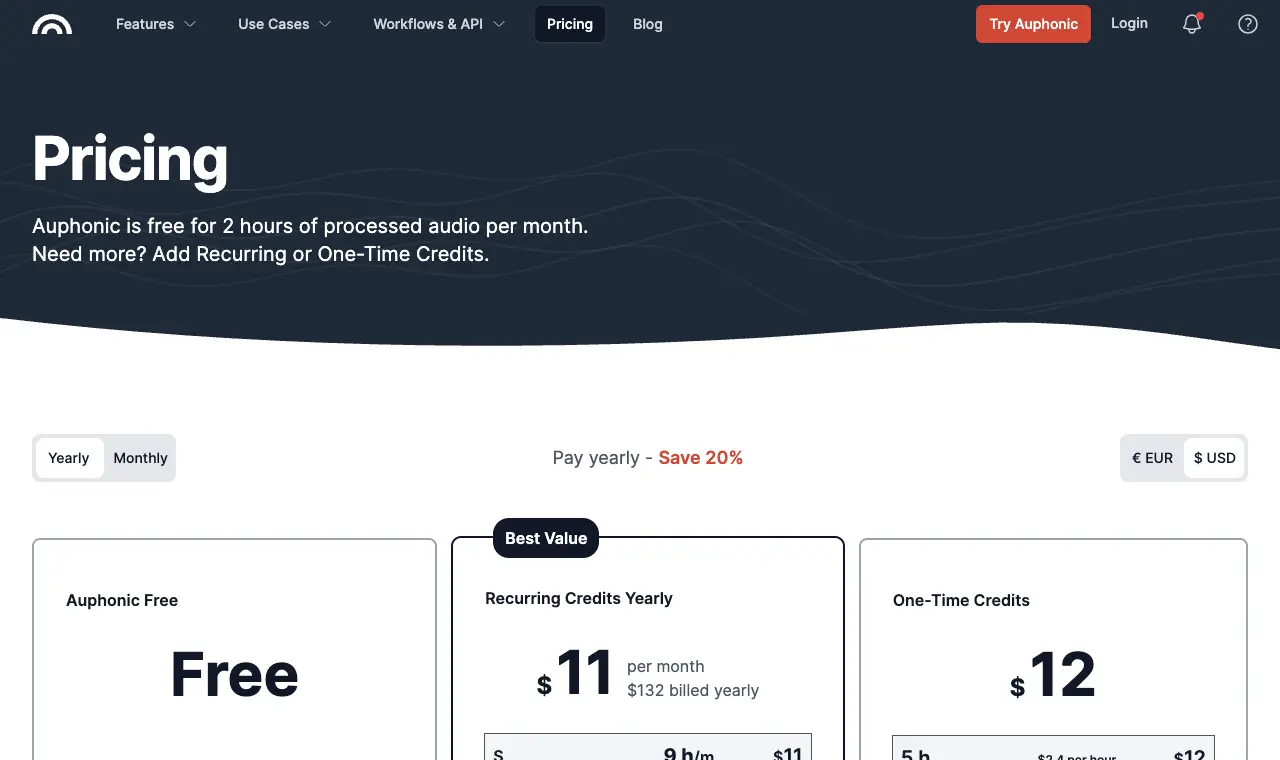
Price Free 2 h/month; from $13/month for 9 h ($11/month billed yearly); one-time credits from $12 for 5 hFree "Auphonic is free for 2 hours of processed audio per month." Enjoy all basic features for free for up to 2 h per month.Runs on Web
What it does well
- 2 hours of processing free every month (pricing page).
- Paid credits are cheap if you outgrow free: 9 h/month for $13 (pricing page).
- Reviewers praise how natural the cleanup sounds (Capterra).
Where it falls short
- Free productions come with an Auphonic jingle (pricing page).
- Unused free hours do not roll over (pricing page).
- One reviewer reports uploads failing every third or fourth time (Capterra).
What its users say
“Then I download it as a .wav file into Auphonic, which auto-levels it to studio standard, further removing stuff like breathings and such. I'm happy with it; believe me, it's come a lonnnng way.”
“Auphonic has two free hours of audio processing a month. Adobe Podcast has a free tier, but the paid tier is only $10/month.”
“I use Adobe Podcast (to record and edit) and Auphonic to get studio-ready/normalized sound, and that's it.”
In the directoryPricing pageread 6 October 2026
Edit
06
GarageBand
Best for Mac, iPhone and iPad owners who want a free, already-installed editor with drag-and-drop tracks.
Price FreeFree The full app, free on the App Store.Runs on Mac, iPhone, iPad
What it does well
- Free on the App Store (App Store listing).
- Mix up to 255 audio tracks (Apple product page).
- Records from a plugged-in mic (Apple product page).
Where it falls short
- Apple-only, so no option on Windows or Android.
- Music-first: Apple's page does not mention podcasting.
- Some App Store reviewers find it too loop- and beginner-oriented.
What its users say
“I just switched from Pro Tools First to GarageBand to record my twice weekly Podcast, and so far I’ve been pleasantly surprised.”
“Since the upgrade, I have been getting “feedback” warnings that literally stop the recording until I click on the warning window how I want to proceed.”
“So for a while now I have been using GarageBand to record and edit my podcast and it’s great.”
“I started using GarageBand just cause it was already there.”
In the directorySource pageread 6 October 2026
Host and publish
07
Spotify for Creators
Best for free, unlimited hosting with a public RSS feed and a path to Spotify payouts once a show grows.
Price FreeFree "Host for free, distribute everywhere": unlimited hosting, audio or video, analytics, and an RSS feed you submit to Apple Podcasts, Amazon Music and others yourself.Runs on Web, iOS, Android
What it does well
- Free unlimited hosting and distribution to all major podcast apps (Spotify feature page).
- You can leave with a 301 redirect of your RSS feed to a new host, so the feed is portable (Spotify support).
- Monetization through the Spotify Partner Program in eligible markets (Spotify support).
Where it falls short
- Recording, editing, Music + Talk and Record with Friends were removed; recording now goes through Riverside (Spotify support).
- Partner Program thresholds (1,000 audience, 2,000 hours in 30 days) and market list limit who can earn (Spotify support).
- You submit to Apple Podcasts and other apps yourself (Spotify support).
What its users say
“Ever since I started using the creators app, I noticed that it is a great way to manage your podcast on the go.”
“What was once a streamlined process for getting guests on my show now requires downloading a separate, clunky application.”
“Spotify for Creators really is free with no storage cap, so you're not wrong there. The tradeoff is that you're kind of living in Spotify's house.”
“They were great until Spotify bought them, and trashed it.”
In the directorySource pageread 6 October 2026
08
RSS.com (Free plan)
Best for an independent host that is not tied to a big platform, with unlimited episodes on a free plan.
Price Free; Plus $15/month billed yearlyFree "100% free podcasting": unlimited episodes, unlimited audio, public RSS feed, embeddable player, podcast website, scheduling, transcripts, analytics, automatic distribution to major directories, listener donations and Value for Value.Runs on Web
What it does well
- Unlimited episodes and audio on free (pricing page).
- Automatic distribution to major directories on free (pricing page).
- Launch post promises "no storage caps or upload limits" (RSS.com blog).
Where it falls short
- Ad revenue sharing is a paid feature (Plus) (pricing page).
- Video and multi-show features sit on paid plans (pricing page).
- The free plan is new (launched November 2025), so there is little track record.
What its users say
“I love that it sets me up on all podcast platforms and the ability to see the kind of impact my work has on my community.”
“Our transcript feature was suddely disabled and they simply quit responding to my emails asking for an explanation.”
“I'm able to distribute my episodes at no cost through [rss.com](http://rss.com), rather than spending $20 a month with my old host, Libsyn.”
“rss.com's unlimited claim is technically true but they gatekeep some pretty standard features behind the paywall that a multi-host show would want like custom embed players.”
In the directoryPricing pageread 6 October 2026
Artwork
09
Canva Free
Best for making square podcast cover art from a template without design software.
Price Free; Pro US$144/yearFree 1.6M+ templates, 1,000+ design types, 5 GB cloud storage, and a free library of stock photos, graphics and audio.Runs on Web (other apps not checked)
What it does well
- Free plan includes 1.6M+ templates and 5 GB storage (pricing page).
- Export a square cover at Apple's 3000 x 3000 px size as PNG or JPG (Apple Podcasts requirements).
Where it falls short
- Many templates and elements are Pro-only (pricing page; Capterra reviewers).
- Reviewers say the free version feels limited (Capterra).
What its users say
“Whether you're designing a thumbnail, presentation, wallpaper, infographic, social media post, or simple edit, everything feels intuitive and easy to learn.”
“It’s super pixelated and there’s lag. Soemtimes it does weird things like not matching up audio and video and I’ll have to restart the app for it to act normally.”
“For example, if I’m editing a video, the video will buffer and sometimes won’t run smoothly if I’ve been working on the video for awhile.”
Pricing pageread 6 October 2026
10
Slice podcast cover art checkerours
Best for checking your cover meets Apple's artwork rules before you submit the show.
Price FreeFree Everything; no sign-upRuns on Web, in any browser
What it does well
- Checks size, format and other artwork rules in the browser.
- No account, and the image is checked in your browser.
Where it falls short
- It checks a cover rather than making one; pair it with Canva.
Transcript and clips
11
Slice free transcriptionours
Best for a free transcript of each episode for show notes, captions and search.
Price FreeFree One recording a day, up to 90 minutes, any languageRuns on Web, in any browser
What it does well
- One recording a day, up to 90 minutes, with speakers labelled.
- Emailed as .txt, .srt and .vtt.
Where it falls short
- One recording a day; longer episodes need hours.
12
Slice crop to verticalours
Best for turning a short landscape clip into a 9:16 video for Shorts, Reels and TikTok, free.
Price FreeFree Everything; no sign-up, nothing uploadedRuns on Web (exports in Chrome or Edge)
What it does well
- Drag the crop or use a blurred fill, and download an MP4.
- Runs in your browser; nothing is uploaded.
Where it falls short
- It does not find clips or add captions.
Real setups, in podcasters’ own words
What people on r/podcasting say they actually use, quoted exactly and linked. The $0 ones spend nothing on software or hosting; the others mix free tools with a paid host or a microphone. Hardware is extra in every case.
$0 setup
“Editing DAW: Audacity for exporting to WAV, then Cakewalk for adding intro/outro and exporting to mp3. Both programs are free.”
“Distributor: Acast. Free if you get enough listens otherwise capped at 5 episodes or you can sub.”
“Anyway, that's the whole set up, and honestly, it's all FREE except the hardware.”
$0 setup
“Audacity is free, and is a good starting point for loads of podcasters.”
“OBS is free.”
“I use Zoom for recording interviews.”
“There's a free tier that gives you something like 40-odd minutes of recording time and stores it online (IIRC).”
“For hosting, there's Acast, which gets you on Apple Podcasts and several others, including Spotify, and it won't cost you anything.”
$0 setup
“Record raw in GarageBand (audacity will also do for non Macs)”
“Run through adobe podcasts (free tier) to remove background noise.”
$0 setup
“I've been a super happy free tier zencastr user for about 3ish years.”
$0 setup
“I'm able to distribute my episodes at no cost through rss.com, rather than spending $20 a month with my old host, Libsyn.”
Free tools, a little spent
“I use Adobe Podcast (to record and edit) and Auphonic to get studio-ready/normalized sound, and that's it.”
Free tools, a little spent
“So I throw it into Adobe Audition, tweak it a little with the parametric equalizer (usually adding depth/low tone), then upload it to Auphonic-- and it pops out nearly microphone quality.”
Free tools, a little spent
“I have always been the editor and narrator and started off taking recordings from whatever service we used (Zoom in the beginning, Riverside, Streamyard) and bringing the tracks into Audacity.”
Free tools, a little spent
“i record in audacity because it's free and i already know how to crash it three times per session.”
“hosting i use buzzsprout, it push to spotify and apple automatic.”
Free tools, a little spent
“My setup is a Rode PodMic over XLR into a Focusrite Scarlett, and I record/edit in Audacity.”
Free tools, a little spent
“Right now I am using 2 Rode Podmics and an UA Volt 2 for recording on Garageband and then splitting the track in Audacity to edit.”
Free tools, a little spent
“I have been recording and editing on zencaster (removing extra words, etc.) and then downloading to garageband for the final edits.”
Questions
Can you start a podcast for free?
Yes. Record and edit in Audacity or GarageBand, clean up the voice with Adobe Podcast Enhance Speech or Auphonic's 2 free hours a month, host on Spotify for Creators or RSS.com's free plan, and make cover art in Canva Free. All of these have free tiers with no time limit as of 2026-10-06.
Do I need a microphone?
No. A phone or the earbuds you already own are enough to start. Running the file through Adobe Podcast Enhance Speech (free, files up to 30 minutes) can make a phone recording sound much cleaner.
What is the cheapest way to start a podcast?
$0: every stage has a free option. The first thing worth paying for is usually clean-up time, for example Auphonic's paid credits from $13/month for 9 hours, once your episodes outgrow its 2 free hours.
What's the catch with free podcast tools?
Riverside's free plan puts a watermark on everything and caps video at 720p; Auphonic adds a jingle to free productions; Adobe Enhance Speech limits free files to 30 minutes and 1 hour a day; Canva's premium elements are Pro-only. Podbean's free Basic plan, another option, has a one-time 5-hour storage limit that does not reset and shows only 20 episodes in its RSS feed.
Do I own my podcast feed on a free host?
Spotify for Creators lets you move to another host later with a 301 redirect of your RSS feed, which keeps listeners subscribed. RSS.com's free plan gives you a public RSS feed.
Can a free podcast make money?
On Spotify for Creators, the Spotify Partner Program needs 3 published episodes, 1,000 Spotify audience and 2,000 Spotify consumption hours in the last 30 days, and a legal address in an eligible market. RSS.com's free plan includes listener donations and Value for Value; its ad revenue sharing starts on the paid Plus plan.
What size should podcast cover art be?
Apple Podcasts asks for 3000 x 3000 pixels (it accepts 1400 to 3000 square via RSS), PNG or JPG, with no transparency.