Checked 6 October 2026 · 10 tools
The best tools for a video podcast.
What to use at each step of a video podcast, from recording to editing, publishing on YouTube and Spotify, and cutting the episode into clips, with prices, limits and users’ own words.
How we chose. Nine tools chosen to cover the four stages of a video podcast: recording, editing, hosting/publishing and clipping, mixing free and paid options. Prices, limits and features were read on 2026-10-06 from each vendor's own pricing page, product page or help centre (YouTube Help and Spotify for Creators support for the platforms); OpusClip figures come from our 30 September 2026 read of its pricing page and help centre. No tool was tested hands-on. User quotes come from Trustpilot, Reddit (r/podcasting) and App Store, and each was checked word for word against the page it links to; a quote that could not be checked is not here.
We make Slice, a few of whose tools appear here where they do the job; they are marked “ours”. No tool paid to be listed.
Which one, in ten seconds
Find the line that sounds like you.
- You record in one room and want it freeOBS Studio
- You stream live with remote guests to several platformsStreamYard
- You record remote guests and want separate high-quality tracksRiverside
- You want a free, professional editor and audio mixingDaVinci Resolve
- You're new to editing and want simple and free with auto captionsCapCut desktop
- You'd rather edit by deleting words from a transcriptDescript
- You want the full video episode where most podcast viewers watchYouTube Podcasts
- You want free hosting and video on SpotifySpotify for Creators
- You want vertical clips posted to Shorts, TikTok and Reels for youOpusClip
Side by side
| Tool | Best for | Price | Free tier | Key limits | Platforms |
|---|---|---|---|---|---|
| OBS Studio | solo or in-studio hosts who want free, unlimited local recording of cameras and screens and don't need to bring in remote guests | Free (open source) | Everything: OBS is free and open source, with no paid tier. | Records what is on your own computer; there is no built-in way to invite remote guests. Setup (scenes, sources, audio filters) is manual. | Windows 10/11, macOS 13 or newer, Linux |
| StreamYard | shows that go out live with remote guests and want to stream to several platforms at once from the browser | Free; $44.99/month Core ($35.99/month billed yearly); $88.99/month Advanced ($68.99/month billed yearly) | 6 on-screen participants, 2 hours a month of local recordings, limited streaming/recording and storage, StreamYard logo on your streams. | Free plan carries the StreamYard logo; 1080p needs Core and 4K local recordings need Advanced. The pricing page says individual plans cannot be used for commercial purposes. | Web (browser) |
| Riverside | remote interview shows that want each guest recorded locally on a separate track, up to 4K, with editing and clips in the same app | Free; $29/month Pro ($24/month billed yearly); $39/month Grow ($34/month billed yearly) | 2 hours of multi-track recording (once), up to 720p, Riverside watermark; unlimited single-track recording and editing; Magic Clips included. | Pro includes 15 hours of separate-track downloads and 1 studio; social scheduling and live streaming need Grow. | Web (browser) |
| DaVinci Resolve | editors who want a free professional editor with real audio post-production (Fairlight) and colour grading, and will put in the time to learn it | Free; DaVinci Resolve Studio $295 (one-off) | The full editor, colour and Fairlight audio, with 8-bit video up to 60fps and Ultra HD 3840 x 2160. | Text-based editing, the AI Neural Engine features, 10-bit up to 120fps and resolutions beyond 4K are in the paid Studio version. | Mac, Windows, Linux |
| CapCut desktop | beginners who want a free, simple desktop editor with automatic captions for both the full episode and vertical cuts | Free; CapCut Pro $19.99/month or $179.99/year (varies by region) | Free download with cutting, trimming, merging and splitting, filters, transitions and effects; CapCut's article says Standard and Pro users can both save in 8K. | CapCut says prices can vary by region, platform, taxes and promotions; which features need Pro is not listed on the desktop page. | Windows 7 or above (10 recommended), macOS 10.14 or above; also mobile and web |
| Descript | talk shows edited by non-editors: you cut the video by editing its transcript like a document | Free; $24/month Hobbyist ($16/month billed yearly); $35/month Creator ($24/month billed yearly) | 60 media minutes a month, 100 AI credits once, 720p exports, files up to 1GB, 2 hours of remote recording. | Every upload counts against media hours (10 a month on Hobbyist, 30 on Creator); 4K export needs Creator; remote recording 5 hours/month on Hobbyist, 15 on Creator. | Mac, Windows, web |
| YouTube Podcasts | putting the full video episode where podcast viewers already watch, as a podcast playlist that also appears in YouTube Music | Free | Free to create a podcast in YouTube Studio and upload episodes; RSS ingestion is free where available. | RSS ingestion is only in select countries/regions and creates static-image videos from your show art, so it does not carry real video. MP3 files cannot be converted directly; the help centre says content must be in video format. | Web (YouTube Studio), YouTube apps |
| Spotify for Creators | shows that want free hosting, video on Spotify and a route to Spotify's video payouts | Free | Free podcast hosting with distribution to the major listening apps; video uploads as MOV, MPG or MP4 up to 12 hours. | Video plays only on Spotify; other platforms get audio-only via the RSS feed. Spotify Partner Program needs 3+ episodes, 2,000 consumption hours and 1,000 audience in the last 30 days, and a legal address in an eligible market. | Web, iOS, Android |
| OpusClip | creators who want clipping, b-roll and scheduled posting in one tool, and whose monthly footage fits a minutes-based credit budget | Free; $15/month Starter; $29/month Pro ($14.50/month billed yearly) | 60 credits a month (one credit = one minute of source video), watermarked, 1080p, 3 days to export. | Priced by minutes of source video: 150 a month on Starter, 300 on Pro. A 3-hour episode is 180 credits. Takes videos up to 10 hours. | Web |
| Shorts by Sliceours | podcasters who cut many clips from long episodes every week and want them all out in one download, at a flat price | $14.99/month or $149/year | Your first video and first 3 clips are free, no card | Episodes up to 3 hours and 4.5GB; clips of 30 to 150 seconds; no cap on videos, up to 1,000 exports a month | Web, in any browser |
Prices in US dollars from each vendor’s pricing page, unless a row says otherwise.
Record
01
OBS Studio
Price Free (open source)Free Everything: OBS is free and open source, with no paid tier.Runs on Windows 10/11, macOS 13 or newer, Linux
What it does well
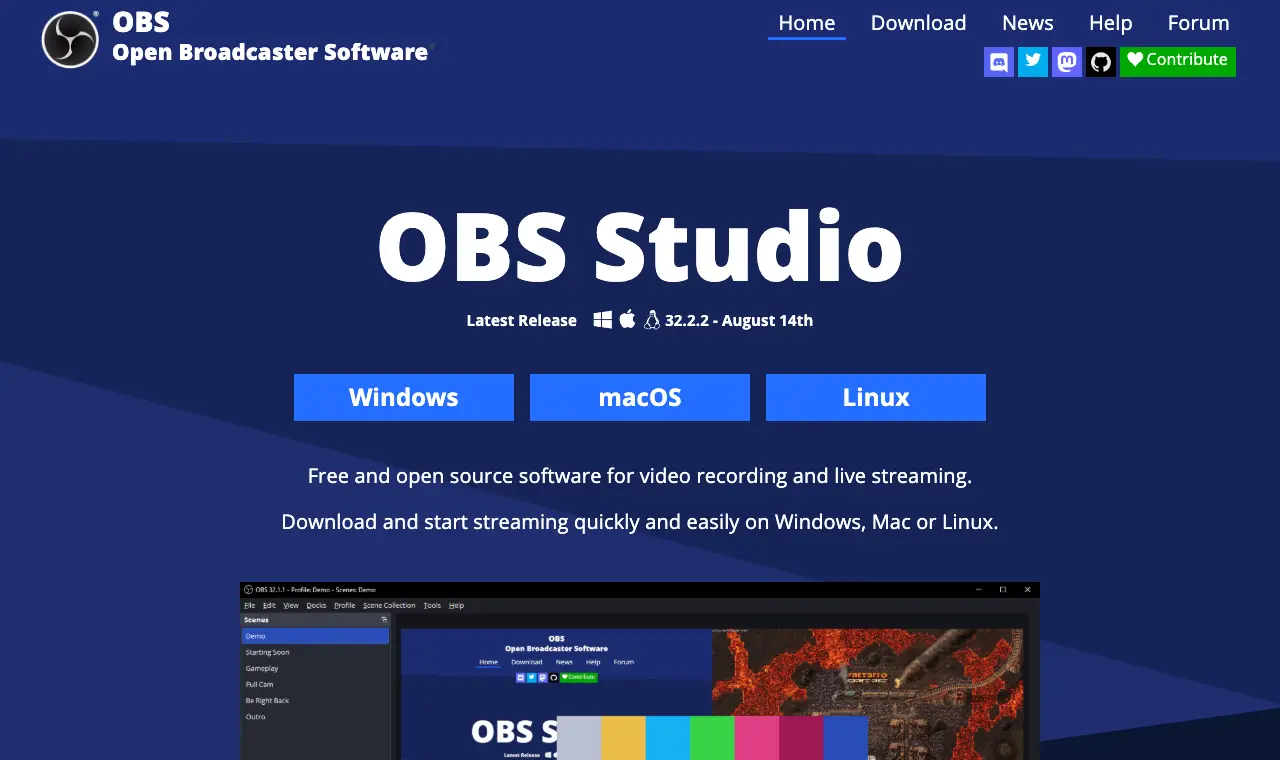
- Free and open source software for video recording and live streaming, per its homepage.
- Unlimited scenes you can switch between, plus Studio Mode to preview a scene before it goes live.
- Audio mixer with per-source filters such as noise gate, noise suppression and gain.
- Rated 4.7/5 from 1,076 reviews on Capterra.
Where it falls short
- No remote-guest studio: guests have to be brought in through another tool.
- Capterra reviewers say the interface can be overwhelming for people new to it.
What its users say
“This is a very good product for those just starting out there and don't want to spend money, as well as those who aren't very tech savvy.”
“It records fine when I test it, but the moment I actually need it, it doesn’t record anything.”
“Unlike Riverside, OBS is free, which is a major advantage to me”
“OBS is free, so it would be a low risk test.”
In the directorySource pageread 6 October 2026
02
StreamYard
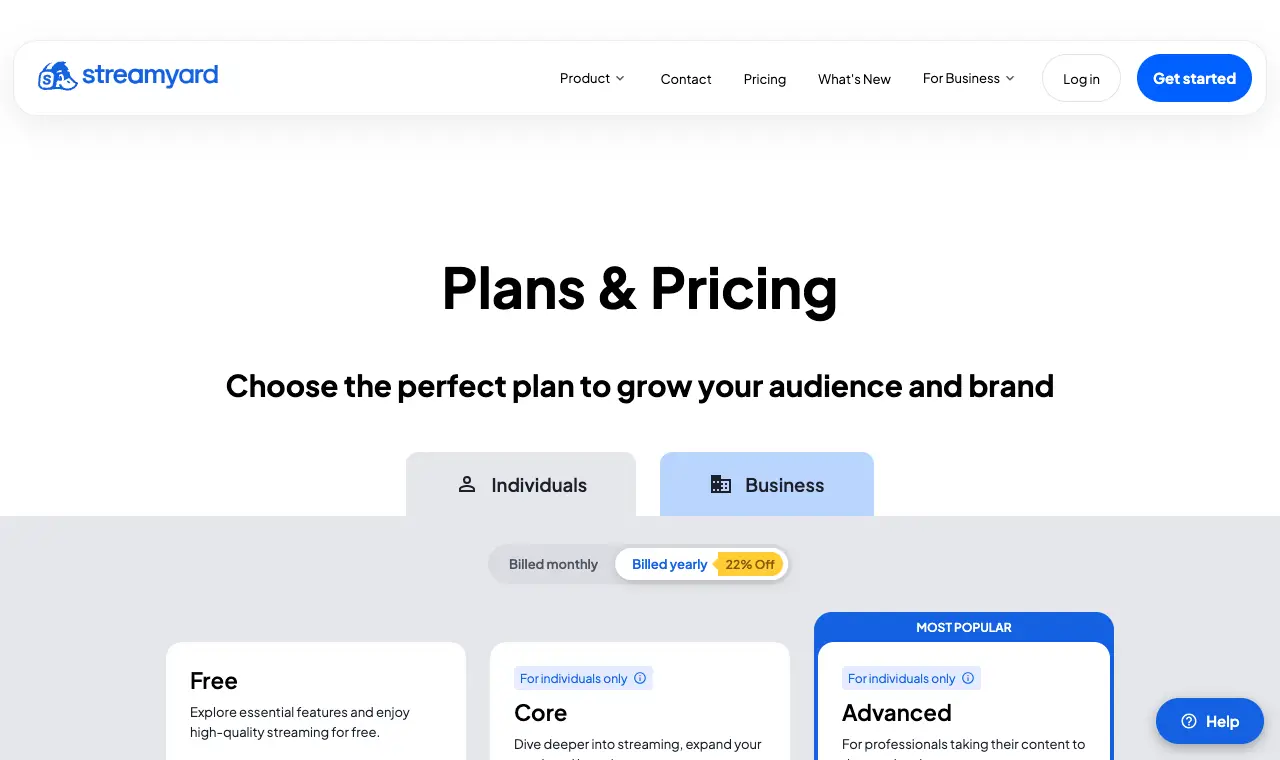
Price Free; $44.99/month Core ($35.99/month billed yearly); $88.99/month Advanced ($68.99/month billed yearly)Free 6 on-screen participants, 2 hours a month of local recordings, limited streaming/recording and storage, StreamYard logo on your streams.Runs on Web (browser)
What it does well
- Core: 10 on-screen participants, unlimited local recordings, Full HD 1080p, multistream to 3 destinations, 50 hours of permanent storage.
- Advanced: 4K (2160p) local recordings, multistream to 8 destinations, 15 backstage participants, webinars for 100 viewers.
- Capterra reviewers praise how easy it is to add intros, outros and midroll videos.
Where it falls short
- The free plan puts the StreamYard logo on streams and caps local recordings at 2 hours a month.
- Paid plans start at $35.99/month billed yearly, more than most recording tools here.
- A Capterra reviewer complains of an 80% price rise.
What its users say
“They have a very responsive helpdesk, and the product is a good one! We use it for streaming podcast episodes, and recording training sessions.”
“When someone drops down from the panel the other members of the panel are unable to hear, and have to drop down and come back up. It disrupts the conversation.”
“I like Streamyard but not crazy about the price.”
“Unworkable pricing model for the typcial podcaster with limited revenue.”
Pricing pageread 6 October 2026
03
Riverside
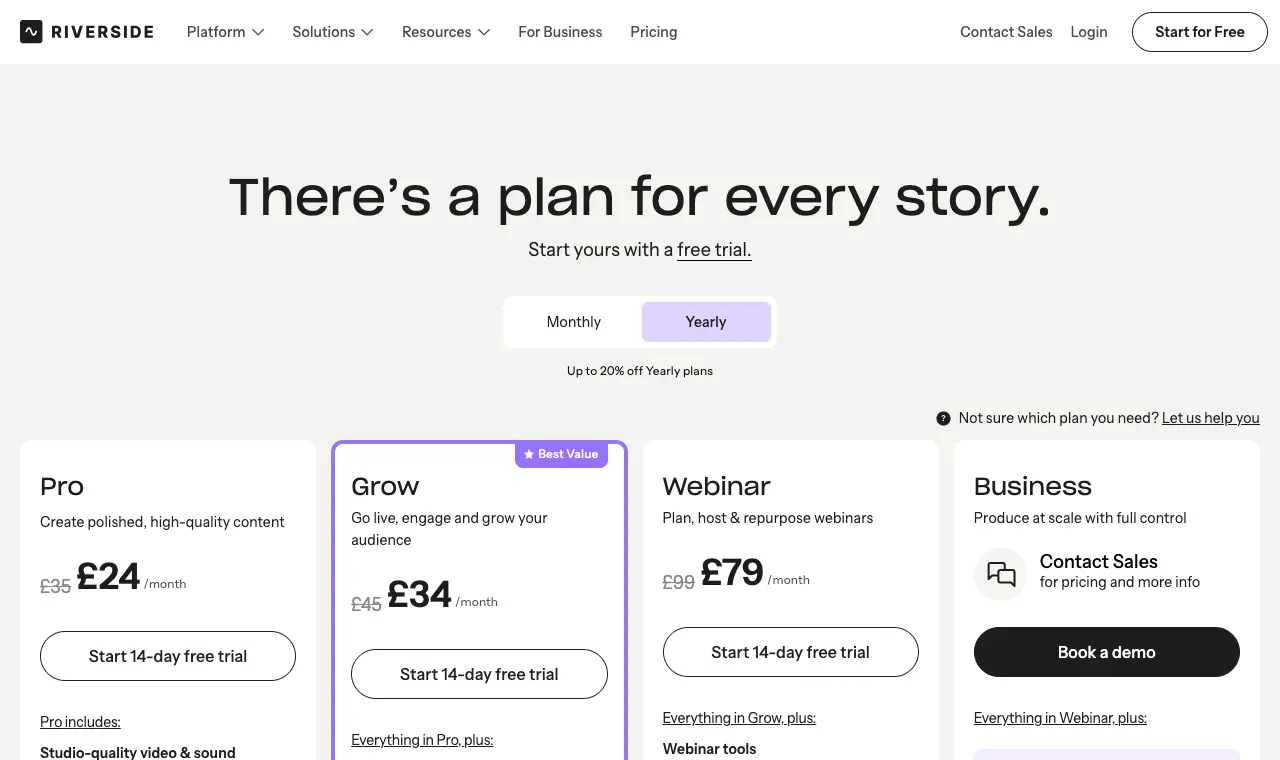
Price Free; $29/month Pro ($24/month billed yearly); $39/month Grow ($34/month billed yearly)Free 2 hours of multi-track recording (once), up to 720p, Riverside watermark; unlimited single-track recording and editing; Magic Clips included.Runs on Web (browser)
What it does well
- Pro: up to 4K video, 48kHz audio, no watermark, in-person multi-cam recording and a host teleprompter.
- Text-based editing, transcription, Magic Clips and show notes are on Pro.
- Pro lists podcast hosting and analytics and publishing to YouTube, Spotify, Apple, Instagram, LinkedIn and more.
- Rated 4.8/5 from 308 reviews on Capterra.
Where it falls short
- The free plan is 720p, watermarked and gives only 2 hours of multi-track recording.
- Separate-track downloads are capped (15 hours on Pro).
- Capterra reviewers mention uploads and processing being delayed when a guest's connection is weak.
What its users say
“The cloud-based recording means internet connection issues on my end don't touch the actual recording, which alone has saved me more than once.”
“when we wrapped, my guest's tracks were there. mine - the host track - did not exist.”
“The separate local tracks make editing way easier, especially when someone’s internet decides to have a meltdown halfway through, I still get everyone to record locally as a backup though.”
“Riverside is an absolutely great remote recording platform ( when it doesn't have issues) but an absolutely mediocre editor!”
In the directoryPricing pageread 6 October 2026
Edit
04
DaVinci Resolve
Price Free; DaVinci Resolve Studio $295 (one-off)Free The full editor, colour and Fairlight audio, with 8-bit video up to 60fps and Ultra HD 3840 x 2160.Runs on Mac, Windows, Linux
What it does well
- Free version exports Ultra HD 3840 x 2160, enough for a 4K YouTube episode.
- Fairlight audio: mix 2,000 tracks in real time, with AI Voice Isolation.
- Studio is a one-off $295 rather than a subscription.
- Rated 4.8/5 from 273 reviews on Capterra.
Where it falls short
- Text-based (transcript) editing is a Studio feature, not in the free version.
- Capterra reviewers describe a steep learning curve and convoluted basic editing.
What its users say
“The free version of Davinci Resolve is pretty incredible. The paid version is worth it for the AI audio tools alone.”
“I spent weeks sorting through audio issues that had essentially made the software unusable.”
“As for editing - Davinci Resolve is free. It’s not the the easiest to learn, but they do have a whole workbook online to teach you how to use it (also free!).”
“There are some shortcomings to the functionality especially in the audio features.”
In the directorySource pageread 6 October 2026
05
CapCut desktop
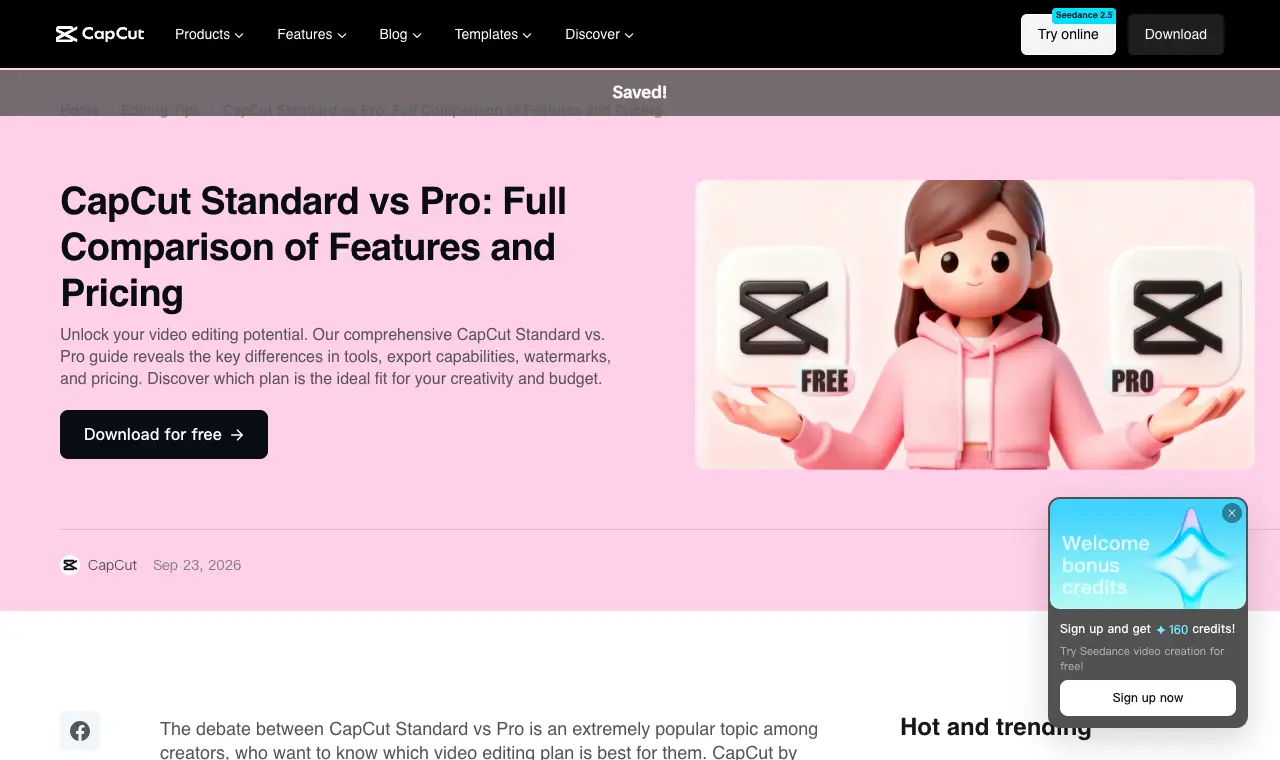
Price Free; CapCut Pro $19.99/month or $179.99/year (varies by region)Free Free download with cutting, trimming, merging and splitting, filters, transitions and effects; CapCut's article says Standard and Pro users can both save in 8K.Runs on Windows 7 or above (10 recommended), macOS 10.14 or above; also mobile and web
What it does well
- Free to download, with automatic captions generated from video and audio.
- Pro covers desktop, mobile and web on one subscription.
- CapCut says both Standard and Pro users can save video in 8K resolution.
Where it falls short
- Prices vary by region, platform, taxes and promotions, per CapCut's own article.
- Trustpilot score is 1.2/5 from 1,322 reviews; recent 1-star reviews cite export freezes, features moved behind paywalls and unwanted charges.
What its users say
“I have used CapCut for a couple of years and it is awesome. I am able to add my VOB files and create an MP4 movie easily.”
“paid for CapCut Pro for months, but the app keeps getting worse. Exporting freezes almost every time, and features I used to rely on are now locked behind new paywalls.”
“CapCut voice isolation is basically a hammer when you need a scalpel, itll chop out background hum but it also makes voices sound hollow and weird.”
“CapCut Pro is an excellent tool and is worth every cent. Highly recommended!”
In the directorySource pageread 6 October 2026
06
Descript
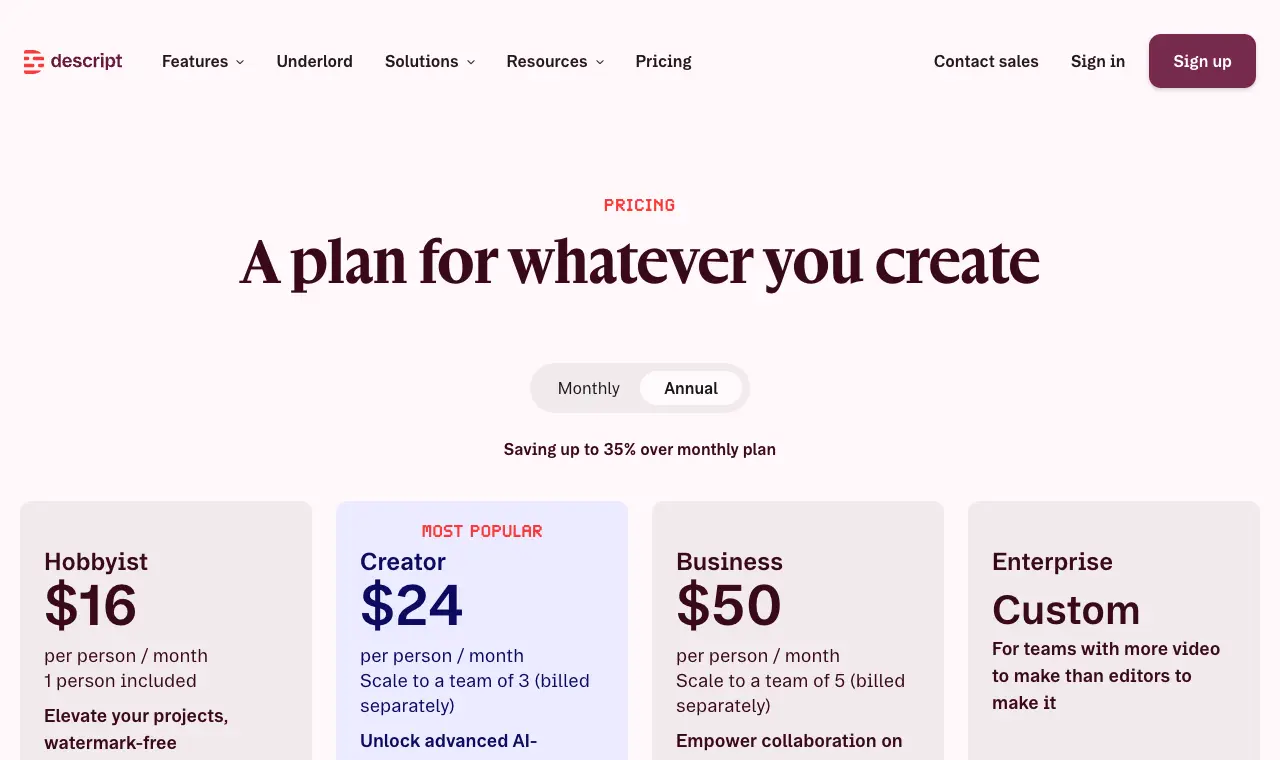
Price Free; $24/month Hobbyist ($16/month billed yearly); $35/month Creator ($24/month billed yearly)Free 60 media minutes a month, 100 AI credits once, 720p exports, files up to 1GB, 2 hours of remote recording.Runs on Mac, Windows, web
What it does well
- Edit video by editing the transcript, with filler-word removal and Studio Sound in the same app.
- Remote recording is built in (2 hours free, 5 hours/month Hobbyist, 15 Creator).
- Hobbyist exports 1080p watermark-free; Creator and Business export 4K.
- Rated 4.6/5 from 183 reviews on Capterra.
Where it falls short
- Media-hour caps: three 3-hour episodes would use most of Hobbyist's 10 hours.
- AI credits are a monthly allowance that does not roll over.
- Trustpilot 2.7/5; Capterra reviewers report bugs, slow loading and failed recordings.
What its users say
“I LOVE the editing via text feature, eye contact feature, removing filler, editing pauses (via the script) and copy and paste features for editing.”
“Burned through 800 credits just trying to clean up filler pauses on a short reel, and it kept deleting actual words out of the hook and desyncing the audio track.”
“I would pay for a subscription to Descript. It's a big, weird tool that I have a lot of qualms with an opinions about, but it allows you to do two things that I think will help in your specific case: 1) review your audio tape as if you are reading a document, and 2) export it to a "real" digital audio workstation / app if you ever feel like you need or wanted to.”
“I would love to do this but Descript charges so much for uploading videos now!!”
In the directoryPricing pageread 6 October 2026
Publish
07
YouTube Podcasts
Price FreeFree Free to create a podcast in YouTube Studio and upload episodes; RSS ingestion is free where available.Runs on Web (YouTube Studio), YouTube apps
What it does well
- On YouTube a podcast is a playlist and episodes are the videos in it; you create one in YouTube Studio with Create > New podcast.
- Eligible podcasts get inclusion in YouTube Music (background play and downloads), a place on youtube.com/podcasts, podcast badges and better search discoverability.
- Audio-first shows can deliver their RSS feed and YouTube uploads an episode for each item, in the countries listed in YouTube Help (95 listed, including the US, UK, Canada, Australia and India).
Where it falls short
- RSS-ingested episodes are static-image videos built from show art, not your camera footage; real video must be uploaded.
- YouTube does not automatically update audio files re-uploaded to your RSS feed, per YouTube Help.
- Podcast content delivered by RSS cannot contain advertisements, per YouTube Help; paid promotions must be declared.
Source pageread 6 October 2026
08
Spotify for Creators
Price FreeFree Free podcast hosting with distribution to the major listening apps; video uploads as MOV, MPG or MP4 up to 12 hours.Runs on Web, iOS, Android
What it does well
- Video specs: H.264, 16:9, up to 25 Mbps for 1080p or 35 Mbps for 4K; no file size cap; max 12 hours.
- Spotify Partner Program pays from Premium members watching video episodes, in eligible markets (Europe, North America, Oceania; more from October 20, 2026).
- Spotify for Creators app is rated 4.8/5 from 118K ratings on the App Store.
Where it falls short
- Videos and video episodes are only available on Spotify; elsewhere the episode is audio-only.
- Partner Program thresholds (2,000 hours and 1,000 audience in 30 days) rule out most new shows.
- Account verification is required before publishing your first video.
What its users say
“Ever since I started using the creators app, I noticed that it is a great way to manage your podcast on the go.”
“What was once a streamlined process for getting guests on my show now requires downloading a separate, clunky application.”
“Spotify for Creators really is free with no storage cap, so you're not wrong there. The tradeoff is that you're kind of living in Spotify's house.”
“They were great until Spotify bought them, and trashed it.”
In the directorySource pageread 6 October 2026
Clip
09
OpusClip
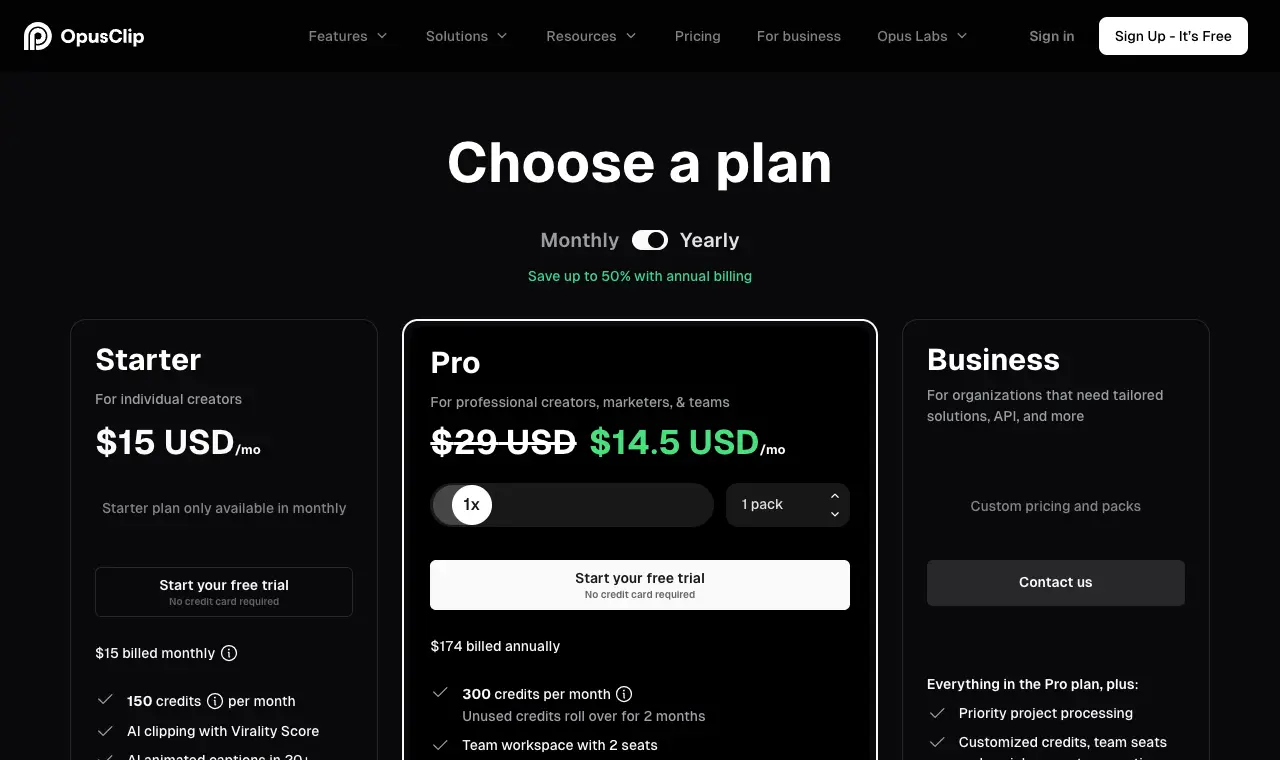
Price Free; $15/month Starter; $29/month Pro ($14.50/month billed yearly)Free 60 credits a month (one credit = one minute of source video), watermarked, 1080p, 3 days to export.Runs on Web
What it does well
- Takes very long videos, up to 10 hours, per its help centre.
- Virality score on each clip, prompt-based clipping (ClipAnything), AI reframe and b-roll.
- Starter auto-posts to YouTube Shorts, TikTok and Reels; Pro adds a scheduler for 6 accounts and up to 4K.
- Exports to Premiere and DaVinci Resolve (XML).
Where it falls short
- Minutes-based credits: long episodes use a month's Starter allowance quickly.
- Free plan is watermarked with a 3-day export window.
- Recent Trustpilot 1-2 star reviews cite unanswered support and being charged after cancelling.
What its users say
“OpusClip has become an important part of how I create and promote content for my podcast and other projects.”
“Uploaded fails constantly. The one time it didn't the clips were only like 14 seconds. customer service chat didnt reply.”
“It’s not perfect every time — but it gets me 80–90% of the way there, which is huge when you’re balancing creativity, family, and business.”
“Cannot reach support. Paying customer for years. Their chat bugged and I've been left on unread for 4 days after their backend caused an invoicing bug.”
In the directoryPricing pageread 30 September 2026
10
Shorts by Sliceours
Price $14.99/month or $149/yearFree Your first video and first 3 clips are free, no cardRuns on Web, in any browser
What it does well
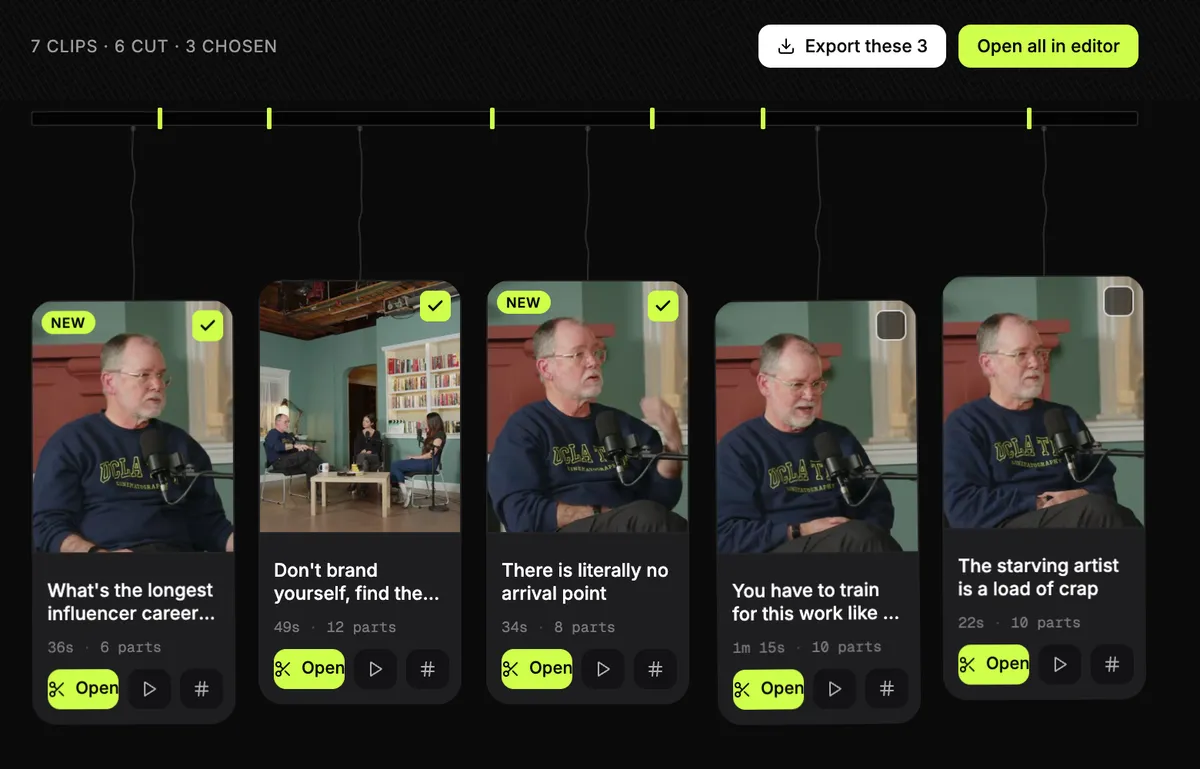
- Takes a whole episode as an uploaded file, up to 3 hours and 4.5GB, and finds the clips in it.
- Can join moments from different parts of an episode into one clip, without rewriting what anyone said.
- Tick a dozen clips and export them together: one email, one zip.
- Each clip starts with a hook title and comes with post text and hashtags in the episode's language. Nothing is stamped on the video.
Where it falls short
- It does not post or schedule; you upload the clips yourself.
- No automatic or stock b-roll (you add your own pictures), and caption fonts cover Latin scripts and Hebrew only.
- No link import for now (upload the file), and there are no third-party reviews of it to report yet.
Questions
Can I just send my podcast RSS feed to YouTube to get a video podcast?
Only in the countries YouTube lists for RSS ingestion, and it won't be your camera footage: YouTube uses your show art to create a static-image video for each episode. To show real video you upload the episode as a video and add it to a podcast playlist in YouTube Studio.
If I upload video to Spotify for Creators, do Apple Podcasts and other apps get the video?
No. Spotify's help centre says videos and video episodes are only available on Spotify; on other platforms the episode is audio-only via your RSS feed.
What is the cheapest way to make a video podcast?
Every stage has a free option: OBS Studio to record locally, DaVinci Resolve or CapCut desktop to edit, YouTube and Spotify for Creators to publish. Free plans of Riverside, Descript and OpusClip are limited (watermarks or 720p, or small monthly allowances).
Which recording tool is best for remote guests?
Riverside records each guest on a separate track up to 4K on Pro ($24/month billed yearly). StreamYard is built for live streaming with guests to several platforms; OBS has no built-in way to invite remote guests.
Does DaVinci Resolve's free version do 4K?
Yes: the free version handles Ultra HD 3840 x 2160 at up to 60fps. Resolutions beyond 4K, 10-bit and text-based editing are in Studio, a one-off $295.
How much does CapCut Pro cost?
CapCut lists Pro at $19.99 a month or $179.99 a year, and says prices can vary by region, platform, taxes and promotions.