Checked 11 October 2026 · 8 tools
The best AI podcast editors in 2026
The AI tools podcasters use to edit in 2026, from editors that cut by transcript or by chat to one-job tools that clean audio, remove filler words or make clips. What each one's AI actually does, what it costs and where it falls short, read from each tool's own pages on 11 October 2026.
How we chose. "AI podcast editor" covers two kinds of tool, so this page has both: full editors with AI built in (Descript, Riverside, Async) and tools that do one editing job with AI (Adobe Podcast and Auphonic for sound, Cleanvoice for filler words, OpusClip and Shorts by Slice for clips). For each we read the pricing page and the product page in a browser, not signed in, on 11 October 2026, and took the pricing screenshot shown (some on 6 October, and the caption says so). Async showed prices in pounds to our UK browser, and we left them in pounds. None of the tools were tested hands-on for this page. Quotes come from Reddit (r/podcasting) and Trustpilot, and each was checked word for word against the page it links to. We make Shorts by Slice and say so on its entry; it is listed for what it does today.
We make Slice, a few of whose tools appear here where they do the job; they are marked “ours”. No tool paid to be listed.
Which one, in ten seconds
Find the line that sounds like you.
- You want one AI editor for the whole episodeDescript
- You already record in RiversideRiverside
- You would rather type what you want than cutAsync (formerly Podcastle)
- Your voice sounds roomy or noisyAdobe Podcast
- Every episode should come out at the same levelAuphonic
- You want the ums and dead air gone from an audio showCleanvoice
- You want AI clips posted for youOpusClip
- You want AI to find the moments and you choose the clipsShorts by Slice
Side by side
| Tool | Best for | Price | Free tier | Key limits | Platforms |
|---|---|---|---|---|---|
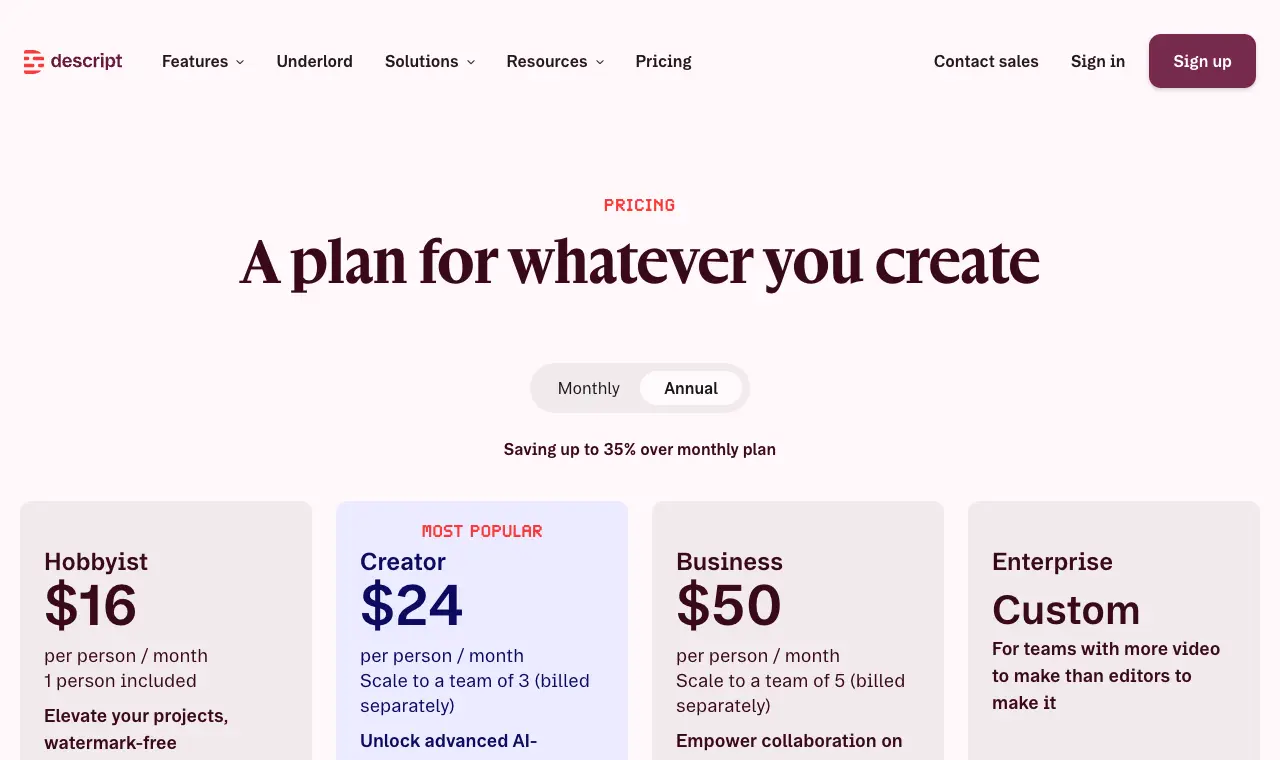
| Descript | podcasters who want an all-round AI editor: cut by transcript, then hand jobs to its AI co-editor, Underlord | Free; Hobbyist $24/month ($16 billed yearly); Creator $35/month ($24 yearly); Business $65/month ($50 yearly) | 60 media minutes a month, 100 AI credits once, 720p export; Underlord and the AI tools are limited. | AI credits: 400 a month on Hobbyist, 800 on Creator, 1,500 on Business. Media hours: 10, 30 and 40. Every upload counts towards media hours. | Mac, Windows, web |
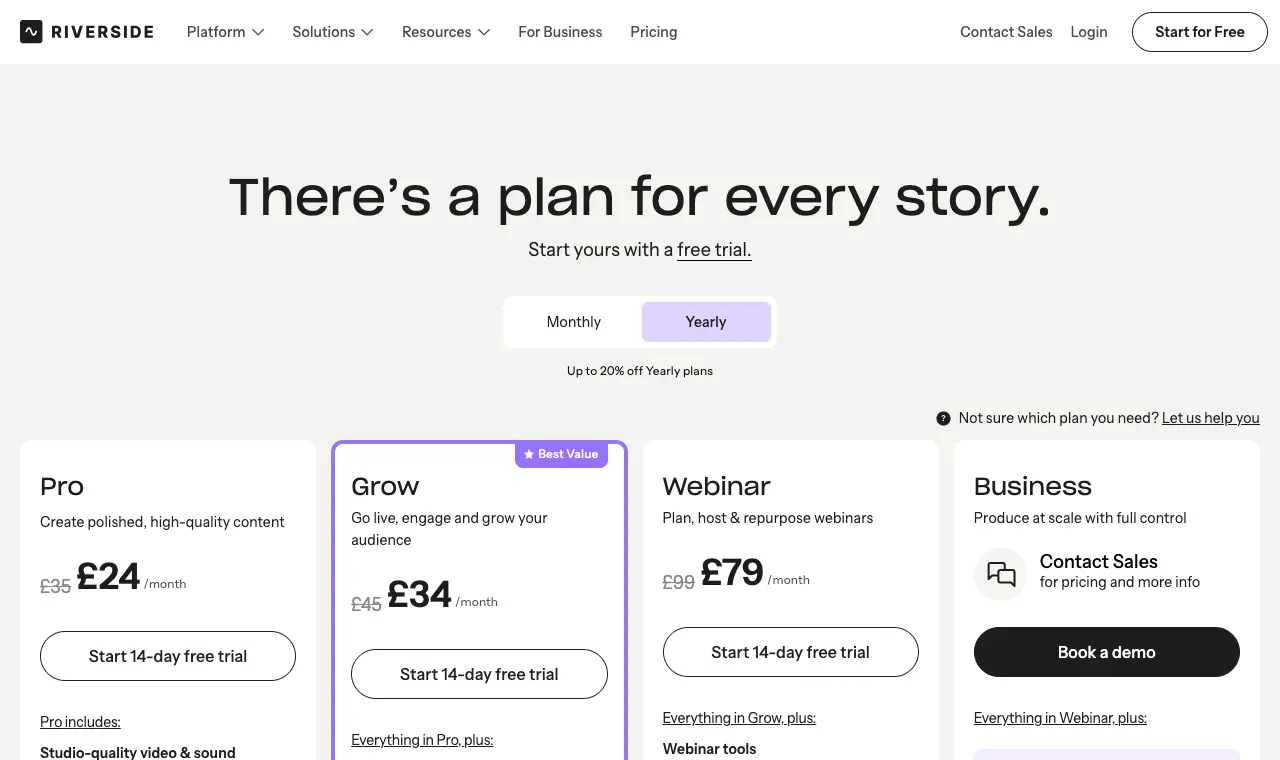
| Riverside | podcasters who record in Riverside and want the AI editing, clean-up and clips to happen where the recording already is | Pro $29/month ($24/month billed yearly); Grow $39/month ($34 yearly); Webinar $99/month ($79 yearly) | No free plan shown on the pricing page on 11 October 2026; a 14-day free trial on paid plans. | Pro starts with 2,000 AI credits for features such as AI translation, AI b-roll and animated clips; Magic Clips, Magic Audio and the AI Co-Creator do not use credits, per the pricing FAQ. | Web, Mac app, iOS and Android apps |
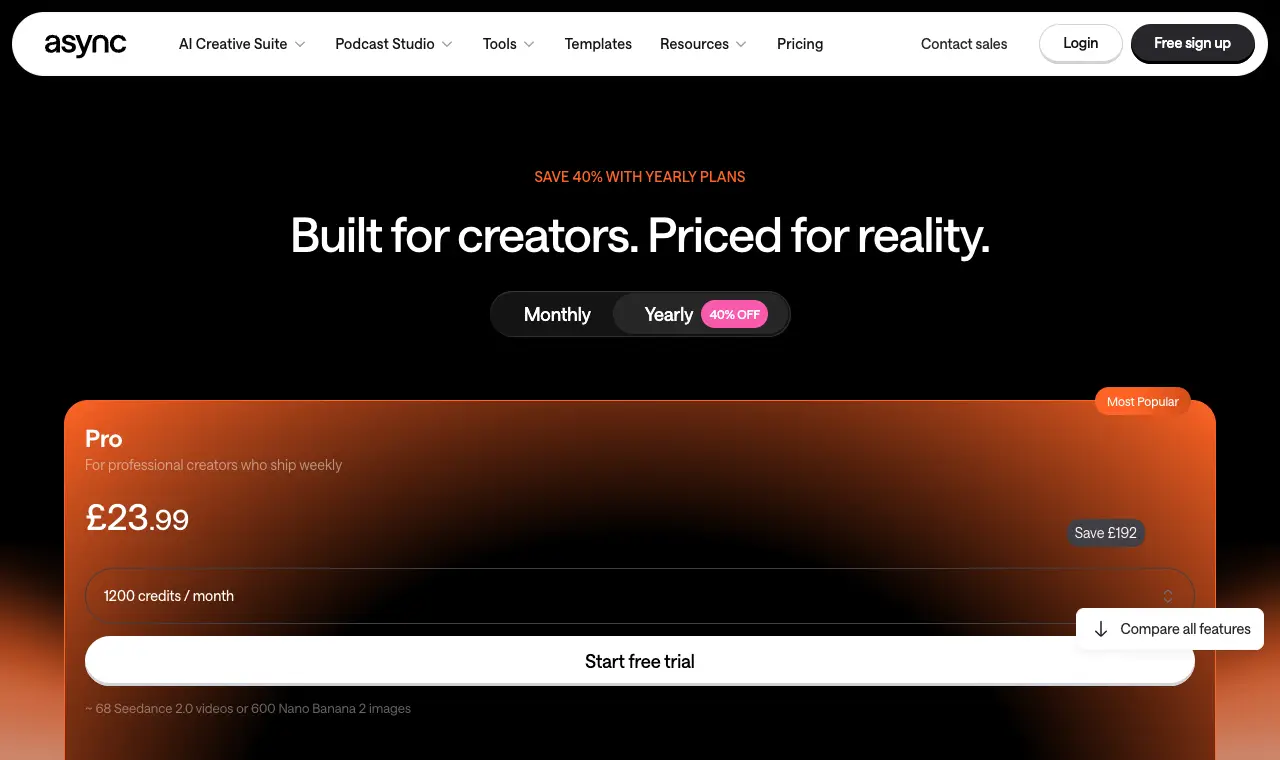
| Async (formerly Podcastle) | podcasters who want to edit by asking: upload, then tell it in plain words what to cut | Free; Essentials £11.99/month, Pro £23.99/month, Teams £49.99 per creator a month, billed yearly (shown in pounds from the UK) | A free plan, per the pricing page; paid plans start with a free trial. | Credits shared across AI video, image and audio tools: 450 a month on Essentials, 1,200 on Pro. | Web |
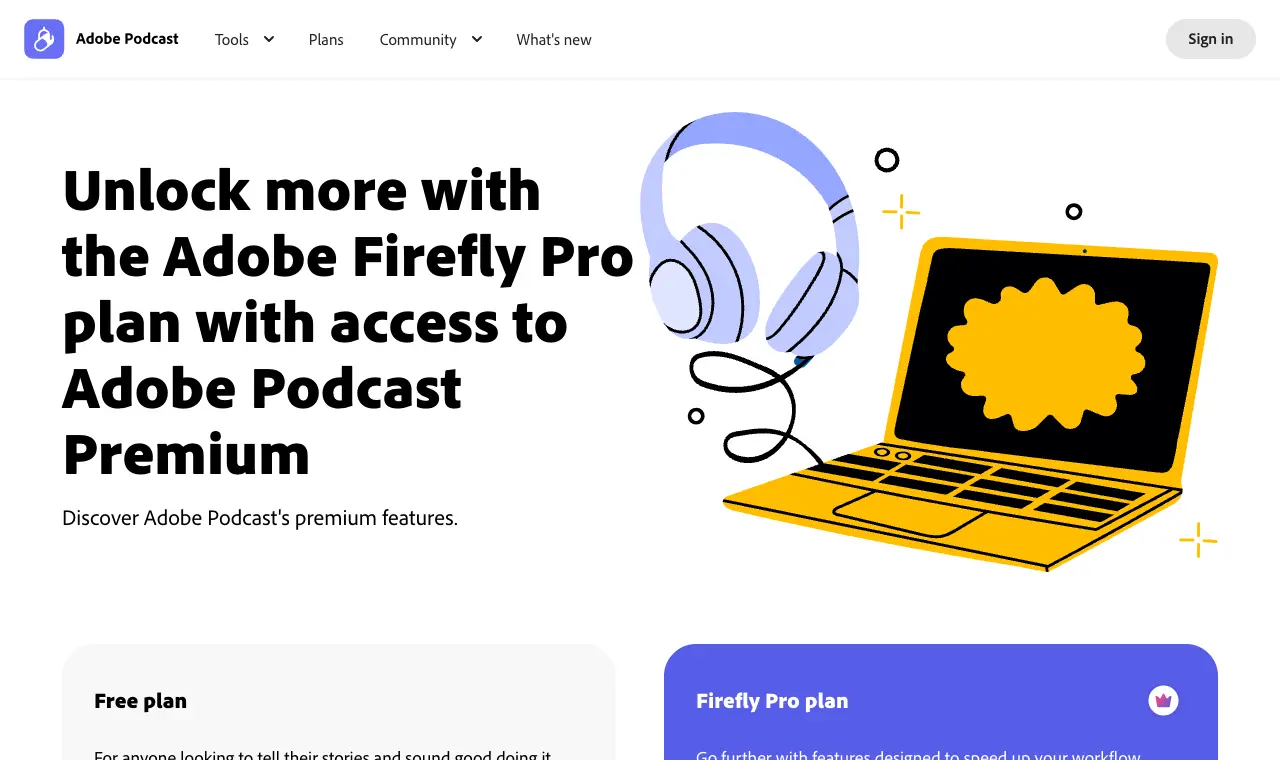
| Adobe Podcast | one AI job done well and free: making a voice recorded in a poor room sound clean | Free; premium features with Adobe's Firefly Pro plan at $19.99/month | Enhance Speech on files up to 30 minutes (500 MB), 1 hour a day. | Firefly Pro: files up to 2 hours and 1 GB, 4 hours a day, bulk uploads, adjustable strength. | Web |
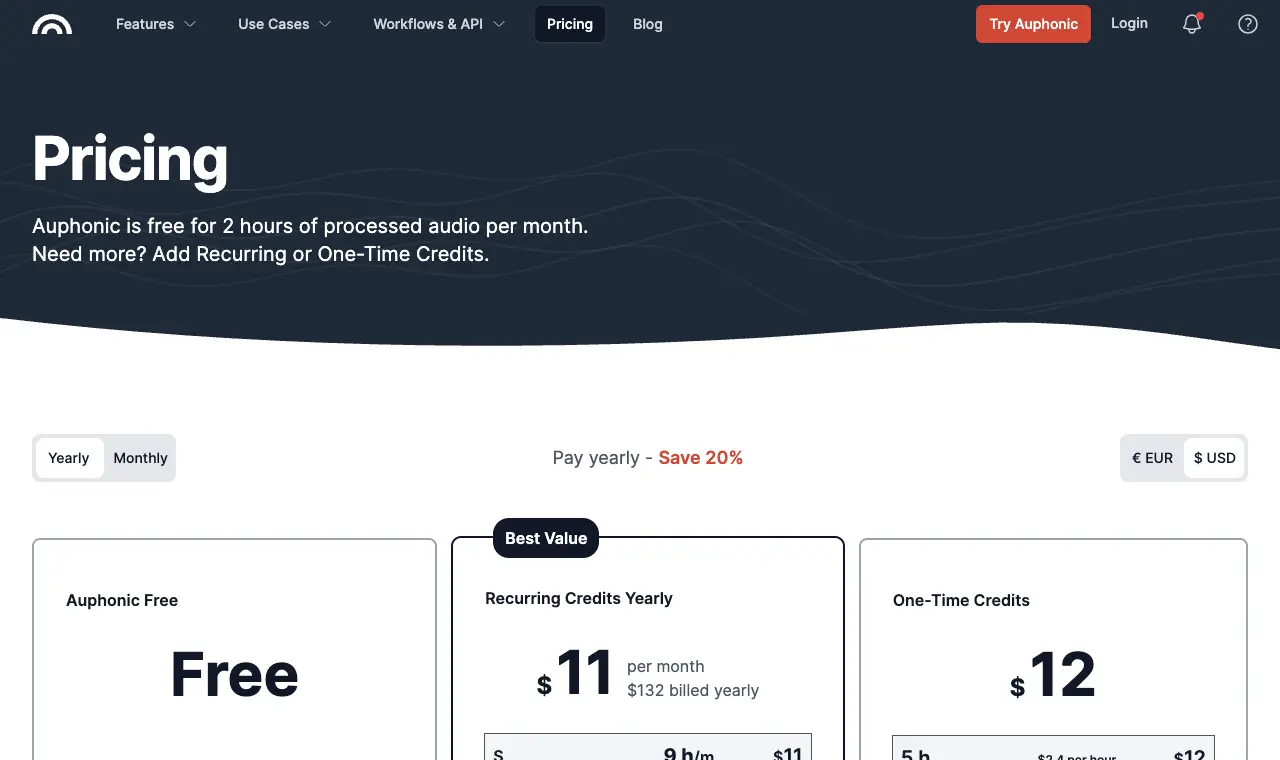
| Auphonic | the last step before publishing: AI levelling, noise and loudness so every episode sounds the same | Free 2 hours a month; recurring credits from $11/month billed yearly (9 hours), or one-time credits from $12 (5 hours) | 2 hours of processed audio a month; free productions come with an Auphonic jingle, and unused free hours do not carry over. | Paid hours a month: 9 ($11), 21 ($25), 45 ($52), 100 ($113) or 250 ($245), billed yearly. | Web, with apps and an API |
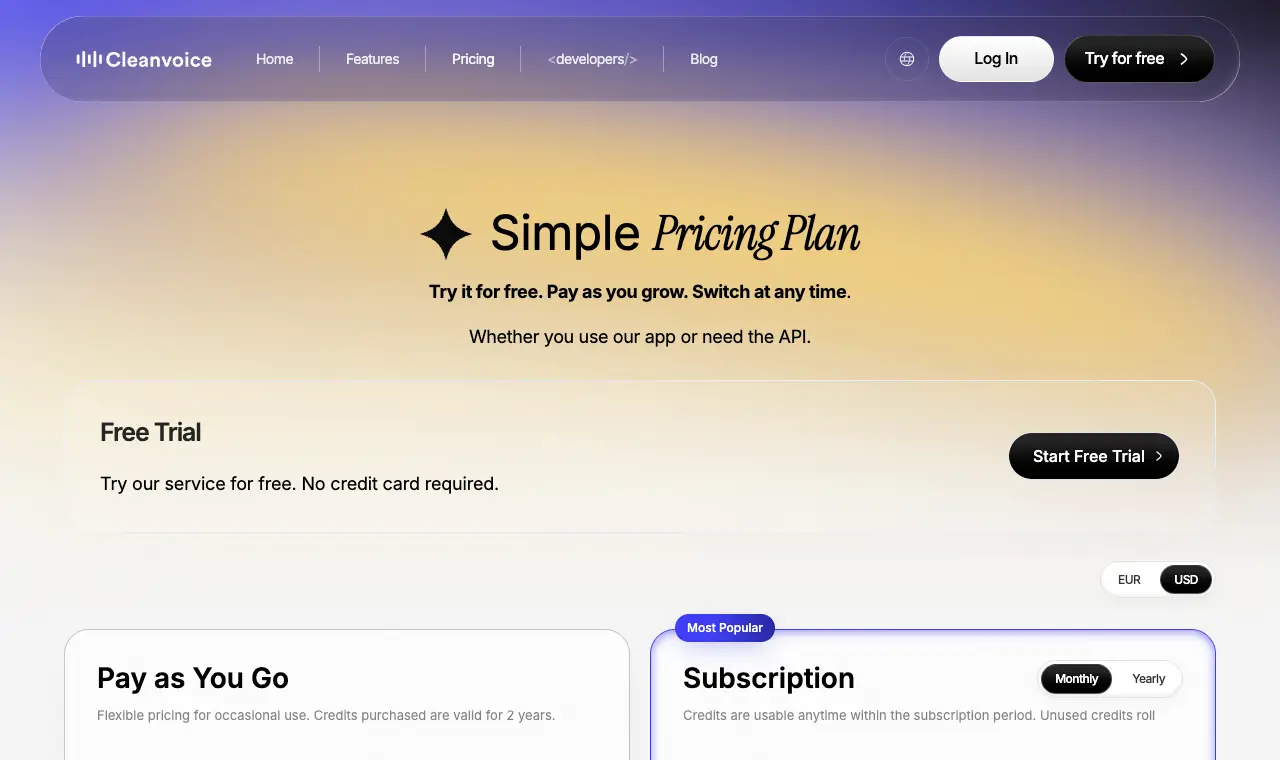
| Cleanvoice | removing filler words, mouth sounds and dead air from an audio episode without opening an editor | Pay as you go $11 for 5 hours, $20 for 10, $45 for 30; subscriptions from $11/month for 10 hours | A free trial, no credit card required. | Pay-as-you-go credits last 2 years; subscription credits roll over up to three times the plan's monthly hours. | Web, with an API |
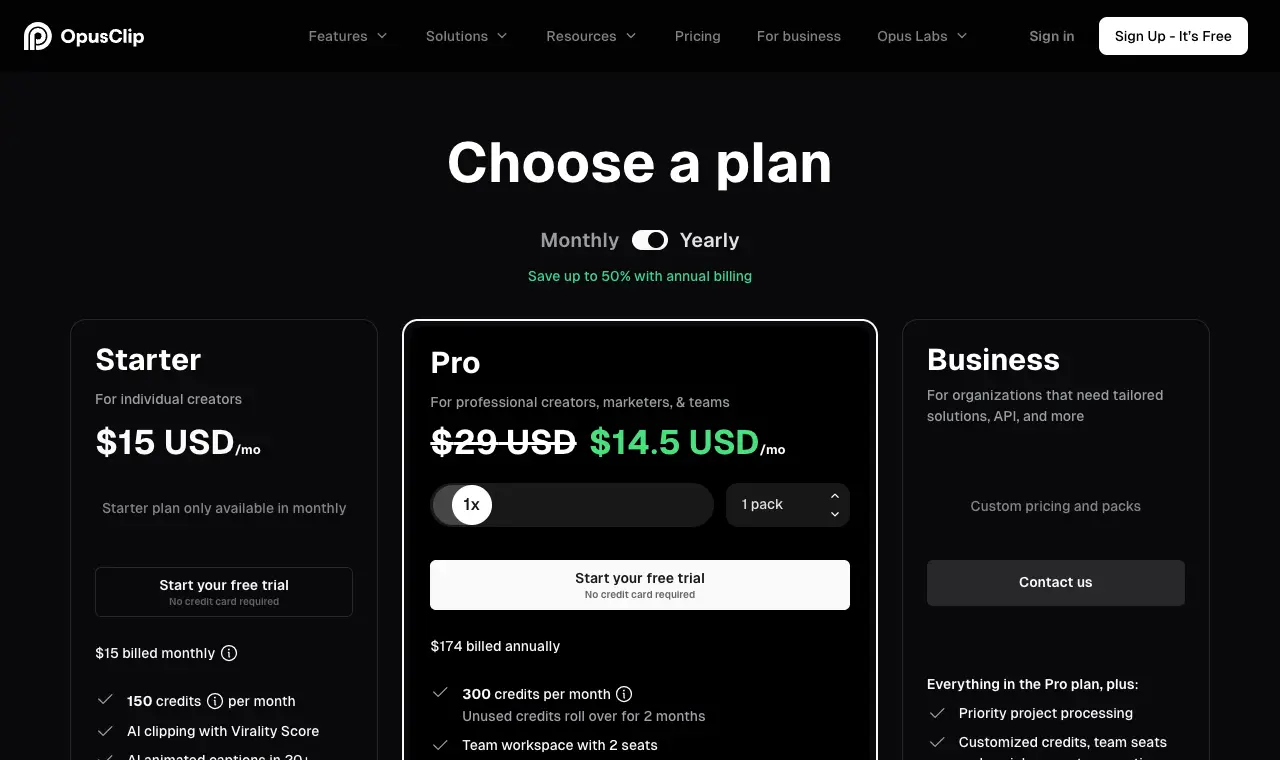
| OpusClip | AI clips with a virality score, b-roll and auto-posting to every short-video app | Free; Starter $15/month (150 credits); Pro $29/month, or $14.50/month billed yearly | A free plan with a watermark. | Starter is monthly only. Pro adds a team workspace with 2 seats per pack. | Web, iOS |
| Shorts by Sliceours | podcasters who want AI to find the clip-worthy moments in a whole episode while they choose, caption and export them | $14.99/month or $149/year; transcripts separately: 3 a month free, then hour packs from $4.99 | Your first video and first 3 clips are free, no card | Episodes up to 3 hours and 4GB, uploaded as a file; clips of 30 to 150 seconds; up to 1,000 exports a month | Web, in any browser |
Prices in US dollars from each vendor’s pricing page, unless a row says otherwise.
01
Descript
Price Free; Hobbyist $24/month ($16 billed yearly); Creator $35/month ($24 yearly); Business $65/month ($50 yearly)Free 60 media minutes a month, 100 AI credits once, 720p export; Underlord and the AI tools are limited.Runs on Mac, Windows, web
What it does well
- Underlord, its AI co-editor, is on every paid plan, with Studio Sound, Remove Filler Words, Shorten Word Gaps, Edit for Clarity, Remove Retakes, chapters and Automatic Multicam.
- Edit by transcript underneath it all, so you can check and undo what the AI did word by word.
- Transcribes 25 languages and detects 8 or more speakers.
- Creates clips and dynamic captions inside the same project.
Where it falls short
- AI credits run out: they are monthly and limited, and top-ups cost extra.
- Some users say the AI edits miss and they end up editing by hand; the quotes below give both sides.
- The free plan exports at 720p.
What its users say
“I LOVE the editing via text feature, eye contact feature, removing filler, editing pauses (via the script) and copy and paste features for editing.”
“The AI stuff doesn't work so I wind up doing the editing manually which doesn't save any time.”
“Burned through 800 credits just trying to clean up filler pauses on a short reel, and it kept deleting actual words out of the hook and desyncing the audio track.”
In the directoryPricing pageread 11 October 2026
02
Riverside
Price Pro $29/month ($24/month billed yearly); Grow $39/month ($34 yearly); Webinar $99/month ($79 yearly)Free No free plan shown on the pricing page on 11 October 2026; a 14-day free trial on paid plans.Runs on Web, Mac app, iOS and Android apps
What it does well
- An AI editing and repurposing agent, AI b-roll, eye contact, and removal of silences and filler words on Pro.
- Magic Audio cleans up the recording; Magic Clips and AI show notes come from the same session.
- Its MCP lets assistants such as Claude and ChatGPT search transcripts, make edits and cut clips, per the pricing FAQ.
Where it falls short
- Users in recent r/podcasting threads say the editor changes often and that it has muted sections and added gaps on its own.
- Only useful if you record in Riverside or upload there; separate-track downloads are capped (15 hours a month on Pro).
- No free plan on the pricing page now.
What its users say
“I use Riverside magic audio and only do surgical edits on content for clarity or if tangents go on too long.”
“they have also started to pre:edit my words (muting sections) and adding gaps in - all very frustrating!”
“Riverside is an absolutely great remote recording platform ( when it doesn't have issues) but an absolutely mediocre editor! It's over run with AI and it's not even properly implemented AI.”
In the directoryPricing pageread 11 October 2026
03
Async (formerly Podcastle)
Price Free; Essentials £11.99/month, Pro £23.99/month, Teams £49.99 per creator a month, billed yearly (shown in pounds from the UK)Free A free plan, per the pricing page; paid plans start with a free trial.Runs on Web
What it does well
- Edits by chat: cut the pauses, fix the rough cut, make a 30-second version, per its home page.
- Removes filler, repeats and bad takes, cleans audio with Magic Dust, adds captions and makes clips.
- Saves an editing style as a skill to reuse on the next episode.
Where it falls short
- Credits are shared with AI video and image generation.
- Podcasts are one format among many now; much of the home page is about AI video in general.
- Prices were shown to us in pounds; dollar prices were not read.
In the directoryPricing pageread 11 October 2026
04
Adobe Podcast
Price Free; premium features with Adobe's Firefly Pro plan at $19.99/monthFree Enhance Speech on files up to 30 minutes (500 MB), 1 hour a day.Runs on Web
What it does well
- Enhance Speech is free for files up to 30 minutes.
- Firefly Pro adds strength control (speech, music and ambience) and bulk processing.
- Works on any recording, whatever you edit in afterwards.
Where it falls short
- Not an editor: it cleans sound, it does not cut the episode.
- Free use is capped at 1 hour of enhancement a day.
- Full strength can sound processed; strength control is on the paid plan only.
In the directoryPricing pageread 11 October 2026
05
Auphonic
Price Free 2 hours a month; recurring credits from $11/month billed yearly (9 hours), or one-time credits from $12 (5 hours)Free 2 hours of processed audio a month; free productions come with an Auphonic jingle, and unused free hours do not carry over.Runs on Web, with apps and an API
What it does well
- Applies its AI audio algorithms in one click, free for 2 hours a month.
- One-time credits for occasional shows, recurring credits for weekly ones.
- Works on the finished file from any editor.
Where it falls short
- It does not cut anything: no transcript editing, no filler removal in the editor sense.
- Free productions carry a jingle.
What its users say
“I use Adobe Podcast (to record and edit) and Auphonic to get studio-ready/normalized sound, and that's it.”
In the directoryPricing pageread 11 October 2026
06
Cleanvoice
Price Pay as you go $11 for 5 hours, $20 for 10, $45 for 30; subscriptions from $11/month for 10 hoursFree A free trial, no credit card required.Runs on Web, with an API
What it does well
- Priced by the hour of audio processed, so a monthly show pays little.
- Pay-as-you-go credits are valid for 2 years.
- Every plan has access to all features, per the pricing page.
Where it falls short
- One job only: you still need an editor for everything else.
- Automatic filler removal can take out words you meant to keep; listen through before publishing.
Pricing pageread 11 October 2026
07
OpusClip
Price Free; Starter $15/month (150 credits); Pro $29/month, or $14.50/month billed yearlyFree A free plan with a watermark.Runs on Web, iOS
What it does well
- AI clipping with a virality score and animated captions in 20 or more languages.
- Auto-posts to YouTube Shorts, TikTok and Instagram Reels, or you download.
- Filler and silence removal and a brand template on Starter.
Where it falls short
- Free clips carry a watermark.
- The clips it picks still need a person to check them; the quotes below give both sides.
What its users say
“I use Opus Clip regularly for my podcast and show editing and clipping.”
“Uploaded fails constantly. The one time it didn't the clips were only like 14 seconds.”
In the directoryPricing pageread 11 October 2026
08
Shorts by Sliceours
Price $14.99/month or $149/year; transcripts separately: 3 a month free, then hour packs from $4.99Free Your first video and first 3 clips are free, no cardRuns on Web, in any browser
What it does well
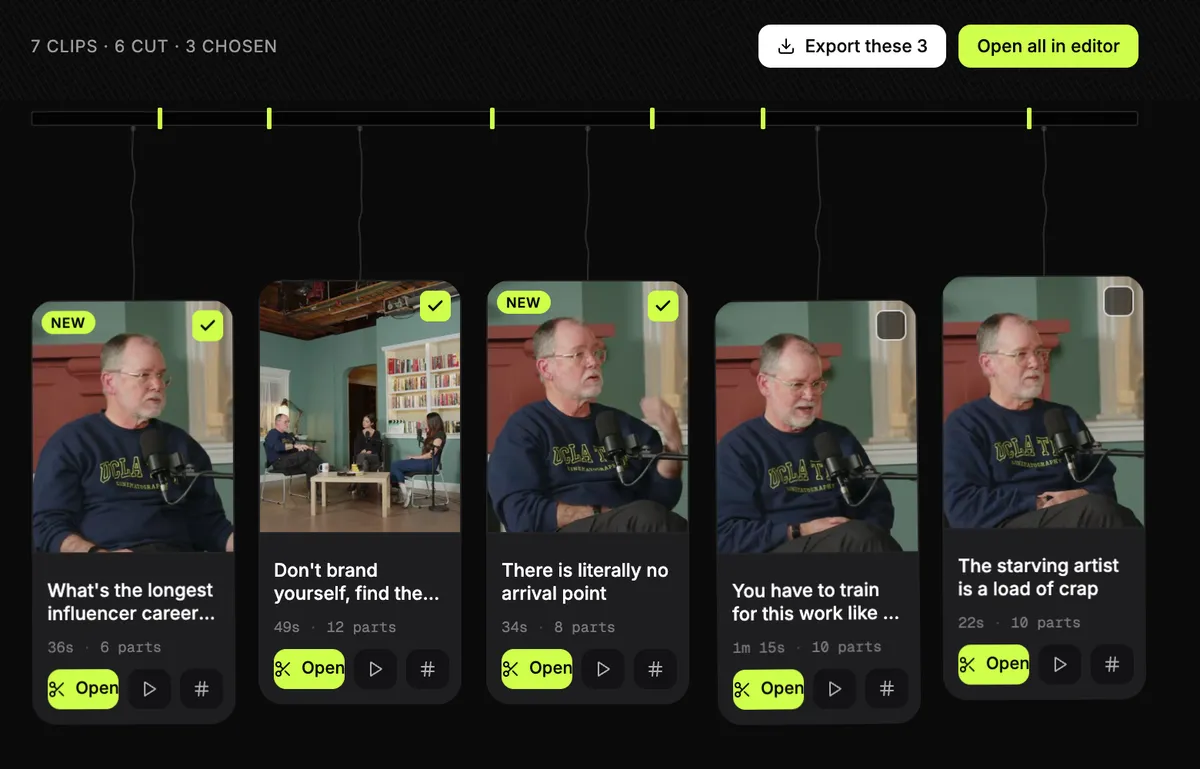
- Reads the whole episode and lists moments that stand on their own, each with a title; you can ask it for moments about a topic.
- Captions styled and editable word by word, with the same clip exported vertical, square or wide.
- Audio-only episodes get audio templates: each clip is drawn from the words, your cover art and the voices.
- Transcription in the language spoken, with .txt, .srt and .vtt downloads; three recordings a month free.
Where it falls short
- It does not edit the full episode today: no cutting the episode, filler removal or audio clean-up.
- Upload only for now: no link import, and it does not record.
- It does not post or schedule, and there are no third-party reviews of it to report yet.
Questions
What is the best AI podcast editor?
For a whole episode, Descript is the broadest: transcript editing plus its AI co-editor, Underlord, from $24 a month. If you record in Riverside, its own AI editing is already there. For one job at a time, Adobe Podcast (voice clean-up), Auphonic (levels) and Cleanvoice (filler words) are cheap or free.
Can AI edit a podcast on its own?
It can do the mechanical parts: remove filler words and silences, clean and level the audio, suggest clips. Podcasters in the threads quoted here still check every cut, because AI edits can remove words you meant to keep or pick moments that are not the best ones.
Is there a free AI podcast editor?
Descript has a free plan (60 media minutes a month, 720p, limited AI). Adobe Podcast cleans speech free on files up to 30 minutes, Auphonic processes 2 hours a month free, and Async has a free plan. Read on 11 October 2026.
Which AI tool makes podcast clips?
OpusClip, Riverside's Magic Clips, Descript, Async and Shorts by Slice (ours) all make short clips from an episode. OpusClip and Async can post them; Slice lists the moments and leaves the choosing to you.
What do AI credits mean?
Several editors meter AI features in credits each month: Descript gives 400 on Hobbyist, Riverside 2,000 to start on Pro (its core AI features do not use them), Async 450 on Essentials, shared with AI video and images. When they run out, you buy more or wait for the next month.
Did you test these tools?
No. Prices and features were read from each tool's own pages on 11 October 2026, and quotes were checked word for word against the pages they link to. We make Shorts by Slice.