Checked 6 October 2026 · 8 tools
The best podcast transcription software.
Transcription tools and services for podcasters, compared on what a transcript is for: speaker labels, the file types you can export, the longest episode each takes, the real cost per hour, and what happens to your audio.
How we chose. We picked seven widely used transcription tools that podcasters actually choose between: flat-rate AI (TurboScribe), meeting-first AI (Otter), AI plus human transcription (Rev, Happy Scribe), per-hour pricing (Sonix), transcript-based editing (Descript) and on-device (MacWhisper). None of the tools were tested hands-on. User quotes come from Trustpilot, Reddit (r/podcasting) and App Store, and each was checked word for word against the page it links to; a quote that could not be checked is not here.
We make Slice, a few of whose tools appear here where they do the job; they are marked “ours”. No tool paid to be listed.
Which one, in ten seconds
Find the line that sounds like you.
- You have a big back catalogue of long episodes and want one flat priceTurboScribe
- Your audio must never leave your computer and you use a MacMacWhisper
- You need a human-checked transcript for publishing or legal reasonsRev
- You want to edit the episode by editing its transcriptDescript
- You publish subtitles in several languages and want many caption formatsHappy Scribe
- You transcribe a few hours a month and prefer paying by the hourSonix
- You mostly record interviews and calls live and want notes as you talkOtter.ai
Side by side
| Tool | Best for | Price | Free tier | Key limits | Platforms |
|---|---|---|---|---|---|
| TurboScribe | podcasters with a back catalogue who want unlimited AI transcripts of long episodes for one flat fee | Free; Unlimited $20/month, or $10/month billed yearly ($120/year) | 3 files a day, each up to 30 minutes, one upload at a time, lower priority | Unlimited plan: files up to 10 hours / 5GB each, 50 uploads at a time. 'Unlimited' has no stated cap in the terms, but some reviewers report slowdowns after bulk uploads. | Web (no official app) |
| Otter.ai | podcasters who also record calls and interviews live and want transcripts with speaker labels as they talk | Free; Pro $16.99/month or $8.33/month billed yearly; Business $30/user/month or $19.99 billed yearly | 300 minutes a month, 30 minutes per conversation, 3 file imports ever; export mp3 and txt only | Pro: 1,200 minutes a month, 90 minutes per conversation, 10 file imports a month. Business: up to 4 hours per meeting, unlimited imports. | Web, iOS, Android; Zoom/Teams/Meet notetaker |
| Slice Transcribeours | podcasters who want a transcript of each episode without a subscription: free for one a day, then hours you buy once | Free; hour packs 5 hours $4.99, 15 hours $9.99, 40 hours $24.99 | One recording a day, up to 90 minutes, any language; just an email address | Up to 3 hours a recording with hours; upload only, no live recording | Web, in any browser |
| Rev | shows that need a human-checked transcript for publishing or legal clearance, with AI for everyday drafts | Free; Essentials $29.99/seat/month or $25.49 billed yearly; Pro $59.99 or $47.99 billed yearly; human transcription $1.99/minute | 45 AI minutes a month, English only | Essentials 5,000 AI minutes/user/month (English and Spanish); Pro 10,000 (37+ languages). Max file length not stated on the pricing page. Human transcription is $1.99/minute (about $119 an hour), 99%+ accuracy, 12 hours or less. | Web; Rev mobile app for recording (iOS listed on the App Store) |
| Descript | podcasters who want to edit the episode itself by editing the transcript | Free; Hobbyist $24/month or $16 billed yearly; Creator $35 or $24; Business $65 or $50 | 60 media minutes a month, 100 one-time AI credits, files up to 1GB | Media hours count every upload: Hobbyist 10 hours, Creator 30, Business 40 a month. Files up to 1GB (Free, Hobbyist), 20GB (Creator), 50GB (Business). | Mac, Windows, web |
| Happy Scribe | podcasters who publish subtitles in many languages and want optional human proofreading | Free; Basic £17/month or £8.50 billed yearly; Pro £29 or £19; Business £89 or £59 (shown in pounds from the UK; dollar prices not read) | 10-minute free trial of AI transcription; TXT and SRT export; speaker detection | AI minutes a month: Basic 120, Pro 600, Business 6,000; extra minutes £0.20 each (£12 an hour). Human proofreading from £1.50/minute. Bulk uploads limited to 1GB per file. | Web, iOS |
| Sonix | podcasters who want pay-as-you-go hourly pricing and exports straight into their video editor | $10/hour pay as you go; Core $25/month (5 hours) or $275/year; Advanced $50 (20 hours) or $550/year; Pro $80 (40 hours) or $880/year | 30-minute free trial, no credit card | Files up to 8 hours (longer only if enabled on the account) and 16GB. Extra hours $10 each on any plan. | Web |
| MacWhisper | Mac users who want unlimited transcripts that never leave their computer, for a one-time price | Free; Pro €64 one-time licence (shown in euros; dollar price not read) | Free forever: records from the Mac mic, takes mp3, wav, m4a, ogg, opus, mov and mp4, 100 languages, exports .srt, .vtt and .txt | No per-file or monthly cap stated ('unlimited transcriptions'). Needs macOS 14 Sonoma or later; M-series Macs recommended (works on Intel). Speaker recognition, DOCX/PDF export and podcast per-speaker files are Pro only. | Mac (separate App Store version, 'Whisper Transcription', also on iPhone/iPad) |
Prices in US dollars from each vendor’s pricing page, unless a row says otherwise.
01
TurboScribe
Best for podcasters with a back catalogue who want unlimited AI transcripts of long episodes for one flat fee.
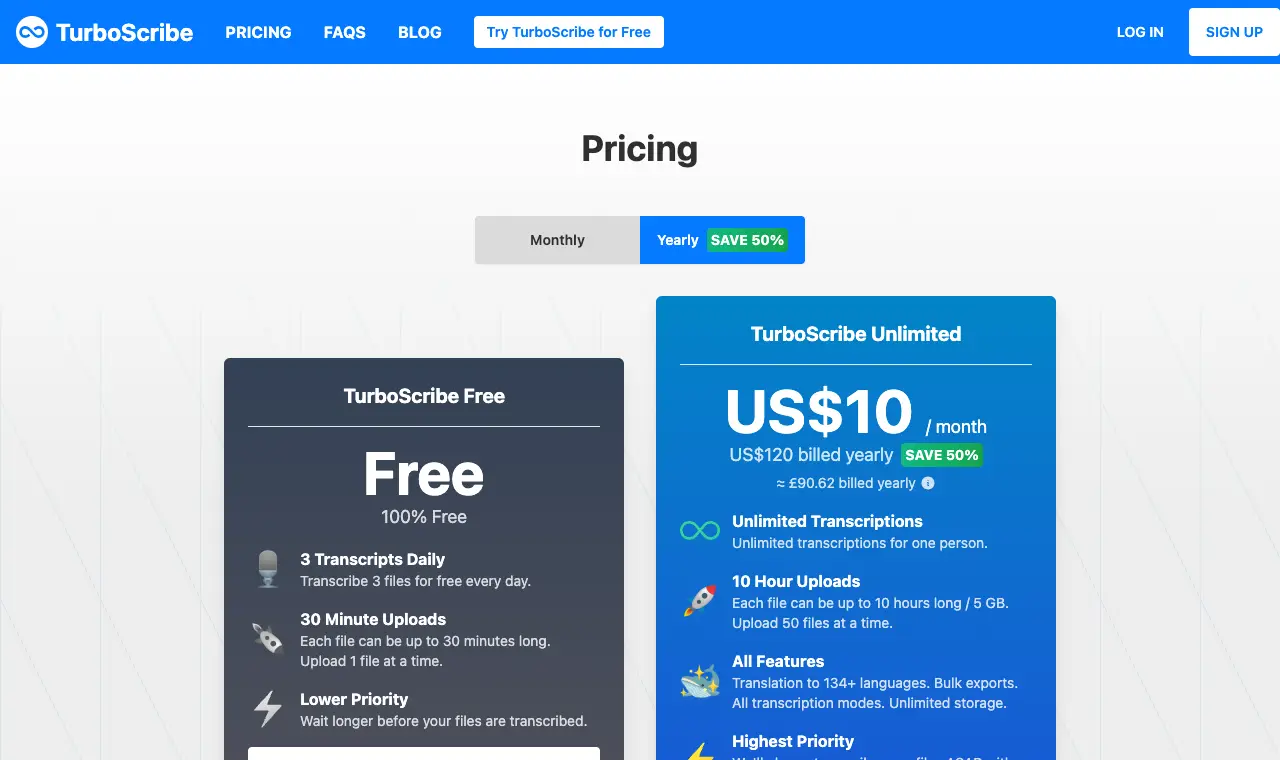
Price Free; Unlimited $20/month, or $10/month billed yearly ($120/year)Free 3 files a day, each up to 30 minutes, one upload at a time, lower priorityRuns on Web (no official app)
What it does well
- Unlimited plan takes files up to 10 hours / 5GB, 50 at a time
- Exports DOCX, PDF, TXT, SRT and VTT, with speaker recognition (homepage)
- Its security FAQ says it does not train AI or machine-learning models on users' media files or transcripts
- Over 98 languages, Whisper-based; can take YouTube links as well as uploads
Where it falls short
- Free tier caps each file at 30 minutes, too short for most full episodes
- Trustpilot low-star reviews (sample of 20, Apr–Sep 2026) most often cite auto-renewal or being charged after cancelling, and slow support
- A few reviewers say 'Unlimited' uploads were slowed or blocked after heavy use
What its users say
“The best transcription tool I have used. Accurate, fast and easy.”
“I contacted Customer Support three times over these two days and have received ZERO response.”
“But turboscribe edits out all the ums and uhs so I can’t find those there.”
“I canceled my subscription in July and I am charged until today”
Pricing pageread 1 October 2026
02
Otter.ai
Best for podcasters who also record calls and interviews live and want transcripts with speaker labels as they talk.
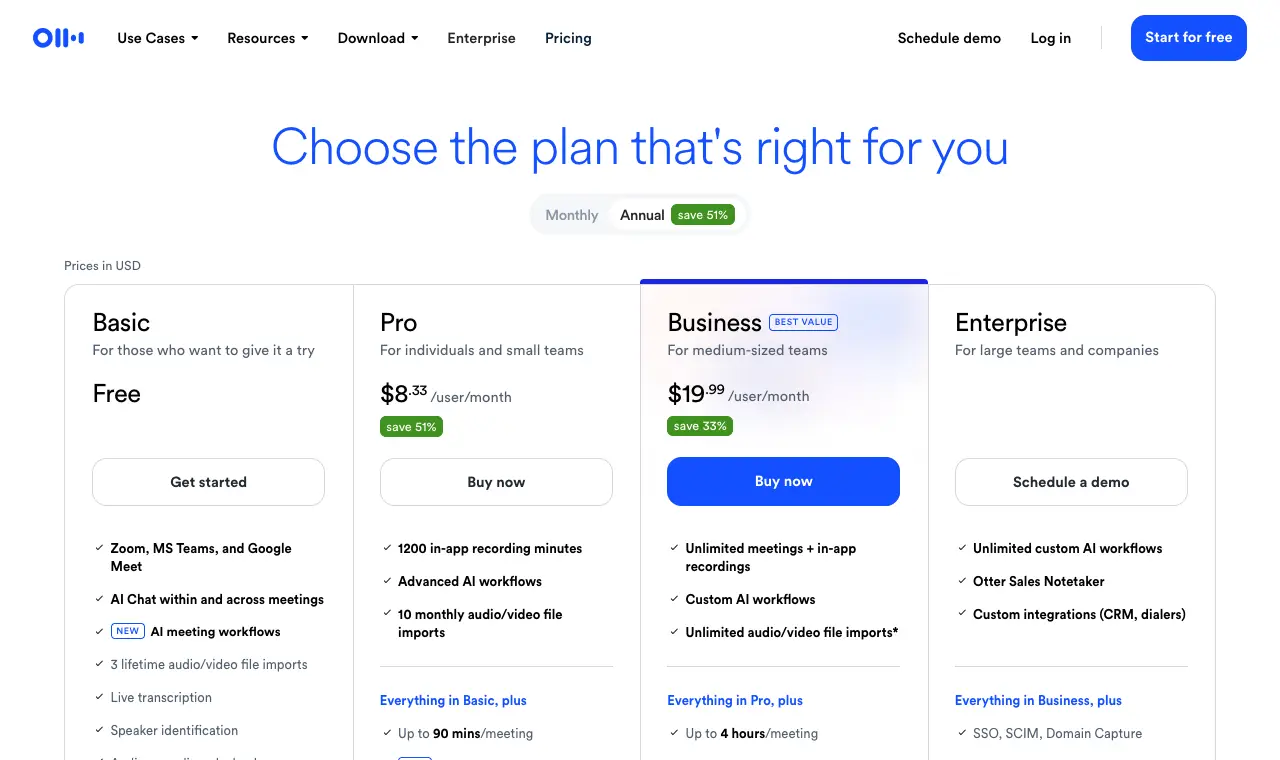
Price Free; Pro $16.99/month or $8.33/month billed yearly; Business $30/user/month or $19.99 billed yearlyFree 300 minutes a month, 30 minutes per conversation, 3 file imports ever; export mp3 and txt onlyRuns on Web, iOS, Android; Zoom/Teams/Meet notetaker
What it does well
- Live recording and transcription in the app, plus a meeting notetaker
- Speaker identification on every plan, including free
- Pro exports mp3, txt, pdf, docx and srt
Where it falls short
- Built around meetings: Pro allows only 10 uploaded files a month and 90 minutes each, so a long back catalogue does not fit
- No VTT export listed on the pricing page
- Privacy policy (updated 16 June 2026) says Otter trains its AI on de-identified audio and transcriptions; a consolidated class action over recording and training is pending (allegations only)
What its users say
“It does an amazing job transcribing voice to text. It’s very accurate. It’s very fast.”
“Then recently they charged over $100 with around 50% less minutes for use each month. So now, I run out of minutes about 1-2 weeks at the beginning of each month.”
“I’ve tried Otter.ai’s free tier but it caps out quickly.”
“I was supposed to get a discounted rate, but they ended up charging me the full rate. I canceled the subscription, but a year later I get a notice that it is automatically renewing.”
In the directoryPricing pageread 6 October 2026
03
Slice Transcribeours
Best for podcasters who want a transcript of each episode without a subscription: free for one a day, then hours you buy once.
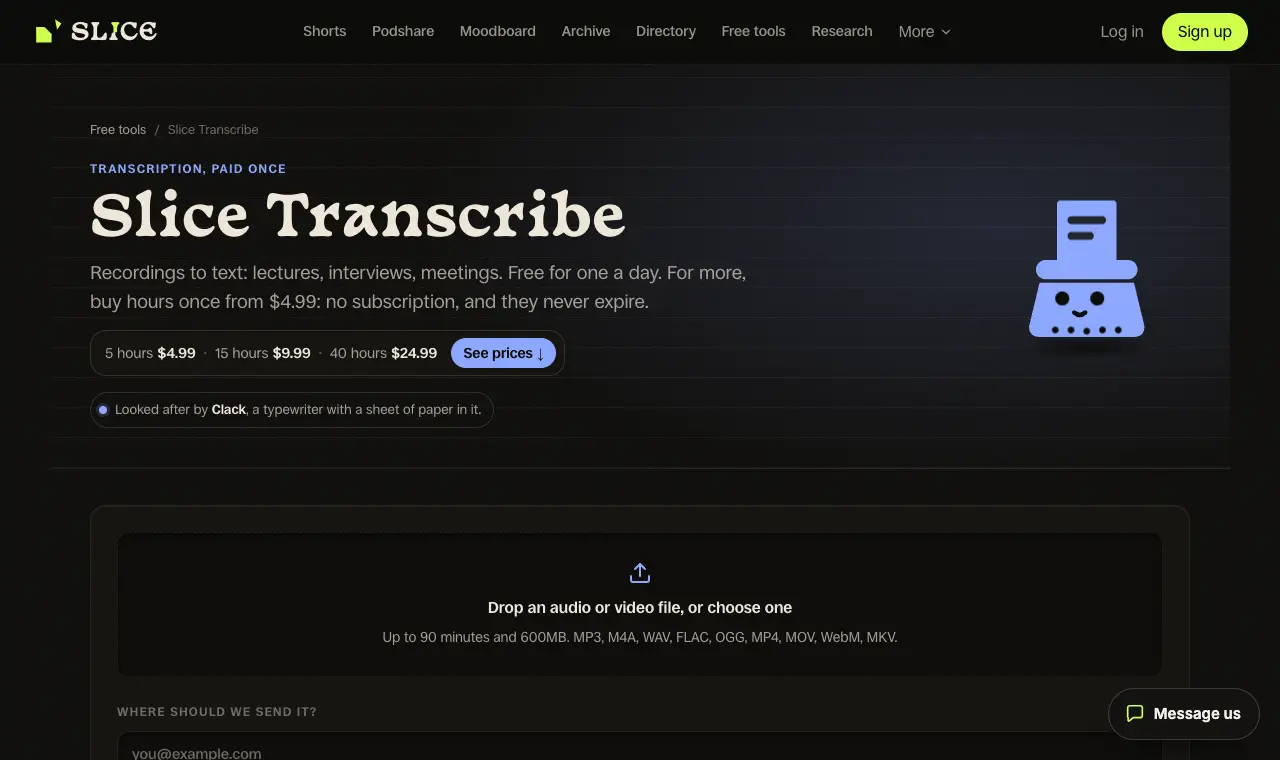
Price Free; hour packs 5 hours $4.99, 15 hours $9.99, 40 hours $24.99Free One recording a day, up to 90 minutes, any language; just an email addressRuns on Web, in any browser
What it does well
- One recording a day free, up to 90 minutes, in the language that was spoken, with speakers labelled.
- Downloads as .txt, .srt and .vtt; with hours, Word, Copy for Notion and timestamped notes too.
- Hour packs are paid once and never expire: 5 hours $4.99, 15 hours $9.99, 40 hours $24.99.
Where it falls short
- Upload only: it does not record or transcribe live.
- No editor that cuts the audio by editing the text, as Descript has.
- No third-party reviews of it to report yet.
04
Rev
Best for shows that need a human-checked transcript for publishing or legal clearance, with AI for everyday drafts.
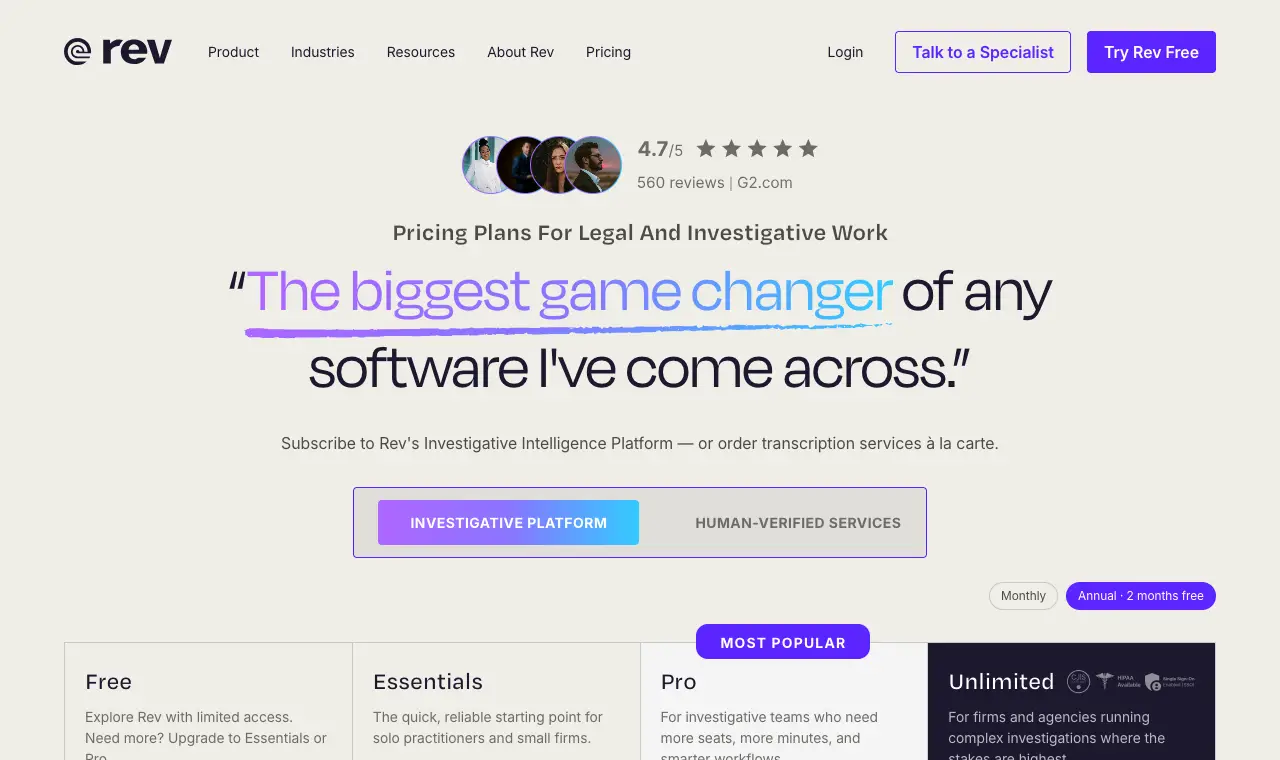
Price Free; Essentials $29.99/seat/month or $25.49 billed yearly; Pro $59.99 or $47.99 billed yearly; human transcription $1.99/minuteFree 45 AI minutes a month, English onlyRuns on Web; Rev mobile app for recording (iOS listed on the App Store)
What it does well
- Only tool here that sells per-minute human transcription ($1.99/minute) alongside AI
- Exports Word (.docx), PDF and TXT transcripts, and SRT, VTT and other caption formats
- Capterra reviewers single out its speaker separation
Where it falls short
- Plans are now sold for legal and investigative work and are priced well above podcast-focused tools
- Since its 6 Sept 2023 terms Rev uses customer data anonymously to train its AI; only Enterprise and Unlimited customers can opt out
- Free tier is 45 English-only minutes a month, under one typical episode
What its users say
“Excellent value; excellent response time; accuracy exceeded expectations.”
“I was apparently told that I can only use their transcription editor on the rev.com platform for the first 90 minutes of any meeting.”
“Our podcast has 500+ episodes with about 300 of the most recent having good transcripts (rev.com generated and professional human corrected).”
“Unless only two people are on a call, the speakers on audio files typically cannot be identified accurately beyond "Speaker 1," "Speaker 2," etc.”
In the directoryPricing pageread 6 October 2026
05
Descript
Best for podcasters who want to edit the episode itself by editing the transcript.
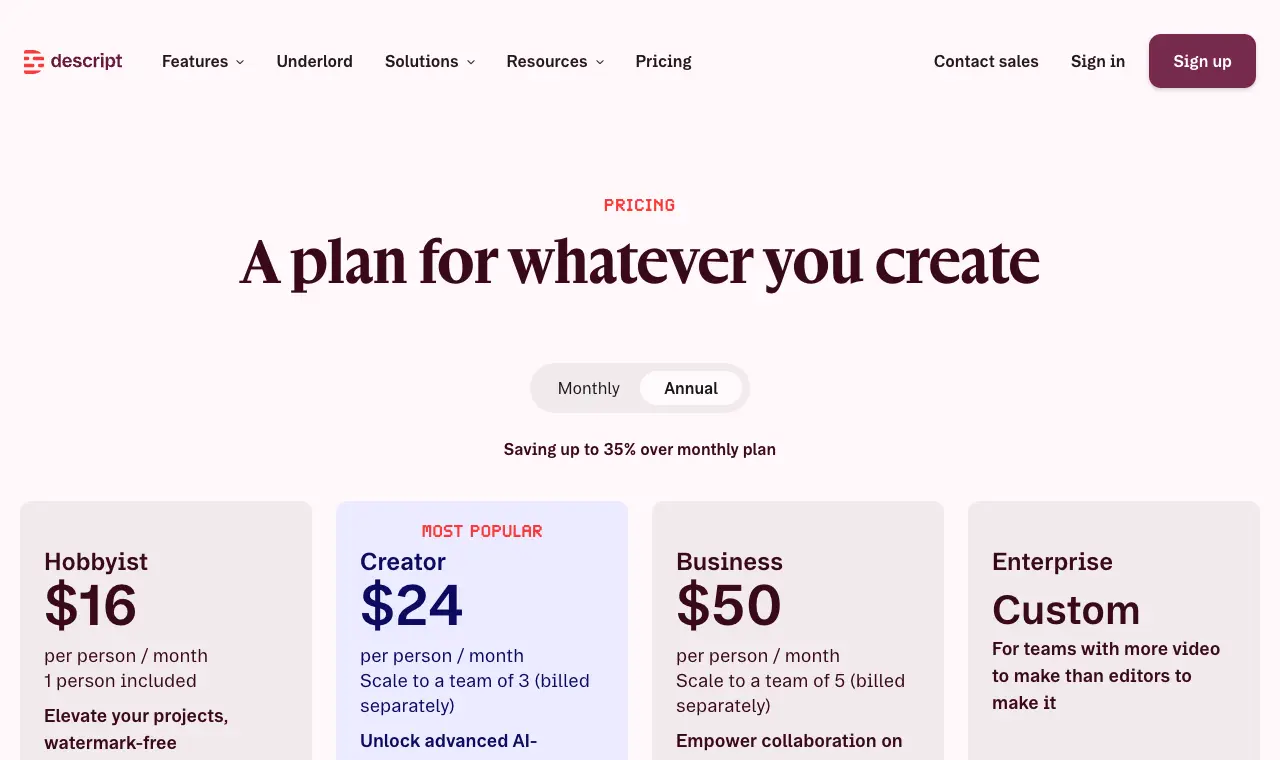
Price Free; Hobbyist $24/month or $16 billed yearly; Creator $35 or $24; Business $65 or $50Free 60 media minutes a month, 100 one-time AI credits, files up to 1GBRuns on Mac, Windows, web
What it does well
- A full audio/video editor: cut the episode by deleting words in the transcript
- Exports transcripts as .docx, .txt, .rtf, .md or .html and subtitles as SRT or VTT, with optional speaker labels
- Help centre says production AI models use no Descript user data and R&D models use only data from users who opted into data sharing
Where it falls short
- Expensive if you only need transcripts: media hours are capped and counted on every upload
- Trustpilot 2.6 (290); recent low-star reviews cite AI credits, bugs and cancelling
- Capterra reviewers report cleaning up transcript errors and speaker labels
What its users say
“I LOVE the editing via text feature, eye contact feature, removing filler, editing pauses (via the script) and copy and paste features for editing.”
“Burned through 800 credits just trying to clean up filler pauses on a short reel, and it kept deleting actual words out of the hook and desyncing the audio track.”
“i used to use descript to transcreipt episodes for notes. but i'd love to avoid the monthly fee.”
In the directoryPricing pageread 6 October 2026
06
Happy Scribe
Best for podcasters who publish subtitles in many languages and want optional human proofreading.
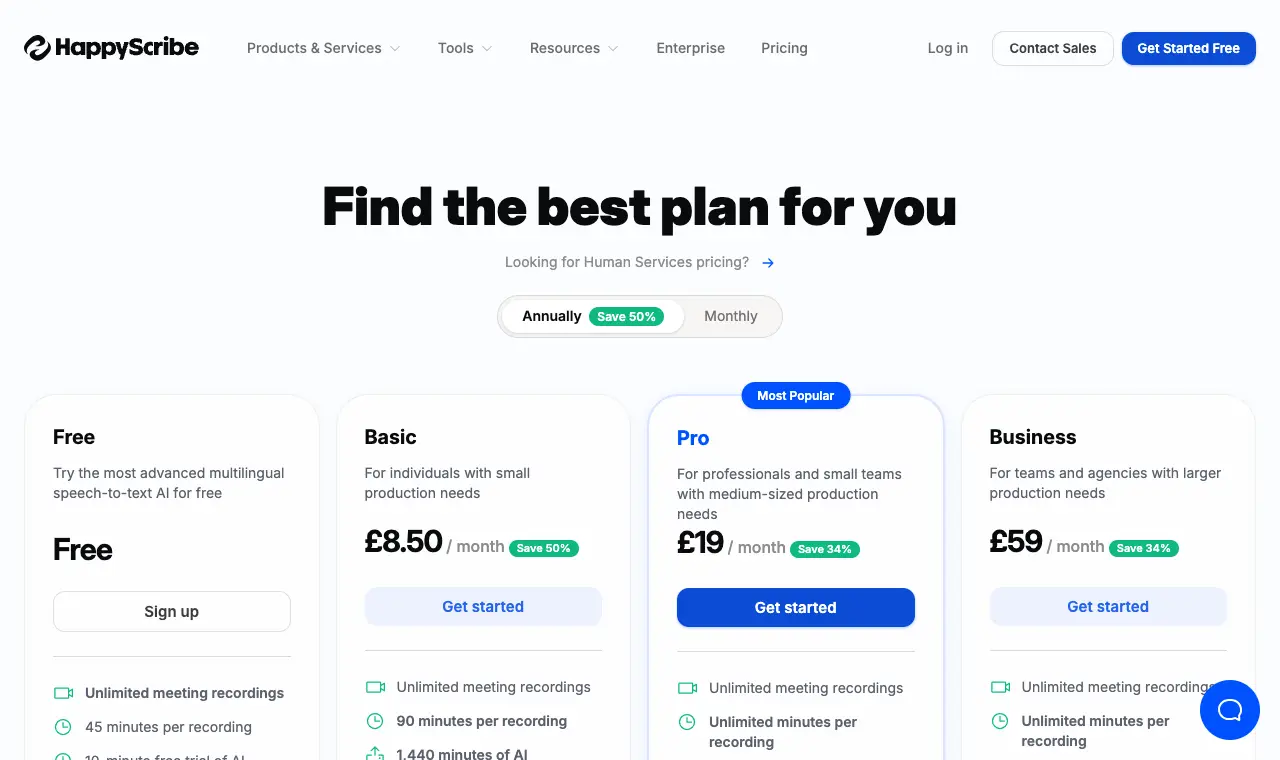
Price Free; Basic £17/month or £8.50 billed yearly; Pro £29 or £19; Business £89 or £59 (shown in pounds from the UK; dollar prices not read)Free 10-minute free trial of AI transcription; TXT and SRT export; speaker detectionRuns on Web, iOS
What it does well
- Pro exports 'all formats (15+)' including VTT, STL, XML, FCPXML and EDL; Basic gets TXT, SRT, PDF, DOCX
- Automatic speaker detection on every plan, including free
- AI training is opt-in and off by default (help centre); workspace admins control it
- Human proofreading add-on (from £1.50/minute, '99% accuracy')
Where it falls short
- Free tier is a 10-minute trial, not an ongoing allowance
- Basic's 120 minutes a month covers about two hour-long episodes
- Trustpilot 2.2 from only 14 reviews
What its users say
“We use this software now every day at work to subtitle content for Instagram, where users often disable the audio.”
“Instead of telling you in advance they only give you free ten minutes, they make you waste your time to lure to halfway through your file where they ask for cash.”
In the directoryPricing pageread 6 October 2026
07
Sonix
Best for podcasters who want pay-as-you-go hourly pricing and exports straight into their video editor.
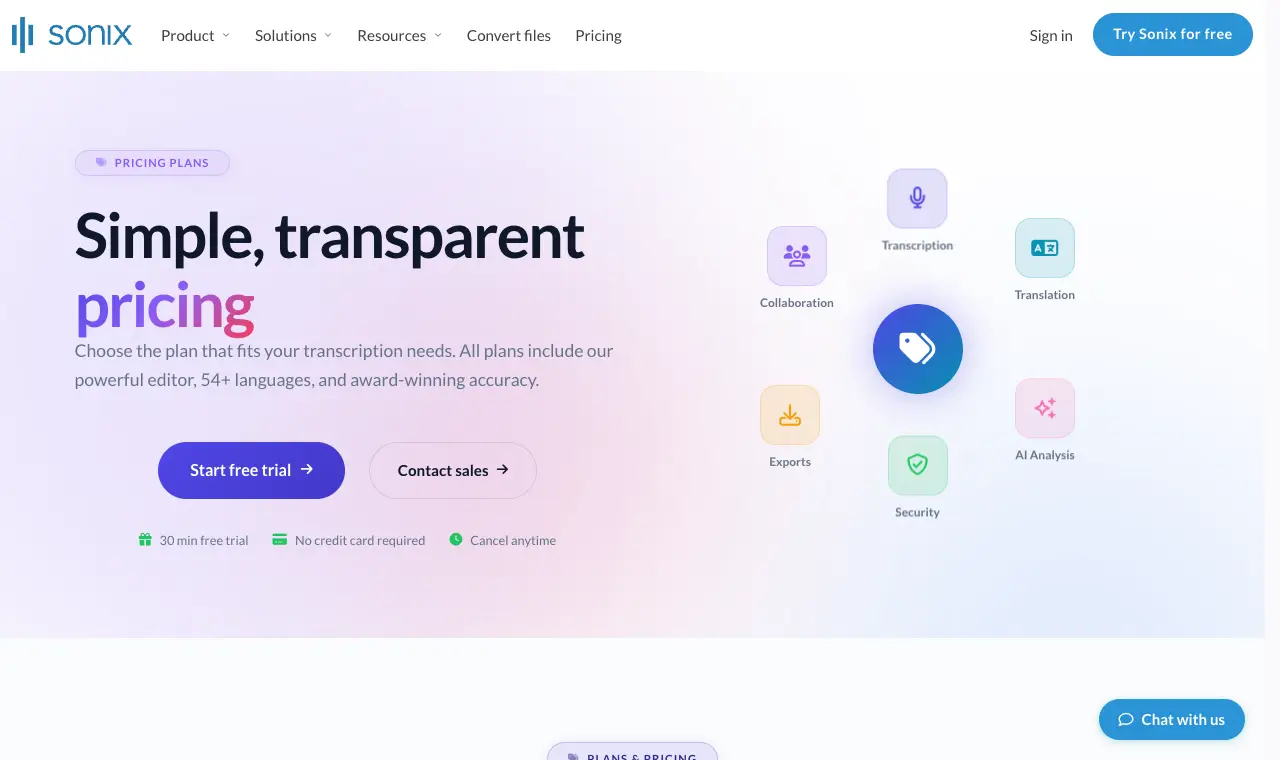
Price $10/hour pay as you go; Core $25/month (5 hours) or $275/year; Advanced $50 (20 hours) or $550/year; Pro $80 (40 hours) or $880/yearFree 30-minute free trial, no credit cardRuns on Web
What it does well
- Simple per-hour price ($10/hour) with no subscription needed
- Automatic speaker labels you can rename; exports DOCX, PDF, TXT, SRT and VTT, plus Premiere Pro, Final Cut Pro, DaVinci Resolve and Avid
- Security page: 'None of your data processed through Sonix is used for training purposes'; SOC 2 Type II
Where it falls short
- Pay-as-you-go at $10/hour is several times dearer per hour than flat-rate tools for big back catalogues
- A Capterra reviewer calls the monthly fee to keep an account active too much for light use
- 8-hour file cap unless extended
What its users say
“I have tried several different software for transcriptions and this is by far the best one. There are useful features like confidence indicators and speaker ID.”
“Waiting for over 2 hours for a 28-minute video to upload. The last .1 Mb has been uploading for an hour.”
“However, the downside is that it's rather expensive.”
“The results were great considering the material I gave them to work with, phone calls with people talking over each other.”
In the directoryPricing pageread 6 October 2026
08
MacWhisper
Best for Mac users who want unlimited transcripts that never leave their computer, for a one-time price.
Price Free; Pro €64 one-time licence (shown in euros; dollar price not read)Free Free forever: records from the Mac mic, takes mp3, wav, m4a, ogg, opus, mov and mp4, 100 languages, exports .srt, .vtt and .txtRuns on Mac (separate App Store version, 'Whisper Transcription', also on iPhone/iPad)
What it does well
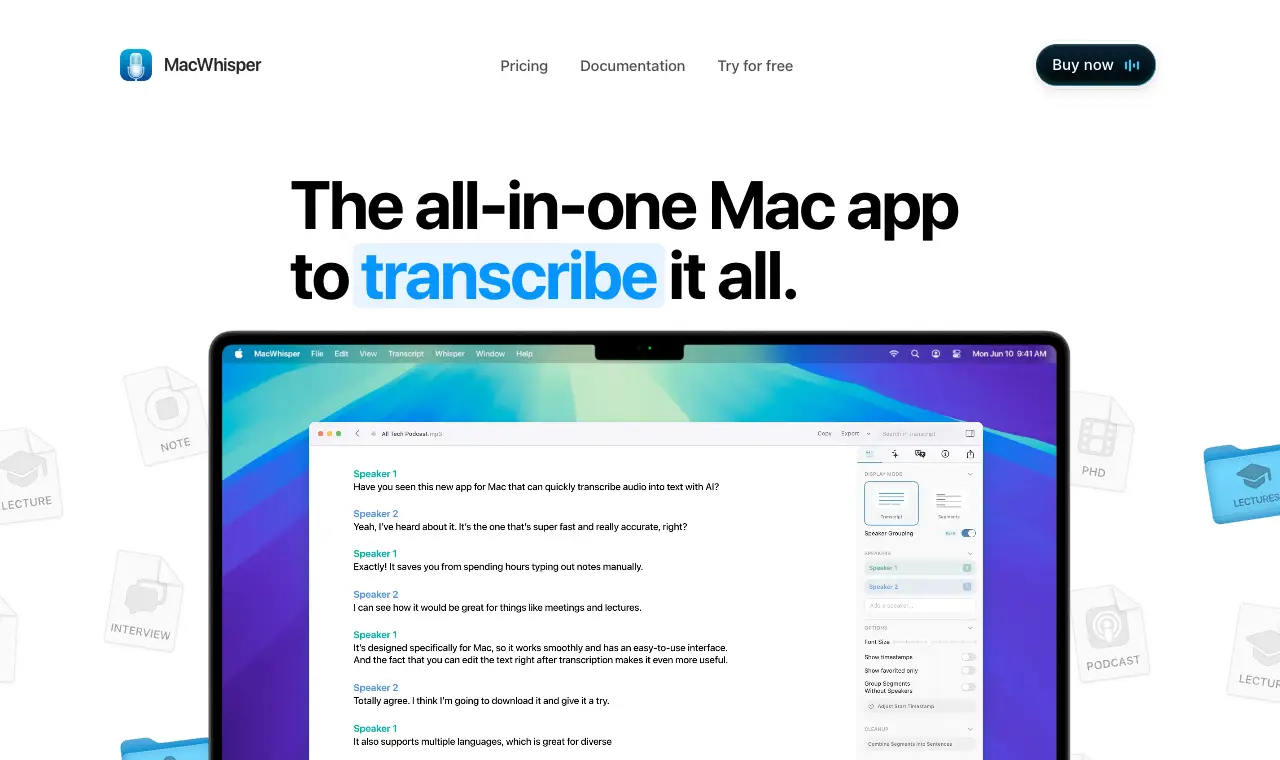
- Transcribes on the Mac with local models: 'Process sensitive content locally without data ever leaving your Mac'
- Pro adds automatic speaker recognition, 'Transcribe podcasts with individual files per speaker', batch transcription and .docx/.pdf/.md/.html export
- One-time payment: 'No Subscription, unlimited transcriptions and access to all current and future updates' (Gumroad listing)
Where it falls short
- Mac only; speed depends on your hardware
- App Store reviewers report missing features on Intel Macs (including speaker detection) and that the App Store version lacks dictation
- Free version has no speaker recognition or Word export
What its users say
“I use it for transcribing single person voice memos mainly but I've used it to transcribe 3 hour long conversations using the "Transcribe Podcast" feature and it worked perfectly.”
“I do find transcription quite accurate on the word level, though not identifying speakers--frequently identifies many more speakers than there are and missatributes speach.”
“The ability to process files locally on my Mac without sending sensitive audio to the cloud is a huge advantage for privacy and security.”
Source pageread 6 October 2026
Questions
Which podcast transcription tool is cheapest per hour?
For heavy use, TurboScribe Unlimited is a flat $10/month billed yearly ($20 monthly) with no stated hour cap, and MacWhisper Pro is a one-time €64 licence that runs on your own Mac. Sonix pay-as-you-go is $10 an hour, and Rev's human transcription is $1.99 a minute (about $119 an hour).
Which tools label speakers?
All seven list speaker identification: Otter and Happy Scribe include it on their free plans, MacWhisper only in Pro, and Sonix lets you rename labelled speakers. Descript can include speaker labels in exported transcripts and subtitles.
Which ones export SRT and VTT captions?
TurboScribe, Rev, Descript, Sonix and MacWhisper (free version included) export both SRT and VTT. Happy Scribe's free and Basic plans export SRT, and VTT is listed on Pro. Otter's pricing page lists SRT but not VTT.
Can I transcribe a 3-hour episode?
TurboScribe Unlimited takes files up to 10 hours and Sonix up to 8 hours. Otter caps a conversation at 90 minutes on Pro and 4 hours on Business; its free plan stops at 30 minutes. Rev does not state a maximum length on its pricing page.
Will my audio be used to train AI?
TurboScribe and Sonix say they do not train on customer files, and MacWhisper transcribes locally on your Mac. Happy Scribe's training is opt-in and off by default, and Descript uses only data from users who opted into data sharing. Otter's privacy policy says it trains on de-identified audio and transcripts, and Rev uses customer data anonymously to train its AI, with an opt-out only on Enterprise and Unlimited plans.