Checked 6 October 2026 · 7 tools
The best remote podcast recording software.
Tools for recording guests who are somewhere else, compared on what decides the sound: whether each person is recorded locally, separate tracks, video resolution, how many guests, the free tier, and whether your guest needs an account.
How we chose. We started from the remote recorders podcasters most often weigh up (Riverside, Zencastr, SquadCast/Descript Rooms, StreamYard, Cleanfeed, Adobe Podcast) and kept Zoom as the baseline most people already have. Welder was dropped because its domain now redirects to a for-sale page. Nothing here was tested hands-on. User quotes come from Trustpilot, Reddit (r/podcasting) and App Store, and each was checked word for word against the page it links to; a quote that could not be checked is not here.
We make Slice, a few of whose tools appear here where they do the job; they are marked “ours”. No tool paid to be listed.
Which one, in ten seconds
Find the line that sounds like you.
- You record a video podcast with several remote guests and want 4K per-person tracksRiverside
- You want separate local tracks for free and have no more than 5 guestsZencastr
- You already edit in DescriptDescript Rooms (formerly SquadCast)
- You stream live and want clean per-person files of the same sessionStreamYard
- Your show is audio-only and you want a WAV track per guest with many guestsCleanfeed
- You want free remote recording plus audio clean-up and can live with 30-minute free projectsAdobe Podcast Studio
- You only need a quick call with separate audio files and everyone already uses itZoom Workplace
Side by side
| Tool | Best for | Price | Free tier | Key limits | Platforms |
|---|---|---|---|---|---|
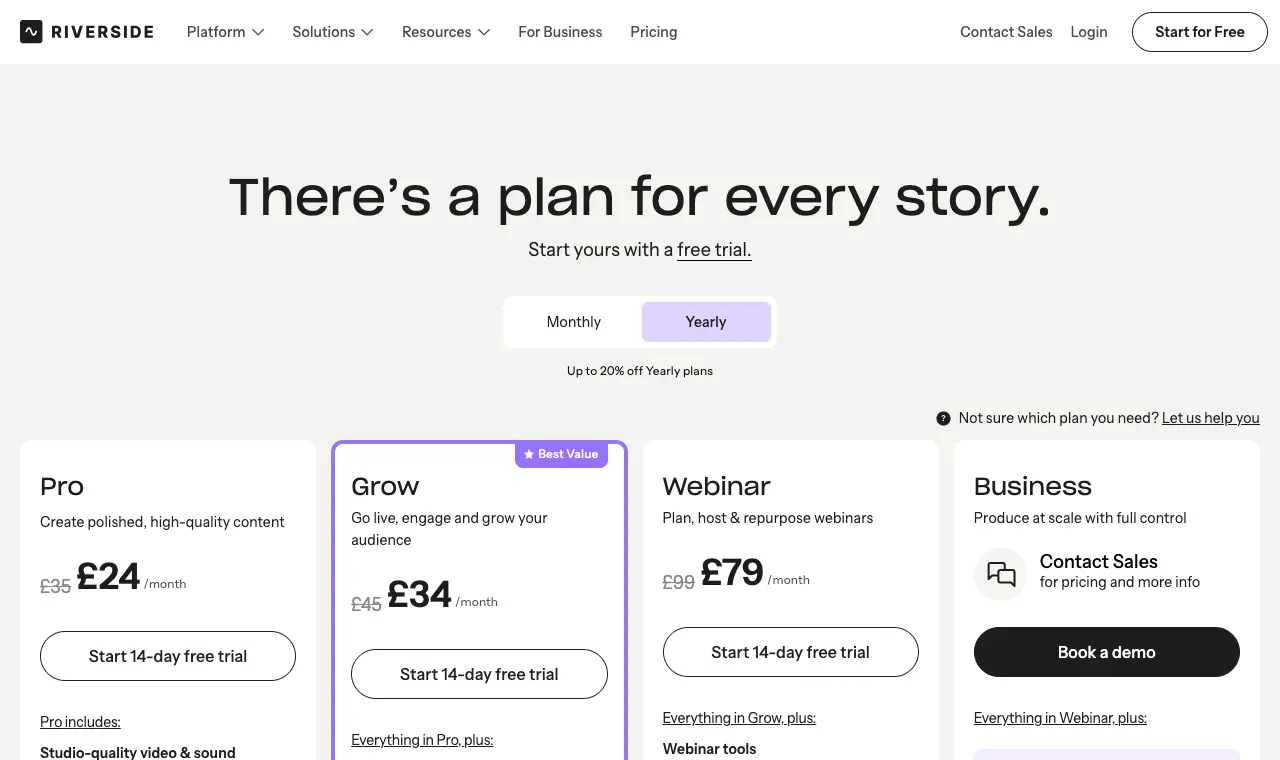
| Riverside | video podcasts with several remote guests where you want each person's 4K video and WAV audio on its own track | Free; Pro $29/month ($24/month billed yearly); Grow $39/month ($34 yearly); Webinar $99/month ($79 yearly); Business by quote | 2 hours of multi-track recording, one time only; up to 720p video, 44.1 kHz audio and a Riverside watermark; unlimited single-track recording. | Up to 10 recorded participants (9 guests + host). Separate-track downloads are capped: 15 hrs/month on Pro, 20 on Grow, 25 on Webinar, unlimited on Business; the pricing FAQ says recording itself is unlimited and the cap is on downloading per-person tracks. | Web browser; iOS, Android and iPad apps |
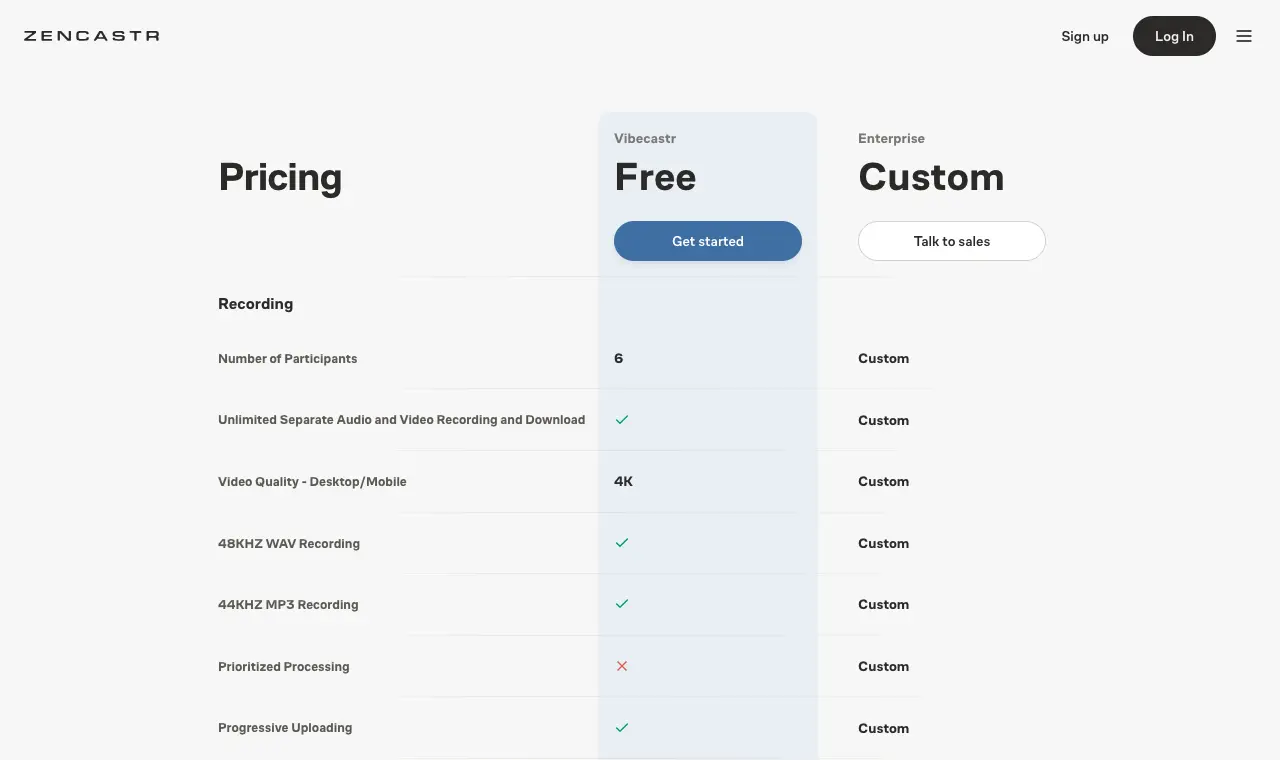
| Zencastr | getting double-ender recording with separate tracks for free, if you have up to 5 guests | Free (Vibecastr plan); Enterprise by quote | The free Vibecastr plan lists 6 participants, unlimited separate audio and video tracks, up to 4K video, 48 kHz WAV and 44 kHz MP3 recording, unlimited track storage and transcription hours, 4 seats and 5 shows. | 6 participants per session on the free plan; the pricing page shows no paid self-serve plan, only Enterprise (custom). | Web browser; iOS app |
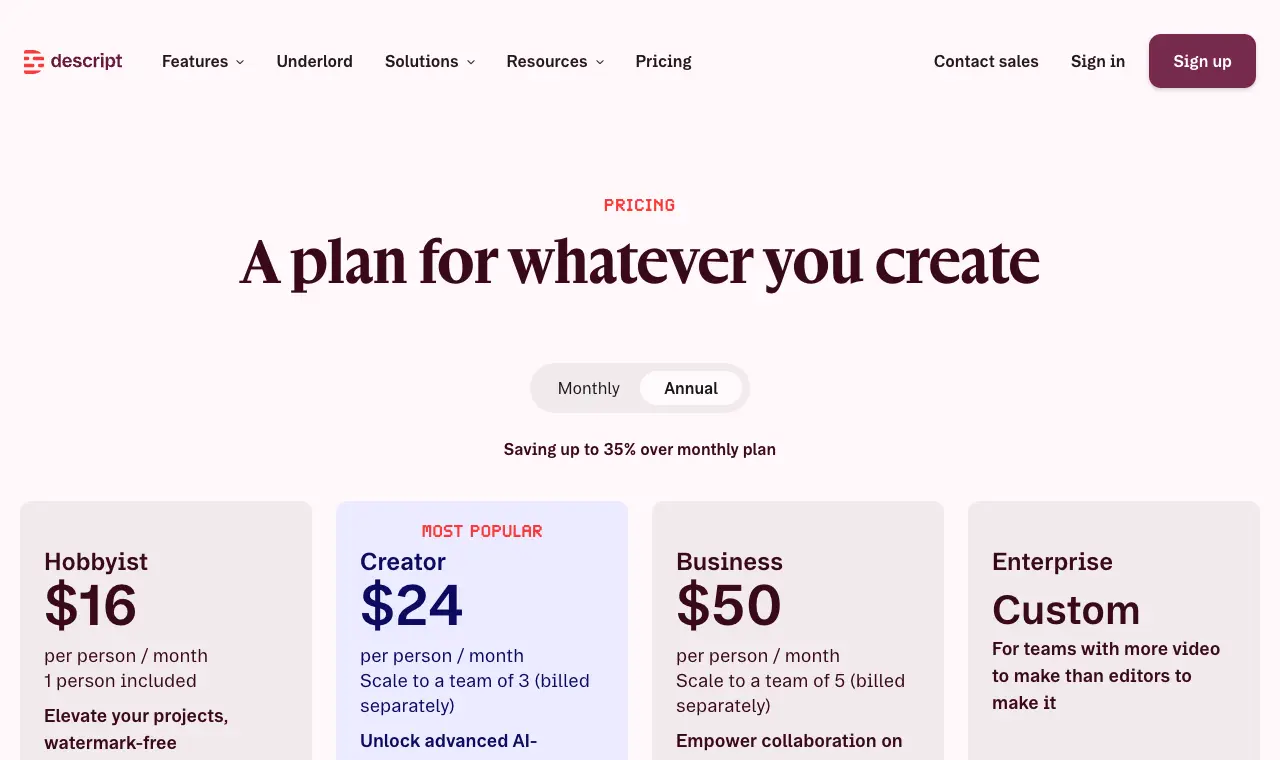
| Descript Rooms (formerly SquadCast) | people who already edit in Descript and want the recording to land straight in a Descript project | Free; Hobbyist $24/month ($16/month billed yearly); Creator $35/month ($24 yearly); Business $65/month ($50 yearly) | 2 hours of Rooms recording, 10 participants, 60 media minutes a month, 720p watermarked export. | 10 recorded participants per room on every plan; recording hours per drive: 2 (Free), 5/month (Hobbyist), 15/month (Creator), 25/month (Business); recording time also counts toward media minutes. | Desktop web browser (Chrome/Chromium, Safari, Firefox); not supported on mobile |
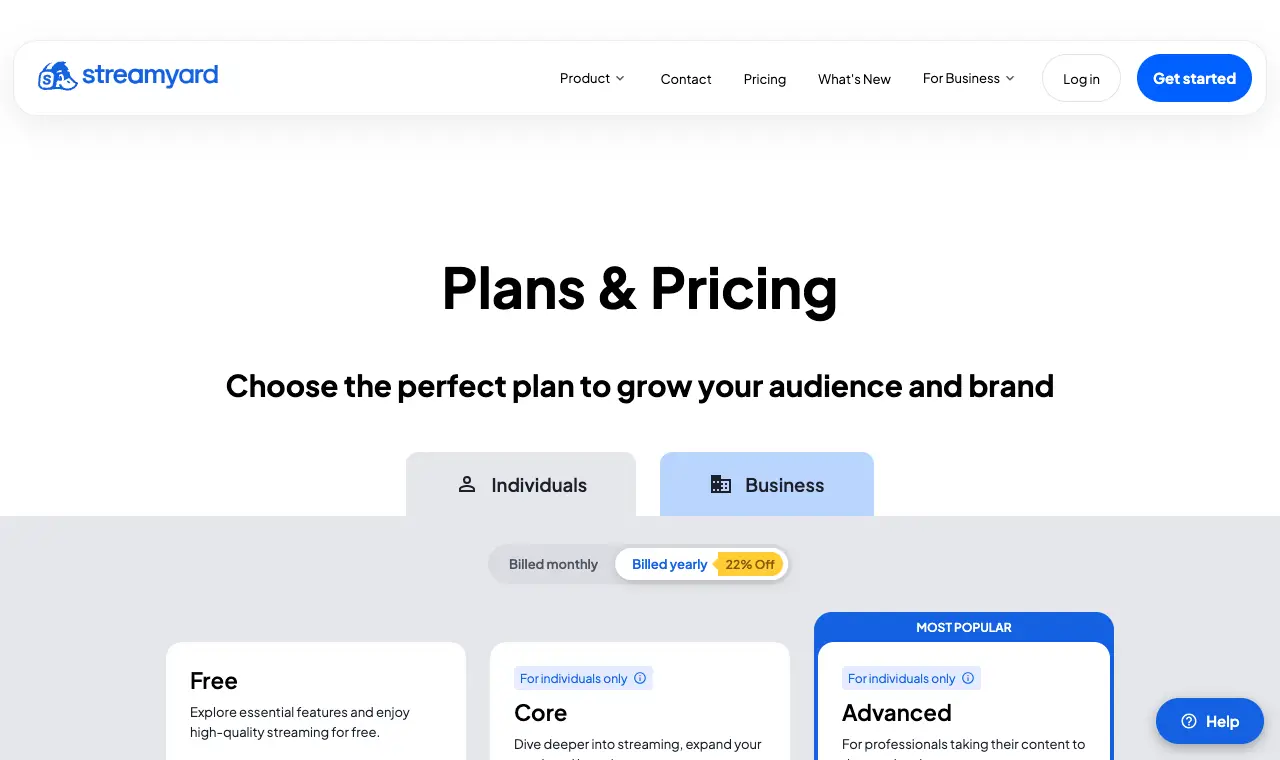
| StreamYard | shows that go live and also want clean per-person recordings of the same session | Free; Core $44.99/month ($35.99/month billed yearly); Advanced $88.99/month ($68.99/month billed yearly) | 2 hours a month of local recording (recordings only, not live streams), 6 on-screen participants, StreamYard logo, limited storage. | 6 on-screen participants on Free, 10 on Core; local recordings 1080p on Core, 4K on Advanced; per-person audio tracks are WAV. | Web browser; guests can join from a phone |
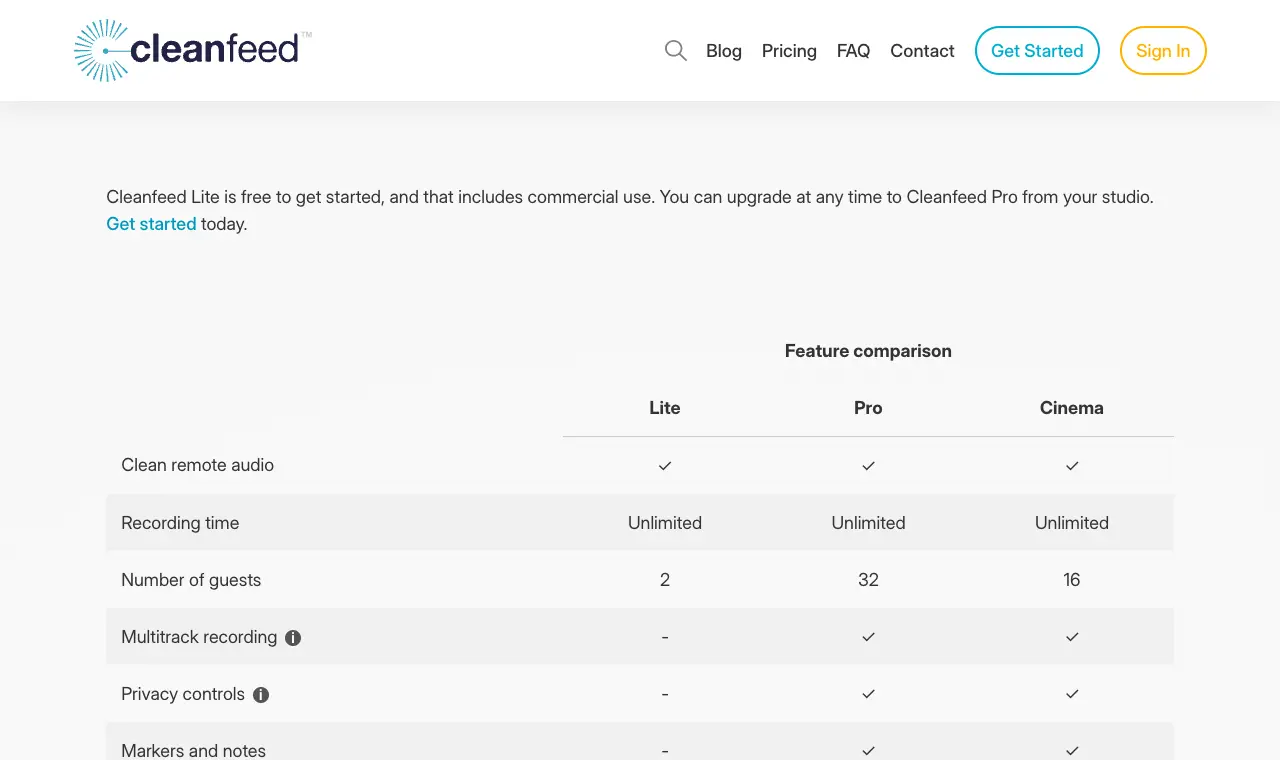
| Cleanfeed | audio-only shows that want broadcast-style live audio and a WAV track per guest, without video | Lite free (commercial use allowed); Pro $36/month for businesses, $23/month at the subsidised rate (personal, charity, education); 20% off yearly; Cinema $2,500/year per seat | Cleanfeed Lite: unlimited recording time, 2 guests, mono remote audio, no multitrack (one mixed recording). | Lite: 2 guests, no separate tracks. Pro: 32 guests, a separate track per guest, stereo. No video except on Cinema. | Web browser (host on computer); guests can join on iPhone/iPad via Safari (beta) |
| Adobe Podcast Studio | audio-first shows that want free remote recording plus Adobe's Enhance Speech clean-up in the same browser tab | Free; premium features come with Adobe's Firefly Pro plan (price not shown on the Adobe Podcast plans page) | Unlimited remote recording; projects up to 30 minutes for download, 2 downloads a day; no download of the original speaker-separated recordings. | Free: 30-minute max project, 2 project downloads a day, no original per-speaker files. Firefly Pro: 2-hour projects, unlimited downloads, original recordings speaker-separated. No hard guest limit; Adobe recommends up to 5 guests. Chrome on desktop only. | Google Chrome on desktop only (Studio is in beta) |
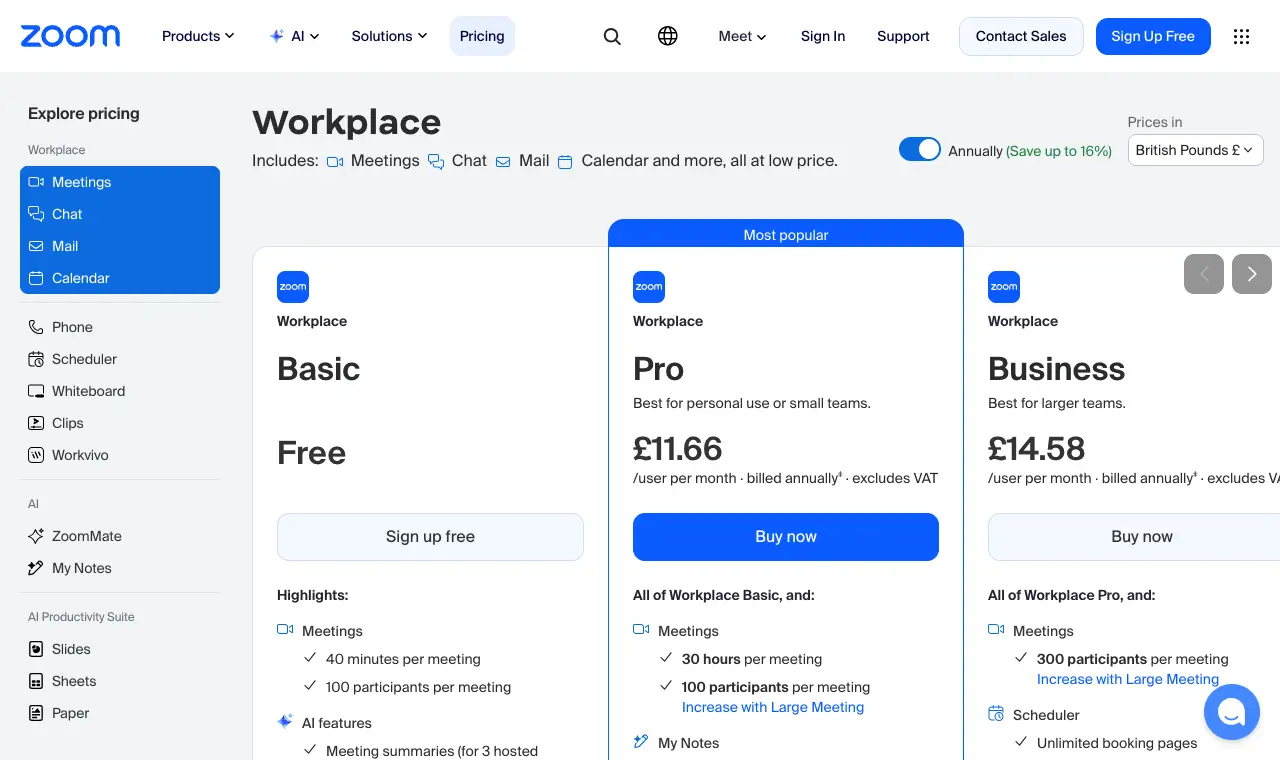
| Zoom Workplace | Best as the baseline: everyone already has it, and it can save a separate audio file per person, but it records the call, not each guest's device | Free (Basic); Pro $14.16/user/month billed yearly; Business $18.33/user/month billed yearly | Basic: 40 minutes per meeting, 100 participants; computer (local) recording is available on the free plan. | 40-minute meetings on Basic (30 hours on Pro); separate per-person audio files are an option in recording settings; video is one file of the meeting as the recorder sees it. | Windows, macOS, Linux desktop apps (computer recording is not supported on iOS, iPad or Android); web |
Prices in US dollars from each vendor’s pricing page, unless a row says otherwise.
01
Riverside
Best for video podcasts with several remote guests where you want each person's 4K video and WAV audio on its own track.
Price Free; Pro $29/month ($24/month billed yearly); Grow $39/month ($34 yearly); Webinar $99/month ($79 yearly); Business by quoteFree 2 hours of multi-track recording, one time only; up to 720p video, 44.1 kHz audio and a Riverside watermark; unlimited single-track recording.Runs on Web browser; iOS, Android and iPad apps
What it does well
- Records each person locally and uploads the files, so a bad connection does not end up in the final tracks (Riverside FAQ).
- Up to 4K video and uncompressed 48 kHz WAV audio on paid plans, as long as the equipment supports it (riverside.com/faq, pricing page).
- Guests join from a link with no account, sign-up or install; screen shares are recorded on their own track (riverside.com/faq).
- Editing, Magic Clips and podcast hosting are in the same plan (pricing page).
Where it falls short
- The free plan is a one-off 2 hours of multi-track recording at 720p with a watermark (pricing page).
- Paid plans cap how many hours of separate tracks you can download each month (15 hrs on Pro) (pricing page FAQ).
- Trustpilot scores it 3.7, well below its G2 and Capterra scores; low-star reviews sampled on 30 Sept were mostly about billing and cancelling, support, and lag (Trustpilot).
What its users say
“The editing suite was a game changer for me and helped me in my recording process of interviewing people across different continents.”
“when we wrapped, my guest's tracks were there. mine - the host track - did not exist.”
“The separate local tracks make editing way easier, especially when someone’s internet decides to have a meltdown halfway through, I still get everyone to record locally as a backup though.”
“Riverside is an absolutely great remote recording platform ( when it doesn't have issues) but an absolutely mediocre editor!”
In the directoryPricing pageread 6 October 2026
02
Zencastr
Best for getting double-ender recording with separate tracks for free, if you have up to 5 guests.
Price Free (Vibecastr plan); Enterprise by quoteFree The free Vibecastr plan lists 6 participants, unlimited separate audio and video tracks, up to 4K video, 48 kHz WAV and 44 kHz MP3 recording, unlimited track storage and transcription hours, 4 seats and 5 shows.Runs on Web browser; iOS app
What it does well
- Records locally on each person's device, so the WiFi connection does not decide the quality of the files (zencastr.com/feature/recording).
- Each participant is recorded on a separate track, with up to 4K video and 48 kHz WAV or MP3 audio, on the free plan (zencastr.com/feature/recording, pricing page).
- Guests join from an invite link with no sign-up or account, including from the phone app with a link or 5-digit code (zencastr.com/feature/mobile).
Where it falls short
- The pricing page lists only a free plan and Enterprise with custom pricing, so there is no published paid tier to compare against (pricing page).
- Review scores are low on small samples: 3.6 on Capterra (17 reviews) and 2.5 on Trustpilot (7 reviews), with complaints about billing (Capterra, Trustpilot).
What its users say
“I’m have been podcasting for a while and my guests never had a phone and it was always a hassle to record them. This app made it sooo much easier to record with people remotely”
“They charged an expired credit card I had on file for a service I don't want”
“I've been on the free Zencastr plan for about 8 months and it's held up fine for a weekly 45 minute show. The local recordings save separately for each guest which is clutch, you're not at the mercy of someone's spotty wifi ruining the whole track.”
“I love the audio and video quality, and the ability to edit each speaker independently from the others, but I have to fight just to get my files at all.”
In the directoryPricing pageread 6 October 2026
03
Descript Rooms (formerly SquadCast)
Best for people who already edit in Descript and want the recording to land straight in a Descript project.
Price Free; Hobbyist $24/month ($16/month billed yearly); Creator $35/month ($24 yearly); Business $65/month ($50 yearly)Free 2 hours of Rooms recording, 10 participants, 60 media minutes a month, 720p watermarked export.Runs on Desktop web browser (Chrome/Chromium, Safari, Firefox); not supported on mobile
What it does well
- Descript says Rooms records separate, double-ended tracks from each participant's device and uploads them progressively during the session (help.descript.com, Audio and video quality).
- Up to 4K video at 48 kHz; a lossless WAV file per participant is optional in Chromium browsers (help.descript.com, Audio and video quality).
- Guests join from an invite link with no Drive membership (help.descript.com, Roles); each session is imported, transcribed and set up as a Descript project (pricing page).
- SquadCast itself still runs and is free for Descript users; it records WAV or MP3 at 48 kHz and up to 4K, and guests need no SquadCast account (help.descript.com).
Where it falls short
- Descript says Rooms will eventually replace SquadCast, with no sunset date set yet (Rooms FAQ).
- Rooms is not supported on mobile, and Descript warns that recordings made by bypassing the block may fail (help.descript.com).
- Rooms has no MP3 recording option; audio is MP4 (AAC), or WebM (Opus) in Firefox (help.descript.com).
What its users say
“I am doing free trial of Squadcast and I am impressed w/ how it performed, especially given where I am it is a particularly windy day and the WiFi was a bit unstable.”
“Descript is just letting Squadcast die while replacing it with a primitive and glitchy remote recording capability while also creating more and more bloat and bugginess across the whole system.”
“Squadcast was an amazing tool until it was bought by Descript.”
In the directoryPricing pageread 6 October 2026
04
StreamYard
Best for shows that go live and also want clean per-person recordings of the same session.
Price Free; Core $44.99/month ($35.99/month billed yearly); Advanced $88.99/month ($68.99/month billed yearly)Free 2 hours a month of local recording (recordings only, not live streams), 6 on-screen participants, StreamYard logo, limited storage.Runs on Web browser; guests can join from a phone
What it does well
- Local recording saves a separate audio file and a separate video file for each participant, recorded on their own device (StreamYard help, Local Recording).
- Per-person audio downloads as WAV; the combined mix is MP3 (StreamYard help).
- Paid plans have unlimited local recording; Advanced records local video in 4K (pricing page).
Where it falls short
- Local recording must be switched on before the session; if it was off, per-person files cannot be recovered (StreamYard help).
- Brand overlays do not appear in local recordings, and you cannot download a local mixed version, only the cloud mix (StreamYard help).
- The pricing page notes that individual plans are not for commercial use.
What its users say
“They have a very responsive helpdesk, and the product is a good one! We use it for streaming podcast episodes, and recording training sessions.”
“When someone drops down from the panel the other members of the panel are unable to hear, and have to drop down and come back up. It disrupts the conversation.”
“I like Streamyard but not crazy about the price.”
“Unworkable pricing model for the typcial podcaster with limited revenue.”
Pricing pageread 6 October 2026
05
Cleanfeed
Best for audio-only shows that want broadcast-style live audio and a WAV track per guest, without video.
Price Lite free (commercial use allowed); Pro $36/month for businesses, $23/month at the subsidised rate (personal, charity, education); 20% off yearly; Cinema $2,500/year per seatFree Cleanfeed Lite: unlimited recording time, 2 guests, mono remote audio, no multitrack (one mixed recording).Runs on Web browser (host on computer); guests can join on iPhone/iPad via Safari (beta)
What it does well
- Pro records each guest to a separate high-quality WAV file, saved as a Zip (Cleanfeed knowledgebase).
- Guests do not sign up or pay; they join from a link in a browser (Cleanfeed knowledgebase, Joining as a guest).
- Unlimited recording time on every plan, including the free Lite plan (pricing page).
Where it falls short
- Recording happens on the host's side over the live connection, not locally on each guest's device (Cleanfeed FAQ), so a guest's dropouts can reach the recording.
- No video on Lite or Pro; video is only in Cinema at $2,500 a year (pricing page).
- Separate tracks need Pro; the free plan gives one mixed recording (pricing page).
What its users say
“I absolutely loved CleanFeed.”
“The main thing we don't like is that if the session host loses connection, we lose our recorded audio file along with them.”
“Cleanfeed went from free to $22 a month today.”
In the directoryPricing pageread 6 October 2026
06
Adobe Podcast Studio
Best for audio-first shows that want free remote recording plus Adobe's Enhance Speech clean-up in the same browser tab.
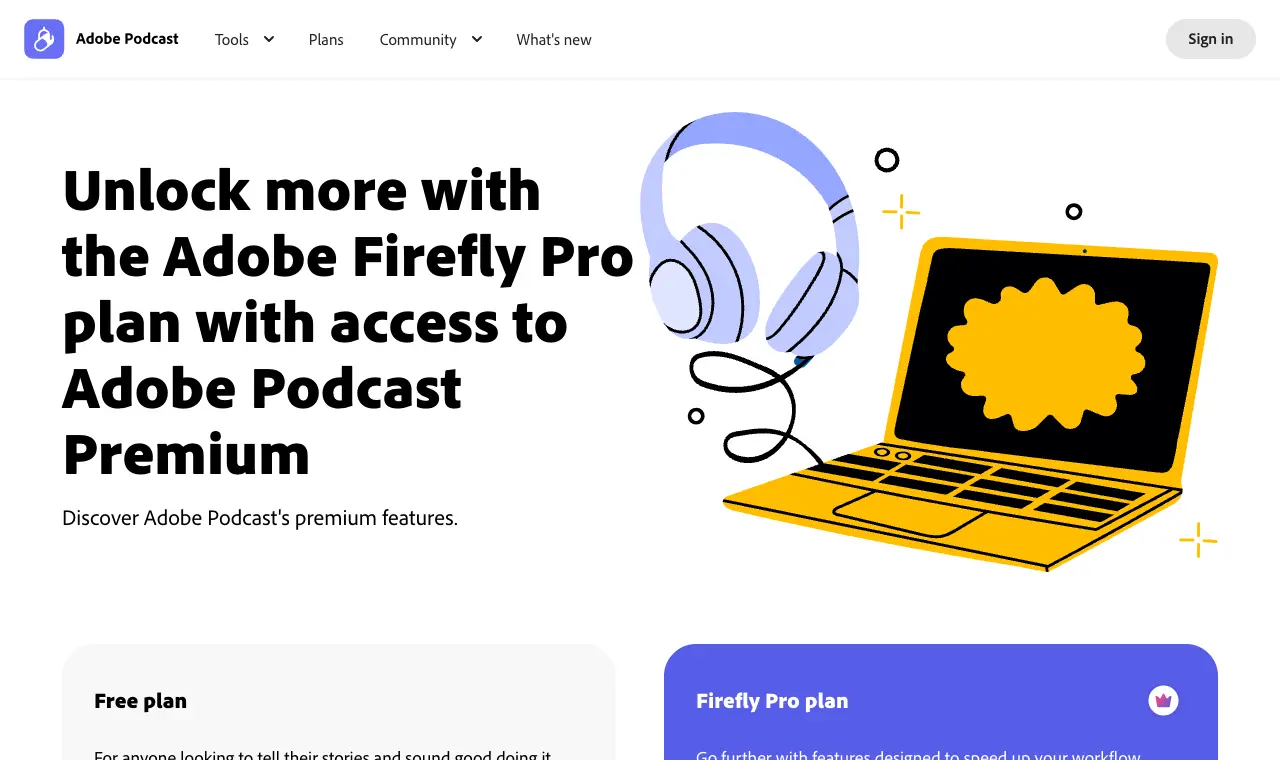
Price Free; premium features come with Adobe's Firefly Pro plan (price not shown on the Adobe Podcast plans page)Free Unlimited remote recording; projects up to 30 minutes for download, 2 downloads a day; no download of the original speaker-separated recordings.Runs on Google Chrome on desktop only (Studio is in beta)
What it does well
- Studio records each participant on an individual track, audio and video (Adobe Podcast guide, Set up a remote recording).
- Guests invited by link join without signing in (Adobe Podcast guide).
- Remote recording is unlimited on the free plan (plans page).
Where it falls short
- Downloading the original speaker-separated recordings needs the paid Firefly Pro plan; free projects are capped at 30 minutes (plans page).
- Remote recording works only in Google Chrome on desktop; guests cannot join on a phone or tablet (Adobe Podcast guides).
- Studio is still labelled beta (podcast.adobe.com).
What its users say
“I usually come here to complain, but I’ve got to say the Adobe Podcast speech function is incredible. I'm so happy with the clarity and it is so easy to use.”
“I signed up for the Adobe Podcast, cancelled immediatly and they still charged me twice despite having cancelled the trial, minutes after usage.”
“Adobe Podcast worked great until it didn't.”
“I paid for podcast adobe to get things done faster and it's slower.”
In the directoryPricing pageread 6 October 2026
07
Zoom Workplace
Best as the baseline: everyone already has it, and it can save a separate audio file per person, but it records the call, not each guest's device.
Price Free (Basic); Pro $14.16/user/month billed yearly; Business $18.33/user/month billed yearlyFree Basic: 40 minutes per meeting, 100 participants; computer (local) recording is available on the free plan.Runs on Windows, macOS, Linux desktop apps (computer recording is not supported on iOS, iPad or Android); web
What it does well
- Computer recording is available to free and paid users and can include a separate audio track for each participant (Zoom support, Starting a computer recording).
- Pro allows 30-hour meetings with 100 participants (pricing page).
Where it falls short
- Computer recordings capture the meeting as the recorder sees it (for example speaker view), so there is no separate video per guest (Zoom support).
- Audio is the call audio, saved as M4A/MP4, not a lossless file from each guest's own device (Zoom support).
- The free plan cuts meetings at 40 minutes (pricing page).
What its users say
“The amount of functionality included—screen sharing, recording, breakout rooms, webinars, and more—gives me more than enough to run everything from team meetings to client presentations.”
“We wasted 90 minutes of our time and effort our guests time conducting an interview that we turned recording "ON" but Zoom didn't record.”
“Despite the settings being enabled, Zoom does NOT record the tracks separately. Never.”
In the directoryPricing pageread 6 October 2026
Questions
What is the difference between local (double-ender) and cloud recording?
Local recording saves each person's audio and video on their own device and uploads it, so a shaky connection affects what you hear live but not the files. Riverside, Zencastr, Descript Rooms/SquadCast and StreamYard (with local recording switched on) work this way. Cleanfeed records on the host's side from the live connection, and Zoom's computer recording captures the meeting as the recorder sees it.
Do my guests need an account?
Not for Riverside, Zencastr, Descript Rooms, SquadCast, Cleanfeed or Adobe Podcast links: guests join from the invite link. Adobe guests invited by email rather than link must sign in with that email.
Which tool gives separate tracks for free?
Zencastr's free plan lists unlimited separate audio and video tracks for up to 6 participants. Riverside's free plan gives 2 hours of multi-track recording once. StreamYard's free plan gives 2 hours a month of local recording. Cleanfeed's free Lite plan does not include separate tracks, and Adobe Podcast's free plan does not let you download the original speaker-separated files.
How many guests can I record at once?
Riverside: 10 recorded participants (9 guests + host). Descript Rooms: 10. Zencastr free: 6 participants. StreamYard: 6 on-screen on Free, 10 on Core. Cleanfeed: 2 guests on Lite, 32 on Pro. Adobe Podcast: no hard limit, 5 guests recommended.
Is SquadCast still available?
Yes. Descript says SquadCast is free for Descript users and that Descript Rooms will eventually replace it, but no sunset date has been set.
Can I just use Zoom?
You can: Zoom's computer recording, on free and paid plans, can save a separate audio file per participant. But it records the call as the recorder sees it, in one video file, rather than a clean file from each guest's own device, and free meetings stop at 40 minutes.