Checked 30 September 2026
The Submagic alternative for long podcasts and streams (2026)
Submagic is known for caption styling. It was built for videos that are already short, so people cutting long podcasts often find its length caps, or the add-on needed for long videos, get in the way.
Our bias: we make Shorts by Slice. Compared from published pricing, limits, features and user reviews, checked 30 September 2026. We did not test Submagic hands-on, and where it is the better choice we say so.
Slice vs Submagic
| Shorts by Slice | Submagic | |
|---|---|---|
| Price | $14.99/month or $149/year | $19 / $39 / $69 a month, or $12 / $23 / $41 billed yearly; Magic Clips +$19/month |
| What the entry plan gets | Everything: no cap on videos, no per-export charge, no watermark | Starter: 15 videos a month, up to 2 minutes each, 1080p |
| Longest video | 3 hours and 2GB (MP4, MOV or WebM) | 2 min (Starter), 5 min (Pro), 30 min (Business); Magic Clips limit not stated |
| Monthly limit | No cap on videos or exports | 15, 40 or 100 videos; Magic Clips 10 uploads |
| Watermark | Never, trial included | None, on any tier |
| Link import | No: you upload a file | Magic Clips takes YouTube links |
| Posting | No: you download and post | Not covered in our check |
| Captions and languages | Captions in the speaker's language; fonts cover Latin scripts and Hebrew | 123 languages, strong styling, auto-zoom, b-roll |
| Reviews | No third-party ratings to report yet | Trustpilot 4.5 (842), G2 4.6 (85), Capterra 5.0 (1), Product Hunt 4.4 (30) |
Submagic’s figures from its pricing page and review sites, 30 September 2026. Prices in US dollars.
Choose Submagic if…
- Your videos are already short and you want styled captions, zooms and b-roll on them.
- You caption in one of its 123 languages that Slice's fonts do not cover.
- You want b-roll and silence removal in the same tool.
Choose Slice if…
- You start from a long episode. Slice takes up to 3 hours on its one plan; on Submagic, clipping a long video is the Magic Clips add-on, $19 a month for 10 uploads, on top of a plan.
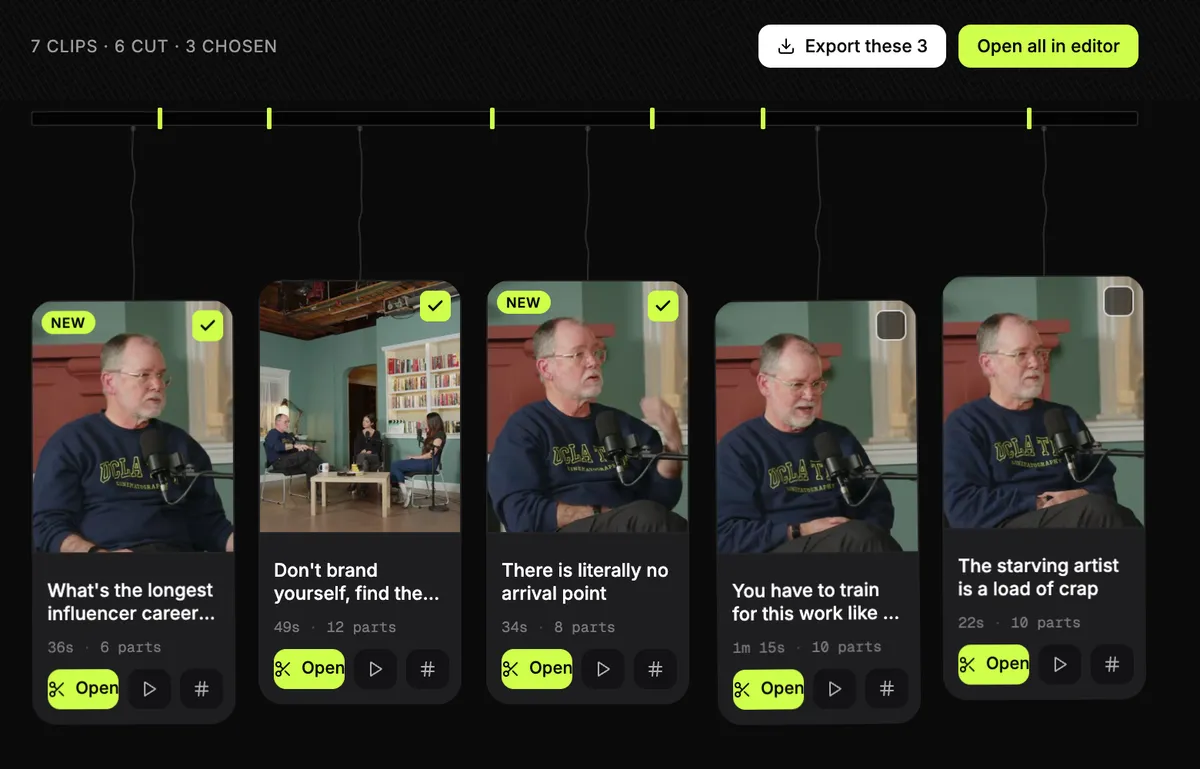
- You make many clips from each episode and want to export them together.
- You want one price that covers finding, editing and exporting clips.
Submagic, in short
Best for styling captions, b-roll and zooms on videos that are already short, in almost any language.
Pricing, in plain words
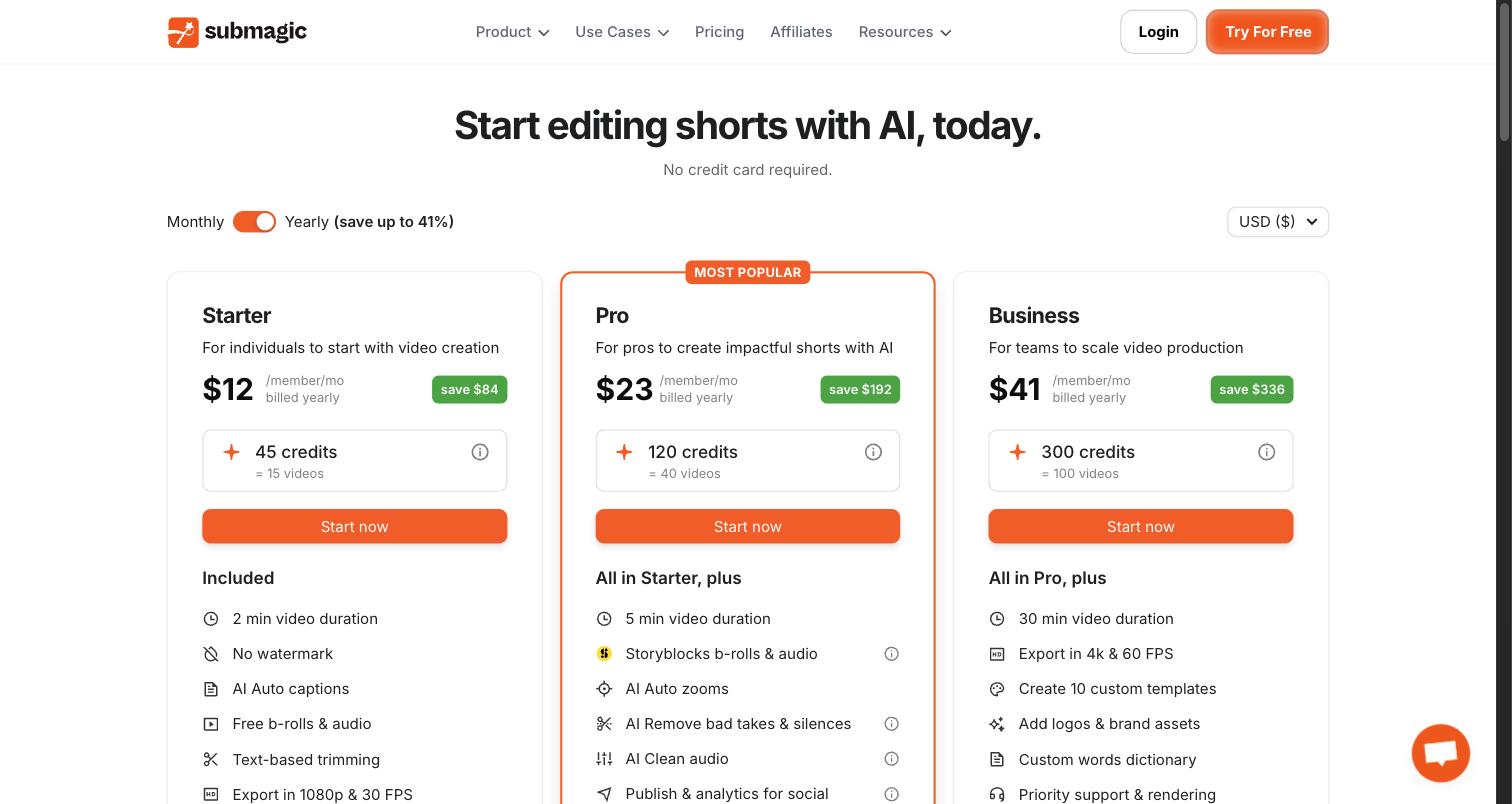
- Starter: $19 a month, or $12 a month billed yearly. 15 videos a month, each up to 2 minutes, 1080p at 30fps.
- Pro: $39 a month, or $23 a month billed yearly. 40 videos, up to 5 minutes each, b-roll, 3 users.
- Business: $69 a month, or $41 a month billed yearly. 100 videos, up to 30 minutes each, 4K at 60fps.
- Magic Clips, which turns a long video into clips, is a paid add-on: $19 a month for 10 uploads. It takes YouTube links and makes "20+" clips.
- No watermark on any tier. No free plan, but you can try it without a card.
What Submagic’s reviewers say
| Site | Rating | Reviews |
|---|---|---|
| Trustpilot | 4.5 / 5 | 842 |
| G2 | 4.6 / 5 | 85 |
| Capterra | 5.0 / 5 | 1 |
| Product Hunt | 4.4 / 5 | 30 |
Praise: Fast caption styling; Accurate captions; Support often praised.
Recurring complaints: Surprise renewals or refunds (12 of 25); Support (8 of 25); Failed exports (6 of 25); Pricing confusion (4 of 25).
Source: Trustpilot 1-2 star reviews, 25 reviews. A sample, not every review. Read them on Trustpilot.
“changing the features… every few months”A reviewer on Product Hunt
Slice, in short
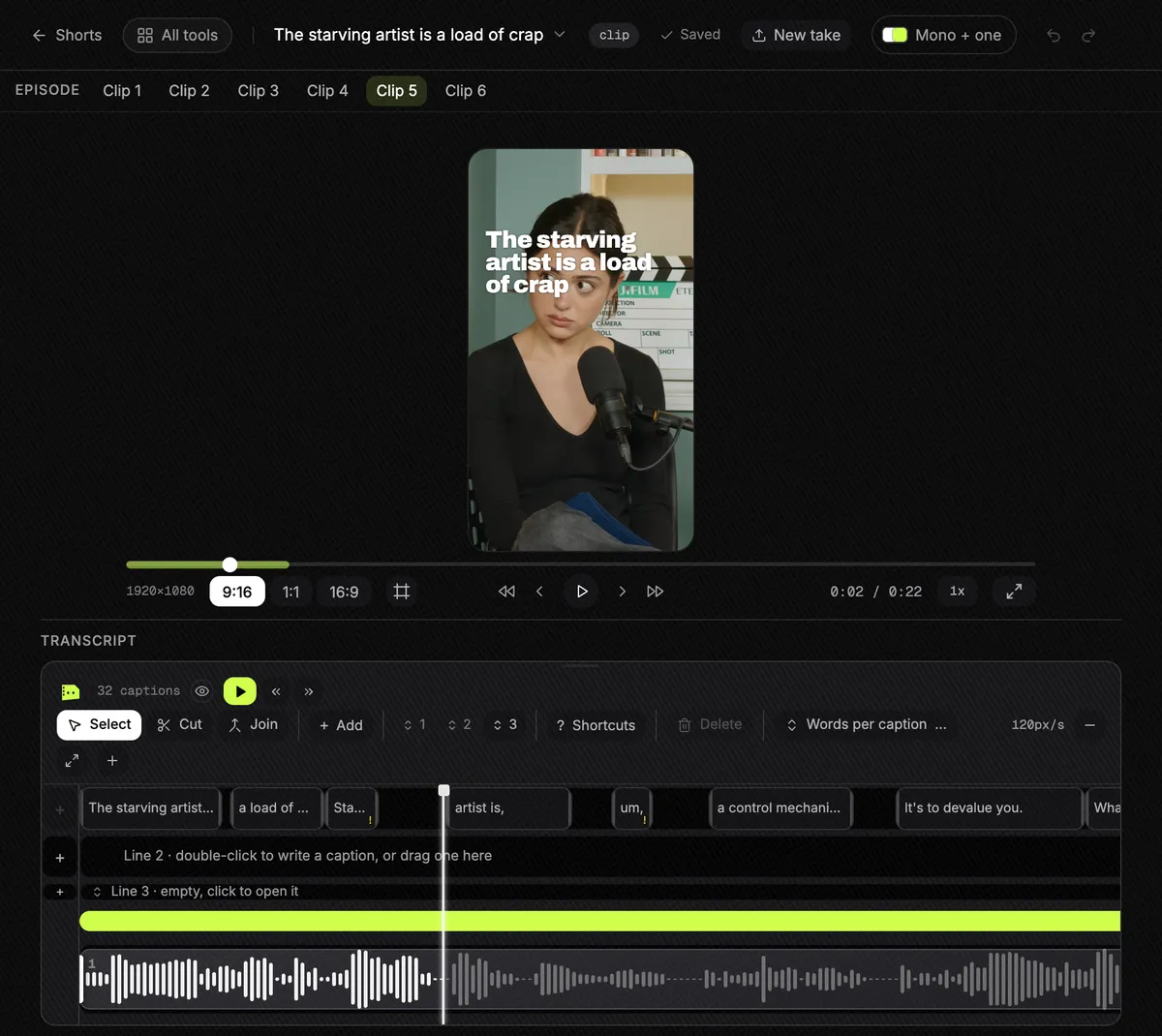
Best for podcasters and clippers who cut long episodes and streams into lots of clips and export them in one go.
$14.99 a month or $149 a year, with a 3-day free trial and no card. It does not post, schedule or add b-roll, and you upload a file rather than paste a link.
Questions
Can Submagic clip a full podcast episode?
Yes, with Magic Clips, a paid add-on at $19 a month for 10 uploads that accepts YouTube links. Without it, each plan caps the video length: 2 minutes on Starter, 5 on Pro, 30 on Business. Checked 30 September 2026.
Does Submagic watermark?
No, on any tier. Neither does Slice.
Does Slice have b-roll like Submagic?
No. Slice has no b-roll. If b-roll matters, Submagic (Pro and up) or OpusClip have it.
What do people complain about with Submagic?
In 25 Trustpilot 1-2 star reviews, twelve mention surprise renewals or refunds, eight support, six failed exports and four pricing confusion. Its overall Trustpilot score is 4.5 from 842 reviews, and many reviewers praise its support.
How was this compared?
Compared from published pricing, limits, features and user reviews, checked 30 September 2026. Submagic's figures are from its own pricing page, help centre and review pages. We did not test Submagic hands-on. We make Slice.
More comparisons
- Best AI clipping tools for podcasts and streams (2026)
- The OpusClip alternative
- The Klap alternative
- The Vizard alternative
- AI clip tools compared: prices and caps in one table
Try Shorts by Slice on your next episode. If Submagic fits you better, use it.